1. Úvod
This manual provides essential instructions for the safe and effective use of your Xiaomi Mi Portable Photo Printer. Please read this manual thoroughly before operating the device and retain it for future reference. This portable printer allows you to print 2x3 inch photos instantly from your iOS or Android device using ZINK inkless printing technology, featuring AR photos and dynamic video capabilities.
2. Obsah balení
Ověřte, zda jsou v balení obsaženy všechny níže uvedené položky:
- Mi Portable Photo Printer x 1
- Photo paper pack (5-sheet) x 1
- USB kabel x 1
- Návod k použití x 1

Figure 2.1: Package Contents Diagram. This image illustrates the printer, USB cable, instruction manual, and a 5-sheet photo paper pack included in the box.
3. Konec produktuview
The Xiaomi Mi Portable Photo Printer is a compact and lightweight device designed for on-the-go photo printing. It utilizes ZINK (Zero Ink) technology, eliminating the need for ink cartridges.
3.1 Klíčové vlastnosti
- Kompaktní design: Small and portable, easily fits into a pocket or bag.
- ZINK Inkless Printing: Prints vibrant 2x3 inch photos without ink.
- AR Photos & Dynamic Videos: Scan printed photos with the Mi Home/Xiaomi Home app to view augmented reality effects or dynamic videos.
- Bluetooth připojení: Connects wirelessly to iOS and Android devices.
- Připojení více zařízení: Supports simultaneous Bluetooth connections for shared printing.
- Integrace aplikací: Offers various templates, collages, and filters via the Mi Home/Xiaomi Home app.
3.2 Součásti zařízení

Obrázek 3.1: Přední strana view of the Xiaomi Mi Portable Photo Printer with a photo being ejected. This image highlights the printer's compact size and its primary function.
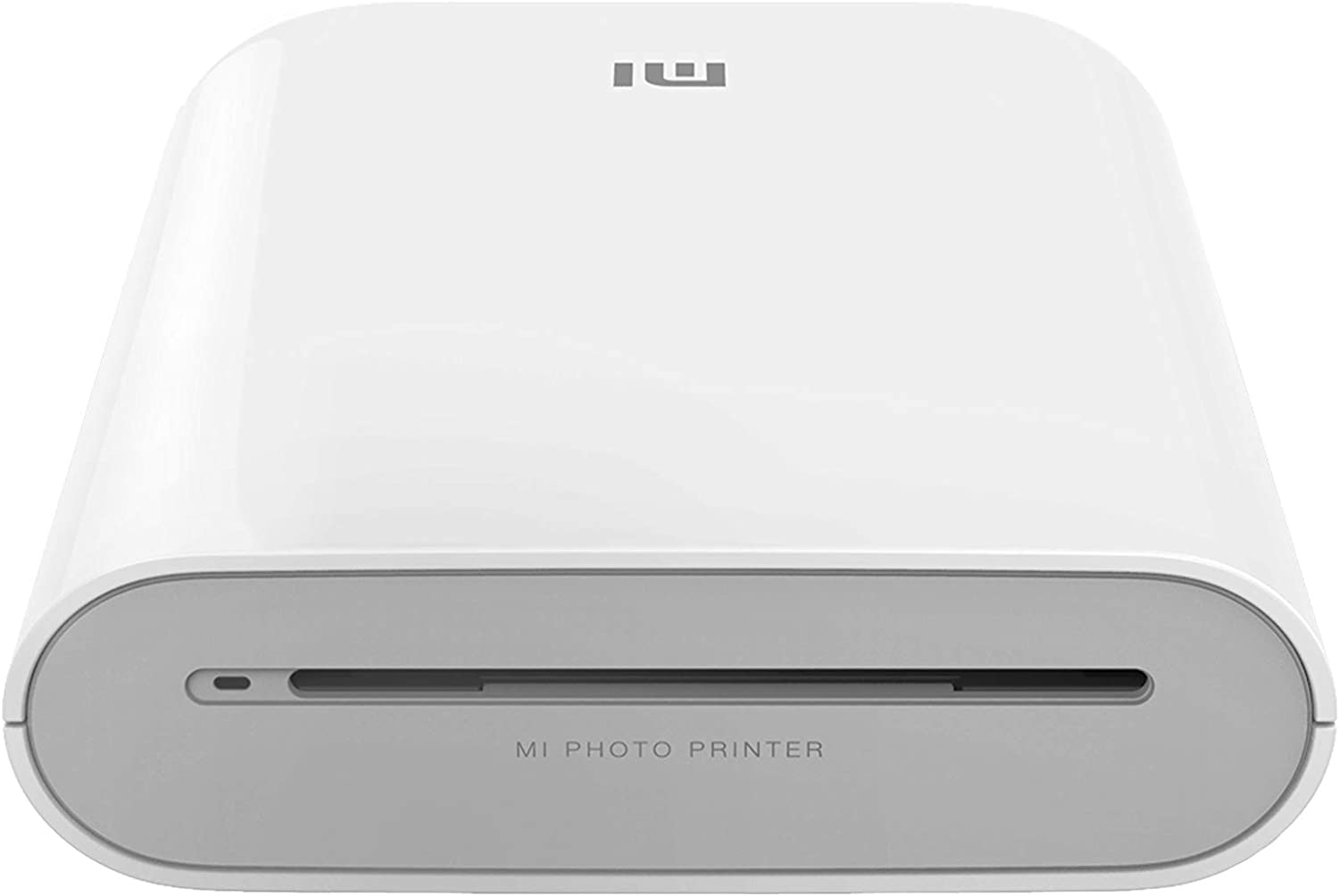
Obrázek 3.2: Čelní view of the printer, displaying the photo output slot and branding.
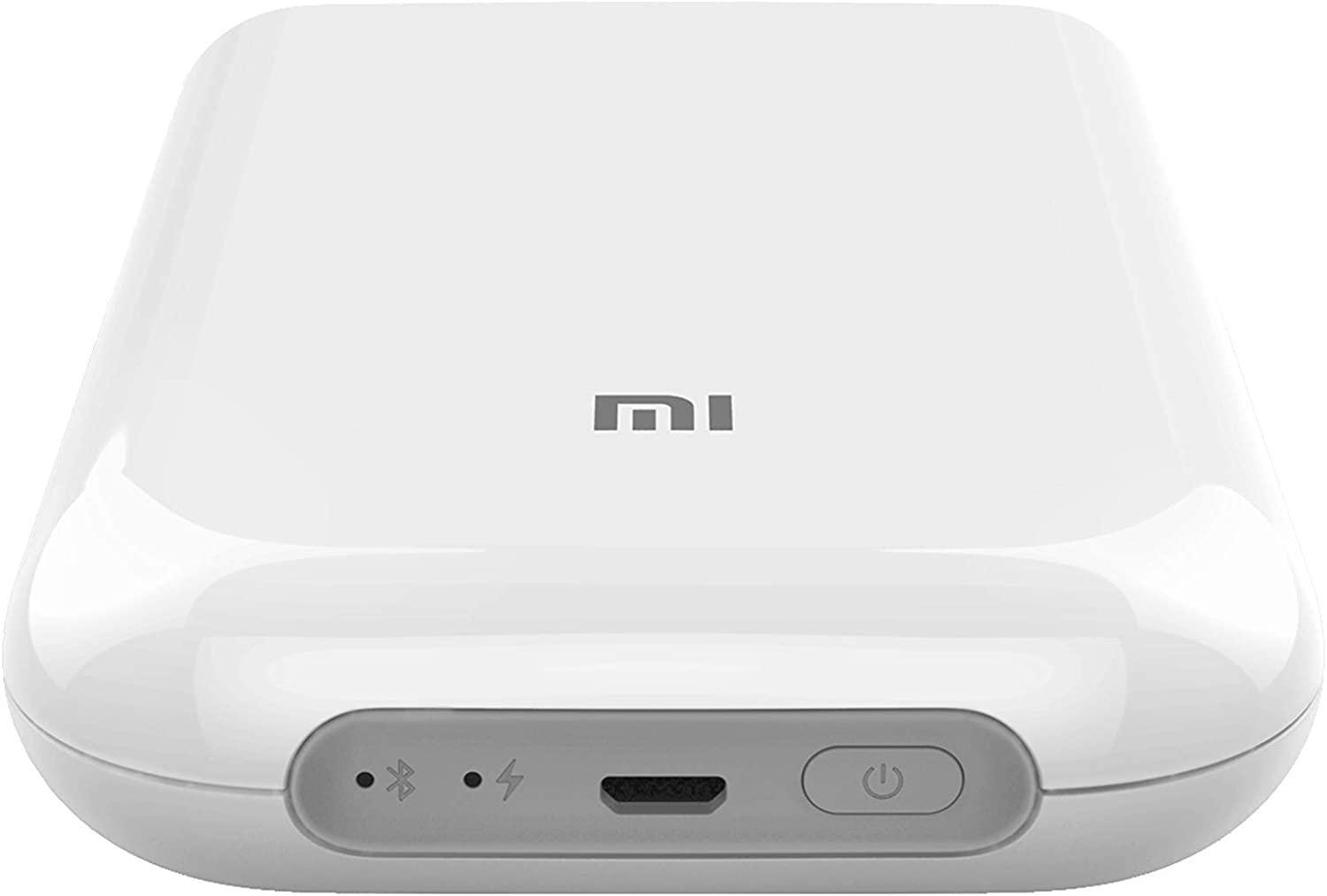
Obrázek 3.3: Nahoře view of the printer, illustrating the control panel with the power button, charging port, and status indicators.

Figure 3.4: The printer held in a hand, emphasizing its compact and portable design.
4. Nastavení
4.1 Nabíjení tiskárny
Before first use, fully charge the printer. Connect the provided USB cable to the printer's charging port and a suitable USB power adapter (not included). The indicator light will show charging status.
4.2 Vkládání fotografického papíru
- Otevřete kryt zásobníku papíru na tiskárně.
- Insert the ZINK photo paper pack into the tray with the blue calibration card facing down, followed by the photo paper with the glossy side facing up.
- Bezpečně zavřete kryt zásobníku papíru.
4.3 Instalace aplikace Mi Home/Xiaomi Home
Download and install the 'Mi Home' or 'Xiaomi Home' app from your device's app store (Google Play Store for Android, Apple App Store for iOS). Follow the on-screen instructions to create an account or log in.
Důležitá poznámka: Some users have reported regional restrictions with the app, limiting device usability to specific regions. Please ensure the app and device are compatible with your geographical location before use.
4.4 Párování přes Bluetooth
- Ensure your printer is charged and powered on.
- Povolte Bluetooth na svém zařízení se systémem iOS nebo Android.
- Open the Mi Home/Xiaomi Home app and tap the '+' icon to add a new device.
- Select the Xiaomi Mi Portable Photo Printer from the list of available devices.
- Follow the app's instructions to complete the pairing process.
5. Návod k obsluze
5.1 Zapnutí/vypnutí
- Zapnutí: Press and hold the power button on the printer until the indicator light illuminates.
- Vypnout: Znovu stiskněte a podržte tlačítko napájení, dokud kontrolka nezhasne.
5.2 Tisk fotografií
- Ensure the printer is connected to your device via Bluetooth and has sufficient paper loaded.
- Otevřete aplikaci Mi Home/Xiaomi Home.
- Select the photo you wish to print from your device's gallery or take a new photo within the app.
- Utilize the app's editing features, such as filters, collages, or templates, if desired.
- Tap the print icon in the app to send the image to the printer. The photo will emerge from the output slot.

Figure 5.1: Printer in use with the companion app, showcasing printed photos and creative possibilities.
5.3 AR Photos and Dynamic Videos
The printer supports AR (Augmented Reality) photos and dynamic videos. When printing a photo, you can record or upload a video within the Mi Home/Xiaomi Home app. After printing, scan the physical photo using the app's AR feature to experience the embedded virtual effects or play the dynamic video.
5.4 Multi-User Connection
The printer supports multiple simultaneous Bluetooth connections. Up to three devices can connect to the printer at once. Print jobs from different devices will be added to a queue and printed sequentially.
6. Údržba
6.1 Čištění tiskárny
To maintain optimal print quality, periodically clean the exterior of the printer with a soft, dry cloth. Do not use liquid cleaners or abrasive materials. The ZINK printing technology does not require print head cleaning as there are no ink cartridges.
6.2 Výměna fotografického papíru
When the paper supply is depleted, follow the instructions in Section 4.2 to load a new pack of ZINK 2x3 inch photo paper. Always use genuine Xiaomi ZINK photo paper for best results.
6.3 Péče o baterii
To prolong battery life, avoid exposing the printer to extreme temperatures. If the printer will not be used for an extended period, charge it to approximately 50% before storage and recharge it every few months.
7. Řešení problémů
If you encounter issues with your Xiaomi Mi Portable Photo Printer, refer to the following common problems and solutions:
| Problém | Možné řešení |
|---|---|
| Tiskárna se nezapne | Ensure the printer is fully charged. Connect it to a power source and try again. |
| Nelze se připojit přes Bluetooth | Verify Bluetooth is enabled on your device and the printer. Restart both devices. Ensure the printer is not already connected to another device. Check app permissions. |
| Poor print quality / Blank prints | Ensure genuine ZINK photo paper is loaded correctly with the glossy side up. Check if the blue calibration card was used with the paper pack. The paper may be expired or damaged. |
| Zaseknutý papír | Power off the printer. Carefully open the paper tray and remove any jammed paper. Do not force the paper out. Reload paper correctly. |
| App not functioning correctly / Regional restrictions | Ensure the Mi Home/Xiaomi Home app is updated to the latest version. Check your device's region settings. Some app features or device functionality may be restricted based on geographical location. |
If the problem persists, consult the official Xiaomi support webnebo kontaktujte zákaznický servis.
8. Specifikace
| Funkce | Specifikace |
|---|---|
| Model | Přenosná fotografická tiskárna Mi |
| Značka | XIAOMI |
| Technologie tisku | Zink Technology |
| Technologie připojení | Bluetooth |
| Kompatibilní operační systémy | Android, iOS |
| Maximální velikost média | 2 x 3 palce |
| Velikost listu | 2 x 3 palce |
| Maximální rozlišení tisku | 313 x 400 dpi |
| Tiskový výstup | Barva |
| Oboustranný tisk | Ne (jednostranný tisk) |
| Maximální vstupní kapacita listu | 1 |
| Kontrolní metoda | App |
| Typ baterie | Lithium Ion (součástí balení) |
| Rozměry produktu (DxŠxV) | 12.42 × 2.46 × 8.51 cm (124 × 25 × 85 mm) |
| Hmotnost položky | 281 g |
| Barva | Bílý |
9. Bezpečnostní informace
- Zařízení sami nerozebírejte, neopravujte ani neupravujte.
- Keep the printer away from water, moisture, and high temperatures.
- Zabraňte pádu tiskárny na zem ani jejímu vystavení silným nárazům.
- Use only the specified charging cable and genuine ZINK photo paper.
- Uchovávejte mimo dosah dětí.
10. Záruka a podpora
Informace o záruce, technickou podporu nebo servisní dotazy naleznete v záruční kartě dodané s vaším produktem nebo navštivte oficiální stránky podpory Xiaomi. website. Ensure you have your product model and purchase details available when contacting support.


