Zavedení
The PetSafe SmartDoor™ is an app-controlled pet door designed to provide convenience and security for pet owners. This Wi-Fi enabled pet door allows for remote management of your pets' access, custom scheduling, and real-time notifications. It features selective entry and exit, ensuring only authorized pets can use the door while keeping unwanted animals out.

Image: The PetSafe SmartDoor, showing the main unit, a smartphone displaying the control app, and a Pet Door Key.
Nastavení a instalace
Before beginning installation, ensure you have all necessary components and tools. The SmartDoor comes with an Installation Guide, 1 Foam Spacer, 1 Large Pet Door Key, Interior Frame, Screws, Blanking Plugs, Cutting Templates for non-metal and metal doors, and an Exterior Frame. You will also need four D-cell batteries (not included) for operation.
Požadované nástroje:
- Vrtat
- Vykružovačka
- Měřicí páska
- Tužka
- Úroveň
- Šroubovák
- Ochranné brýle
- Caulk (for sealing)

Image: Close-up of the PetSafe SmartDoor showing Wi-Fi and battery indicators, and the tinted flap with multi-point locks.
Pre-Installation Programming:
It is recommended to program your pet door in the intended installation location before cutting any holes. Insert four D-cell batteries into the battery compartment. The Wi-Fi icon will blink yellow. Download the My PetSafe® app and follow the on-screen instructions to add your SmartDoor. Ensure a strong Wi-Fi signal in the installation area. Create a pet profile for each pet that will use the SmartDoor™ by scanning their Pet Door Key. For the Medium size pet door, you can also scan your cat's implanted microchip. Test the setup with the Pet Door Key or implanted microchip in the same location you plan to install the door before proceeding with physical installation.

Image: A hand holding a smartphone displaying the My PetSafe app, highlighting features like Wi-Fi Enabled, Alerts That Matter, App Controlled, and Per Pet Scheduling.
Kroky fyzické instalace:
- Measure your pet's shoulder height to determine the appropriate installation height on your door. Mark this height on the door.
- Extend the mark using a level to ensure it is straight.
- Draw a vertical mark where the center of the pet door will be, using a level to ensure it is plumb.
- Cut out the appropriate cutting template provided in the manual.
- Tape the cutting template to the door, aligning the shoulder and center lines with your marks.
- Drill the four corner holes using a 12mm drill bit.
- Odstraňte šablonu.
- Starting in a drilled hole, use a jigsaw to cut along the traced lines to create the opening.
- Insert the interior frame of the pet door into the opening.
- If installing on a metal door, place the foam spacer in the opening before inserting the interior frame. Rest the interior frame on the spacer.
- Place the exterior frame of the pet door over the tunnel from the outside.
- Mark the exterior screw holes with a pencil.
- Remove both frames.
- Drill the exterior screw holes using an 8mm drill bit.
- Align both frames back into the cutout.
- Manually screw the frames together using the provided screws.
- Place blanking plugs over the screw heads when finished.
- Use caulk to seal the space between the pet door frame and the tunnel for weatherproofing.
Video: Official installation guide for the PetSafe SmartDoor Connected Pet Door. This video provides a visual walkthrough of the installation process, from preparing the door to securing the frames and sealing the unit.
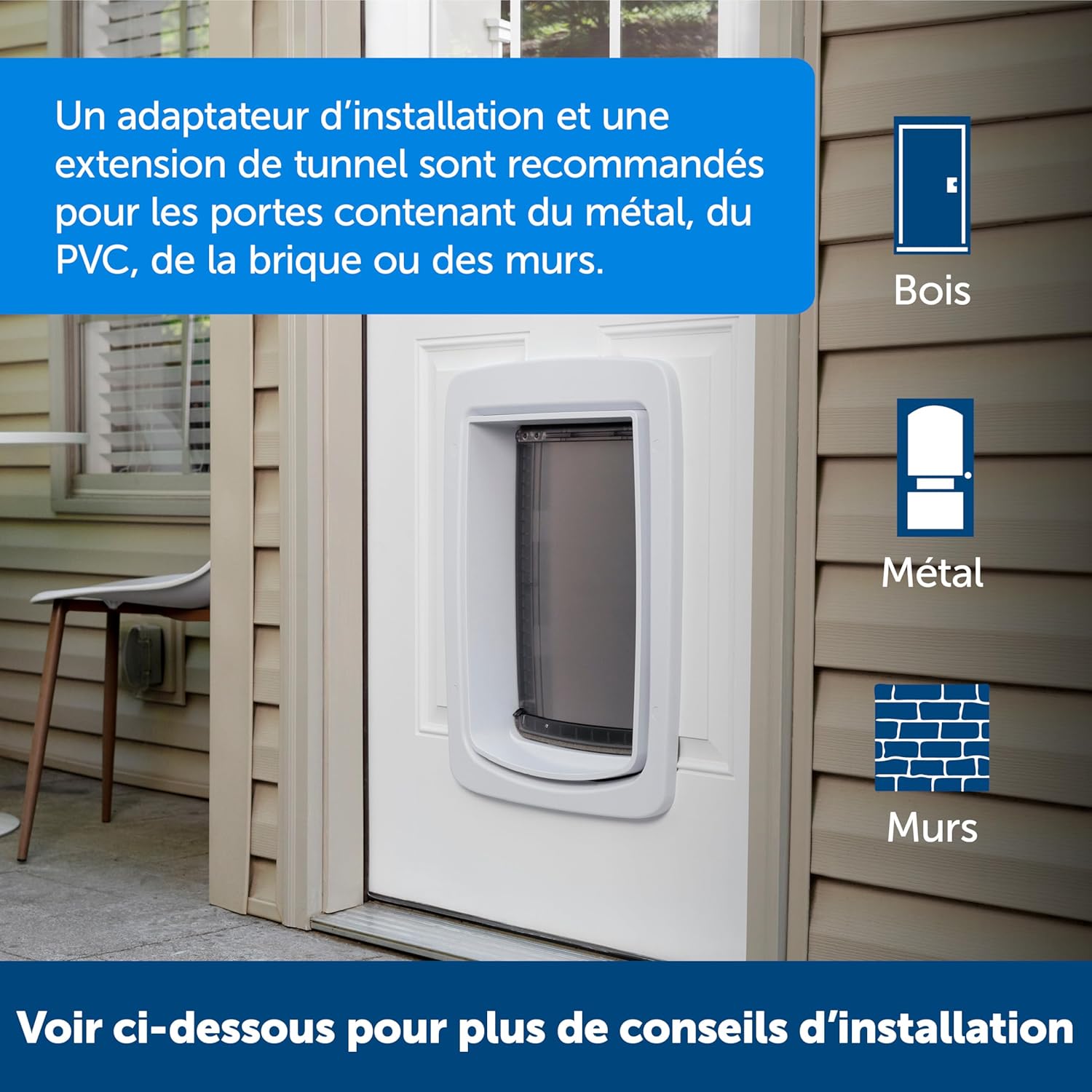
Image: An illustration indicating that an installation adaptor and tunnel extension are recommended for doors containing metal, PVC, brick, or walls.
Návod k obsluze
The PetSafe SmartDoor™ offers advanced features for managing your pet's access:
- Ovládání aplikace: Manage the door remotely from anywhere using the My PetSafe® app. You can lock and unlock the door, change settings, and monitor activity.
- Selective Entry: The door's innovative feature allows you to decide when and which pets can use the door, preventing access by wildlife or other unwanted visitors.
- Schedule Customization: Create or modify multiple schedules for each pet, ensuring their daily routines are maintained even when you are not at home.
- Remote Lock and Unlock: Gain complete control over your pet's access by remotely locking and unlocking the SmartDoor™ through the app.
- Oznámení: Receive smartphone alerts when your pets use the door, updates on the SmartDoor™ lock status, and battery status.

Image: A brown Labrador Retriever entering the PetSafe SmartDoor, illustrating the selective entry feature and weather sealing.
Údržba
- Čištění: Regularly clean the pet door and flap with a damp cloth to remove dirt and debris. Avoid harsh chemicals that could damage the plastic or electronic components.
- Výměna baterie: The SmartDoor™ requires four D-cell batteries. Replace them when the battery indicator on the unit or in the My PetSafe® app shows low power.
- Aktualizace firmwaru: Ensure your SmartDoor™ firmware is up to date through the My PetSafe® app to benefit from the latest features, connectivity improvements, performance enhancements, and security updates.
Odstraňování problémů
If you encounter issues with your PetSafe SmartDoor™, consider the following common solutions:
- Problémy s připojením: Ensure your Wi-Fi signal is strong in the installation location. The SmartDoor™ primarily uses the 2.4GHz band. If connectivity is intermittent, try rebooting your router and the pet door.
- Door Latch Malfunctions: If the latch jams or does not reliably lock/unlock, check for any obstructions in the flap's path. Ensure the door is installed plumb and level. If issues persist, contact customer support.
- Pet Door Key/Microchip Recognition: If the door is not recognizing your pet's key or microchip, ensure the key is properly attached to the collar and positioned correctly when the pet approaches. For microchip models, ensure the chip is correctly implanted and registered.
- Nepřijatá oznámení: Check your My PetSafe® app settings to ensure notifications are enabled. Also, verify your phone's notification settings for the app.
For more detailed troubleshooting or persistent issues, refer to the comprehensive user manual PDF available online or contact PetSafe Customer Care.
Specifikace
| Funkce | Detail |
|---|---|
| Značka | PetSafe |
| Číslo modelu | ZPA19-17253 |
| Velikost | Velký |
| Rozměry produktu | 5 x 16.5 x 23.1 palce |
| Hmotnost položky | 11.48 libry |
| Materiál | Plast |
| Barva | Bílý |
| Typ uzávěru | Flap, Lock |
| Jsou vyžadovány baterie | No (Requires 4 D-cell batteries for operation, not included) |
| Velikost plemene psa | Velký |
| Hmotnostní limit | 200 libry |
| UPC | 729849172531 |

Image: A size chart illustrating the dimensions for both Medium and Large SmartDoor models, along with pet measurement guidelines.
Záruka a podpora
Informace o záruce:
The PetSafe SmartDoor™ comes with a 1-year limited warranty. Please retain your proof of purchase for warranty claims.
Zákaznická podpora:
For any questions, additional tips, or troubleshooting assistance, please contact PetSafe Customer Care. You can also refer to the detailed training guide and video provided by PetSafe to help your pet successfully use the SmartDoor™.
Navštivte oficiální stránky PetSafe website for more resources and contact information: PetSafe Store


