Konec produktuview
The REOLINK Duo Floodlight PoE is a 4K dual-lens security camera designed for outdoor use, offering a 180° ultra-wide-angle view. It features an 1800-lumen floodlight, smart human, vehicle, and pet detection, and two-way talk functionality. This manual provides detailed instructions for its assembly, setup, operation, and maintenance.
Obsah balení
- Reolink Duo Floodlight PoE x1
- 1m Network Cable x1
- Stručný průvodce x1
- Šablona montážního otvoru
- Waterproof covers
- Montážní deska
- Šrouby a kotvy
- Šestihranný klíč
Montážní návod
Step 1: Attach Camera to Floodlight Base
Align the camera unit with the floodlight base. Use the provided hex key to secure the camera to the base. Ensure all connections are firm.
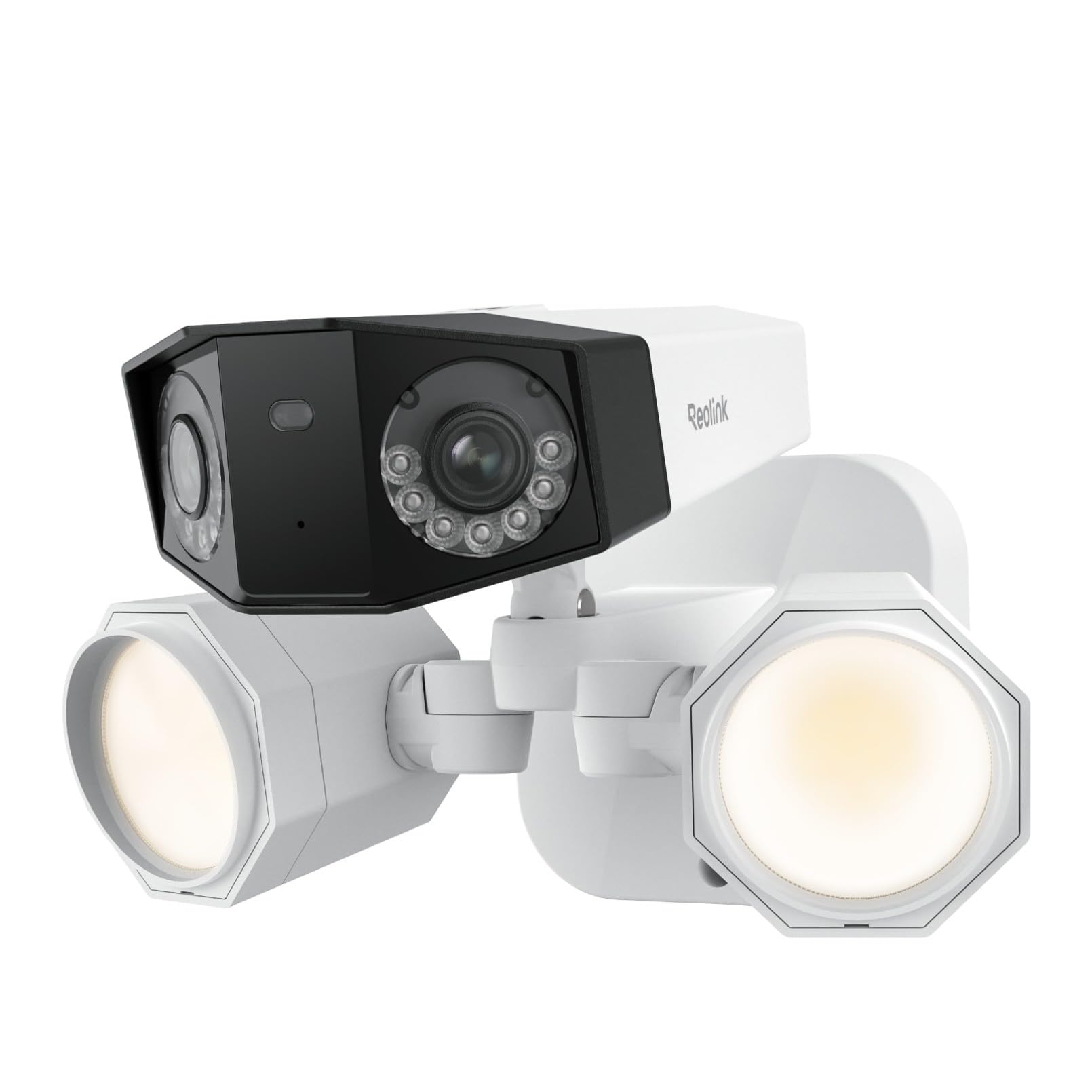
Description: This image displays the main components of the Reolink Duo Floodlight PoE, including the dual-lens camera unit and the floodlight base, ready for assembly.
Počáteční nastavení
Powering On and Network Connection
For the PoE version, connect the camera to a PoE switch using an Ethernet cable. The Ethernet cable provides both power and data. Ensure your PoE switch is connected to your router.

Description: This image illustrates the connection of the Reolink Duo Floodlight PoE camera to a PoE switch via an Ethernet cable, and the PoE switch to a router, demonstrating the simple plug-and-play setup.
Adding Camera to Reolink App
Download the latest Reolink App from the App Store or Google Play. Ensure your smartphone is connected to the same network as the camera.
You can add the camera automatically by enabling "Add Devices Automatically" in the app settings, or manually by scanning the QR code on the camera, inputting the UID/IP, or selecting from devices within the LAN.
After adding, create a device password and name your camera to complete the initialization.
Description: This video provides a step-by-step guide on how to set up and install the Reolink Duo Floodlight PoE camera, including physical assembly and initial app configuration.
Ovládání fotoaparátu
Žít View a přehrávání
Přístup živě view a nahrané jídlotage through the Reolink App. The app allows you to pause live view, listen in, take snapshots, and record live video.
Playback features enable sorting recorded events by person, vehicle, or pet detection. You can pinch to zoom in on recorded footage.
Inteligentní detekce a upozornění
The camera features advanced algorithms for human, vehicle, and pet detection. Customize sensitivity and alarm delay times to minimize false alerts.

Description: This image displays the Reolink app interface, highlighting the smart detection capabilities for persons, vehicles, and pets, with an example alert for vehicle detection.
Floodlight Control
The 1800-lumen floodlights can be motion-activated, scheduled, or set to be always on at night. Adjust brightness settings via the app.

Description: This image shows the Reolink app's custom lighting options, allowing users to set floodlights to be motion-activated or scheduled, and adjust their brightness.
Oboustranný rozhovor
Utilize the built-in microphone and speaker for two-way communication, allowing you to speak to visitors or deter intruders.

Description: This image depicts a person using the Reolink app on a smartphone to engage in two-way audio communication through the camera.
Průvodce instalací
Úvahy o místě montáže
Choose an outdoor location for optimal coverage. Avoid pointing the camera directly at sunlight, mirrors, or glass windows to prevent image distortion or glare.

Description: This image shows the Reolink Duo Floodlight PoE camera mounted on an exterior wall, illuminating the area at night.
Montáž kamery
- Stick the provided mounting hole template to the desired wall location and drill holes accordingly.
- Install the mounting plate using the screws and anchors. For drywall or masonry, use a hammer to install anchors first.
- Lock the wire rope anchor of the camera to the mounting plate for safety during installation.
- Seal any wire holes with the waterproof covers.
- Hang the camera on the mounting plate.
- Secure the floodlight base with a screw at the bottom.
- Adjust the camera and floodlight angles using the hex key.
Description: This video demonstrates the complete installation process for the Reolink Duo Floodlight PoE, from preparing the mounting surface to securing the camera and adjusting its position.
Technické specifikace
| Funkce | Detail |
|---|---|
| Vnitřní/venkovní použití | Venkovní |
| Kompatibilní zařízení | Smartphone |
| Zdroj napájení | Napájení přes ethernet |
| Protokol připojení | Ethernet |
| Typ ovladače | Reolink APP |
| Typ montáže | Držák na zeď |
| Rozlišení záznamu videa | 4K (4608x1728) |
| Počet kanálů | 4 |
| Technologie bezdrátové komunikace | Kabelové |
| Form Factor | Bullet Camera with Floodlights |
| Viewúhel | 180 stupňů |
| Typ instalace | Zašroubovat |
| Rozsah nočního vidění | 100 stop |
| Snímková frekvence | 20 FPS |
| Wattage | 20 wattů |
| Rozměry položky d x š x v | 10.24 x 8.07 x 6.69 palce |
| Kódování videa | MPEG-4 |
| Technologie nízkého osvětlení | Noční barva |
| Typ upozornění | Motion Only (Human/Vehicle/Pet Detection) |
| Typ světelného zdroje | Floodlights (1800 Lumen) |
| Efektivní rozlišení | 8 MP |
| Hodnocení mezinárodní ochrany | IP66 |
| Kontrolní metoda | App |
| Speciální funkce | Pohybový senzor |
Odstraňování problémů
No Live Feed on NVR
If you cannot see the camera's live feed when connecting it to a Reolink NVR (models H3MB18/N2MB02/N3MB01), please upgrade the NVR to the latest firmware version. For a better viewing experience, switch to 6MP manually on the mainstream on the monitor UI. If the problem persists, contact Reolink Support.
Power Requirements for Floodlight
The camera and floodlight require an IEEE802.3at PoE switch (PoE++) for full functionality. A standard PoE switch might only power the camera without the floodlight.
Image Stitching Issues
If you notice a difference in exposure or stitching artifacts between the two lenses, especially in infrared mode, adjust the image stitching settings (horizontal and vertical alignment) in the Reolink App's advanced settings.
Third-Party NVR Compatibility
Reolink PoE cameras are fully compatible only with Reolink App/Client/NVR. Third-party NVRs are not officially supported.
Podpora a záruka
For technical assistance or warranty inquiries, please visit the official Reolink support website or contact Reolink customer service. Refer to your purchase documentation for specific warranty terms.


