1. Úvod
The AIHOOR A4ANC Wireless Earbuds offer a premium audio experience with advanced features designed for daily use and active lifestyles. Key features include Hybrid Active Noise Cancelling, wireless charging capability, deep bass sound, and enhanced call clarity.

Figure 1: AIHOOR A4ANC Wireless Earbuds and Charging Case. The image shows the dark blue earbuds resting in their open charging case, highlighting their sleek design and compact form factor.
Klíčové vlastnosti:
- Hybridní aktivní potlačení hluku (ANC): Long press for 2 seconds to activate ANC, canceling ambient noise by 30dB for an immersive listening experience.
- Bezdrátové nabíjení: Conveniently charge your earbuds and case wirelessly.
- Shocking Deep Bass: Expertly tuned sound delivering high-quality stereo with extra bass, rounded vocals, and surprising highs.
- Enhanced Calls: Six microphones with Environmental Noise Cancellation (ENC) technology ensure clear voice pickup.
- Univerzální kompatibilita: Easily pair with iOS/Android phones, Mac or Windows laptops/desktops, or smart TVs via Bluetooth 5.1.
2. Co je v krabici
- 1 x Pair of Bluetooth Earbuds (Left & Right)
- 1 x USB-C Charging Case
- 1 x USB-C Charging Cable (20cm/0.8in)
- 4 x Pairs of Eartips (L*2, M*2 (Installed), S*2, XS*2)
- 1 x Gift Carton Packaging
3. Nastavení
3.1 Nabíjení sluchátek a pouzdra
Before first use, fully charge the earbuds and charging case. The case can be charged via the included USB-C cable or wirelessly using a compatible wireless charging pad.
- Doba nabíjení sluchátek: Approximately 15 minutes for 5 hours of playtime (when placed in the charging case).
- Doba nabíjení pouzdra: Přibližně 2 hodiny na plné nabití.
- Nabíjecí pouzdro umožňuje až 3 plných nabití sluchátek.

Figure 2: The AIHOOR A4ANC earbuds charging wirelessly on a charging pad, alongside a smartphone and smartwatch also charging. This illustrates the convenience of wireless charging for the earbuds.
Video 1: Experience Using AIHOOR A4 ANC Bluetooth Wireless Earbuds. This video demonstrates the charging process and general usage of the earbuds, including placing them in the charging case and observing the indicator lights.
3.2 Párování s vaším zařízením
The earbuds are designed for universal compatibility with various Bluetooth-enabled devices.
- Ujistěte se, že jsou sluchátka nabitá a vložená do nabíjecího pouzdra.
- Otevřete nabíjecí pouzdro. Sluchátka se automaticky přepnou do režimu párování (což bude signalizováno blikajícími světly na sluchátkách).
- Na svém zařízení (chytrý telefon, notebook atd.) přejděte do nastavení Bluetooth.
- Select "AIHOOR A4" from the list of available devices to connect.
- Po připojení uslyšíte zvukový signál a kontrolky sluchátek přestanou blikat.
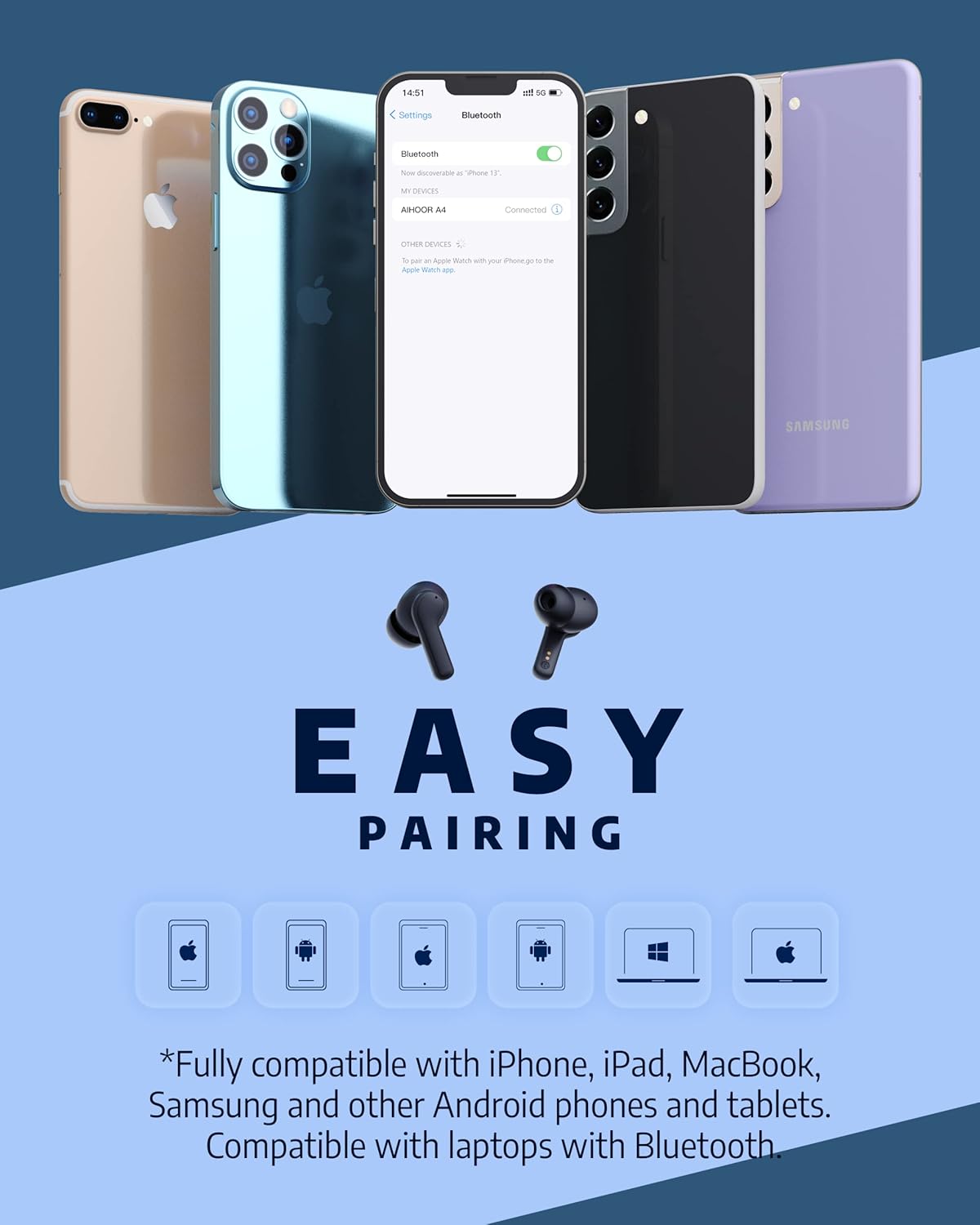
Figure 3: The AIHOOR A4ANC earbuds demonstrating easy pairing with various devices including iPhones, Android phones, and laptops. This image highlights the broad compatibility of the earbuds.
4. Návod k obsluze
4.1 Dotykové ovládání
The AIHOOR A4ANC earbuds feature intuitive touch controls on each earbud for easy management of audio and calls.
- Přehrát/pozastavit: Jedním klepnutím na kterékoli sluchátko.
- Další skladba: Dvakrát klepněte na pravé sluchátko.
- Předchozí skladba: Dvakrát klepněte na levé sluchátko.
- Zvýšit hlasitost: Dlouze stiskněte pravé sluchátko.
- Snížit hlasitost: Dlouze stiskněte levé sluchátko.
- Aktivace hlasového asistenta (Siri/Google Assistant): Třikrát klepněte na kterékoli sluchátko.
Video 2: Čestné sděleníview & Touch Control Demonstration. This video provides a clear demonstration of the touch controls for managing music playback, volume, and calls directly from the earbuds.
4.2 Správa hovorů
The earbuds are equipped with 6 microphones and Environmental Noise Cancellation (ENC) for clear hands-free calls.
- Přijmout/ukončit hovor: Jedním klepnutím na kterékoli sluchátko.
- Odmítnout hovor: Dlouze stiskněte jedno sluchátko na 2 sekundy.
4.3 Aktivní potlačení hluku (ANC)
Activate ANC to minimize ambient noise and enhance your listening experience.
- Aktivujte ANC: Long press either earbud for 2 seconds. You will hear an audio prompt confirming ANC activation.
- ANC reduces ambient noise by up to 30dB.

Figure 4: A visual representation of the earbuds' Active Noise Cancelling feature, showing a person enjoying quiet on an airplane. The image emphasizes the ability to reduce 35dB of ambient noise.
5. Údržba
Proper maintenance ensures the longevity and optimal performance of your AIHOOR A4ANC earbuds.
- Čištění: Pravidelně otírejte sluchátka a nabíjecí pouzdro měkkým, suchým hadříkem, který nepouští vlákna. Nepoužívejte agresivní chemikálie ani abrazivní materiály.
- Špunty do uší: Remove and clean the eartips periodically with water and mild soap. Ensure they are completely dry before reattaching.
- Voděodolnost: The earbuds have an IPX5 water resistance level, meaning they are protected against low-pressure water jets from any direction. They are not designed for submersion in water. Avoid exposing them to excessive moisture or liquids.
- Skladování: Pokud sluchátka nepoužíváte, uložte je do nabíjecího pouzdra, aby byla chráněna a zůstávala nabitá.
6. Řešení problémů
6.1 Problémy s připojením
- Sluchátka se nespárují: Ensure both earbuds are in the charging case, then open the lid to activate pairing mode. Check your device's Bluetooth settings to ensure "AIHOOR A4" is visible.
- Připojuje se pouze jedno sluchátko: Place both earbuds back into the charging case, close the lid, wait a few seconds, then open it again. This often resets the connection. If the issue persists, try forgetting the device on your phone's Bluetooth settings and re-pairing.
- Přerušované připojení: Ensure your device is within the Bluetooth range (10 meters/33 feet) and there are no significant obstacles between the earbuds and your device.
6.2 Problémy s nabíjením
- Sluchátka se nenabíjejí v případě: Ensure the charging contacts on both the earbuds and inside the case are clean and free of debris. Make sure the earbuds are properly seated in the case.
- Pouzdro se nenabíjí: Verify the USB-C cable is securely connected to both the case and the power source. If using wireless charging, ensure the case is correctly positioned on the charging pad.
6.3 Problémy s kvalitou zvuku
- Nízká hlasitost nebo špatný zvuk: Ensure the eartips are the correct size for a snug fit in your ear canal. Clean the earbud mesh to remove any wax or debris that might be obstructing sound. Adjust volume on both your device and the earbuds.
- Zkreslený zvuk: Move closer to your connected device to avoid interference. Try disconnecting and reconnecting the earbuds.
7. Specifikace
| Funkce | Specifikace |
|---|---|
| Název modelu | A4-FT001 |
| Technologie připojení | Bezdrátové připojení (Bluetooth 5.1) |
| Kontrola hluku | Aktivní zrušení šumu (ANC) |
| Mikrofony | 6 (s ENC) |
| Výdrž baterie (sluchátka) | Až 5 hodin na jedno nabití |
| Celková doba přehrávání (s pouzdrem) | Až 30 hodin |
| Doba nabíjení (pouzdro) | 2 hodiny |
| Bezdrátové nabíjení | Podporováno |
| Úroveň odolnosti proti vodě | IPX5 |
| Kontrolní metoda | Dotek |
| Umístění uší | V uchu |
| Rozměry produktu | 2.28 x 1.93 x 1.18 palce |
| Hmotnost položky | 2.39 unce |
8. Záruka a podpora
AIHOOR products are designed with quality and reliability in mind. For warranty information, technical support, or any inquiries regarding your AIHOOR A4ANC Wireless Earbuds, please refer to the contact information provided in your product packaging or visit the official AIHOOR webmísto.
Note: Specific warranty terms and conditions may vary by region. Please retain your proof of purchase for warranty claims.


