1. Konec produktuview
The AOPUTTRIVER AP-6000GH is a high-precision HVAC anemometer designed for measuring wind speed, wind temperature, and air volume. Featuring a waterproof touch-screen, rechargeable battery, and various measurement units, it is suitable for a wide range of applications including HVAC installation, CFM calculations, duct ventilation, shooting, boat sailing, kite flying, climbing, and drone operation.
Klíčové vlastnosti:
- Measures wind speed in 5 units: m/s, km/h, ft/min, mph, Knots.
- Measures wind temperature: -10-45°C (14-113°F) with °C/°F units.
- Air volume range: 0-999900 m³/min, configurable for CMM/CMS/CMF.
- Touch-screen interface with anti-interference buttons for ease of use.
- Voděodolné a prachotěsné provedení.
- Podsvícení pro lepší viditelnost za zhoršených světelných podmínek.
- Adjustable auto-off time (default 5 minutes without operation) to save battery.
- Rechargeable 400mAh battery (40 mins full charge, approx. 30 hours continuous use) via Type-C interface.
- Kontrolka slabé baterie.
- Integrated tripod hole for hands-free operation (tripod not included).
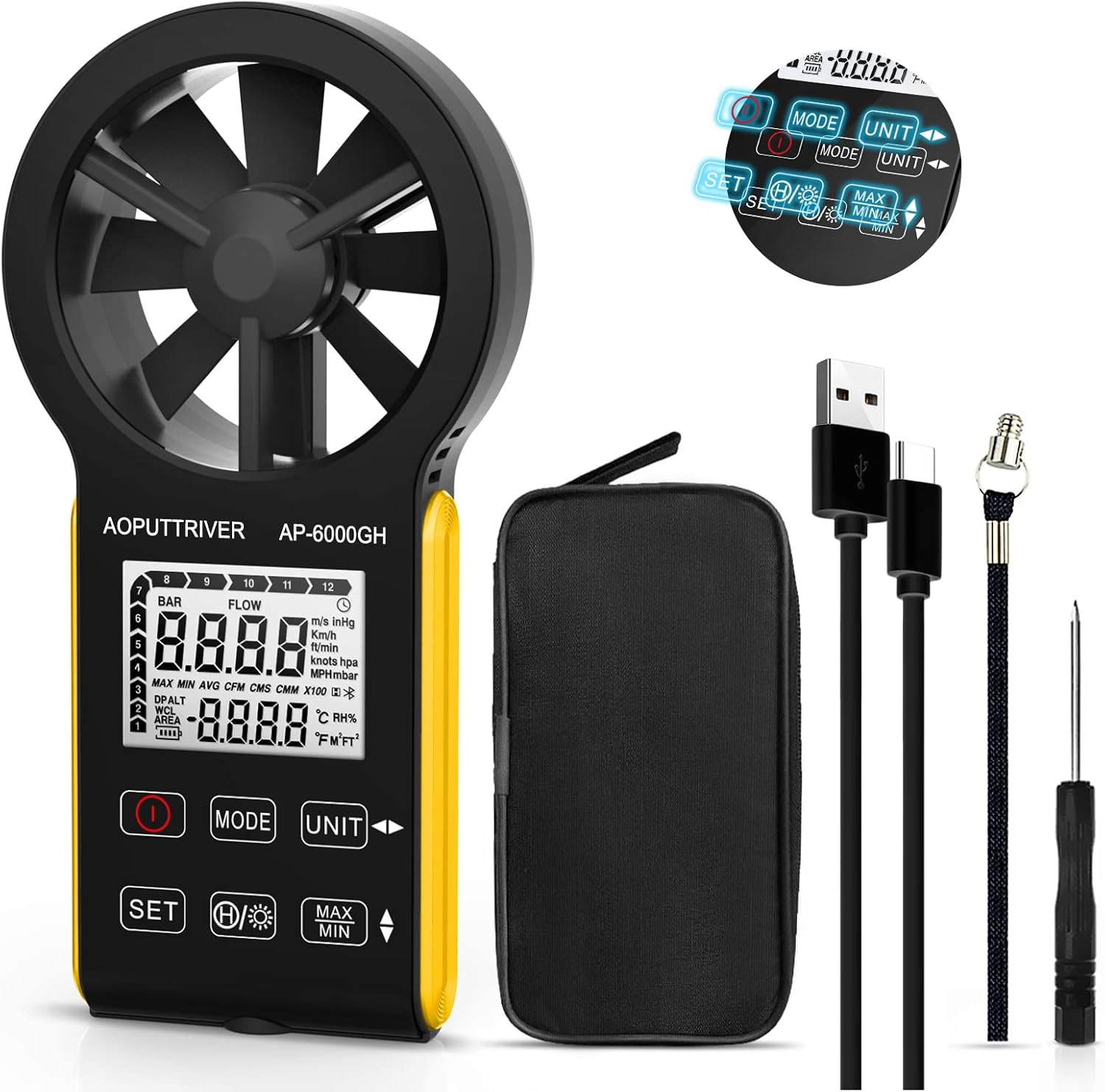
Figure 1: AOPUTTRIVER AP-6000GH HVAC Anemometer
2. Obsah balení
Po otevření balíku se prosím ujistěte, že jsou všechny níže uvedené položky přítomny a v dobrém stavu:
- 1 x AP-6000GH CFM Anemometer
- 1 x Uživatelská příručka
- 1 x kabel typu C
- 1 x malý šroubovák
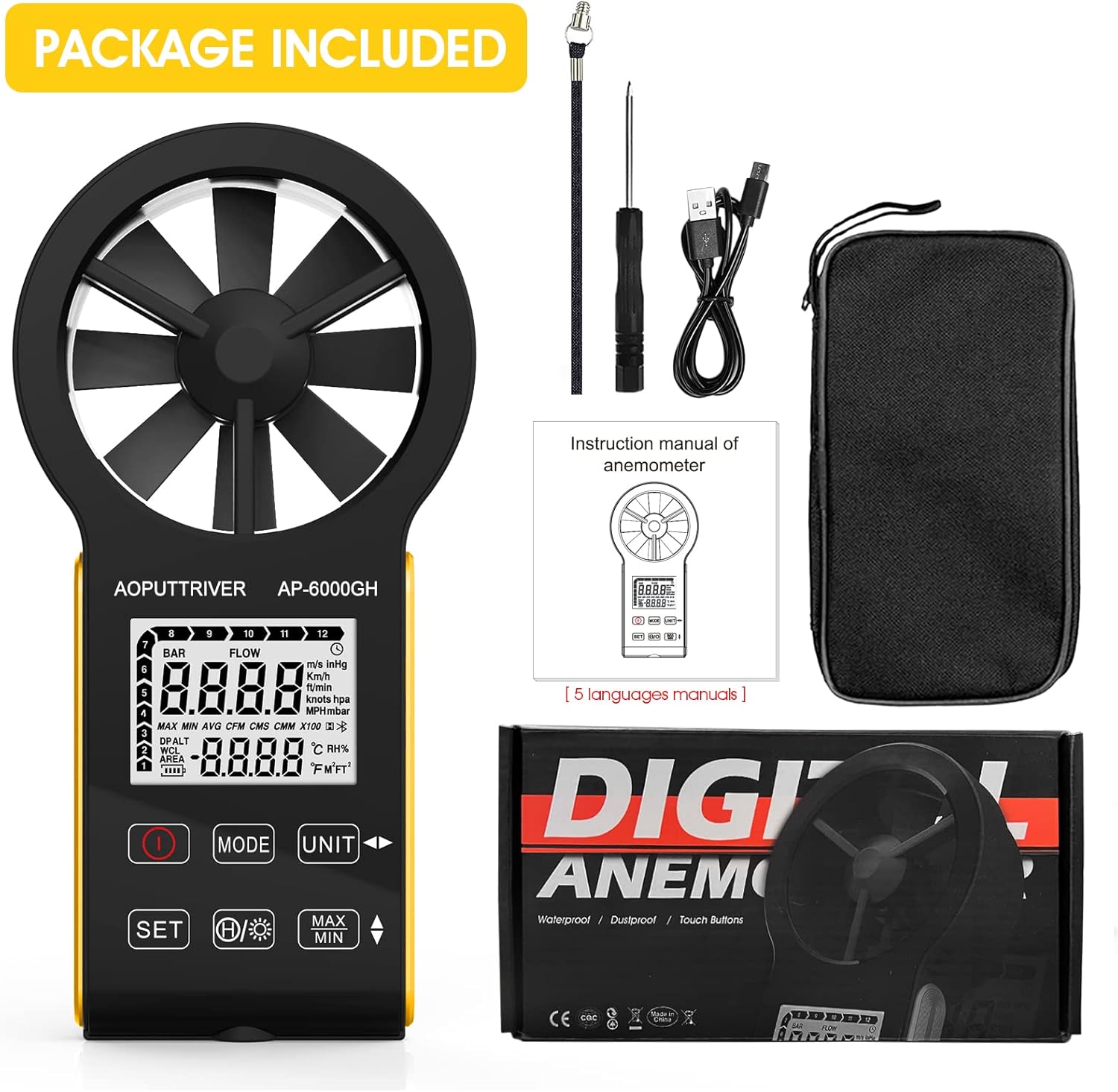
Figure 2: All items included in the AP-6000GH package.
3. Nastavení
3.1 Instalace baterie
The AP-6000GH anemometer comes with a pre-installed rechargeable battery. However, for initial use, you may need to connect the battery line interface.
- Use the provided small screwdriver to unscrew the battery cover on the back of the device.
- Connect the battery line interface if it is disconnected.
- Tighten the battery cover securely.

Figure 3: Steps for connecting the battery line interface.
3.2 Nabíjení zařízení
The device features a fast-charging 400mAh battery. A full charge takes approximately 40 minutes and provides about 30 hours of continuous use.
- Connect the provided Type-C cable to the charging port on the device and to a suitable USB power source.
- The battery sign on the display will flash while charging. It will stop flashing when fully charged.
- A low battery indicator light will notify you when charging is needed.

Figure 4: Charging the AP-6000GH anemometer via Type-C cable.
4. Návod k obsluze
4.1 Zapnutí/vypnutí
Stiskněte tlačítko Moc tlačítko (obvykle označené kruhem a svislou čarou) pro zapnutí nebo vypnutí zařízení.
4.2 Klíčové funkceview

Obrázek 5: Přesview of AP-6000GH display and button functions.
- Vypínač: Zapíná/vypíná zařízení.
- Tlačítko MODE: Switches between wind speed/air volume modes.
- UNIT Key: Cycles through different measurement units for wind speed (m/s, km/h, ft/min, mph, Knots).
- SET klíč: Used to set air volume area or temperature units (°C/°F).
- Data Hold/Backlight Key: Short press to hold current data on display. Long press to activate/deactivate backlight.
- MAX/MIN Keys: Displays maximum or minimum recorded values during a measurement session.
4.3 Unit Switching and Backlight Demonstration
The following video demonstrates how to switch between different measurement units for wind speed and activate the backlight feature on the anemometer.
Video 1: Demonstration of unit switching and backlight activation on a handheld wind speed meter.
4.4 Basic Operation and Applications
Toto video nabízí rychlý přehledview of the anemometer's ease of use and its suitability for various tasks.
Video 2: Quick demonstration of the anemometer's easy operation.
4.5 Hands-Free Operation with Tripod
The anemometer includes a tripod hole at the bottom, allowing for stable, hands-free measurements. This is particularly useful for HVAC installations, CFM calculations, or outdoor activities where continuous monitoring is required.

Figure 6: Tripod mounting hole located at the bottom of the anemometer.

Obrázek 7: Přamples of applications for the AP-6000GH anemometer.
5. Specifikace
| Specifikace | Hodnota |
|---|---|
| Rozměry produktu | 6.69 x 3.39 x 1.3 palce |
| Hmotnost položky | 5.3 unce (150 gramů) |
| Výrobce | AOPUTTRIVER |
| Materiál | Plast |
| Jsou vyžadovány baterie | No (Rechargeable) |
| Zahrnuté komponenty | Taška |
6. Údržba
To ensure the longevity and accuracy of your AOPUTTRIVER AP-6000GH anemometer, please follow these maintenance guidelines:
- Udržujte zařízení čisté otíráním měkkým, suchým hadříkem. Nepoužívejte abrazivní čisticí prostředky ani rozpouštědla.
- Ensure the fan blades are free from dust and debris to maintain accurate readings.
- Pokud zařízení nepoužíváte, uchovávejte ho v ochranném pouzdře, abyste předešli jeho poškození.
- Nevystavujte zařízení po delší dobu extrémním teplotám nebo přímému slunečnímu záření.
- Pravidelně nabíjejte baterii, i když zařízení nepoužíváte často, abyste zachovali její stav.
7. Řešení problémů
If you encounter any issues with your AP-6000GH anemometer, please refer to the following common troubleshooting steps:
- Zařízení se nezapíná: Ujistěte se, že je baterie správně připojena a plně nabitá.
- Nepřesné údaje: Check if the fan blades are obstructed or dirty. Ensure the device is held correctly in the airflow direction.
- Problémy se zobrazením: If the display is dim, activate the backlight. If the display is unresponsive, try restarting the device.
- CFM/Air Volume calculation errors: Double-check the entered air area settings. Refer to the user manual for detailed instructions on setting air area.
Pokud problém přetrvává, kontaktujte prosím zákaznickou podporu pro další pomoc.
8. Podpora a záruka
The AOPUTTRIVER AP-6000GH anemometer comes with 365 days of technical support. If you experience any problems with your product, please contact AOPUTTRIVER customer service. They are committed to responding and resolving issues as quickly as possible.
For support, please refer to the contact information provided in your product packaging or visit the official AOPUTTRIVER webmísto.


