
1. Úvod a konecview
The Weiser SmartCode Keypad Electronic Deadbolt offers enhanced security and convenience for your home. This keyless entry system allows access via a personalized code, eliminating the need for traditional keys. It features a fast and quiet motorized deadbolt, a backlit keypad for night visibility, and SmartKey re-key technology for added security and flexibility.
Klíčové vlastnosti:
- Fast and quiet motorized deadbolt with one-touch motorized locking.
- ANSI Grade 2 security rating.
- Supports up to 50 user codes and 1 master code.
- Backlit keypad for increased visibility in low light conditions.
- SmartKey re-key technology for easy re-keying and enhanced security.
- Designed to fit standard doors 1-3/8" to 1-3/4" thick with an adjustable backset (2-3/8" or 2-3/4").
2. Bezpečnostní informace
Před instalací a použitím si pečlivě přečtěte všechny pokyny. Uschovejte si tento návod pro budoucí použití.
- Nepokoušejte se zámek rozebírat ani upravovat nad rámec pokynů. Mohlo by dojít ke zrušení záruky a narušení bezpečnosti.
- Use only 4 AA alkaline batteries. Do not mix old and new batteries, or different types of batteries.
- Nevystavujte zámek nadměrné vlhkosti nebo přímému slunečnímu záření po delší dobu.
- Ensure the door frame and door are properly aligned and secure before installation to prevent binding or malfunction.
- Keep your master code and user codes confidential.
3. Obsah balení
Před zahájením instalace ověřte, zda jsou všechny komponenty přítomny:
- Electronic Deadbolt (Exterior Assembly)
- Electronic Deadbolt (Interior Assembly)
- Nastavitelná západka
- Úderová deska
- Límec
- Montážní deska
- Montážní materiál (šrouby)
- 2 Weiser Keys
- Nástroj SmartKey
- Instalační příručka (tento návod)
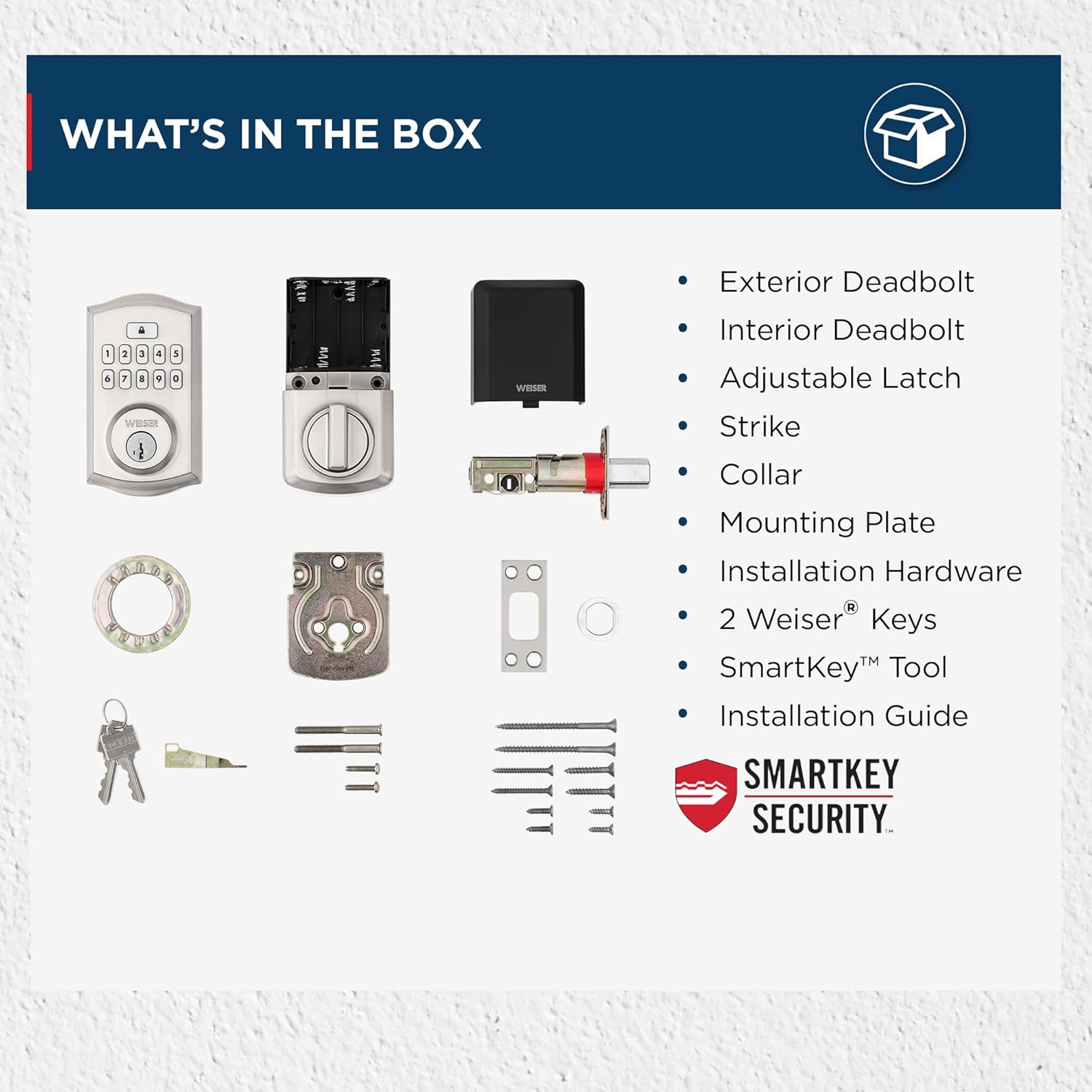
Image: All components included in the Weiser SmartCode Keypad Electronic Deadbolt package.
4. Instalace
The Weiser SmartCode Keypad Electronic Deadbolt is designed for easy installation. For detailed, step-by-step interactive 3D instructions with voice and video guidance, it is recommended to use the free BILT app.
Obecné kroky instalace:
- Připravte dveře: Ensure your door has the correct bore holes and backset. The lock is compatible with standard doors 1-3/8" to 1-3/4" thick.
- Nainstalujte západku: Insert the adjustable latch into the door edge and secure it with screws. Ensure the latch bolt is facing the correct direction.
- Instalace vnější sestavy: Route the cable from the exterior keypad assembly through the door bore hole and position the assembly flush against the door.
- Nainstalujte montážní desku: Připevněte vnitřní montážní desku k vnější sestavě pomocí dodaných šroubů a ujistěte se, že kabel prochází deskou.
- Nainstalujte vnitřní sestavu: Connect the cable from the exterior assembly to the interior assembly. Align the tailpiece with the slot in the interior assembly and secure the interior assembly to the mounting plate.
- Nainstalujte baterie: Insert 4 AA alkaline batteries into the battery pack of the interior assembly.
- Proveďte proces manipulace s dveřmi: This step is crucial for the lock to learn the orientation of your door. Follow the specific instructions in the included installation guide or the BILT app.

Image: The Weiser SmartCode Keypad Electronic Deadbolt installed on a door, showcasinjeho elegantní design.
5. Nastavení a programování
After installation, you will need to program your master code and user codes.
Hlavní kód: The master code is used to program and delete user codes. It does not unlock the door. It is recommended to create a master code immediately after installation.
Uživatelské kódy: These codes are used to unlock the door. You can program up to 50 unique user codes.
Refer to your specific installation guide for detailed programming steps, as these can vary slightly by model revision. Generally, programming involves pressing the program button on the interior assembly, entering the master code, then entering the new user code, and confirming.

Image: The SmartCode lock supports up to 50 user access codes and one master code option, allowing multiple individuals secure entry.
6. Návod k obsluze
Using your SmartCode Keypad Electronic Deadbolt is straightforward.
Odemykání dveří:
- Použití uživatelského kódu: Enter your personalized 4-8 digit user code on the keypad. The deadbolt will retract, and the door will unlock.
- Použití klíče: Insert the physical key into the keyway and turn to unlock the deadbolt.

Image: Keyless entry is made secure and convenient by simply entering your personalized code on the keypad.
Zamykání dveří:
- Zamykání jedním dotykem: Press the Lock button on the keypad. The deadbolt will extend, locking the door.
- Funkce automatického zamykání: If enabled, the lock will automatically re-lock after a set period (e.g., 30 seconds) once unlocked.
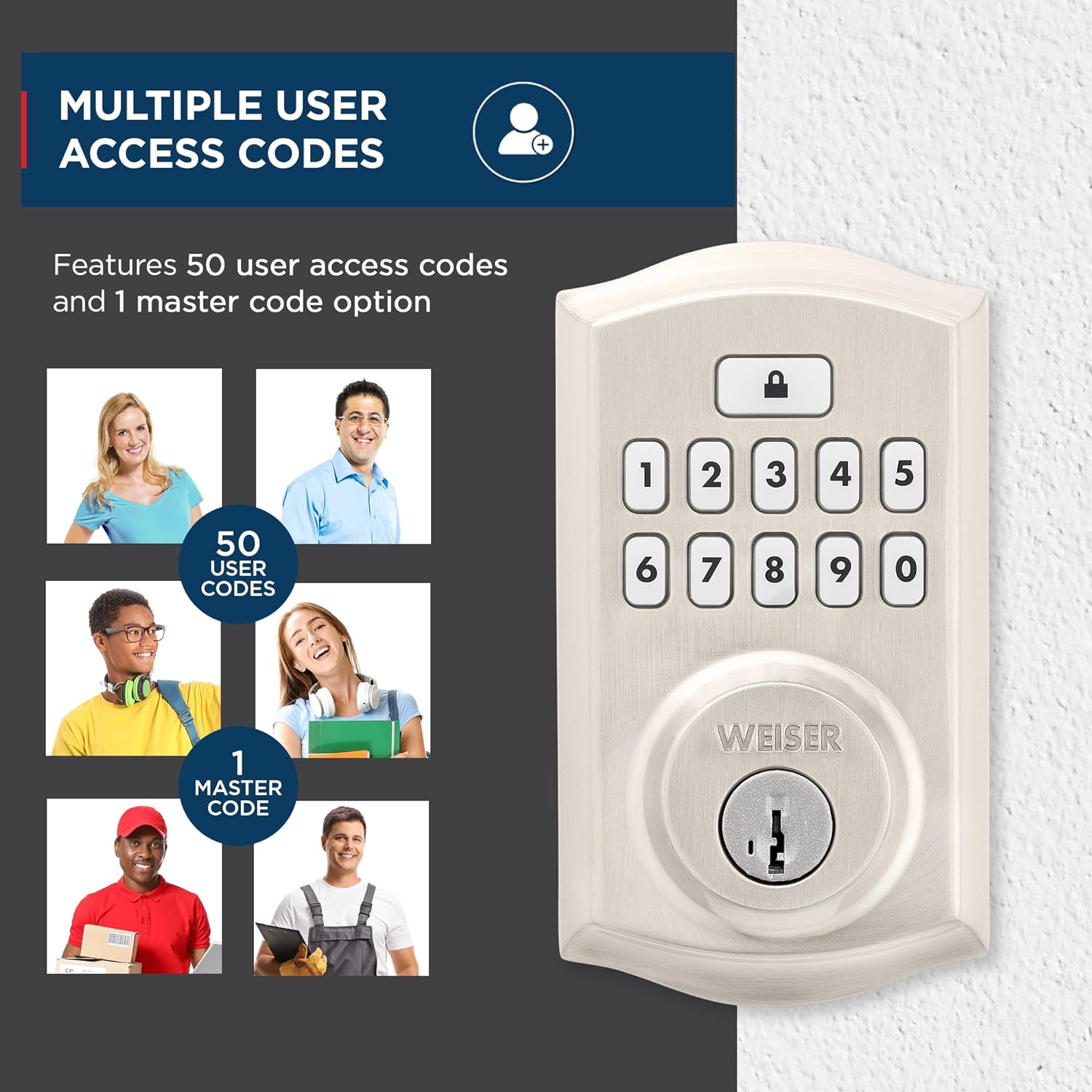
Image: The auto-lock feature allows you to lock your door with a single touch, requiring no additional turning or twisting.
Podsvícená klávesnice: The keypad illuminates for increased visibility at night and remains lit for 30 seconds after inactivity, making code entry easy in low light conditions.

Image: The keypad is backlit for increased visibility at night, staying lit for 30 seconds after inactivity for easy code entry.
Zabezpečení SmartKey: This technology allows you to re-key the lock yourself in seconds, providing convenience and maintaining key control without removing the lock from your door. It also protects against advanced break-in techniques.

Image: SmartKey Security protects against advanced break-in techniques and allows for easy re-keying of the lock in seconds.
7. Údržba
Proper maintenance ensures the longevity and optimal performance of your SmartCode deadbolt.
- Čištění: Zámek očistěte měkkým hadříkemamp hadříkem. Nepoužívejte abrazivní čisticí prostředky, rozpouštědla ani agresivní chemikálie, protože mohou poškodit povrchovou úpravu a elektronické součástky.
- Výměna baterie: The lock operates on 4 AA alkaline batteries (not included). When the batteries are low, the lock will typically provide an audible or visual low battery warning. Replace all four batteries simultaneously with new, high-quality alkaline batteries. Do not use rechargeable batteries.
- Mazání: Periodically lubricate the latch bolt and deadbolt mechanism with a silicone-based lubricant to ensure smooth operation. Do not lubricate the keypad or electronic components.
8. Řešení problémů
If you encounter issues with your SmartCode deadbolt, refer to the following common problems and solutions:
| Problém | Možná příčina | Řešení |
|---|---|---|
| Zámek nereaguje na zadávání z klávesnice. | Slabé baterie; nesprávný kód; porucha klávesnice. | Replace batteries. Ensure correct code is entered. Perform door handing process again. |
| Závora se nedá úplně vysunout ani zasunout. | Door/frame misalignment; low batteries; latch binding. | Check door alignment and strike plate. Replace batteries. Lubricate latch. |
| Programming new codes fails (e.g., 3 beeps). | Incorrect master code; programming sequence error; unit needs reset. | Verify master code. Follow programming steps precisely. Reset the unit to factory settings (refer to manual for specific steps). |
| Auto-lock feature not working as expected. | Feature disabled; incorrect setting; door not fully closed. | Ensure auto-lock is enabled and set to desired time. Confirm door is fully closed. |
| Výdrž baterie je kratší, než se očekávalo. | Frequent usage; poor quality batteries; auto-lock set to short interval. | Use high-quality alkaline batteries. Consider adjusting auto-lock time if not critical. |
For issues not covered here, please consult the full installation guide or contact Weiser customer support.
9. Specifikace
| Funkce | Detail |
|---|---|
| Číslo modelu | 9GED92600-001 |
| Rozměry produktu | 6.99 x 2.86 x 13.97 cm |
| Hmotnost položky | 454 g |
| Materiál | Kov |
| Dokončit | Brushed (Satin Nickel) |
| Styl | Tradiční |
| Typ zámku | Deadbolt, Electronic |
| Zdroj napájení | 4 AA baterií (nejsou součástí balení) |
| Speciální funkce | Weather Resistant, Anti-Bump, One-Touch Lock, Auto-Lock, Back-Lit Keypad |
| Kompatibilita dveří | 1-3/8" to 1-3/4" thick doors, adjustable backset (2-3/8" or 2-3/4") |
10. Záruka a podpora
Záruka: This product comes with a 1-year warranty from the date of purchase. Please retain your proof of purchase for warranty claims. The warranty covers defects in material and workmanship under normal use.
Zákaznická podpora: For technical assistance, troubleshooting, or warranty inquiries, please contact Weiser customer support. Refer to the contact information provided in your product packaging or visit the official Weiser webweb s nejaktuálnějšími informacemi o podpoře.
Poznámka: Neoprávněné opravy nebo úpravy mohou vést ke zrušení záruky na výrobek.