Zavedení
Thank you for choosing the VIANIS Motion Lights for Outside. This manual provides detailed instructions to ensure safe and proper installation, operation, and maintenance of your new outdoor lighting fixtures. These fixtures are designed with an upgraded motion sensor, dusk-to-dawn functionality, and multiple operating modes to enhance your outdoor spaces.

Image: Two VIANIS outdoor motion sensor lights, showcasing their design and motion detection capabilities.
Důležité bezpečnostní informace
- Před instalací nebo servisem vždy vypněte napájení jističem.
- Pokud nejste obeznámeni s elektrickým zapojením, poraďte se s kvalifikovaným elektrikářem.
- Use only bulbs with an E26 base socket. LED bulbs are recommended.
- Ujistěte se, že všechny spoje jsou bezpečné a řádně izolované.
- Svítidlo žádným způsobem neupravujte.
- Udržujte děti mimo oblast instalace.
Obsah balení
Před zahájením instalace ověřte, zda jsou všechny komponenty přítomny:
- VIANIS Outdoor Motion Light Fixture (2 units for 2-pack)
- Montážní materiál (šrouby, matice, montážní deska)
- Stínidlo (předmontované)
- Motion Sensor (integrated)
- Návod k použití
Poznámka: Bulbs are not included. An E26 base LED bulb is recommended.
Specifikace
| Značka | VIANIS |
| Název modelu | Outdoor Light Fixture With Motion SensorV81082BR |
| Materiál | Hliník, tvrzené sklo |
| Barva | Olejem třený bronz |
| Rozměry produktu | 5.3 cm D x 5.3 cm Š x 12.4 cm V |
| Zdroj napájení | Pevně zapojené |
| svtage | 120 voltů (AC) |
| Základna žárovky | E26 |
| Maximální kompatibilní Wattage | 100 wattů |
| Speciální funkce | Anti-Rust, Motion Sensor & Dusk to Dawn, Waterproof |
| Vnitřní/venkovní použití | Venkovní |
| Úroveň odolnosti proti vodě | Vodě odolný |

Image: Detailed information and dimensions of the VIANIS outdoor light fixture.
Průvodce instalací
The VIANIS Motion Light Fixture comes pre-assembled. Follow these steps for installation:
- Připravte se na instalaci:
- Turn off power at the main circuit breaker to avoid electrical shock.
- Ujistěte se, že montážní povrch je čistý a suchý.
- Připevněte montážní desku:
- Secure the mounting plate to the junction box using the provided screws. Ensure it is firmly attached.
- Kabelová připojení:
- Connect the fixture's black wire to the house's black (live) wire.
- Connect the fixture's white wire to the house's white (neutral) wire.
- Connect the fixture's ground wire to the house's ground wire (or junction box ground screw).
- Zajistěte všechna spojení drátěnými maticemi a elektrickou páskou.
- Namontujte přípravek:
- Carefully align the fixture with the mounting plate and secure it with the provided screws or nuts.
- Instalace žárovky:
- Screw an E26 base LED bulb (not included) into the socket. Do not overtighten.
- Obnovit napájení:
- Znovu zapněte napájení na jističi.
For visual assistance, refer to the detailed instructions included in your package or contact customer support.
Návod k obsluze
Your VIANIS motion light features an integrated motion sensor and dusk-to-dawn functionality with four distinct operating modes and adjustable brightness.
Přepínání režimů
The light fixture has a single button for mode selection. Press the button to cycle through the modes. An indicator light integrated into the button will show the current mode (Red for DIM, Green for ECO, Blue for D2D).

Image: Visual explanation of DIM mode operation.

Image: Visual explanation of ECO mode operation.

Image: Visual explanation of Dusk-to-Dawn (D2D) mode operation.

Image: Visual explanation of Manual Override Mode operation.
Operating Modes Summary:
- DIM Mode (Indicator: Red Light): Light is off during the day. At night, it maintains 30% brightness (standby) and illuminates to 100% when motion is detected. Returns to 30% after motion ceases.
- ECO Mode (Indicator: Green Light): Light is off during the day. At night, it remains fully off when no motion is detected and illuminates to 100% when motion is detected. Turns off after motion ceases.
- Dusk-to-Dawn (D2D) Mode (Indicator: Blue Light): Light automatically turns on at dusk and off at dawn, staying at a consistent brightness (15%-100% dimmable). This mode does not use motion detection.
- Manual Override (8H) Mode: To activate, quickly turn the light switch OFF and then ON within 2 seconds. The light will stay at 100% brightness for 8 hours continuously. After 8 hours, or at dawn, it will automatically turn off and revert to the previously selected motion sensor mode (DIM or ECO).

Obrázek: Overview of the four working modes and their indicators.
Brightness Adjustment (DIM Mode Only)
When in DIM mode, you can adjust the standby brightness between 10% and 50%. To adjust, long-press the mode button while the light is in DIM mode standby. Release the button when the desired brightness is reached.
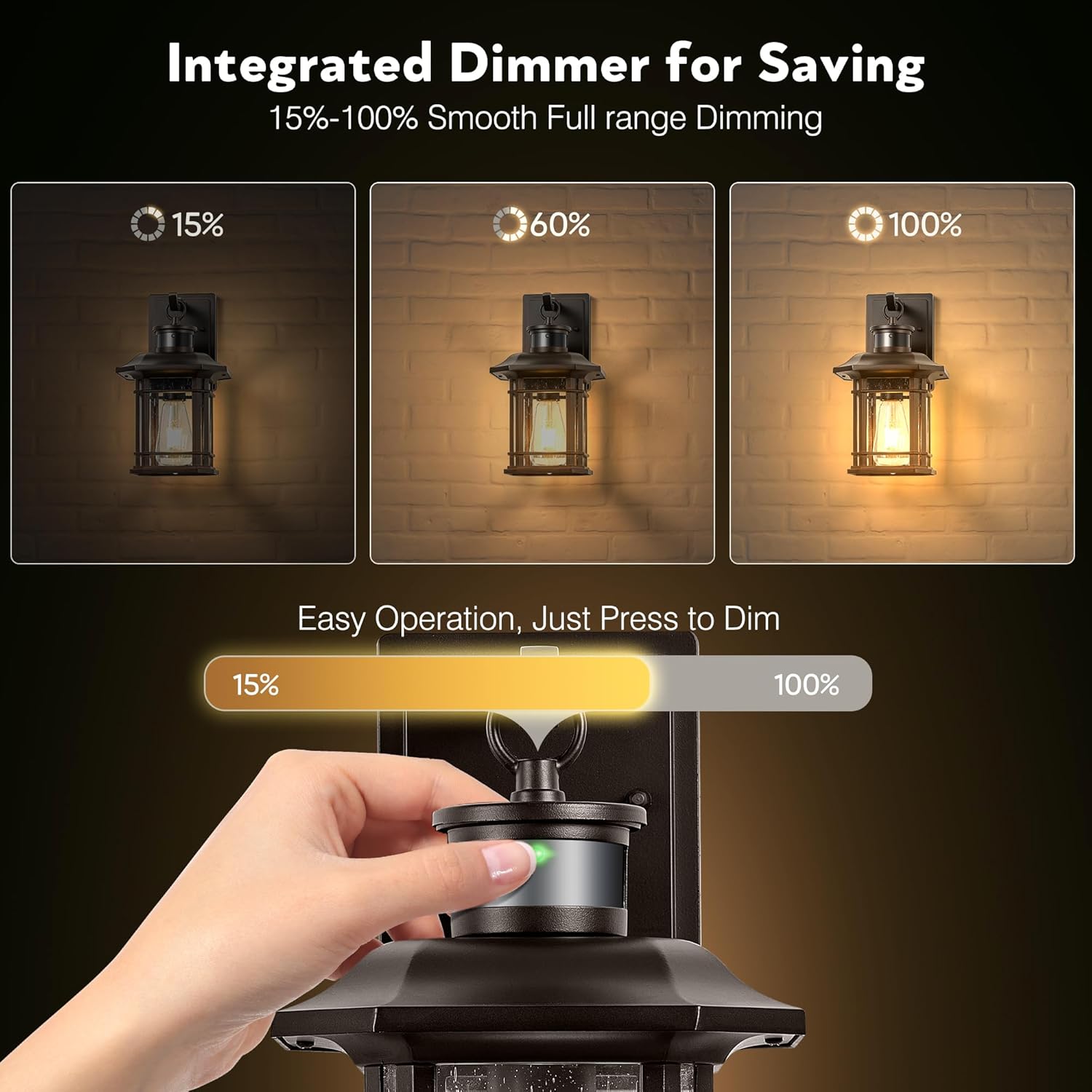
Image: Integrated dimmer for adjusting brightness.
Nastavení snímače pohybu
The motion sensor offers an ultra-wide sensing coverage of 220° and a maximum detection distance of 40 feet. There are three adjustable sensor distances: Far, Medium, and Nearest. Refer to the diagram below for adjustment details.

Image: Ultra-wide sensing coverage and adjustable sensing range for the motion sensor.
Údržba
- Čištění: Před čištěním svítidla se ujistěte, že je vypnuté napájení. Otřete měkkým hadříkem.amp tkanina. Nepoužívejte abrazivní čisticí prostředky nebo rozpouštědla.
- Výměna žárovky: Ensure power is off before replacing the bulb. Allow the old bulb to cool before removal. Use only E26 base bulbs, preferably LED.
- Inspekce: Periodically inspect the fixture for any signs of damage, loose wiring, or corrosion. Address any issues promptly.
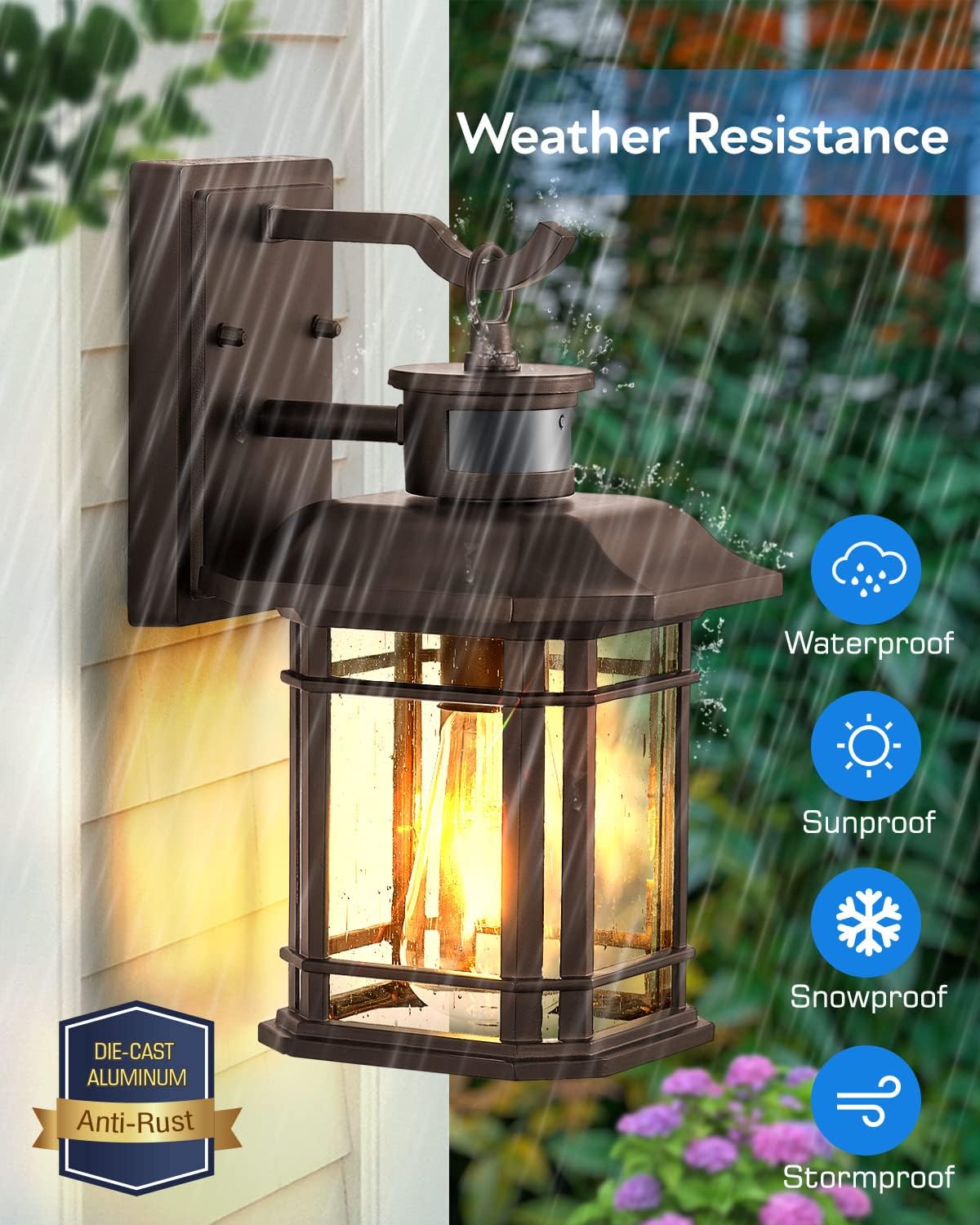
Image: The fixture's weather resistance, highlighting its durability.
Odstraňování problémů
| Problém | Možná příčina | Řešení |
|---|---|---|
| Světlo se nerozsvítí. | No power, faulty bulb, incorrect wiring, sensor obstructed. | Check circuit breaker. Replace bulb. Verify wiring connections. Ensure sensor is clear. |
| Světlo svítí nepřetržitě. | Manual Override mode active, constant motion detected, sensor malfunction. | Check if Manual Override Mode is active. Ensure no constant motion in sensor range. Contact support if issue persists. |
| Pohybový senzor nedetekuje. | Sensor range too low, obstruction, incorrect mode. | Adjust sensor distance setting. Clear any obstructions. Ensure not in D2D mode or Manual Override mode. |
| Světlo bliká. | Loose bulb, unstable power, incompatible bulb. | Tighten bulb. Check household wiring. Use recommended LED bulb. |
Záruka a podpora
VIANIS products come with a limited warranty. For specific warranty details, please refer to the documentation included with your purchase or visit the official VIANIS webmísto.
If you encounter any issues during installation or operation, or have any questions, please contact VIANIS customer support. Our team is available to assist you and will respond within 24 hours.
Kontaktní údaje: Refer to your product packaging or the VIANIS brand store on Amazon for the most current support contact details.
Můžete také zvážit nákupasing an extended protection plan for your product:
- Dvouletý ochranný plán
- Dvouletý ochranný plán
- Complete Protect (covers multiple eligible purchases)
These plans are available for purchase separately and offer additional coverage beyond the standard manufacturer's warranty.


