Zavedení
This manual provides essential information for the safe and efficient use of your Apple iPad Pro 12.9-inch (5th Generation). Please read this guide thoroughly to understand the features and functionalities of your device. For additional support, refer to the official Apple support resources.
1. Nastavení
1.1 Vybalení a úvodní kontrola
Carefully remove your iPad Pro and its accessories from the packaging. Inspect all components for any signs of damage. The standard package includes the Apple iPad, a USB Charging Cable, and may include a USB-C Power Adapter.

Figure 1.1: Typical contents of the iPad Pro package.
1.2 Zapnutí a základní konfigurace
- Zapnutí: Press and hold the Top button until the Apple logo appears.
- Počáteční nastavení: Postupujte podle pokynů na obrazovce a vyberte jazyk, region a připojte se k síti Wi-Fi.
- Data a soukromí: Review the Data & Privacy information.
- ID obličeje: Set up Face ID for secure authentication.
- přístupový kód: Create a six-digit passcode.
- Apps & Data: Choose to restore from an iCloud Backup, Mac or PC, transfer directly from another iPad, or set up as a new iPad.
- Apple ID: Přihlaste se pomocí svého Apple ID nebo si vytvořte nové. To je nezbytné pro stahování aplikací, používání iCloudu a dalších služeb Apple.
- Aktualizace softwaru: Ensure your iPadOS is up to date. The device typically runs iPadOS 15 or later.
2. Operating Your iPad Pro
2.1 Navigating iPadOS
The iPad Pro utilizes intuitive multi-touch gestures for navigation:
- Klepněte na: Vyberte položku nebo aktivujte tlačítko.
- Výpad: Move between Home Screen pages, scroll through content, or access Control Center/Notification Center.
- Štípání: Přiblížení nebo oddálení fotografií a web stránky.
- Přepínač aplikací: Swipe up from the bottom of the screen and pause in the middle to view otevřené aplikace.
- Dok: Swipe up slightly from the bottom to reveal the Dock.
2.2 Klíčové vlastnosti a výkon
Your iPad Pro is powered by the Apple M1 chip, providing advanced performance for demanding tasks. It features a 12.9-inch Liquid Retina XDR display with ProMotion technology for adaptive refresh rates, True Tone for ambient light color adjustment, and P3 wide color support for vibrant visuals.
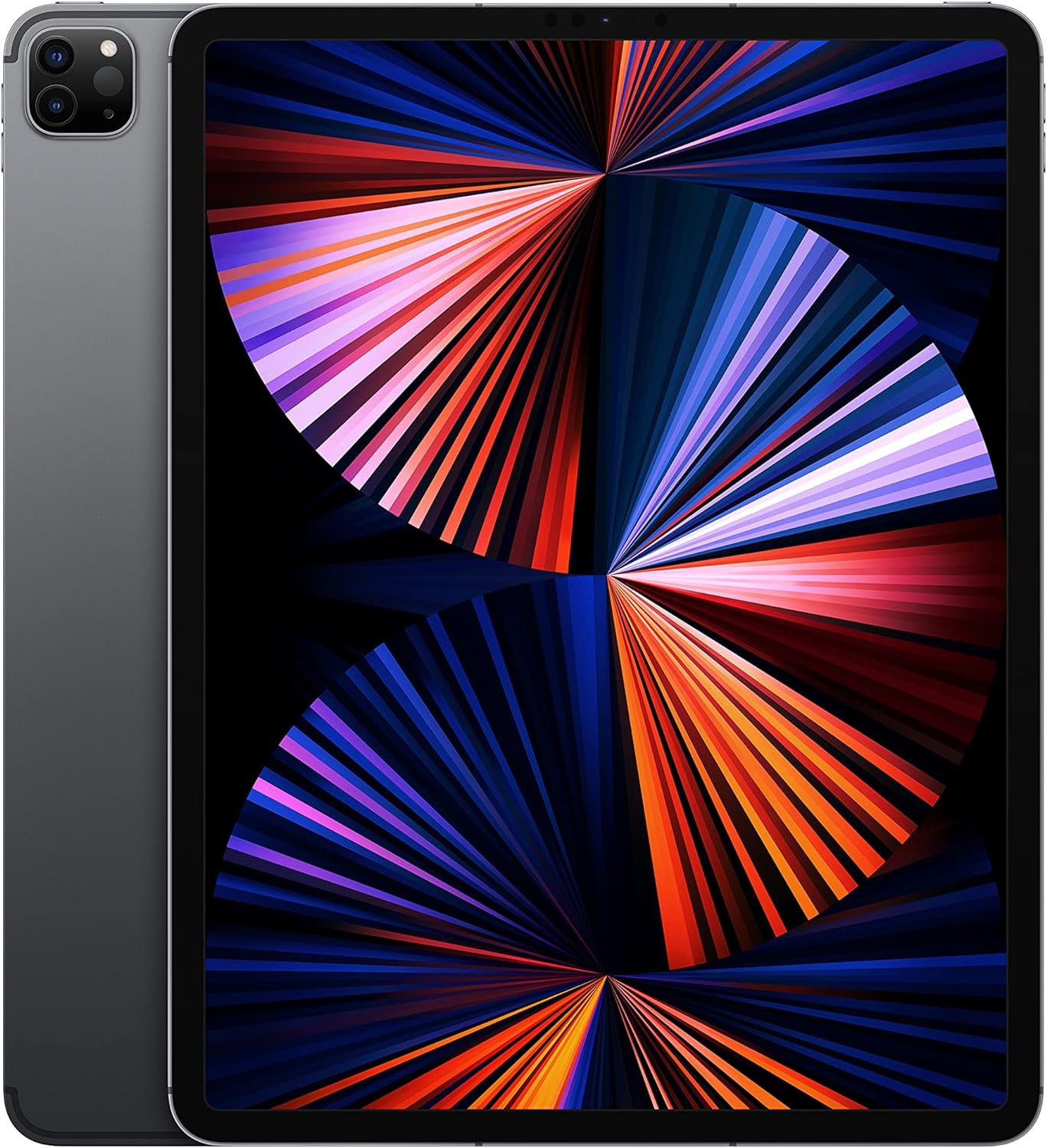
Figure 2.1: Apple iPad Pro 12.9-inch (5th Generation).

Obrázek 2.2: Přesview of iPad Pro's advanced features.
2.3 Kamerový systém
The iPad Pro includes a sophisticated camera system:
- Zadní kamery: 12MP Wide camera and 10MP Ultra Wide camera for high-quality photos and videos.
- LiDAR Scanner: Enhances augmented reality (AR) experiences and improves autofocus in low-light conditions.
- Přední kamera: TrueDepth camera system featuring an Ultra Wide camera with Center Stage, which keeps you perfectly framed during video calls.

Figure 2.3: iPad Pro camera module and accessory integration.
2.4 Příslušenství
The iPad Pro supports various accessories to enhance productivity and creativity:
- Apple Pencil (2nd Generation): For drawing, note-taking, and marking up documents.
- Magic Keyboard: Provides a comfortable typing experience with a trackpad and pass-through charging.
- Smart Keyboard Folio: Offers a full-size keyboard in a slim, lightweight design.

Figure 2.4: iPad Pro in use with Magic Keyboard and Apple Pencil.
3. Údržba
3.1 Cleaning Your iPad Pro
To clean your iPad Pro, use a soft, lint-free cloth. Avoid abrasive materials, aerosols, solvents, or ammonia-based cleaners. For stubborn smudges, slightly damphadřík vodou. Nestříkejte čisticí prostředky přímo na zařízení.
3.2 Péče o baterii
The iPad Pro contains a rechargeable Lithium Ion battery. To maximize battery lifespan:
- Vyhněte se extrémním teplotám.
- Keep the software updated.
- For long-term storage, charge the device to about 50% and power it off.
3.3 Aktualizace softwaru
Regularly check for and install iPadOS updates to ensure optimal performance, security, and access to new features. Go to Nastavení > Obecné > Aktualizace softwaru.
3.4 Správa úložiště
Your iPad Pro comes with 256GB of internal storage. To manage storage, go to Settings > General > iPad Storage. You can offload unused apps, delete large files, or optimize photos and videos.
4. Řešení problémů
4.1 Běžné problémy a řešení
- Zařízení nereaguje: If your iPad Pro is unresponsive, perform a force restart. Press and quickly release the Volume Up button, press and quickly release the Volume Down button, then press and hold the Top button until the Apple logo appears.
- Problémy s připojením Wi-Fi: Ensure Wi-Fi is enabled in Control Center or Settings. Try restarting your Wi-Fi router. If issues persist, reset network settings (Settings > General > Transfer or Reset iPad > Reset > Reset Network Settings).
- Pád aplikace: Close and reopen the app. If the problem continues, check for app updates in the App Store or reinstall the app.
- Rychlé vybíjení baterie: Review battery usage in Settings > Battery to identify power-hungry apps. Adjust screen brightness and disable unnecessary background app refresh.
4.2 Další pomoc
For persistent issues or complex problems, visit the official Apple Support website or contact Apple customer service directly. You can find detailed troubleshooting guides and contact information at support.apple.com/ipad.
5. Specifikace
| Funkce | Specifikace |
|---|---|
| Značka | Jablko |
| Název modelu | iPad Pro 12.9in (5th Gen.) |
| Číslo modelu položky | A2378 |
| Operační systém | iPadOS 15 |
| Procesor | čip Apple M1 |
| Velikost obrazovky | 12.9 palce |
| Maximální rozlišení obrazovky | 2732-by-2048 Pixels |
| Kapacita paměti | 256 GB |
| Barva | Vesmírně šedá |
| Hmotnost položky | 1.5 libry |
| Rozměry produktu (DxŠxV) | 8.46 x 11.04 x 0.25 palce |
| Baterie | 1 lithium-iontová baterie (součástí balení) |
6. Záruka a podpora
6.1 Apple Limited Warranty
Your Apple iPad Pro is covered by Apple's standard limited warranty, which typically includes one year of hardware repair coverage and 90 days of complimentary technical support. For full details, please visit apple.com/legal/warranty/.
6.2 Amazon Renewed Return Policy
As an Amazon Renewed Premium product, this iPad Pro is backed by Amazon's 365-day return policy, allowing for a refund or replacement within this period if the product does not work as expected. For more information, refer to the Amazon Renewed program terms and conditions.
6.3 Volitelné plány ochrany
Additional protection plans may be available for purchase, such as a 4-Year Protection Plan or a Complete Protect plan. These plans offer extended coverage beyond the standard warranty. Details on these plans can be found at the point of purchase or through Amazon's protection plan services.


