1. Úvod
This manual provides detailed instructions for the proper use and maintenance of your Obbug Bluetooth Headset, Model YYK-530. Please read this manual thoroughly before using the product to ensure optimal performance and longevity.
2. Obsah balení
Ověřte, zda jsou v balení přítomny všechny položky:
- 1 x Obbug Bluetooth Headset
- 1 x nabíjecí pouzdro
- 1 x USB nabíjecí kabel typu C
- 1 x Ear Hat (replacement ear tip)
- 1 x Uživatelská příručka
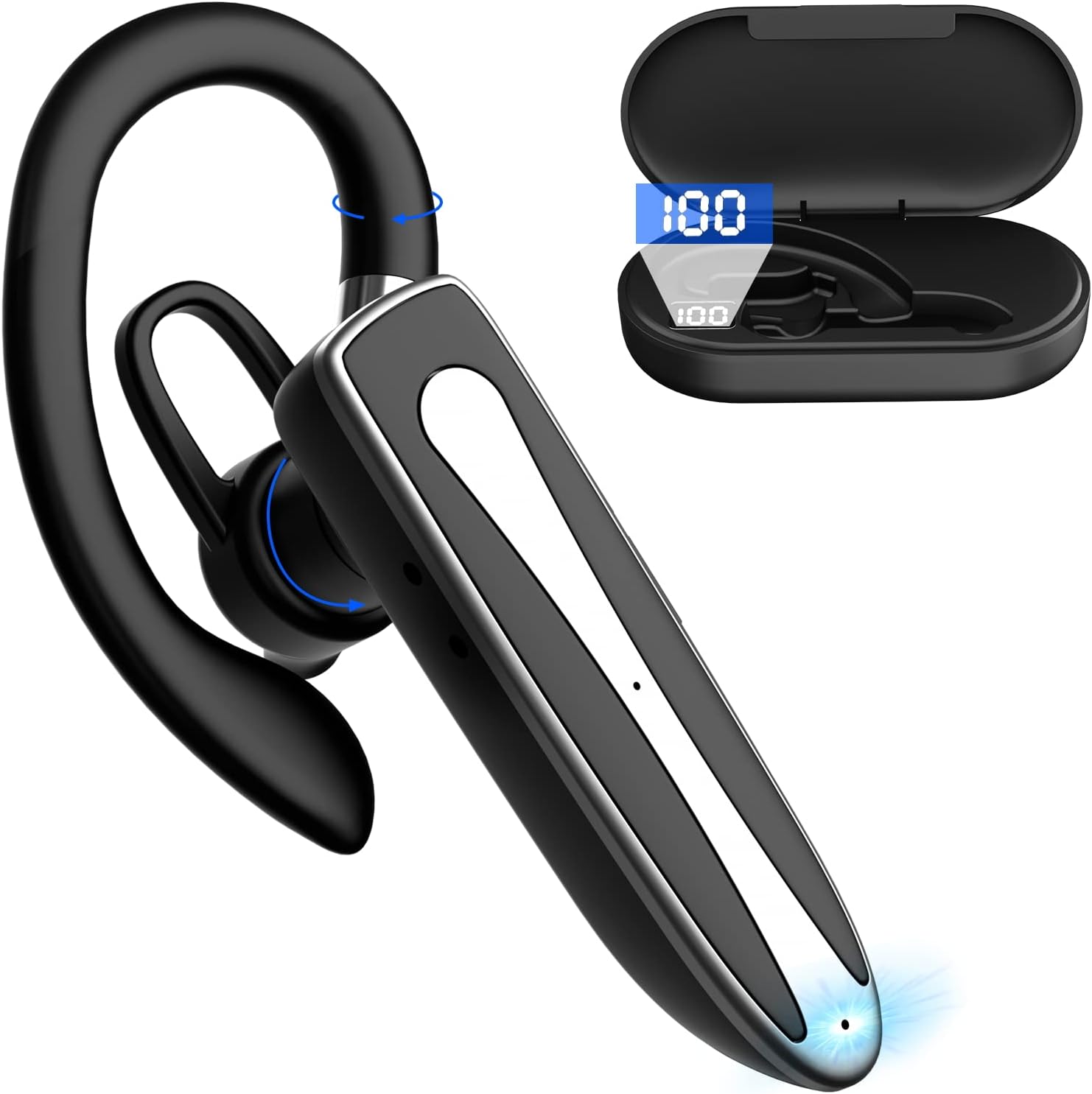
Image 2.1: Obbug Bluetooth Headset YYK-530 and its charging case.
3. Vlastnosti produktu
- Technologie Bluetooth 5.1: Provides stable connection and clear audio.
- Prodloužená životnost baterie: Up to 80 hours of continuous use with the charging case.
- Pohodlný a nastavitelný design: Flexible earhook and rotatable boom mic for left or right ear wear.
- CVC8.0 Noise Reduction: Zlepšuje srozumitelnost hovorů snížením šumu v pozadí.
- Široká kompatibilita: Connects with most Bluetooth-enabled devices including smartphones, tablets, and computers.
- Hands-free volání: Integrated microphone for convenient communication.

Image 3.1: Illustration of CVC8.0 Noise Reduction for clear audio.
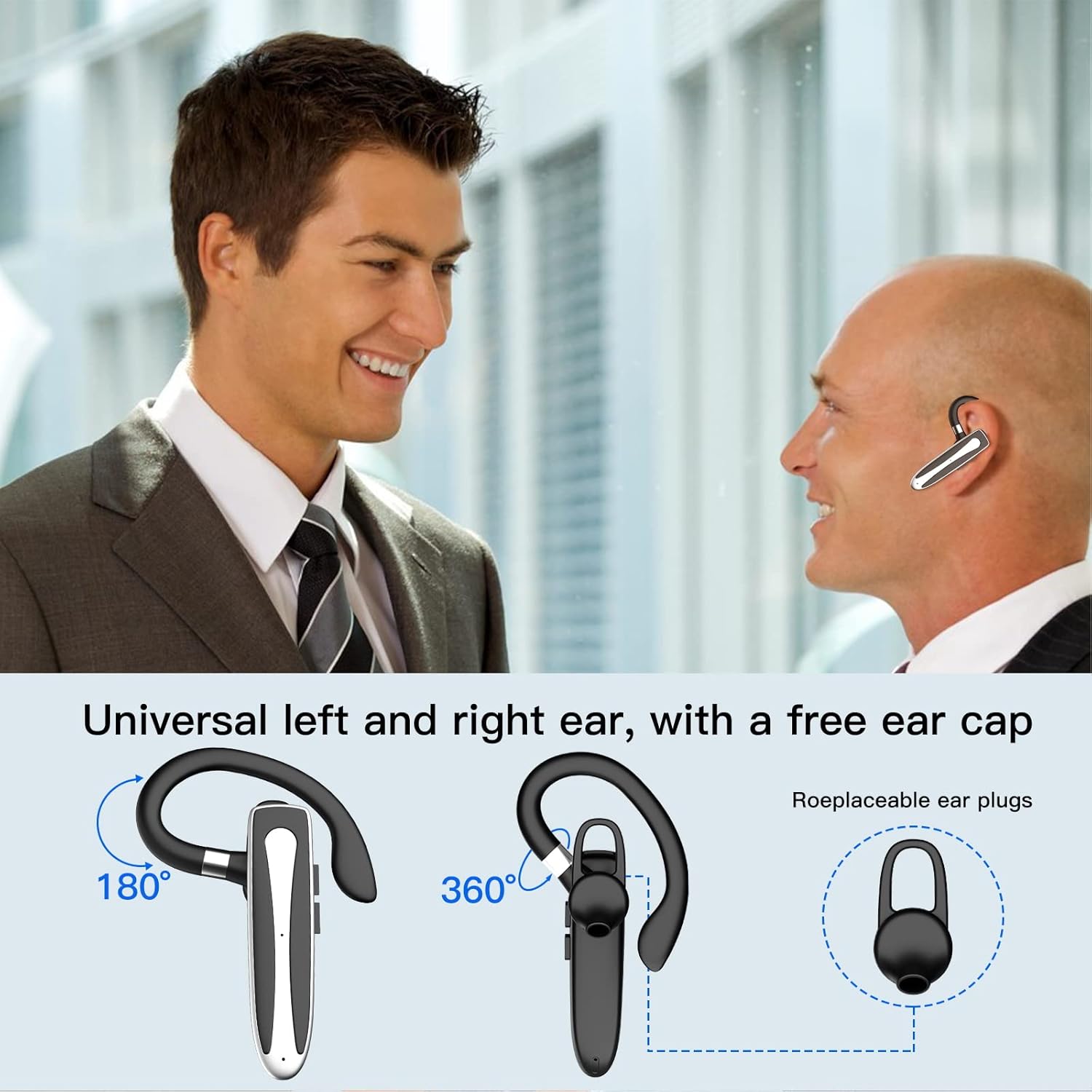
Image 3.2: Diagram illustrating the dual microphone noise reduction processing.
4. Nastavení
4.1 Nabíjení headsetu a pouzdra
Před prvním použitím plně nabijte sluchátka a jejich nabíjecí pouzdro.
- Place the headset into the charging case.
- Připojte kabel USB typu C k nabíjecímu portu na pouzdře a ke zdroji napájení (např. USB adaptér do zásuvky, USB port počítače).
- The charging indicator on the case will show charging status. A full charge typically takes 1.5 hours.

Image 4.1: The Type-C charging port on the charging case.

Image 4.2: Battery life and charging time information for the headset and case.
4.2 Spárování se zařízením
The headset uses Bluetooth 5.1 for wireless connection.
- Zapnutí: Take the headset out of the charging case, or press and hold the Multi-function Button until the indicator light flashes blue and red, indicating pairing mode.
- Aktivujte Bluetooth: Na svém zařízení (chytrém telefonu, tabletu atd.) přejděte do nastavení Bluetooth a zapněte Bluetooth.
- Vyberte zařízení: In the list of available devices, select "YYK-530".
- Potvrdit připojení: Once connected, the headset indicator light will flash blue slowly, and your device will show "Connected".

Image 4.3: Illustration of optimal Bluetooth connection distance (within 10 meters).
4.3 Současné připojení ke dvěma zařízením
The headset supports connecting to two Bluetooth devices at the same time.
- Connect the headset to the first device (e.g., Phone A) as described in Section 4.2.
- Turn off Bluetooth on the first device. The headset will re-enter pairing mode.
- Connect the headset to the second device (e.g., Phone B) as described in Section 4.2.
- Turn on Bluetooth on the first device. The headset should automatically reconnect to both devices.
You can now answer calls or play music from either connected device.

Image 4.4: Step-by-step guide for connecting the headset to two devices.
4.4 Nošení headsetu
The headset is designed for comfortable wear on either the left or right ear.
- The earhook can rotate 360° vertically and 360° horizontally to fit your preferred angle.
- The retractable earhook can be adjusted to fit the shape of your ear.

Image 4.5: The headset's adjustable design for left or right ear wearing.
5. Návod k obsluze
5.1 Zapnutí/vypnutí
- Zapnutí: Take the headset out of the charging case, or press and hold the Multi-function Button for approximately 3 seconds until the indicator light flashes blue.
- Vypnout: Place the headset back into the charging case, or press and hold the Multi-function Button for approximately 5 seconds until the indicator light flashes red and then turns off.
5.2 Správa hovorů
- Přijmout/ukončit hovor: Stiskněte jednou multifunkční tlačítko.
- Odmítnout hovor: Stiskněte a podržte multifunkční tlačítko přibližně 2 sekundy.
- Znovu vytočit poslední číslo: Dvakrát stiskněte multifunkční tlačítko.
5.3 Přehrávání hudby
- Přehrát/pozastavit: Stiskněte jednou multifunkční tlačítko.
- Další skladba: Stiskněte a podržte tlačítko pro zvýšení hlasitosti.
- Předchozí skladba: Stiskněte a podržte tlačítko snížení hlasitosti.
5.4 Ovládání hlasitosti
- Zvýšení hlasitosti: Stiskněte tlačítko pro zvýšení hlasitosti.
- Snížit hlasitost: Stiskněte tlačítko pro snížení hlasitosti.
5.5 Aktivace hlasového asistenta
Aktivujte hlasového asistenta vašeho zařízení (Siri, Google Assistant) přímo z headsetu.
- Aktivovat Voice Assistant: Třikrát stiskněte multifunkční tlačítko.

Image 5.1: The headset supports activation of Siri and Google Assistant.
6. Údržba
- Clean the headset and charging case regularly with a soft, dry cloth.
- Nevystavujte zařízení extrémním teplotám, vlhkosti nebo korozivním látkám.
- Pokud sluchátka nepoužíváte, uložte je do nabíjecího pouzdra, abyste je chránili a udrželi je nabitá.
- Nepokoušejte se zařízení sami rozebírat nebo opravovat. Požádejte o pomoc zákaznický servis.
7. Řešení problémů
7.1 Headset Not Powering On
- Ensure the headset is fully charged. Place it in the charging case and connect the case to a power source.
- Press and hold the Multi-function Button for 3-5 seconds to power on.
7.2 Nelze spárovat se zařízením
- Ensure the headset is in pairing mode (indicator flashes blue and red).
- Vypněte Bluetooth na svém zařízení a znovu jej zapněte.
- Ensure the headset is within 10 meters of your device and there are no significant obstacles.
- Vymažte seznam párování Bluetooth v zařízení a zkuste spárování zopakovat.
7.3 Žádný zvuk nebo špatná kvalita zvuku
- Upravte hlasitost na sluchátkách i na připojeném zařízení.
- Ujistěte se, že je sluchátko správně připojeno k vašemu zařízení.
- Move closer to your device to ensure you are within Bluetooth range.
- Zkontrolujte, zda nedochází k rušení jinými bezdrátovými zařízeními.
8. Specifikace
| Funkce | Specifikace |
|---|---|
| Název modelu | YYK-530 |
| Značka | Obbug |
| Technologie připojení | Bezdrátové (Bluetooth) |
| Verze Bluetooth | 5.1 |
| Dosah Bluetooth | Až 33 stop (10 metrů) |
| Kontrola hluku | Sound Isolation (CVC8.0 Noise Reduction) |
| Tvar sluchátka | Háček na ucho |
| Výdrž baterie (sluchátka) | 5 hodiny (přibližně) |
| Výdrž baterie (s nabíjecím pouzdrem) | Up to 80 Hours (approx.) |
| Doba nabíjení | 1.5 hodiny |
| Nabíjecí port | USB Type-C |
| Úroveň odolnosti proti vodě | Vodotěsný |
| Hmotnost položky | 4.9 unce (0.14 kilogramů) |
| Frekvenční rozsah | 20Hz - 20,000Hz |
| Kompatibilní zařízení | Cellphones, Desktops, Laptops, Telephones |

Image 8.1: The headset is compatible with a wide range of Bluetooth-enabled devices.
9. Záruka a zákaznická podpora
The Obbug Bluetooth Headset comes with a 1-month replacement warranty.
For any questions, issues, or support needs, please contact our customer service. We offer 24-hour customer service to assist you.
Konkrétní kontaktní údaje naleznete v dokumentaci k nákupu.


