Zavedení
Thank you for choosing the Aigo Q38 USB Wired Gaming Mouse. This manual provides detailed instructions for setting up, operating, maintaining, and troubleshooting your new gaming mouse. Please read this manual carefully before use to ensure optimal performance and longevity of your device.
Nastavení
The Aigo Q38 gaming mouse is designed for easy plug-and-play installation. Follow these steps to get started:
- Připojte myš: Locate an available USB port on your computer. Insert the USB connector of the Aigo Q38 mouse firmly into the USB port.
- Instalace ovladače: For most operating systems (including Windows XP and Linux), the mouse will be automatically detected, and the necessary drivers will be installed without user intervention. Wait a few moments for your system to recognize the device.
- Test funkčnosti: Once installed, move the mouse and click the buttons to ensure it is functioning correctly.

Obrázek: Horní přední strana view of the Aigo Q38 USB Wired Gaming Mouse, showing its ergonomic design and the attached USB cable. This view highlights the primary left and right click buttons, the scroll wheel, and two side buttons.
Návod k obsluze
The Aigo Q38 mouse features 7 buttons and an optical sensor for precise control. Its ambidextrous and ergonomic design ensures comfortable use for extended periods.
- Levé tlačítko myši: Primary action button, typically used for selecting items, opening files, and confirming actions.
- Kliknutí pravým tlačítkem: Secondary action button, typically used for opening context menus or accessing additional options.
- Rolovací kolečko: Používá se k procházení dokumentů a web pages. It also functions as a clickable middle button for various actions depending on the application.
- Boční tlačítka: The mouse includes additional buttons, typically located on the side, which can be programmed for various functions in games or applications. Refer to your game or software settings for customization options.
- Nastavení DPI: The Aigo Q38 mouse features adjustable DPI (Dots Per Inch) settings, allowing you to change the cursor sensitivity on the fly. The available DPI settings are 800, 1200, 1600, and 2400. A dedicated DPI button (often located near the scroll wheel or on the underside) allows you to cycle through these settings.
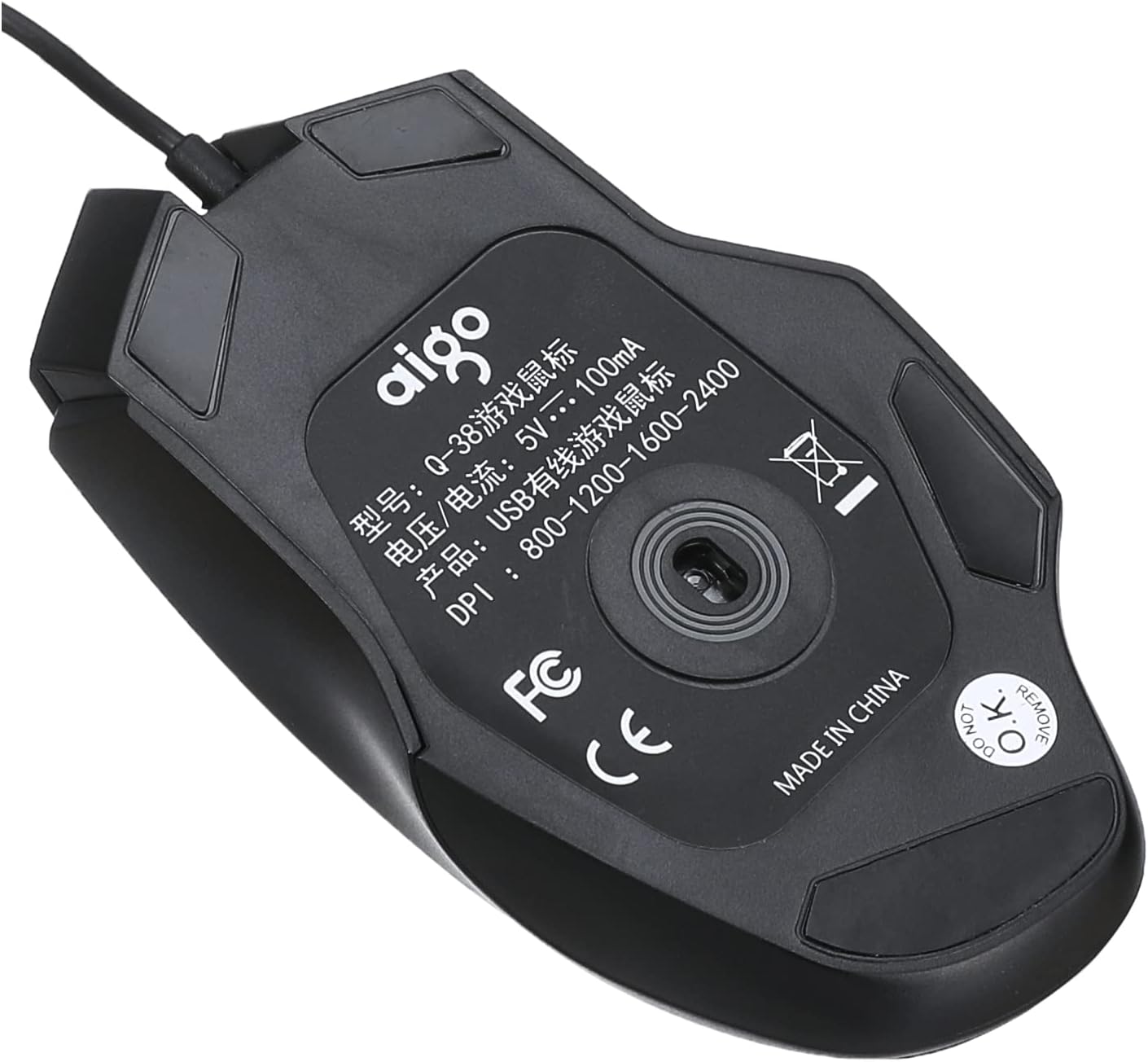
Obrázek: Spodní část view of the Aigo Q38 USB Wired Gaming Mouse, showing the optical sensor, product model (Q-38), power specifications (5V --- 100mA), and DPI settings (800-1200-1600-2400).
Údržba
Proper maintenance ensures the longevity and performance of your Aigo Q38 gaming mouse.
- Čištění: K otření povrchu myši použijte měkký, suchý hadřík. V případě odolné nečistoty lehceampOtřete hadřík vodou nebo jemným čisticím roztokem. Nepoužívejte agresivní chemikálie ani abrazivní materiály.
- Čištění senzoru: Občas se kolem optického senzoru na spodní straně myši může nahromadit prach nebo nečistoty. K jemnému čištění oblasti senzoru použijte vatový tampon nebo stlačený vzduch.
- Skladování: Pokud myš delší dobu nepoužíváte, skladujte ji v čistém a suchém prostředí mimo dosah přímého slunečního záření a extrémních teplot.
Odstraňování problémů
If you encounter issues with your Aigo Q38 gaming mouse, try the following troubleshooting steps:
- Myš nereaguje:
- Ujistěte se, že je kabel USB bezpečně připojen k portu USB počítače.
- Zkuste připojit myš k jinému USB portu.
- Restartujte počítač.
- Test the mouse on another computer to determine if the issue is with the mouse or your computer.
- Nepravidelný pohyb kurzoru:
- Clean the optical sensor on the bottom of the mouse for any dust or debris.
- Ensure you are using the mouse on a suitable surface. Highly reflective or transparent surfaces may interfere with optical tracking. A mouse pad is recommended.
- Tlačítka nefungují:
- Check for any physical obstructions preventing the buttons from clicking properly.
- Ensure no software conflicts are present. Try testing the mouse in a different application or after restarting your computer.
Specifikace
Below are the technical specifications for the Aigo Q38 USB Wired Gaming Mouse:
| Model | Q38 |
| Značka | Aigo |
| Technologie připojení | Kabel USB |
| Detekce pohybu | Optický |
| Množství tlačítek | 7 |
| Nastavení DPI | 800/1200/1600/2400 |
| Provozní svtage/Aktuální | 5V --- 100mA |
| Orientace rukou | Obouruký |
| Speciální funkce | Ergonomický design |
| Doporučená použití | Hraní |
| Kompatibilní zařízení | Přenosný počítač, osobní počítač |
| Operační systém | Linux, Windows XP |

Obrázek: Boční view of the Aigo Q38 USB Wired Gaming Mouse, illustrating its approximate length of 5.1 inches (12 cm).
Záruka a podpora
For warranty information and customer support, please refer to the documentation provided with your purchase or contact the retailer where you purchased the Aigo Q38 USB Wired Gaming Mouse. You may also visit the official Aigo webstránky pro další pomoc a informace o produktech.


