1. Úvod
This manual provides detailed instructions for the operation and maintenance of your Raddy SD5 Emergency Radio. Please read this manual thoroughly before using the device to ensure proper function and safety. The Raddy SD5 is a versatile emergency device featuring DAB/DAB+/FM radio, a 5000mAh power bank, IPX5 water resistance, a flashlight, a reading lamp, a compass, and an SOS alarm, with multiple charging options.
Bezpečnostní opatření
- Nevystavujte zařízení extrémním teplotám ani přímému slunečnímu záření po delší dobu.
- Zabraňte pádu zařízení na zem nebo jeho vystavení silným nárazům.
- Udržujte zařízení mimo dosah silných magnetických polí.
- Nepokoušejte se zařízení rozebírat ani upravovat. Ztratíte tak záruku.
- Před nabíjením se ujistěte, že jsou všechny porty suché, abyste předešli poškození.
- Zlikvidujte baterie v souladu s místními předpisy.
2. Konec produktuview
The Raddy SD5 is designed for reliability in various conditions. Familiarize yourself with its components:

Obrázek 2.1: Přední strana view of the Raddy SD5 Emergency Radio, showing the display, controls, flashlight, solar panel, and a phone being charged via USB.
Klíčové komponenty:
- DAB/DAB+/FM rádio: Pro příjem digitálního a analogového rozhlasového vysílání.
- Powerbanka 5000mAh: Integrated battery for charging external devices.
- IPX5 voděodolnost: Chrání před stříkající vodou z jakéhokoli směru.
- Svítilna: Poskytuje osvětlení za zhoršených světelných podmínek.
- Čtení Lamp: Offers diffused light for reading or area illumination.
- Kompas: Integrovaný pro navigační asistenci.
- SOS alarm: V případě nouze aktivuje hlasitou sirénu a blikající světlo.
- Více možností nabíjení: USB-C, Solar Panel, Hand Crank.
3. Nastavení
Počáteční nabíjení
Before first use, fully charge the Raddy SD5 using the provided USB-C cable. Connect the USB-C cable to the device's USB-C input port and the other end to a standard USB power adapter (not included). The charging indicator will show the battery status. A full charge ensures optimal performance and readiness.
Prodloužení antény
For optimal radio reception, fully extend the telescopic antenna when listening to FM, DAB, or DAB+ broadcasts.
4. Návod k obsluze
Zapnutí/vypnutí
Press and hold the Power button (usually marked with ★) to turn the device on or off.
Radio Tuning (DAB/DAB+/FM)

Figure 4.1: The Raddy SD5 radio displaying a frequency, indicating its DAB/DAB+/FM capabilities in an outdoor environment.
- Vyberte pásmo: Press the 'BAND' button to switch between FM, DAB, and DAB+ modes.
- Automatické skenování: In FM or DAB mode, press and hold the 'SCAN' button to automatically search for and save available stations.
- Ruční ladění: Use the '<' or '>' buttons to manually tune to frequencies or navigate through saved stations.
Ovládání hlasitosti
Pomocí tlačítek „+“ a „-“ upravte hlasitost zvuku.
Provoz svítilny
Press the Flashlight button (often marked with a light icon) once to turn on the flashlight. Press again to cycle through different brightness modes or turn it off.
Čtení Lamp Operace
Open the solar panel to reveal the reading lamp. Press the Reading Lamp button (if separate, or cycle through light modes) to activate it. This provides broader illumination.
SOS Alarm Activation

Figure 4.2: The Raddy SD5 radio with an SOS alarm feature, shown in an outdoor emergency scenario.
To activate the SOS alarm, locate the dedicated SOS button (often on the side or bottom, as indicated by an SOS symbol). Press and hold this button to trigger a loud siren and flashing light. Press again to deactivate.
Použití kompasu
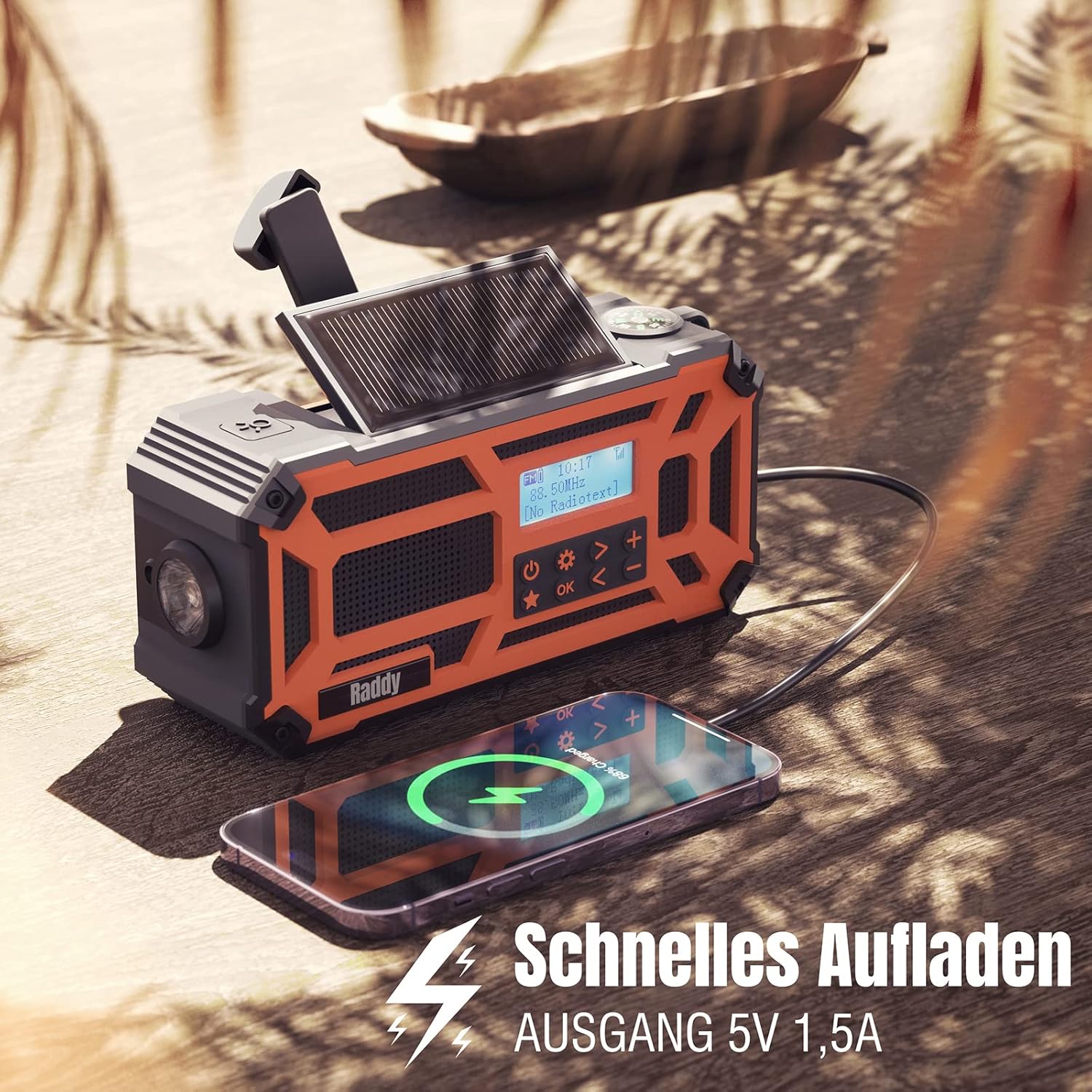
Figure 4.3: A close-up of the Raddy SD5, highlighting the integrated compass for navigation.
The integrated compass is located on the top of the device. Hold the radio horizontally and away from metallic objects to ensure accurate readings. The needle will point North.
Funkce powerbanky

Figure 4.4: The Raddy SD5 acting as a power bank, charging a smartphone, emphasizing its 5000mAh capacity.
Connect your external device (e.g., smartphone) to the USB-A output port of the Raddy SD5 using its charging cable. The radio's internal 5000mAh battery will begin charging your device. The output current is 1.5A for efficient charging.
5. Nabíjení zařízení
The Raddy SD5 offers three methods for recharging its internal battery:

Figure 5.1: Illustration of the three charging methods for the Raddy SD5: USB-C input, hand crank, and solar panel.
Nabíjení USB-C
Connect the provided USB-C cable to the USB-C input port on the radio and to a USB power source (e.g., wall adapter, computer USB port). This is the fastest and most efficient charging method.
Solární nabíjení
Place the radio with its solar panel facing direct sunlight. The solar panel will convert sunlight into energy to slowly charge the internal battery. This method is ideal for maintaining charge or for emergency power in outdoor environments.
Ruční nabíjení klikou
Unfold the hand crank handle and rotate it clockwise or counter-clockwise at a steady pace (approximately 120-150 RPM). Continuous cranking will generate power to charge the internal battery. This method is suitable for emergency power generation when other sources are unavailable.
6. Údržba
Čištění
Otřete zařízení měkkým, damp cloth. Do not use abrasive cleaners or solvents. Ensure all ports are closed and dry before cleaning.
Skladování
Store the Raddy SD5 in a cool, dry place away from direct sunlight and extreme temperatures. If storing for an extended period, ensure the battery is charged to approximately 50% to prolong its lifespan. Recharge every 3-6 months.
Voděodolnost (IPX5)

Figure 6.1: The Raddy SD5 radio demonstrating its IPX5 waterproof rating under simulated rain conditions.
The Raddy SD5 is rated IPX5, meaning it is protected against low-pressure water jets from any direction. It is resistant to splashing water but should not be submerged in water.
7. Řešení problémů
- Bez napájení:
Ensure the battery is charged. Try charging via USB-C, solar, or hand crank. - Špatný příjem rádia:
Fully extend the telescopic antenna. Try repositioning the radio. Perform an auto-scan to find available stations. - Externí zařízení se nenabíjí:
Ensure the radio has sufficient battery charge. Check the connection cable. Some devices may require more power than the radio can provide. - Svítilna/Čtení Lamp Nejde to:
Check battery level. Ensure the correct button is pressed or cycled through modes. - Hand Crank/Solar Charging Slow:
These methods are designed for emergency or supplemental charging and are slower than USB-C. Ensure direct sunlight for solar charging and consistent rotation for hand cranking.
8. Specifikace
| Značka | Radioddity |
| Číslo modelu | SD5 |
| Barva | Pomerančový |
| Technologie připojení | USB |
| Speciální funkce | Durable, Rechargeable, Waterproof (IPX5) |
| Složení baterie | Lithium-iontová |
| Nabíjecí baterie | Ano (1 lithium-polymerová baterie součástí balení) |
| Technologie ladění | FM, DAB, DAB+ |
| Zdroj napájení | Battery Powered (USB-C, Solar, Hand Crank) |
| Podporovaná rádiová pásma | DAB, DAB+, FM |
| Zahrnuté komponenty | 1 x USB Charging Cable, 1 x User Manual, 1 x SD5 Radio |
| Frekvenční rozsah FM | Až 108 MHz |
9. Záruka a podpora
Informace o záruce
The Raddy SD5 Emergency Radio comes with a standard manufacturer's warranty. Please refer to the warranty card included in your product packaging for specific terms and conditions, including warranty duration and coverage details.
Zákaznická podpora
For technical assistance, troubleshooting, or warranty claims, please contact Radioddity customer support. Contact information can typically be found on the official Radioddity webmístě nebo na obalu produktu.


