1. Úvod
This manual provides comprehensive instructions for the setup, operation, and maintenance of your APIO Smart Mini DLP Pocket Projector. Designed for portability and versatility, this projector delivers a large screen experience for home cinema, presentations, and outdoor entertainment. Please read this manual thoroughly before using the device to ensure optimal performance and safety.

Image 1.1: The APIO Smart Mini DLP Pocket Projector.
2. Co je v krabici
Po otevření balení se prosím ujistěte, že obsahuje všechny následující položky:
- APIO Smart Mini DLP Pocket Projector
- HDMI kabel
- Micro USB nabíjecí kabel
- Rychlý průvodce
3. Vlastnosti produktu
The APIO Smart Mini DLP Pocket Projector offers a range of features designed for convenience and performance:
- Big Screen Experience: Supports 640x360 native resolution, with 1080P input compatibility for home cinema, presentations, or outdoor entertainment. Delivers 20 lumens of brightness for vivid images in dark environments.
- Stereo zvuk: Equipped with two 1W speakers for integrated audio. Can be connected to external sound systems for enhanced audio.
- Kompaktní design: Small size (3.46 x 3.46 x 1.69 inches) and lightweight (13.4 ounces) for easy portability.
- Vestavěná baterie: Features a 2600mAh rechargeable Li-polymer battery providing up to 2 hours of continuous projection time.
- Připojení více zařízení: Compatible with Laptops, DVD Players, Tablets, Phones, TV Boxes, and Game Consoles.
- Funkce USB powerbanky: The USB port allows the projector to act as a battery backup for mobile and streaming devices.
- Dotykové ovládání: Intuitivní dotykové ovládání pro snadné ovládání.

Image 3.1: Compact design, easily held in one hand.

Image 3.2: Portability allows it to fit into a pocket.

Image 3.3: Enjoying a big screen experience at home.
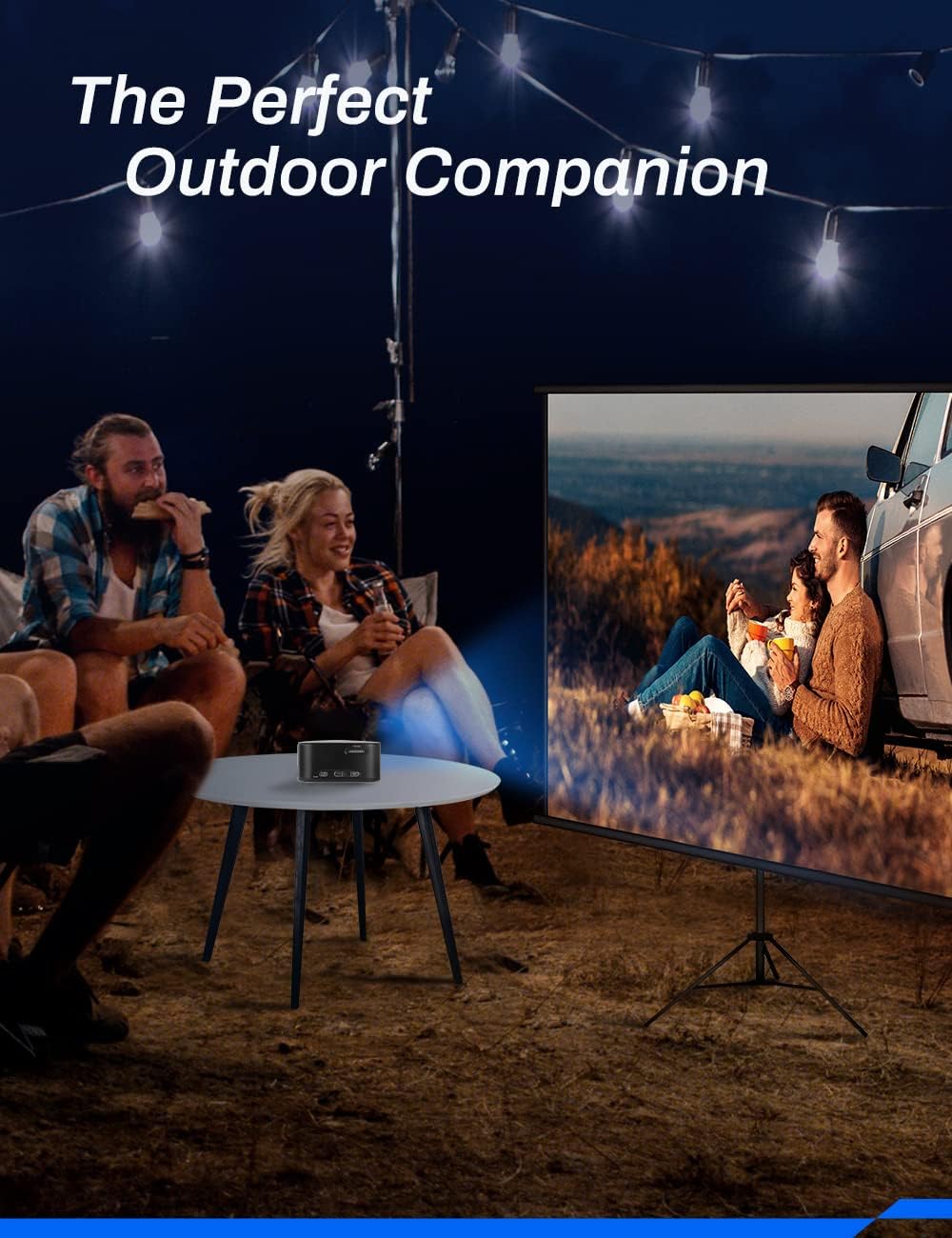
Image 3.4: Ideal for outdoor entertainment.
4. Nastavení
- Nabíjení projektoru: Before first use, fully charge the projector using the provided Micro USB Charging Cable and a compatible USB power adapter (not included). The charging indicator light will show the charging status.
- Umístění: Place the projector on a stable, flat surface. Ensure there are no obstructions in front of the lens or around the ventilation openings. For optimal image quality, project onto a smooth, light-colored wall or a projector screen.
- Zapnutí: Press and hold the Power button (location may vary, refer to device diagram) for a few seconds until the projector powers on.
- Nastavení zaostření: Locate the focus wheel (typically on the side or top of the projector). Rotate the wheel until the projected image appears clear and sharp.
5. Návod k obsluze
5.1 Zapnutí/vypnutí
- Zapnutí: Press and hold the Power button until the indicator light illuminates and the projector starts.
- Vypnutí: Press and hold the Power button until the projector shuts down. Always power off correctly to prevent damage.
5.2 Navigace a ovládání
The projector features intuitive touch controls on its surface. Use gentle taps and swipes to navigate menus and select options. Specific functions of each touch area are detailed in the Quick Start Guide.
5.3 Výběr zdroje
After powering on, the projector will typically display its main interface. Use the touch controls to navigate to the input source selection. Select the appropriate input (e.g., HDMI) based on the device you wish to connect.
6. Konektivita
The APIO projector offers various connectivity options:
- Port HDMI: Connect external devices such as laptops, DVD players, TV boxes, or game consoles using an HDMI cable. Note: For Apple products, an Apple Digital AV adapter (sold separately) is required for HDMI connection.
- USB port: This port serves two primary functions: it can be used to power the projector (if not running on battery) or to charge external mobile and streaming devices, acting as a power bank.
- 3.5mm konektor pro sluchátka: Connect external headphones or speakers for private listening or enhanced audio output.

Image 6.1: The projector supports connection to multiple device types.
7. Údržba
Správná údržba zajišťuje dlouhou životnost a optimální výkon vašeho projektoru:
- Čištění objektivu: K jemnému otření čočky projektoru použijte měkký hadřík bez žmolků, speciálně určený pro optické čočky. Nepoužívejte abrazivní čisticí prostředky ani nadměrnou sílu.
- Čištění Casing: Otřete vnější povrch projektoru měkkým, suchým hadříkem. V případě odolných skvrn použijte lehceamp Lze použít hadřík, ale dbejte na to, aby se do zařízení nedostala žádná tekutina.
- Péče o baterie: To prolong battery life, avoid completely draining the battery frequently. Recharge the projector regularly, even if not in use for extended periods. Store in a cool, dry place.
- Větrání: Abyste zabránili přehřátí, zajistěte, aby větrací otvory projektoru nebyly během provozu zablokovány.
- Skladování: When not in use, store the projector in a protective case or a clean, dry environment away from direct sunlight, dust, and extreme temperatures.
8. Řešení problémů
If you encounter issues with your APIO projector, refer to the following common problems and solutions:
| Problém | Možná příčina | Řešení |
|---|---|---|
| Žádný promítaný obraz | Projector not powered on; Input source not selected; Cable not connected properly. | Ensure projector is on; Select correct input source; Check HDMI/USB cable connections. |
| Obraz je rozmazaný | Není nastavené zaostření; Projektor je příliš daleko/blízko k promítacímu plátnu. | Adjust the focus wheel; Reposition the projector for optimal distance. |
| Žádný zvuk | Volume too low; External speakers not connected properly; Source device volume low. | Increase projector volume; Check external speaker connection; Increase volume on source device. |
| Projektor se nenabíjí | Charging cable faulty; USB power adapter insufficient. | Try a different Micro USB cable; Use a certified USB power adapter (e.g., 5V/2A). |
| Projektor se přehřívá | Větrání zablokované. | Ujistěte se, že větrací otvory jsou volné a neblokované. |
Pokud problém přetrvává i po vyzkoušení těchto řešení, kontaktujte zákaznickou podporu.
9. Specifikace
Key technical specifications for the APIO Smart Mini DLP Pocket Projector:
| Funkce | Specifikace |
|---|---|
| Značka | APIO |
| Číslo modelu | AP106 |
| Rozlišení displeje | 640 x 360 (nativní) |
| Podporované rozlišení | Až 1080P |
| Hmotnost položky | 12.8 unce |
| Rozměry produktu | 3.46 x 3.46 x 1.69 palce |
| Typ baterie | Lithium-iontová (2600 mAh) |
| Životnost baterie | Až 2 hodin |
| Typ reproduktoru | Built-In (2 x 1W) |
| Technologie připojení | HDMI, USB |
| Speciální funkce | Lehký, přenosný |
| Doporučená použití | Home Cinema, Presentations, Outdoor Entertainment |
10. Záruka a podpora
For information regarding product warranty, please refer to the warranty card included with your purchase or visit the official APIO webUschovejte si účtenku jako doklad o koupi pro případné reklamace.
If you require further assistance, technical support, or have questions not covered in this manual, please contact APIO customer service through the contact information provided on the product packaging or the official webmísto.


