1. Úvod
This manual provides essential information for the safe and effective operation of your AOPUTTRIVER T4-TI003-R Infrared Thermal Camera. Please read this manual thoroughly before using the device and retain it for future reference. This thermal camera is designed for professional use in various applications, including electrical cabinet inspection, motor and bearing analysis, HVAC diagnostics, and building inspections.
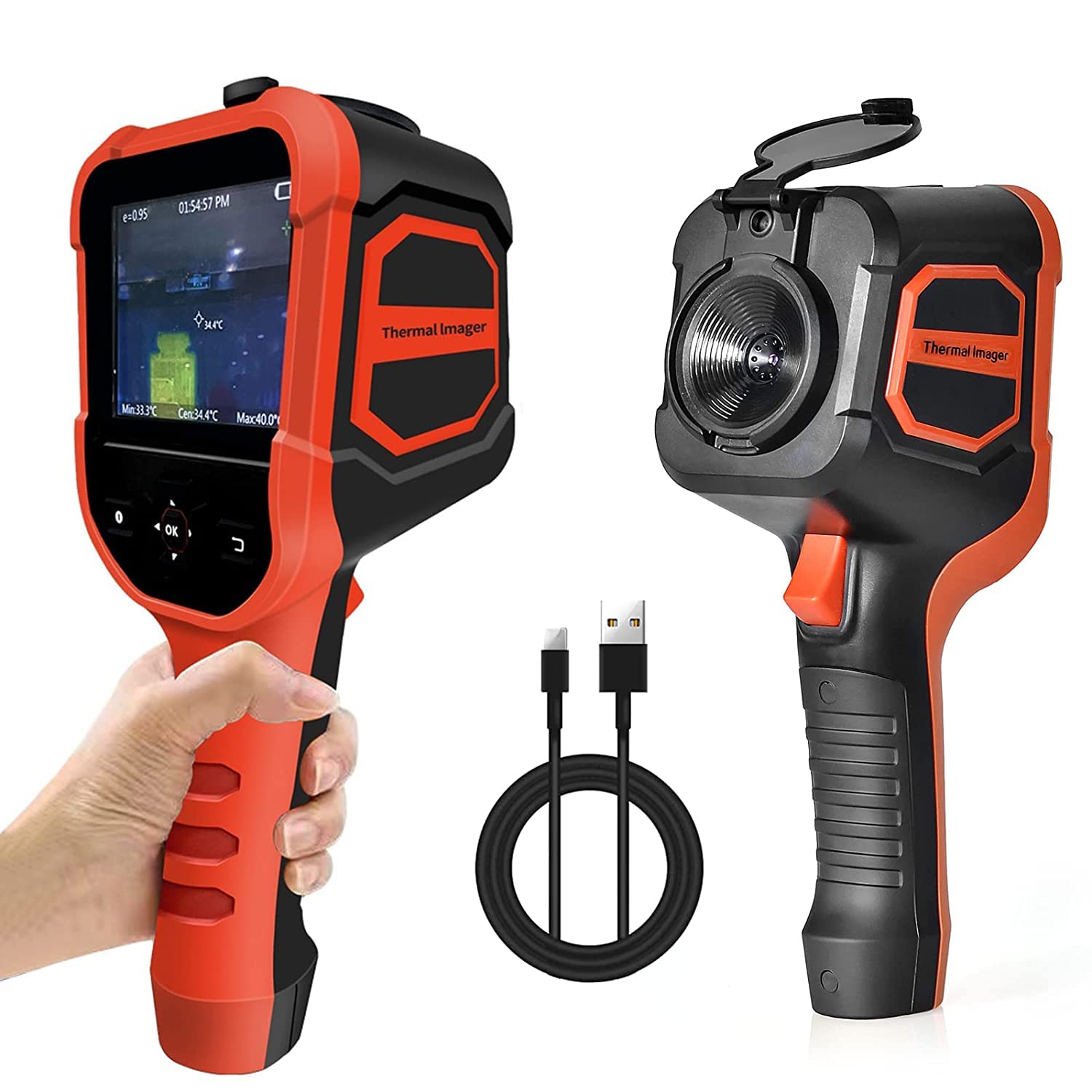
Figure 1.1: AOPUTTRIVER T4-TI003-R Infrared Thermal Camera, front and side view, with USB cable.
2. Bezpečnostní informace
To ensure safe operation and prevent damage to the device, observe the following safety precautions:
- Do not point the thermal camera directly at intense heat sources, such as the sun or lasers, as this may damage the infrared sensor.
- Avoid exposing the device to extreme temperatures, humidity, or corrosive environments.
- Nerozebírejte ani neupravujte zařízení. Opravy by měl provádět pouze autorizovaný personál.
- Use only the provided USB cable for charging and data transfer.
- Udržujte zařízení mimo dosah silných elektromagnetických polí.
- Ensure the lens is clean before use for accurate readings.
3. Konec produktuview
3.1 Součásti a ovládací prvky
Familiarize yourself with the various parts of your thermal camera:

Figure 3.1: Labeled diagram of the thermal camera's display and lens components.
- Thermal Imager Screen: 3.5-inch LCD for displaying thermal images and data.
- Tlačítko zapnutí/vypnutí: Zapne nebo vypne zařízení.
- Tlačítka nahoru/dolů/doleva/doprava: Navigation controls for menus and settings.
- Tlačítko OK: Potvrzuje výběr.
- Tlačítko návratu: Navigace zpět v menu.
- Krytka objektivu: Chrání čočky, když se nepoužívají.
- Objektiv digitálního fotoaparátu: Captures visible light images.
- Infračervená čočka: Zachycuje termosnímky.
- Trigger / Shortcut Key: Used for capturing images or activating specific functions.
3.2 Obsah balení
Ověřte, zda jsou v balení přítomny všechny položky:
- AOPUTTRIVER T4-TI003-R Infrared Thermal Camera
- USB kabel
- Uživatelská příručka (tento dokument)

Figure 3.2: The thermal camera, USB cable, and user manual included in the product box.
4. Nastavení
4.1 Nabíjení zařízení
Before initial use, fully charge the thermal camera. Connect the provided USB cable to the camera's USB port and to a standard USB power adapter (not included) or a computer's USB port. The charging indicator on the device will show the charging status. A full charge typically provides 4-6 hours of continuous operation.
4.2 Zapnutí/vypnutí
- Zapnutí: Press and hold the On/Off button until the screen illuminates.
- Vypnutí: Press and hold the On/Off button until the screen shuts down.
5. Provoz
5.1 Basic Thermal Measurement
Once powered on, the camera will display a live thermal image. Point the infrared lens towards the object or area you wish to inspect. The screen will show temperature readings, including minimum, maximum, and center point temperatures. The device automatically tracks hot and cold spots.

Figure 5.1: The thermal camera automatically identifies and tracks hot and cold spots within the image.
5.2 Palette Selection
The camera offers four color palettes to visualize temperature differences. To change the palette, navigate through the menu using the Up/Down/Left/Right buttons and select the desired option. The available palettes are:
- Železná červená: High contrast, good for general inspection.
- Duha: Provides a wide range of colors for detailed temperature gradients.
- Rozpálený do běla: Hotter areas appear white, colder areas appear black.
- Black Hot: Hotter areas appear black, colder areas appear white.

Obrázek 5.2: Přamples of the four available color palettes for thermal imaging.
5.3 Temperature Alarm Settings
You can set high and low temperature alarms. When the detected temperature exceeds or falls below the set thresholds, an alarm will be triggered on the display. Access the alarm settings through the device menu to configure your desired temperature limits.

Figure 5.3: The device displays a high temperature alarm when a set threshold is exceeded.
5.4 Nastavení jasu
Adjust the screen brightness to suit your environment. The brightness can be set to 0%, 25%, 50%, 75%, or 100% via the device's menu.
5.5 Zachycení a ukládání obrazu
Press the Trigger/Shortcut Key to capture a thermal image. Images are saved to the internal 6GB Micro SD card. The camera supports real-time image transmission to a PC.
5.6 Přenos dat do počítače
Connect the thermal camera to a computer using the provided USB cable. The device will appear as a removable storage device, allowing you to access and transfer captured images for analysis.
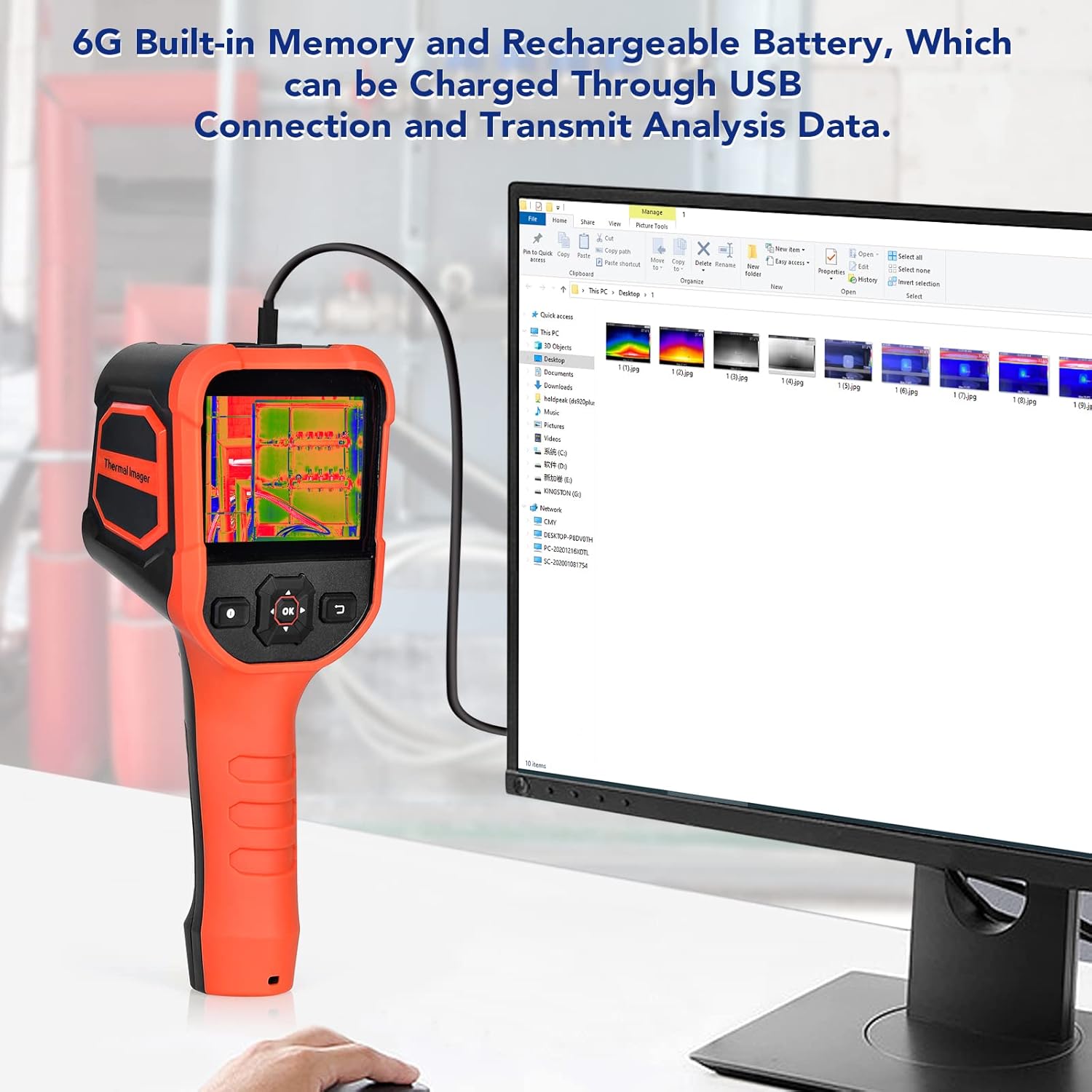
Figure 5.4: The thermal camera connected to a computer via USB for charging and data transfer.
6. Údržba
6.1 Čištění
- Objektivy: Gently clean the infrared and digital camera lenses with a soft, lint-free cloth. For stubborn smudges, use a lens cleaning solution designed for optics.
- Tělo zařízení: Wipe the exterior of the camera with a soft, damp tkanina. Nepoužívejte abrazivní čisticí prostředky nebo rozpouštědla.
6.2 Skladování
When not in use, store the thermal camera in a cool, dry place, away from direct sunlight and extreme temperatures. Ensure the lens cap is in place to protect the lenses.
7. Řešení problémů
If you encounter issues with your AOPUTTRIVER T4-TI003-R, refer to the following table:
| Problém | Možná příčina | Řešení |
|---|---|---|
| Zařízení se nezapne. | Slabá baterie. | Nabijte zařízení pomocí dodaného kabelu USB. |
| Obraz je rozmazaný nebo nejasný. | Špinavý objektiv. | Clean the infrared and digital camera lenses. |
| Nepřesné údaje o teplotě. | Incorrect emissivity setting (if adjustable) or environmental factors. | Ensure the lens is clean. Check the emissivity setting if your model allows adjustment. Avoid strong air currents or reflective surfaces. |
| Nelze přenést data do počítače. | Nesprávné připojení USB nebo problém s ovladačem. | Ujistěte se, že je kabel USB bezpečně připojen. Zkuste jiný port USB nebo počítač. |
Pokud problém přetrvává i po vyzkoušení těchto řešení, kontaktujte zákaznickou podporu.
8. Specifikace
The following table outlines the technical specifications of the AOPUTTRIVER T4-TI003-R Infrared Thermal Camera:
| Funkce | Specifikace |
|---|---|
| Číslo modelu | UK-AP-T4-TI003-R |
| Rozlišení IR | 220 x 160 pixelů |
| Zobrazit | 3.5palcový barevný LCD displej |
| Teplotní rozsah | -20 °C až 330 °C (-4 °F až 626 °F) |
| Tepelná citlivost | 0.07 °C |
| Snímková frekvence | 9 Hz |
| Barevné palety | Iron Red, Rainbow, White Hot, Black Hot |
| Skladování | 6GB Built-in Micro SD Card |
| Konektivita | Micro USB (for charging and data transfer) |
| Životnost baterie | 4–6 hodin (nepřetržitý provoz) |
| Hodnocení ochrany proti vniknutí (IP). | IP54 |
| Odolnost proti pádu | 6.5 feet (shatter-resistant) |
| Rozměry | 240 mm (V) x 95 mm (Š) x 42 mm (H) (přibližně) |
| Hmotnost | 400 gramu (přibližně) |

Figure 8.1: Key specifications and dimensions of the AOPUTTRIVER T4-TI003-R.

Figure 8.2: The device features IP54 dust and water resistance and is shatter-resistant up to 6.5 feet.
9. Záruka a podpora
AOPUTTRIVER provides a warranty for this product. Please refer to the warranty card included with your purchase or visit the official AOPUTTRIVER website for detailed warranty terms and conditions. For technical support, troubleshooting assistance, or service inquiries, please contact AOPUTTRIVER customer service through the contact information provided on the product packaging or official webmísto.


