1. Úvod
This manual provides essential instructions for the safe and efficient use of your Sony SA-SW3 Wireless Subwoofer. Designed to complement Sony HT-A9 and HT-A7000 Soundbars, this subwoofer enhances your audio experience with powerful bass. Please read this manual thoroughly before operating the device and retain it for future reference.
2. Bezpečnostní informace
Vždy dodržujte následující bezpečnostní opatření, abyste předešli úrazu elektrickým proudem, požáru nebo poškození jednotky:
- Nevystavujte jednotku dešti nebo vlhkosti.
- Neotevírejte casing. Veškerý servis svěřte kvalifikovanému personálu.
- Zajistěte dostatečné větrání; neblokujte větrací otvory.
- Umístěte jednotku na stabilní, rovný povrch.
- Keep the unit away from heat sources, direct sunlight, and excessive dust.
- Používejte pouze napájecí kabel dodaný s jednotkou.
3. Obsah balení
Ověřte, zda váš balíček obsahuje následující položky:
- Bezdrátový subwoofer Sony SA-SW3
- Napájecí kabel
If any items are missing or damaged, contact your retailer.
4. Nastavení
4.1 Vybalení a umístění
Carefully remove the subwoofer from its packaging. For optimal performance, place the subwoofer on a flat, stable surface near your soundbar. Consider placing it in a corner or near a wall to enhance bass response. Ensure there is adequate space around the unit for ventilation.

Image: Sony SA-SW3 Wireless Subwoofer with its dimensions clearly marked. The subwoofer measures approximately 8 inches deep, 15.88 inches wide, and 15.13 inches high. This image helps in planning the placement of the unit.
4.2 Připojení napájení
Connect the supplied power cord to the AC IN terminal on the rear of the subwoofer, then plug the other end into a wall outlet. The subwoofer will automatically enter standby mode.

Obrázek: Zadní view of the Sony SA-SW3 Wireless Subwoofer. This image highlights the power input port at the bottom and a small control panel with buttons at the top, indicating where the power cord should be connected.
4.3 Wireless Connection to Soundbar
The SA-SW3 subwoofer is designed for wireless connection with compatible Sony soundbars (HT-A9/A7000). Follow the pairing instructions provided with your soundbar to establish a connection. Typically, this involves activating a pairing mode on both the soundbar and the subwoofer. The subwoofer's indicator light will confirm a successful connection.
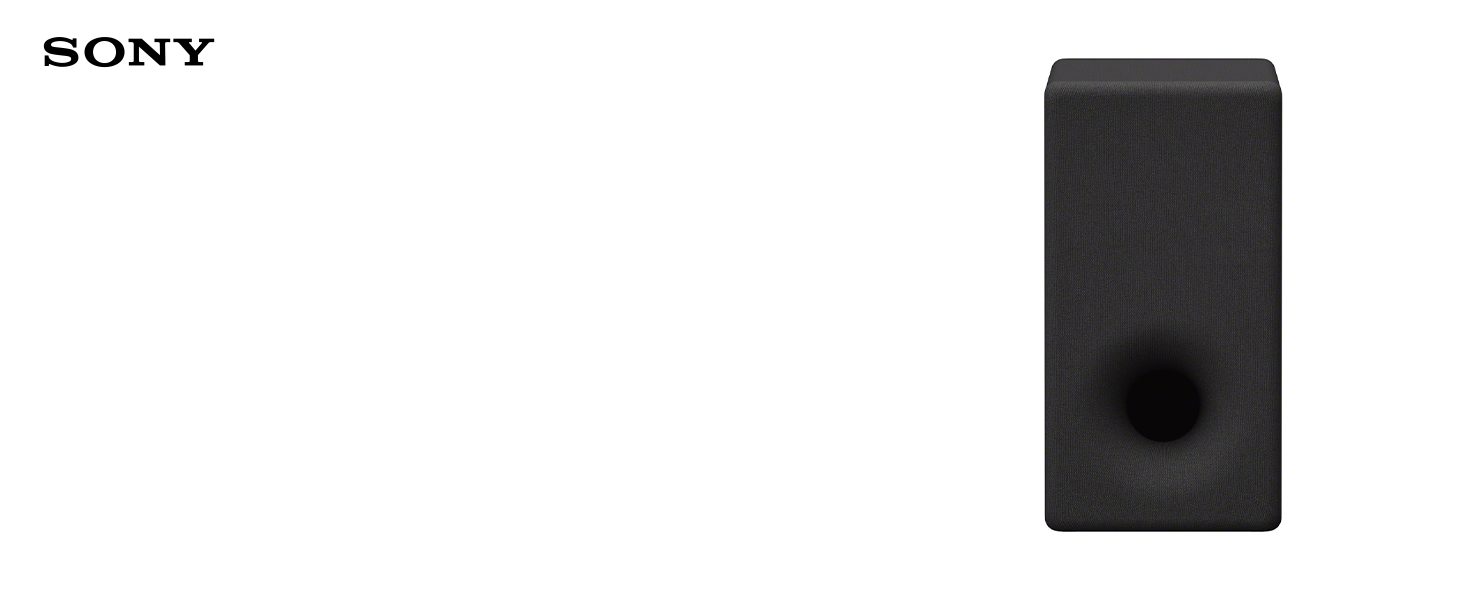
Image: The Sony SA-SW3 Wireless Subwoofer is shown placed on the floor next to a wooden cabinet, with a compatible Sony soundbar resting on the cabinet. This illustrates a typical setup for the subwoofer and soundbar.
5. Návod k obsluze
5.1 Zapnutí/vypnutí
The subwoofer will automatically power on when your connected Sony soundbar is turned on, and enter standby mode when the soundbar is turned off. There is no separate power button for daily operation.
5.2 Adjusting Bass Level
Bass levels are typically controlled through the settings menu of your connected Sony soundbar. Refer to your soundbar's instruction manual for detailed steps on adjusting subwoofer volume or bass intensity.

Obrázek: Přední strana view of the Sony SA-SW3 Wireless Subwoofer. The image displays the sleek, black rectangular design with a prominent circular port at the bottom, indicating the bass reflex design.
6. Údržba
6.1 Čištění jednotky
To clean the exterior of the subwoofer, use a soft, dry cloth. Do not use abrasive pads, scouring powder, or solvents such as alcohol or benzene, as these may damage the surface. Avoid spraying water or cleaning solutions directly onto the unit.
6.2 Skladování
If you plan to store the subwoofer for an extended period, disconnect it from the power outlet and store it in a cool, dry place away from direct sunlight and extreme temperatures.
7. Řešení problémů
If you experience issues with your Sony SA-SW3 Wireless Subwoofer, refer to the following common solutions:
| Problém | Možná příčina / řešení |
|---|---|
| Žádná síla | Ensure the power cord is securely connected to both the subwoofer and a working wall outlet. Check if the soundbar is powered on. |
| Žádný zvuk ze subwooferu | Verify that the subwoofer is successfully paired with your soundbar. Check the soundbar's settings to ensure the subwoofer output is enabled and the volume is not muted or set too low. |
| Poor or distorted bass | Adjust the bass level settings on your soundbar. Ensure the subwoofer is placed on a stable surface and not vibrating against other objects. Check for any obstructions around the subwoofer's port. |
| Problémy s bezdrátovým připojením | Move the subwoofer closer to the soundbar. Avoid placing the subwoofer near devices that emit strong radio waves (e.g., microwave ovens, Wi-Fi routers). Try re-pairing the subwoofer with the soundbar. |
Pokud problém přetrvává i po vyzkoušení těchto řešení, kontaktujte zákaznickou podporu.
8. Specifikace
| Funkce | Specifikace |
|---|---|
| Název modelu | SA-SW3 |
| Typ reproduktoru | Subwoofer |
| Maximální výstupní výkon reproduktoru | 200 wattů |
| Průměr basového reproduktoru | 6.3 palce |
| Technologie připojení | Bezdrátové (Bluetooth) |
| Technologie bezdrátové komunikace | Bluetooth |
| Kompatibilní zařízení | Sony HT-A9/A7000 Soundbars |
| Rozměry produktu (D x Š x V) | 8"H x 15.88"Š x 15.13"V |
| Hmotnost položky | 23.2 libry |
| Zdroj napájení | Elektrický kabel |
| Materiál | Kov, Plast |
9. Záruka a podpora
9.1 Informace o záruce
This Sony SA-SW3 Wireless Subwoofer is a certified refurbished unit. It comes with a 90-day warranty, ensuring reliable, like-new performance. For specific terms and conditions of your warranty, please refer to the documentation provided at the time of purchase.
An additional 1-Year Extended Service Protection Plan may have been included with your purchase. Please consult your purchase details for information regarding this extended coverage.
9.2 Zákaznická podpora
For technical assistance, warranty claims, or service inquiries, please contact the retailer from whom you purchased the unit or refer to the official Sony support channels. Have your model number (SA-SW3) and purchase information ready when contacting support.


