Zavedení
Thank you for choosing the HTC True Wireless Earbuds 7. This manual provides essential information for setting up, operating, maintaining, and troubleshooting your new earbuds. Please read it thoroughly before use to ensure optimal performance and longevity of your device.
Obsah balení
Ujistěte se, že v balení jsou přítomny všechny položky:
- 2 x HTC Wireless Earbuds (Left and Right)
- 1 x nabíjecí pouzdro
- 1 x USB-C kabel
- 2 Pairs x Silicone Earplugs (S, L) - Note: Medium size earplugs are pre-installed on the earbuds.
- 1 x anglický manuál (tento dokument)

Image: HTC True Wireless Earbuds 7, charging case, and USB-C cable.
Průvodce nastavením
1. Počáteční nabíjení
Před prvním použitím sluchátka a nabíjecí pouzdro plně nabijte.
- Vložte obě sluchátka do nabíjecího pouzdra.
- Connect the provided USB-C cable to the charging port on the case and a power source (e.g., USB wall adapter, computer USB port).
- The indicator lights on the charging case will illuminate to show charging status. All three indicator lights will show blue when fully charged.
Doba nabíjení:
- Sluchátka: Přibližně 40 minut
- Nabíjecí pouzdro: Přibližně 1.5 hodiny

Image: HTC True Wireless Earbuds 7 charging case showing battery indicator lights.
Video: Demonstrates charging the HTC True Wireless Earbuds 7 charging case using the USB-C cable.
2. Párování s vaším zařízením (párování v jednom kroku)
The earbuds utilize advanced Bluetooth 5.3 technology for fast and stable connection.
- Otevřete nabíjecí pouzdro. Sluchátka se automaticky přepnou do režimu párování.
- Na svém zařízení (chytrý telefon, tablet, počítač) povolte Bluetooth.
- Hledat „HTC TWS7“ v seznamu dostupných zařízení Bluetooth.
- Select "HTC TWS7" to connect. Once paired, the earbuds will automatically connect to your device in the future when taken out of the case.
Important Tip: When pairing for the first time, please take both earbuds out of the charging box for pairing.

Image: Illustrates the one-step pairing process with a smartphone.
3. Adjusting Earplugs for Best Fit
For optimal sound quality and comfort, choose the silicone earplugs that best fit your ears. The earbuds come with medium-sized earplugs pre-installed, and S/L sizes are included in the package.
- Gently remove the pre-installed earplug from the earbud.
- Select a different size (S or L) and carefully attach it to the earbud's nozzle, ensuring it is securely fastened.
- Test the fit and sound quality. A good seal will provide better bass and noise isolation.

Image: Close-up of an earbud highlighting the soft silicone eartips for a comfortable fit.
Návod k obsluze
Chytré dotykové ovládání
The HTC True Wireless Earbuds 7 feature intuitive touch controls on each earbud. The touch-sensitive area is located on the outer surface of each earbud.
| Funkce | Akce |
|---|---|
| Přehrát/Pozastavit | Jednou klepněte na kterékoli sluchátko. |
| Přijmout/zavěsit hovor | Jednou klepněte na kterékoli sluchátko. |
| Předchozí skladba | Dvakrát klepněte na levé sluchátko. |
| Další píseň | Dvakrát klepněte na pravé sluchátko. |
| Hlasový asistent | Třikrát klepněte na kterékoli sluchátko. |
| Odmítnout hovor | Klepněte a podržte po dobu 2 sekund. |
| Herní režim Zapnuto/Vypnuto | Klepněte a podržte po dobu 2 sekund. |
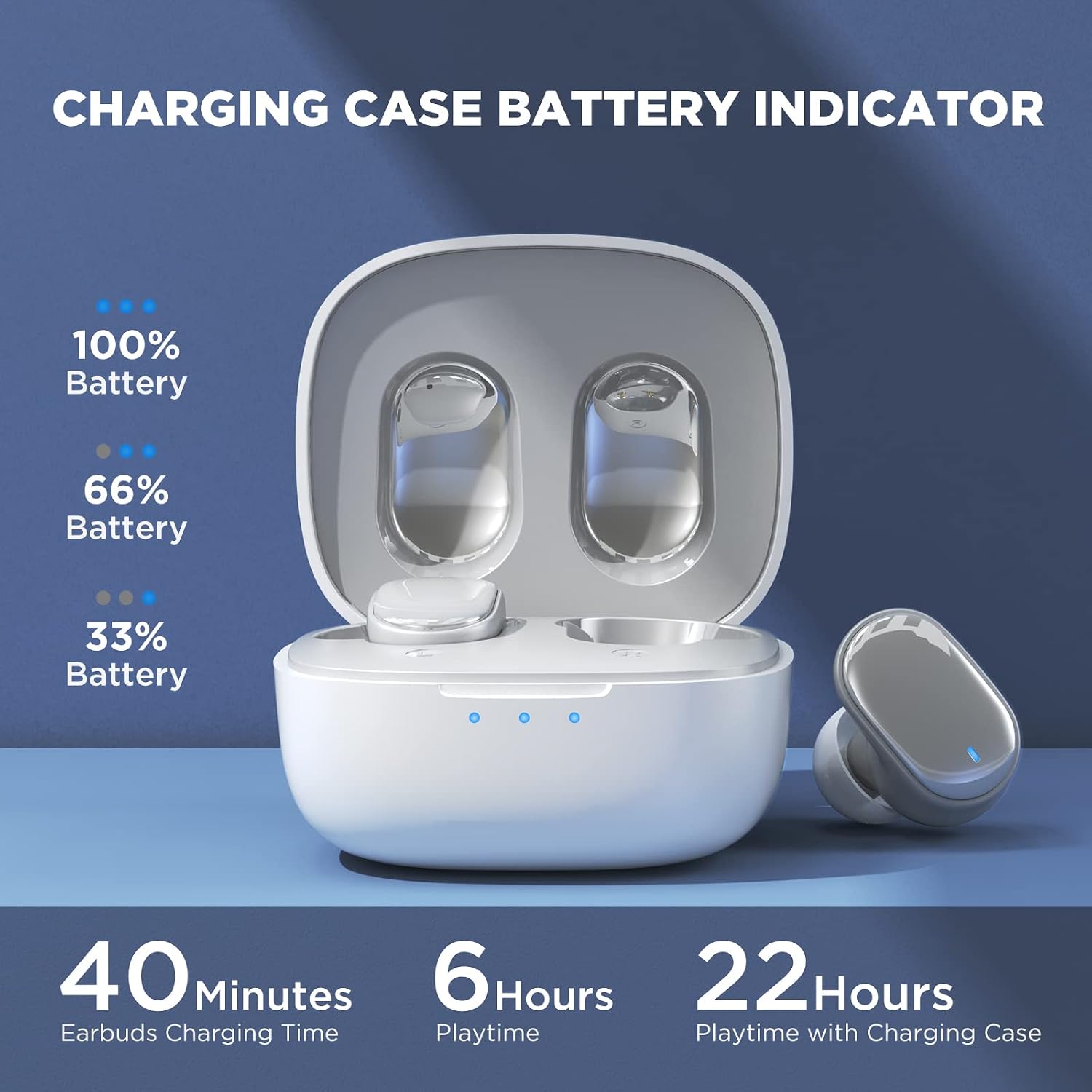
Image: Visual guide to the smart touch controls on the earbud.
Herní režim
Designed specifically for gaming, Game Mode provides an ultra-low latency of 45ms, ensuring audio and video remain synchronized for a smoother gaming experience. To activate or deactivate Game Mode, tap and hold either earbud for 2 seconds.
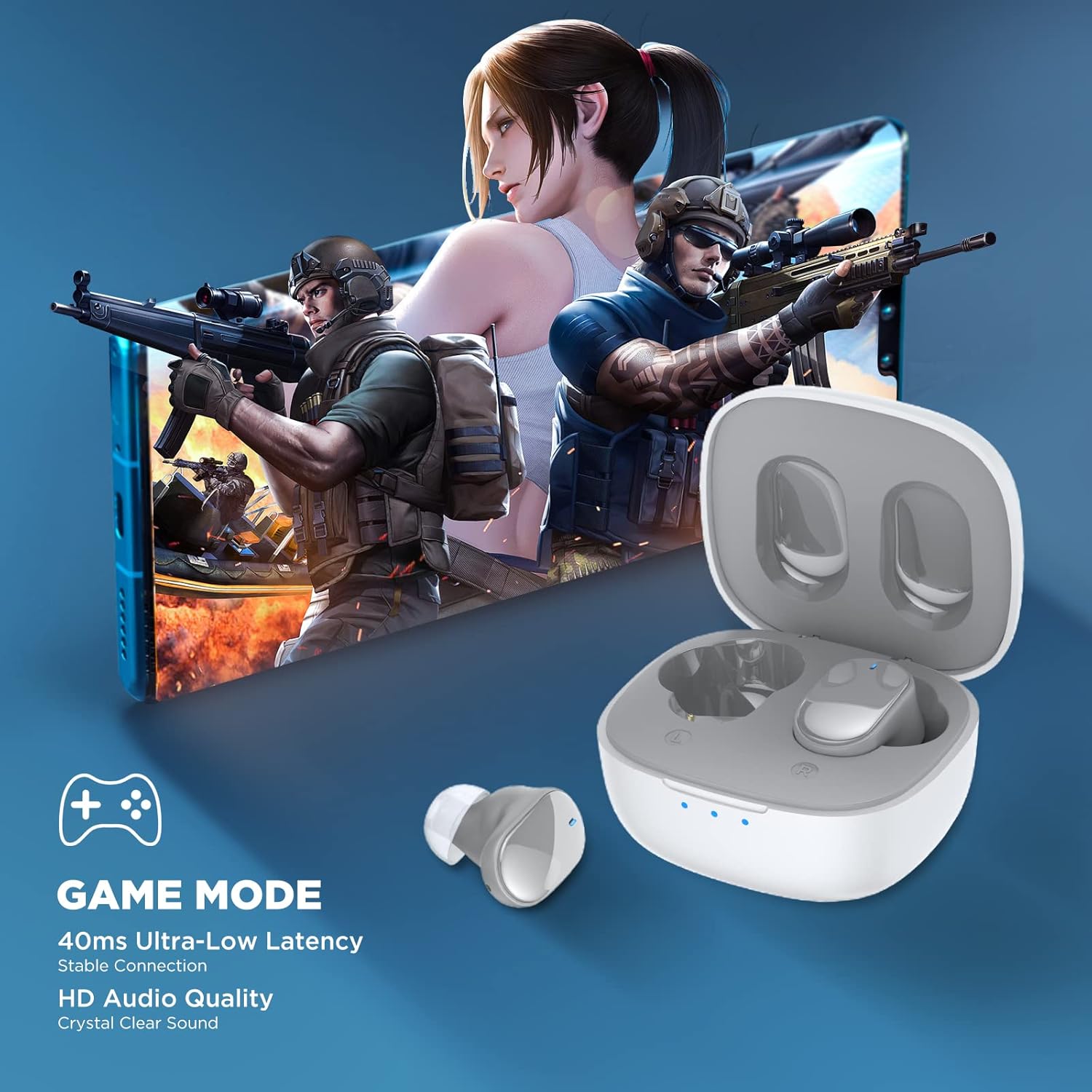
Image: Earbuds shown in a gaming context, highlighting the 40ms ultra-low latency Game Mode.
Kvalita zvuku
The earbuds are equipped with 10mm drivers, producing powerful bass and stunning treble for a rich audio experience.

Obrázek: Rozložený view diagram illustrating the 10mm speaker driver components.
Údržba a péče
- Čištění: Pravidelně čistěte sluchátka a nabíjecí pouzdro měkkým, suchým hadříkem, který nepouští vlákna. Nepoužívejte agresivní chemikálie ani abrazivní materiály.
- Earplug Care: Remove the silicone earplugs periodically and clean them with mild soap and water. Ensure they are completely dry before reattaching.
- Voděodolnost: The earbuds are IPX4 waterproof, meaning they are resistant to sweat and splashing water. Do not submerge them in water or expose them to heavy rain.
- Skladování: Pokud sluchátka nepoužíváte, uložte je do nabíjecího pouzdra, aby byla chráněna a nabitá. Skladujte na chladném a suchém místě mimo dosah extrémních teplot.
- Životnost baterie: Chcete-li prodloužit životnost baterie, vyvarujte se častého úplného vybíjení sluchátek a nabíjecího pouzdra. Pravidelně je nabíjejte, i když je delší dobu nepoužíváte.
Odstraňování problémů
| Problém | Možné řešení |
|---|---|
| Sluchátka se nespárují se zařízením. |
|
| Funguje pouze jedno sluchátko. |
|
| Nízká hlasitost nebo špatná kvalita zvuku. |
|
| Sluchátka se nenabíjejí. |
|
| Dotykové ovládání nereaguje. |
|
Specifikace
| Funkce | Detail |
|---|---|
| Název modelu | 7 TWS |
| Verze Bluetooth | 5.3 |
| Technologie připojení | Bezdrátové (Bluetooth) |
| Zvuková latence | 45 milisekund (herní režim) |
| Doba přehrávání (na jedno nabití) | Více než 6 XNUMX hodin |
| Celková doba přehrávání (s nabíjecím pouzdrem) | Až 22 hodin |
| Doba nabíjení sluchátek | 40 minut |
| Nabíjecí pouzdro Doba nabíjení | 1.5 hodin |
| Velikost ovladače | 10mm dynamický ovladač |
| Voděodolnost | IPX4 (odolnost proti potu) |
| Typ ovládání | Dotykové ovládání, hlasové ovládání |
| Dosah Bluetooth | Až 10 metrů (32.8 stop) |
| Frekvenční rozsah | 20 Hz - 20,000 XNUMX Hz |
| Kompatibilní zařízení | Zařízení iOS, Android a Windows |
Informace o záruce
Your HTC True Wireless Earbuds 7 come with a 360 Days Warranty Extension. Please retain your proof of purchase for warranty claims.
This warranty covers manufacturing defects and issues arising from normal use. It does not cover damage caused by misuse, accidents, unauthorized modifications, or improper maintenance.
Zákaznická podpora
For any questions, concerns, or technical assistance, please contact HTC customer support:
- Podpora živého chatu: Available 7 days a week, 24 hours a day. Refer to the product packaging or official HTC webweb pro konkrétní kontaktní údaje.
- Online zdroje: Visit the official HTC webweb s nejčastějšími dotazy, aktualizovanými manuály a dalšími zdroji podpory.
We are committed to ensuring your satisfaction with our in-ear headphones.


