
Zavedení
The ASUS Zenfone 9 is a compact, high-performance 5G smartphone designed for ease of use and powerful capabilities. Featuring the Snapdragon 8+ Gen 1 Mobile Platform and a long-lasting 4300 mAh battery, it offers robust performance. Its advanced dual camera system includes a 6-Axis Hybrid Gimbal Stabilizer for exceptional photo and video stability. This manual provides essential information for setting up, operating, maintaining, and troubleshooting your Zenfone 9.
Getting Started: Initial Setup
Follow these steps to set up your new ASUS Zenfone 9 5G.
1. Unboxing and Device Overview
Carefully unbox your Zenfone 9. The package typically includes the Zenfone 9 device, a USB-C cable, and a power adapter. Familiarize yourself with the device's physical layout, including ports, buttons, and camera modules.
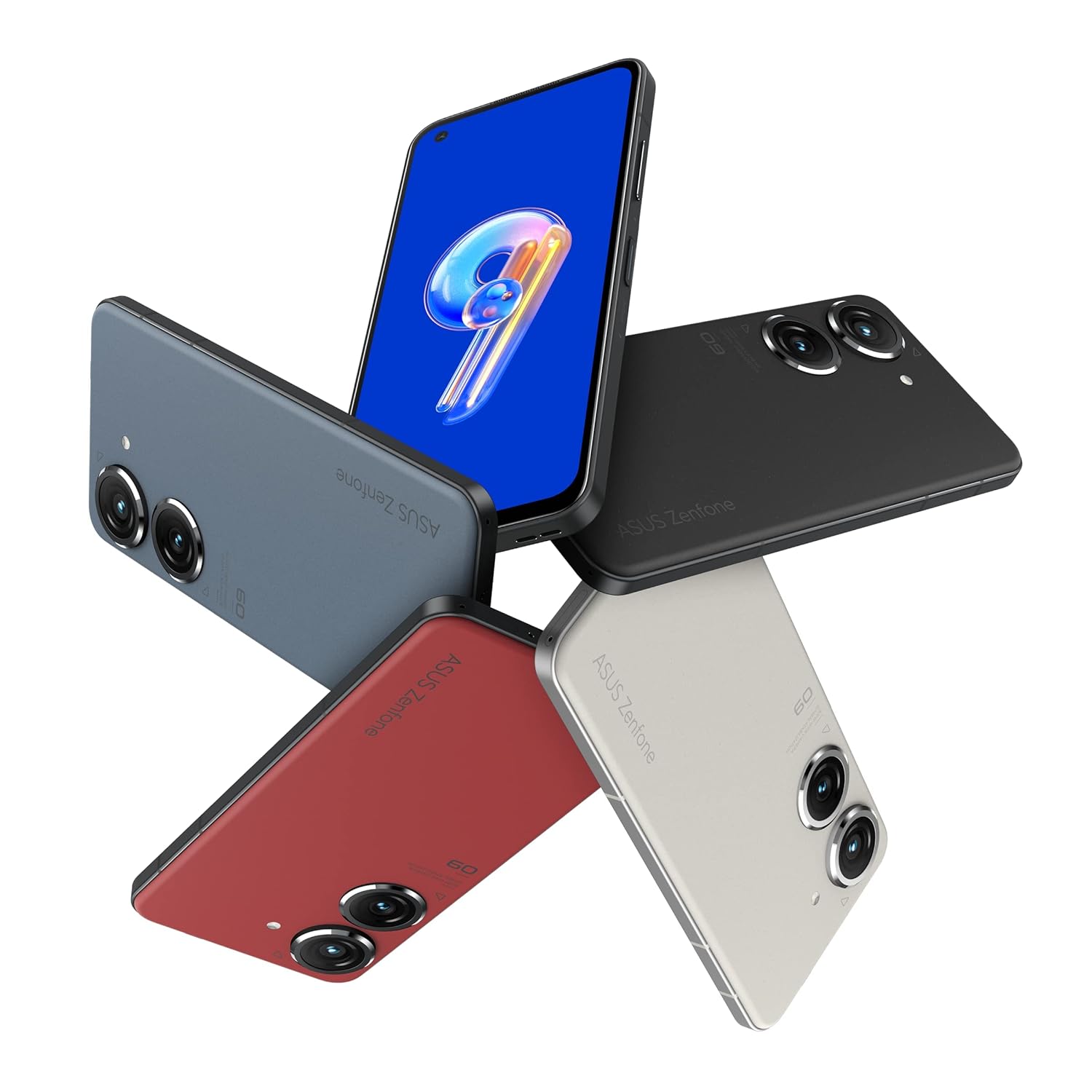
Image: ASUS Zenfone 9 5G in various color options, highlighting its compact design.
2. Instalace SIM karty
- Locate the SIM card tray on the side of your Zenfone 9.
- Vložte nástroj pro vysunutí SIM karty (pokud je součástí dodávky) do malého otvoru vedle zásobníku a jemně zatlačte, dokud zásobník nevyskočí.
- Place your Nano-SIM card(s) into the designated slots on the tray, ensuring proper orientation.
- Opatrně vložte zásobník SIM karty zpět do telefonu, dokud nezacvakne na místo.
3. Průvodce počátečním zapnutím a nastavením
- Press and hold the power button (located on the right side) until the ASUS logo appears.
- Follow the on-screen instructions of the Android setup wizard. This will guide you through selecting your language, connecting to a Wi-Fi network, setting up your Google account, and configuring security options like fingerprint unlock.
- The Zenfone 9 features a conveniently located fingerprint sensor integrated into the power button for hassle-free unlocking.
Obsluha vašeho zařízení
Basic Navigation and ZenTouch Button
The Zenfone 9 operates on the Android platform, utilizing a touchscreen interface for navigation. Swipe, tap, and pinch gestures are standard. The unique ZenTouch multi-function button, integrated with the power button, enhances one-handed operation. You can customize its functions, including:
- Přejetí nahoru/dolů: Voice to text, open notifications, refresh web page, move to top/bottom of page.
- Dvojklik: Media control, quick app launch.

Obrázek: Boční view of the Zenfone 9, illustrating the position of the ZenTouch power button.
Vlastnosti fotoaparátu
The Zenfone 9 is equipped with a massively upgraded dual camera system. The primary camera features a 6-Axis Hybrid Gimbal Stabilizer, providing super steady photos and videos even in motion. Explore various camera modes for different shooting scenarios.
- Zadní kamera: Dual camera setup for high-quality photography and videography.
- Přední kamera: Pro selfie a videohovory.
- 6-Axis Hybrid Gimbal Stabilizer: Ensures smooth, blur-free content capture.
Konektivita
Your Zenfone 9 supports a range of connectivity options:
- Wi-Fi: Připojte se k bezdrátovým sítím pro přístup k internetu.
- Bluetooth: Spárujte s bezdrátovými sluchátky, reproduktory a dalšími zařízeními s podporou Bluetooth.
- USB: Use the USB-C port for charging, data transfer, and connecting to a computer.
- GPS: Integrated GLONASS for accurate location services.
Správa baterie
The Zenfone 9 is powered by a 4300 mAh battery. To optimize battery life:
- Pro optimální nabíjení použijte dodanou nabíječku a kabel.
- Upravte jas obrazovky.
- Zavřete nepoužívané aplikace běžící na pozadí.
- V případě potřeby povolte režim úspory baterie.
Péče a údržba
Proper care ensures the longevity and optimal performance of your Zenfone 9.
- Čištění: K čištění obrazovky a těla přístroje používejte měkký hadřík, který nepouští vlákna. Nepoužívejte agresivní chemikálie ani abrazivní materiály.
- Aktualizace softwaru: Pravidelně kontrolujte a instalujte aktualizace systému, abyste zajistili, že vaše zařízení má nejnovější funkce, bezpečnostní záplaty a vylepšení výkonu.
- Správa úložiště: Pravidelně znovuview a smažte nepotřebné fileaplikace a média pro uvolnění úložného prostoru a zachování rychlosti zařízení.
- Podmínky prostředí: Avoid exposing your phone to extreme temperatures, direct sunlight for prolonged periods, or excessive moisture.
Odstraňování běžných problémů
This section addresses common problems you might encounter with your Zenfone 9.
Zařízení se nezapíná
- Ujistěte se, že je baterie nabitá. Připojte nabíječku a před zapnutím počkejte několik minut.
- Proveďte nucený restart podržením tlačítka napájení po dobu přibližně 15–20 sekund.
Aplikace padá nebo zamrzávají
- Zavřete a znovu otevřete aplikaci.
- Clear the app's cache and data from the device settings (Settings > Apps > [App Name] > Storage).
- Ensure the app and your device's operating system are up to date.
Problémy s připojením (Wi-Fi/Bluetooth)
- Vypněte a zapněte Wi-Fi nebo Bluetooth.
- Restartujte zařízení.
- For Wi-Fi, restart your router.
- Zapomeňte na síť/zařízení a znovu se připojte.
Obnovení továrního nastavení (poslední možnost)
Pokud se vyskytnou přetrvávající problémy, může obnovení továrního nastavení vyřešit mnoho problémů souvisejících se softwarem. Varování: Tímto smažete všechna data v telefonu. Před pokračováním si zálohujte důležitá data.
- Přejděte do Nastavení > Systém > Možnosti resetování.
- Vyberte možnost „Vymazat všechna data (obnovení továrního nastavení)“.
- Potvrďte své rozhodnutí a postupujte podle pokynů.
Technické specifikace
Key specifications for the ASUS Zenfone 9 5G (Model: AI2202).
| Funkce | Specifikace |
|---|---|
| Operační systém | Android |
| BERAN | 8 GB |
| Interní úložiště | 128 GB |
| Procesor | Mobilní platforma Snapdragon 8+ Gen 1 |
| Technologie displeje | AMOLED |
| Rozlišení displeje | 1080p |
| Zadní kamera | Dual Camera with 6-Axis Hybrid Gimbal Stabilizer |
| Přední kamera | Ano |
| Kapacita baterie | 4300 mAh (Lithium Ion) |
| Rozměry (DxŠxV) | 14.99 x 7.62 x 1.02 cm |
| Hmotnost | 460 g |
| Konektivita | Bluetooth, Wi-Fi, USB, GLONASS (GPS) |
| Barva | Půlnoční černá |
Note: Specifications are subject to change without notice. For the most up-to-date information, please refer to the official ASUS webmísto.
Záruka a podpora
Podrobné informace o záruce naleznete v záruční kartě dodané s vaším produktem nebo navštivte oficiální stránky podpory ASUS. website. ASUS provides customer support for technical assistance, repairs, and service inquiries.
Online podpora: Navštivte Podpora ASUS Webmísto for FAQs, driver downloads, and service requests.
Kontaktujte podporu: Viz ASUS website for regional contact numbers and service center locations.


