1. Úvod
This manual provides comprehensive instructions for the setup, operation, maintenance, and troubleshooting of your TRANYA S2 Smart Watch. Please read this manual carefully before using the device to ensure proper functionality and to maximize your user experience. Keep this manual for future reference.
2. Bezpečnostní informace
Adhere to the following safety guidelines to prevent damage to the device or personal injury:
- The TRANYA S2 Smart Watch is not a medical device. Data provided by the watch, including heart rate and blood oxygen, is for reference only and should not be used for medical diagnosis or treatment.
- Do not attempt to disassemble, repair, or modify the device. Unauthorized modifications may void the warranty and pose safety risks.
- Avoid exposing the watch to extreme temperatures, direct sunlight for prolonged periods, or corrosive substances.
- Ensure the charging contacts are clean and dry before charging to prevent corrosion or short circuits.
- While the watch is 3ATM waterproof, it is not suitable for hot showers, saunas, or deep-sea diving. Avoid direct exposure to high-pressure water streams.
- Udržujte zařízení mimo dosah dětí a domácích zvířat.
3. Obsah balení
Verify that all items are present in your TRANYA S2 Smart Watch package:
- TRANYA S2 Smart Watch (with strap)
- Magnetický nabíjecí kabel
- Uživatelská příručka
4. Konec produktuview
The TRANYA S2 Smart Watch features a 1.3-inch color display and a durable design, offering a comprehensive set of health and fitness tracking capabilities. Below is an illustration of the watch and its key components.

Obrázek 4.1: Přední strana view of the TRANYA S2 Smart Watch, showing its circular display with various health metrics and time.
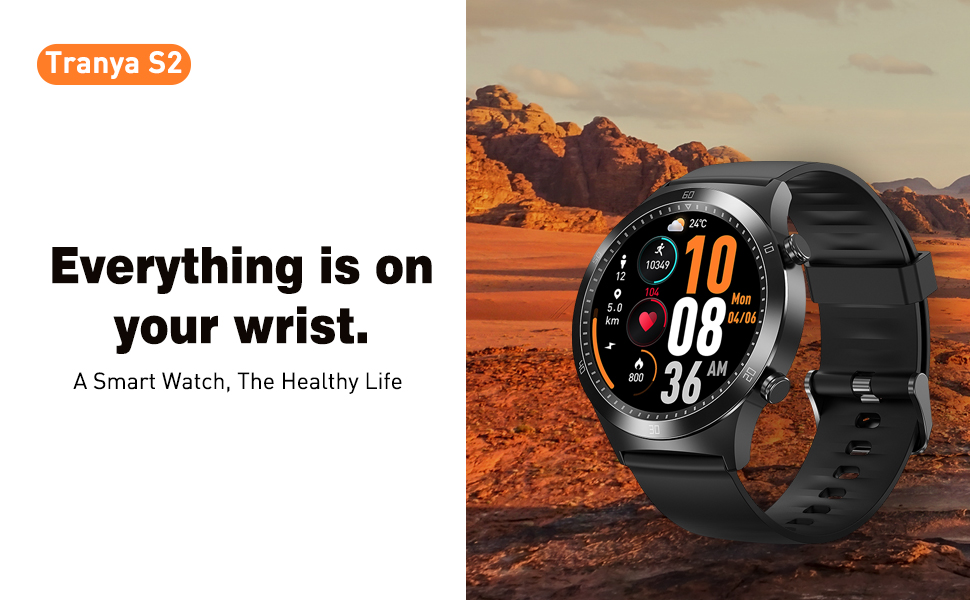
Figure 4.2: The TRANYA S2 Smart Watch worn on a wrist, highlighting its convenience for accessing information.
5. Nastavení
5.1 Nabíjení zařízení
Before first use, fully charge your TRANYA S2 Smart Watch. A full charge takes approximately 1.5 hours.
- Connect the magnetic charging cable to a USB power adapter (5V/1A recommended) or a computer's USB port.
- Align the magnetic end of the charging cable with the charging contacts on the back of the watch. The magnets will automatically snap into place.
- The watch screen will display a charging indicator. Once fully charged, the indicator will show a full battery icon.
5.2 Instalace a párování aplikace
To unlock the full features of your TRANYA S2 Smart Watch, you need to pair it with your smartphone via the companion app, GloryFit. The watch is compatible with Android and iOS devices.
- Stáhněte si aplikaci: Hledat "GloryFit" in the Apple App Store (for iOS) or Google Play Store (for Android) and install it on your smartphone.
- Povolit Bluetooth: Ujistěte se, že je na vašem smartphonu povoleno Bluetooth.
- Open GloryFit App: Launch the GloryFit app and follow the on-screen instructions to create an account or log in.
- Přidat zařízení: In the app, navigate to the "Device" or "My Device" section and select "Add Device" or a similar option. The app will scan for available devices.
- Vyberte si hodinky: From the list of found devices, select "TRANYA S2" or the device with the corresponding Bluetooth name.
- Potvrdit spárování: Výzva k párování se může zobrazit na telefonu i hodinkách. Potvrďte párování na obou zařízeních.
- Synchronizace: Once paired, the watch will synchronize data with the app. Ensure the watch is close to your phone during this process.
5.3 Počáteční konfigurace
After successful pairing, you can configure basic settings within the GloryFit app:
- Osobní údaje: Set your gender, age, height, and weight for more accurate health tracking.
- Nastavení jednotky: Choose between metric or imperial units for distance and weight.
- Formát času: Select 12-hour or 24-hour time display.
6. Návod k obsluze
6.1 Základní navigace
The TRANYA S2 Smart Watch features a responsive touchscreen and physical buttons for navigation:
- Přejetí nahoru/dolů: Procházení nabídek a oznámení.
- Přejetí doleva/doprava: Přístup k rychlým funkcím nebo různým datovým obrazovkám.
- Klepněte na: Vyberte položku nebo potvrďte akci.
- Stiskněte boční tlačítko: Obvykle se používá k návratu na domovskou obrazovku nebo k probuzení zařízení.
6.2 Sledování stavu
The TRANYA S2 provides comprehensive health monitoring features:
- Monitorování srdeční frekvence: The watch continuously tracks your heart rate throughout the day. View real-time data on the watch or detailed graphs in the GloryFit app.
- Monitorování krevního kyslíku (SpO2): Změřte si hladinu saturace krve kyslíkem. Pro přesné měření se ujistěte, že máte hodinky pevně nasazené na zápěstí.
- Monitorování spánku: Hodinky automaticky sledují vaše spánkové vzorce, včetně hlubokého spánku, lehkého spánku a doby probuzení.view analýzu kvality vašeho spánku v aplikaci.

Figure 6.1: Visual representation of the TRANYA S2's blood oxygen, heart rate, and sleep monitoring capabilities.
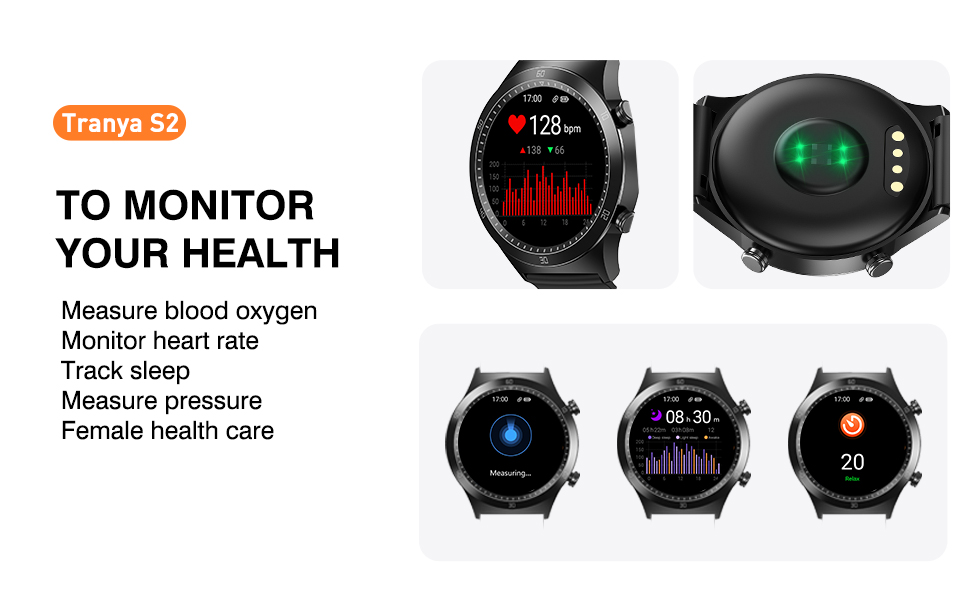
Figure 6.2: The watch's interface for monitoring various health metrics.
6.3 sportovních režimů
The TRANYA S2 supports 25 different sports modes to accurately track your workouts. Select the appropriate mode before starting an activity for precise data recording.

Figure 6.3: Icons representing the 25 available sport modes on the TRANYA S2 Smart Watch.
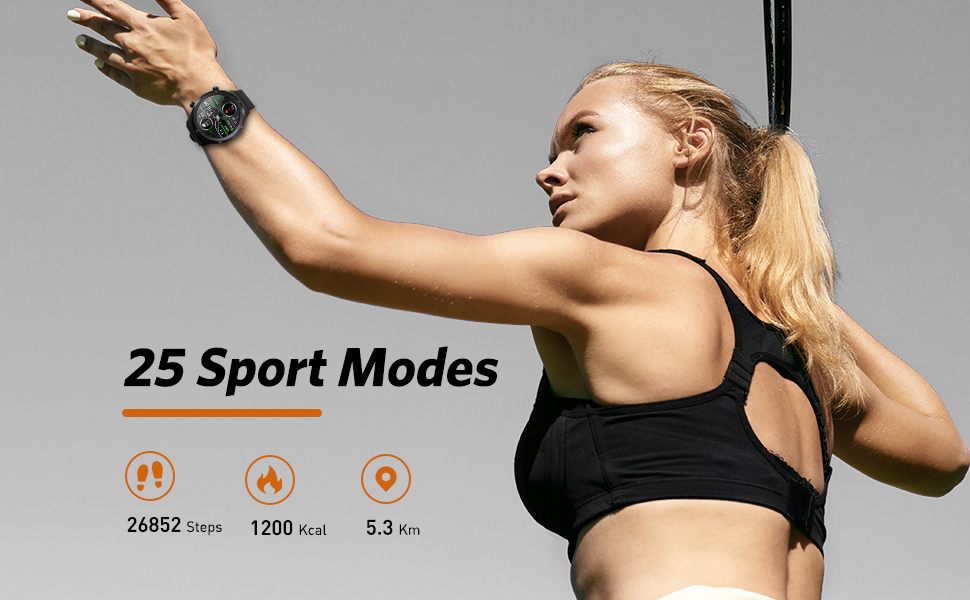
Figure 6.4: The watch tracking steps, calories, and distance during physical activity.
6.4 Oznámení
Receive call, SMS, and app notifications directly on your watch. Configure which app notifications you wish to receive through the GloryFit app settings.

Figure 6.5: The watch's ability to display notifications from connected smartphone applications.
6.5 Ovládání hudby
Control music playback on your smartphone directly from your watch. This includes play, pause, skip forward, and skip backward functions.

Figure 6.6: The watch's interface for controlling music playback on a paired smartphone.
6.6 Přizpůsobení ciferníku
Personalize your watch by choosing from over 100 optional watch faces available through the GloryFit app. You can also customize watch faces with your own photos.
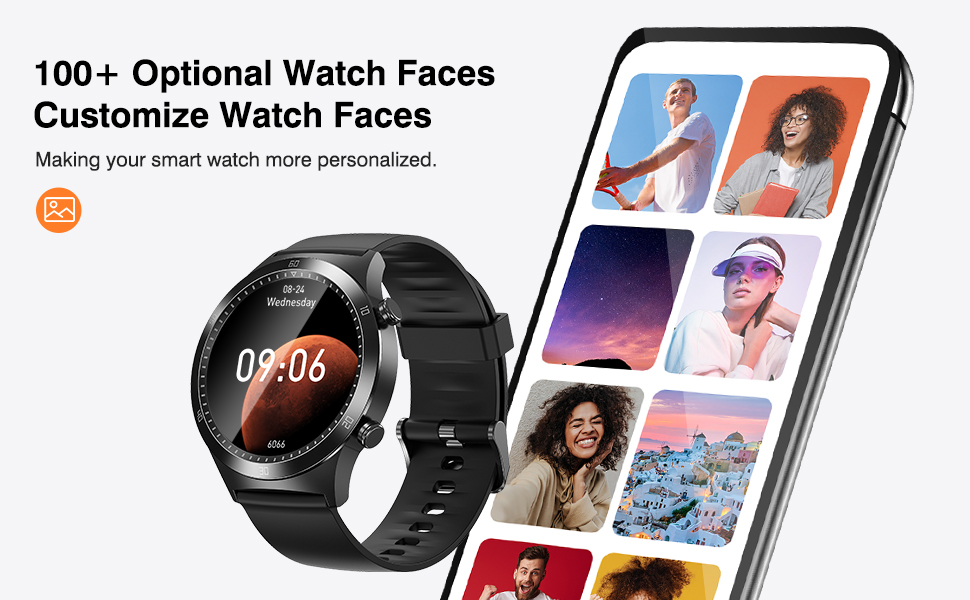
Obrázek 6.7: Přamppřizpůsobitelných ciferníků a rozhraní aplikace pro výběr.
7. Údržba
7.1 Čištění
Pravidelné čištění pomáhá udržovat vzhled a funkčnost hodinek:
- Wipe the watch screen and strap with a soft, lint-free cloth.
- Pro odolnou špínu lehceamphadřík vodou. Nepoužívejte agresivní chemikálie ani abrazivní materiály.
- Před nabíjením se ujistěte, že jsou hodinky zcela suché.
7.2 Voděodolnost
The TRANYA S2 Smart Watch is 3ATM waterproof, meaning it can withstand splashes, rain, and brief immersion in water up to 30 meters. It is suitable for swimming but not for diving or high-pressure water activities.

Figure 7.1: The watch's water resistance feature, suitable for hand washing and light water exposure.
7.3 Péče o baterii
To prolong the battery life of your TRANYA S2 Smart Watch:
- Vyhněte se častému úplnému vybíjení baterie.
- Charge the watch regularly, even if not in daily use.
- Pokud hodinky delší dobu nepoužíváte, skladujte je na chladném a suchém místě.

Figure 7.2: Information on the TRANYA S2's extended battery life.
8. Řešení problémů
If you encounter issues with your TRANYA S2 Smart Watch, refer to the table below for common problems and solutions:
| Problém | Možná příčina | Řešení |
|---|---|---|
| Hodinky se nezapínají | Slabá baterie; Zařízení zamrzlo | Nabíjejte hodinky alespoň 30 minut; stiskněte a podržte boční tlačítko po dobu 10–15 sekund pro vynucení restartu. |
| Nelze spárovat s telefonem | Bluetooth vypnutý; Aplikace neběží; Hodinky nejsou viditelné; Rušení | Ensure phone's Bluetooth is on; Restart GloryFit app; Restart watch and phone; Ensure watch is close to phone; Disable other Bluetooth devices. |
| Oznámení nebyla přijata | App permissions; Notification settings; Bluetooth disconnected | Check app permissions in phone settings; Verify notification settings in GloryFit app; Ensure watch is connected via Bluetooth. |
| Nepřesné zdravotní údaje | Nesprávné usazení; Zablokování senzoru | Ensure watch is worn snugly on the wrist, not too tight or too loose; Clean the sensor on the back of the watch. |
| Krátká výdrž baterie | Frequent use of power-intensive features; Continuous monitoring | Reduce screen brightness; Limit continuous heart rate/SpO2 monitoring; Turn off unnecessary notifications. |
9. Specifikace
Detailed technical specifications for the TRANYA S2 Smart Watch:
| Funkce | Specifikace |
|---|---|
| Značka | TRANYA |
| Model | S2 |
| Operační systém | Android, iOS |
| Velikost displeje | 1.3 palce |
| Technologie displeje | LCD |
| Kapacita baterie | 200 XNUMX mAh |
| Výdrž baterie (průměrná) | 7–10 dní (používání), 30 dní (pohotovostní režim) |
| Doba nabíjení | 1.5 hodiny |
| Voděodolnost | 3ATM (30.0 metrů) |
| Konektivita | Bluetooth |
| Speciální funkce | Heart Rate Monitor, Blood Oxygen Monitor, Sleep Monitor, 25 Sports Modes, Call & Message Notifications, Music Control, Camera Control, Weather Display, Alarm Clock, Find Phone |
| Typ spony | Sliding Clasp |
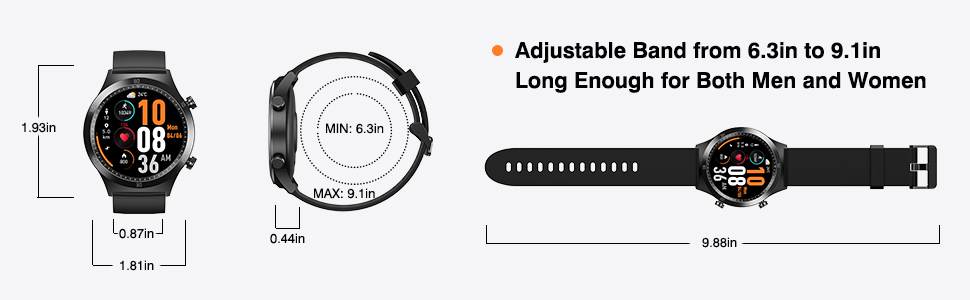
Figure 9.1: Dimensions of the TRANYA S2 Smart Watch.
10. Záruka a podpora
TRANYA provides a 12-month warranty for the S2 Smart Watch from the date of purchase. This warranty covers manufacturing defects and workmanship.
For technical support, warranty claims, or any questions regarding your TRANYA S2 Smart Watch, please contact TRANYA customer service. Refer to the contact information provided on the product packaging or the official TRANYA webweb s nejaktuálnějšími kanály podpory.
Please have your purchase receipt and product model number (S2) ready when contacting support.