Baseus Bowie WM02 TWS Bluetooth Earbuds
Uživatelská příručka
Zavedení
Thank you for choosing the Baseus Bowie WM02 TWS Bluetooth Earbuds. These ultra-compact and lightweight earbuds are designed for comfortable, long-term wear, offering a seamless audio experience with advanced Bluetooth 5.3 technology and an impressive 25-hour battery life (with charging case). This manual will guide you through the setup, operation, and maintenance of your new earbuds.

Image: Baseus Bowie WM02 TWS Bluetooth Earbuds in white, with their charging case.
Nastavení
1. Vybalení a komponenty
Před prvním použitím se prosím ujistěte, že balení obsahuje všechny komponenty:
- Baseus Bowie WM02 TWS Earbuds
- Nabíjecí pouzdro
- Nabíjecí kabel USB-C
- Více velikostí nástavců do uší (S, M, L)
- Uživatelská příručka
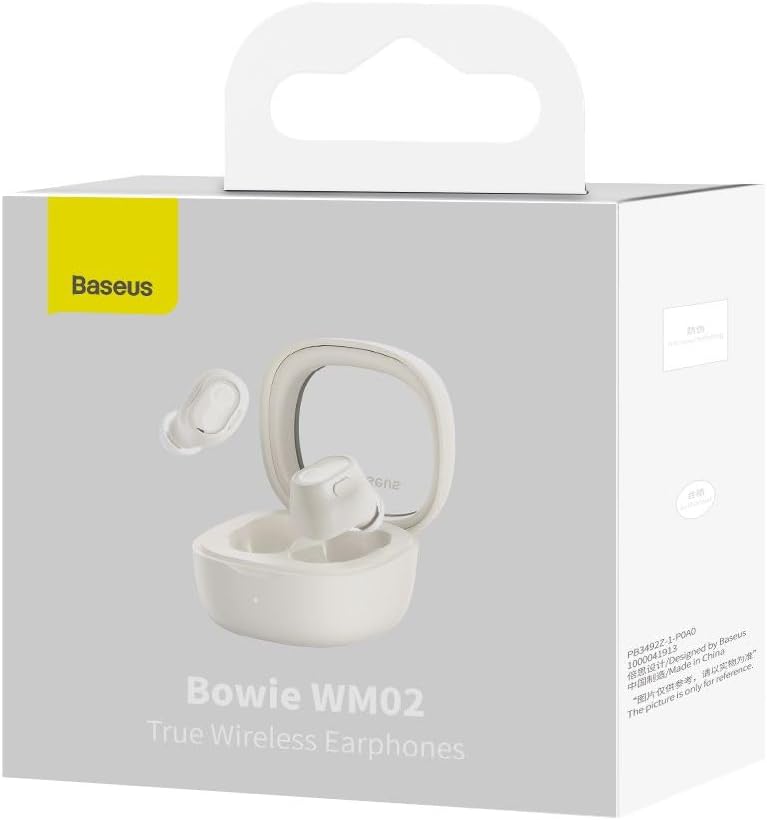
Image: The Baseus Bowie WM02 earbuds, charging case, USB-C cable, and ear tips laid out with the product packaging.
2. Nabíjení sluchátek a pouzdra
Pro optimální výkon sluchátka a nabíjecí pouzdro před prvním použitím plně nabijte.
- Vložte sluchátka do nabíjecího pouzdra. Ujistěte se, že jsou správně usazena ve svých slotech.
- Připojte nabíjecí kabel USB-C k nabíjecímu portu na pouzdře a druhý konec k napájecímu zdroji USB (např. k počítači, síťovému adaptéru).
- The indicator light on the charging case will show the charging status. Once fully charged, the light will typically turn solid or turn off.
A 10-minute quick charge provides approximately 2 hours of listening time, and a full charge offers up to 5 hours of continuous use, extending to 25 hours with the charging case.

Image: Graphic illustrating the 25-hour battery life of the Baseus Bowie WM02 earbuds and charging case.
3. Párování Bluetooth
Chcete-li spárovat sluchátka se zařízením s podporou Bluetooth, postupujte takto:
- Otevřete nabíjecí pouzdro. Sluchátka se automaticky přepnou do režimu párování (kontrolky budou blikat).
- Na svém zařízení (chytrý telefon, tablet, notebook) přejděte do nastavení Bluetooth a povolte Bluetooth.
- Hledat available devices and select "Baseus Bowie WM02" from the list.
- Once connected, the earbud indicator lights will typically turn off or show a steady light.
The earbuds feature Bluetooth 5.3 for stable and efficient connection.

Image: A visual representation of the Wireless 5.3 chip, highlighting fast and smooth connection.
4. Baseus App Integration
Enhance your experience by downloading the official Baseus app. The app allows you to:
- Najděte si sluchátka.
- Check real-time battery levels.
- Přizpůsobte si dotykové ovládání.
- Získejte přístup k dalším funkcím a aktualizacím.

Image: Screenshot of the Baseus app interface, demonstrating features like earbud location and battery status.
Návod k obsluze
1. Nošení sluchátek do uší
The Baseus Bowie WM02 earbuds are designed for a comfortable and secure fit, even for smaller ears. They weigh only 3.8g per earbud and have a 108-degree elevation angle for ergonomic wear.
- Vyberte si ušní nástavce, které vašim uším nejlépe přiléhají a poskytují pohodlí.
- Jemně vložte každé sluchátko do zvukovodu a mírně je otočte, abyste je zajistili.

Image: A woman demonstrating the comfortable and seamless fit of the Baseus Bowie WM02 earbuds.
2. Stiskněte Ovládací prvky
The earbuds feature intuitive touch controls. You can customize these controls via the Baseus app.
| Akce | Řízení |
|---|---|
| Přehrát/Pozastavit | Jediným klepnutím na kterékoli sluchátko |
| Další stopa | Dvakrát klepněte na pravé sluchátko |
| Předchozí stopa | Dvakrát klepněte na levé sluchátko |
| Přijmout/ukončit hovor | Jediným klepnutím na kterékoli sluchátko |
| Odmítnout hovor | Dlouhé stisknutí kteréhokoli sluchátka |
| Aktivujte hlasového asistenta | Trojité klepnutí na kterékoli sluchátko |
| Toggle Low Latency Mode (Gaming Mode) | Long press on either earbud (check app for specific gesture) |
3. Zapnutí/vypnutí
- Zapnutí: Otevřete nabíjecí pouzdro a sluchátka se automaticky zapnou a připojí k poslednímu spárovanému zařízení.
- Vypnout: Vložte sluchátka zpět do nabíjecího pouzdra a zavřete víko. Automaticky se odpojí a vypnou.
4. Herní režim (nízká latence)
The Bowie WM02 features a 60ms low-latency mode, ideal for gaming, ensuring instant response and synchronized audio. Activate this mode via the touch controls or the Baseus app for an immersive gaming experience.
Údržba
1. Čištění
Pravidelné čištění pomáhá udržovat kvalitu zvuku a hygienu.
- K otření sluchátek a nabíjecího pouzdra použijte měkký, suchý hadřík, který nepouští vlákna.
- For ear tips, remove them and clean with mild soap and water, then dry thoroughly before reattaching.
- Jemně očistěte nabíjecí kontakty na sluchátkách i pouzdře suchým vatovým tamponem.
- Nepoužívejte abrazivní čisticí prostředky, alkohol nebo rozpouštědla.
2. Skladování
Pokud sluchátka nepoužíváte, uložte je do nabíjecího pouzdra, abyste je chránili před prachem a poškozením.
3. Péče o baterie
- Nevystavujte sluchátka a pouzdro extrémním teplotám (horkým nebo nízkým).
- Do not leave the battery completely drained for extended periods. Charge them regularly.
Odstraňování problémů
If you encounter any issues with your Baseus Bowie WM02 earbuds, please refer to the following common solutions:
| Problém | Možné řešení |
|---|---|
| Sluchátka se nespárují | Ujistěte se, že jsou sluchátka nabitá. Vypněte a zapněte Bluetooth na zařízení. V nastavení Bluetooth zařízení zapomeňte a znovu je spárujte. |
| Žádný zvuk z jednoho sluchátka | Check battery level of both earbuds. Place both earbuds back in the case, close the lid, then open again. Re-pair if necessary. |
| Problémy s nabíjením | Ujistěte se, že je nabíjecí kabel bezpečně připojen. Zkuste jiný USB port nebo nabíječku. Vyčistěte nabíjecí kontakty na sluchátkách a pouzdře. |
| Nízká hlasitost nebo špatná kvalita zvuku | Adjust volume on your device. Ensure ear tips provide a good seal. Clean earbud mesh to remove debris. |
| Dotykové ovládání nereaguje | Ensure your fingers are clean and dry. Try resetting the earbuds (refer to Baseus app or online support for specific reset instructions). |
If the problem persists, please contact Baseus customer support.
Specifikace
| Funkce | Detail |
|---|---|
| Název modelu | Bowie WM02 |
| Číslo modelu výrobce | NGTW180002 |
| Technologie připojení | Bezdrátové (Bluetooth) |
| Technologie bezdrátové komunikace | Bluetooth 5.3 |
| Tvar sluchátek | In-Ear |
| Kontrola hluku | Žádný |
| Hmotnost produktu | 60 gramů |
| Frekvenční rozsah | 20 Hz - 20,000 XNUMX Hz |
| Impedance | 140 Ohmy |
| Průměrná výdrž baterie (sluchátka) | 5 hodiny |
| Celková výdrž baterie (s pouzdrem) | Až 25 hodin |
| Doba nabíjení | Přibližně 1.5 hodiny (pro plné nabití) |
| Nabíjecí port | USB Type-C |
| Speciální funkce | Fast Charging, Low Latency Mode (60ms) |
| Kompatibilní zařízení | Bluetooth-enabled devices such as smartphones, tablets, laptops, and desktop computers. |
Záruka a podpora
Informace o záruce
The Baseus Bowie WM02 TWS Bluetooth Earbuds come with a 12-month manufacturer's warranty from the official Baseus Brazil store. Please retain your proof of purchase for warranty claims.
Zákaznická podpora
For further assistance, technical support, or warranty inquiries, please contact Baseus customer support through the official Baseus website or the Baseus app. You can also visit the Obchod Baseus na Amazonu pro více informací.


