1. Úvod
Thank you for choosing the UNIQ MOVEN Integrated Y-Fold Stand Case for your iPad Pro 11-inch. This manual provides detailed instructions for the proper use, installation, and care of your new protective case. Designed for durability and functionality, this case offers robust protection and versatile viewing options for your device.

Image 1.1: UNIQ MOVEN case with Y-fold stand deployed.
2. Kompatibilita
This UNIQ MOVEN case is designed to be compatible with the following Apple iPad models:
- iPad Pro 11 palců (4. generace, 2022)
- iPad Pro 11 palců (3. generace, 2021)
- iPad Pro 11-inch (2nd Generation, 2020)
- iPad Air 10.9-inch (5th Generation, 2022)
- iPad Air 10.9-inch (4th Generation, 2020)
Poznámka: While this case fits the listed models, some speaker cutouts were primarily designed for the 3rd Generation iPad Pro 11-inch. This may result in minor misalignment with speakers on other compatible models, but it will not affect speaker functionality.
3. Klíčové vlastnosti
- Integrated Y-Fold Stand: Offers up to 3 adjustable viewing angles for various activities.
- ShockArmor™ Bumper Corner Defense: Provides enhanced protection against drops and impacts.
- Pencil Slot: Securely holds your Apple Pencil for convenient storage and charging.
- Lehký design: Crafted for portability without compromising protection.
- Odolné materiály: Constructed from Polycarbonate, Polyurethane, and TPU for a hybrid protective shell.
- 100% Recyclable Packaging: Environmentally conscious packaging.

Image 3.1: ShockArmor™ Bumper Corner Defense.

Image 3.2: Integrated Pencil Slot.
4. Setup: Installing Your iPad
Follow these steps to properly install your iPad into the UNIQ MOVEN case:
- Ensure your iPad screen is clean and free of debris.
- Align the iPad with the case, starting with the camera module. Gently press the iPad into the hard shell back of the case.
- Work your way around the edges, ensuring all corners and sides of the iPad are securely seated within the case's bumper frame.
- Verify that all ports, buttons, and the camera are correctly aligned with the case's cutouts.

Image 4.1: iPad securely installed in the UNIQ MOVEN case.
5. Návod k obsluze
5.1 Using the Y-Fold Stand
The integrated Y-Fold stand allows for multiple viewing and working angles:
- Sloupek ViewRežim ing: Fold the front cover into a triangular stand behind the iPad for an elevated viewing experience, ideal for watching videos or video calls.
- Typing/Sketching Mode: Fold the front cover into a lower, more acute angle to provide a comfortable incline for typing, drawing, or writing with your Apple Pencil.

Image 5.1: Upright Viewing Mode.
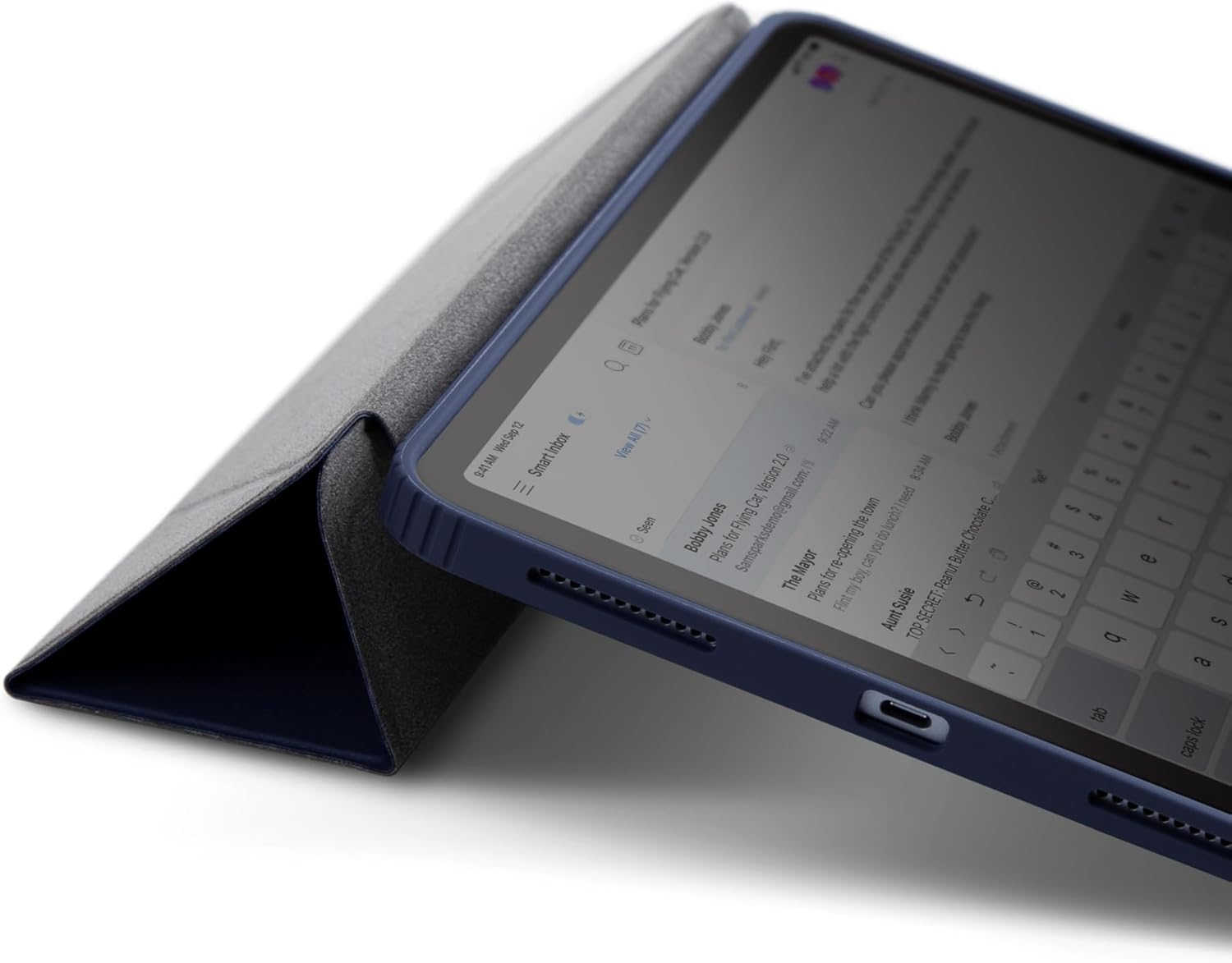
Image 5.2: Typing/Sketching Mode.

Image 5.3: Detail of the Y-Fold stand mechanism.
5.2 Using the Pencil Slot
The integrated pencil slot is located on the side of the case. Simply slide your Apple Pencil into the slot for secure storage. This slot also allows for wireless charging of your Apple Pencil (if supported by your iPad model) while it is stored.
6. Údržba a péče
To ensure the longevity and appearance of your UNIQ MOVEN case, follow these care instructions:
- Čištění: Wipe the case with a soft, damp cloth. For stubborn stains, a mild soap solution can be used. Avoid harsh chemicals or abrasive cleaners.
- Vyhněte se extrémním podmínkám: Do not expose the case to extreme temperatures, direct sunlight for prolonged periods, or corrosive liquids.
- Pravidelná kontrola: Periodically check the case for any signs of wear or damage, especially the corners and edges, to ensure continued protection.
7. Řešení problémů
7.1 Speaker Cutout Alignment
Problém: Speaker cutouts on the case do not perfectly align with the iPad's speakers.
Řešení: This is a known characteristic for certain compatible iPad models (e.g., iPad Air 10.9-inch, or specific iPad Pro generations other than the 3rd Gen 11-inch). The case was primarily designed with the 3rd Gen 11-inch iPad Pro in mind. This minor misalignment will ne affect the functionality or sound output of your iPad's speakers.
8. Specifikace produktu
| Funkce | Detail |
|---|---|
| Rozměry produktu | 7.56 x 9.92 x 0.43 palce |
| Hmotnost položky | 13.7 unce |
| ASIN | B0B74SD5DP |
| Číslo modelu položky | UNIQ-NPDP11(2021)-MOVSBL |
| Speciální funkce | Heavy Duty Protection, Integrated Y-Fold Stand, Pencil Slot |
| Form Factor | Věc |
| Barva | Modrý |
| Výrobce | UNIQ |
| Kompatibilní zařízení | iPad Pro 11" (2nd-4th Gen), iPad Air 10.9" (4th & 5th Gen) |
| Typ skořepiny | Hybrid (Polycarbonate, Polyurethane, TPU) |
9. Záruka a podpora
For warranty information, product support, or to contact customer service, please visit the official UNIQ website or refer to your purchase documentation. You can also reach out to the seller "UNIQ Better By Design" through the Amazon platform for assistance.
UNIQ Official Store: Visit UNIQ Store on Amazon


