1. Úvod
This manual provides detailed instructions for the setup, operation, maintenance, and troubleshooting of your DELTACO GAMING DH420 Wireless Headset. Please read this manual thoroughly before using the product to ensure optimal performance and longevity.
2. Obsah balení
Ujistěte se, že v balení jsou přítomny všechny položky:
- DELTACO GAMING DH420 Wireless Headset
- Odnímatelný mikrofon
- 2.4 GHz USB Wireless Receiver
- USB-C na 3.5mm audio kabel
- Nabíjecí kabel USB-C
- 1x 3.5mm to 2x 3.5mm Adapter (for PC audio/mic split)
- Uživatelská příručka (tento dokument)
3. Konec produktuview
Familiarize yourself with the components and controls of your headset.
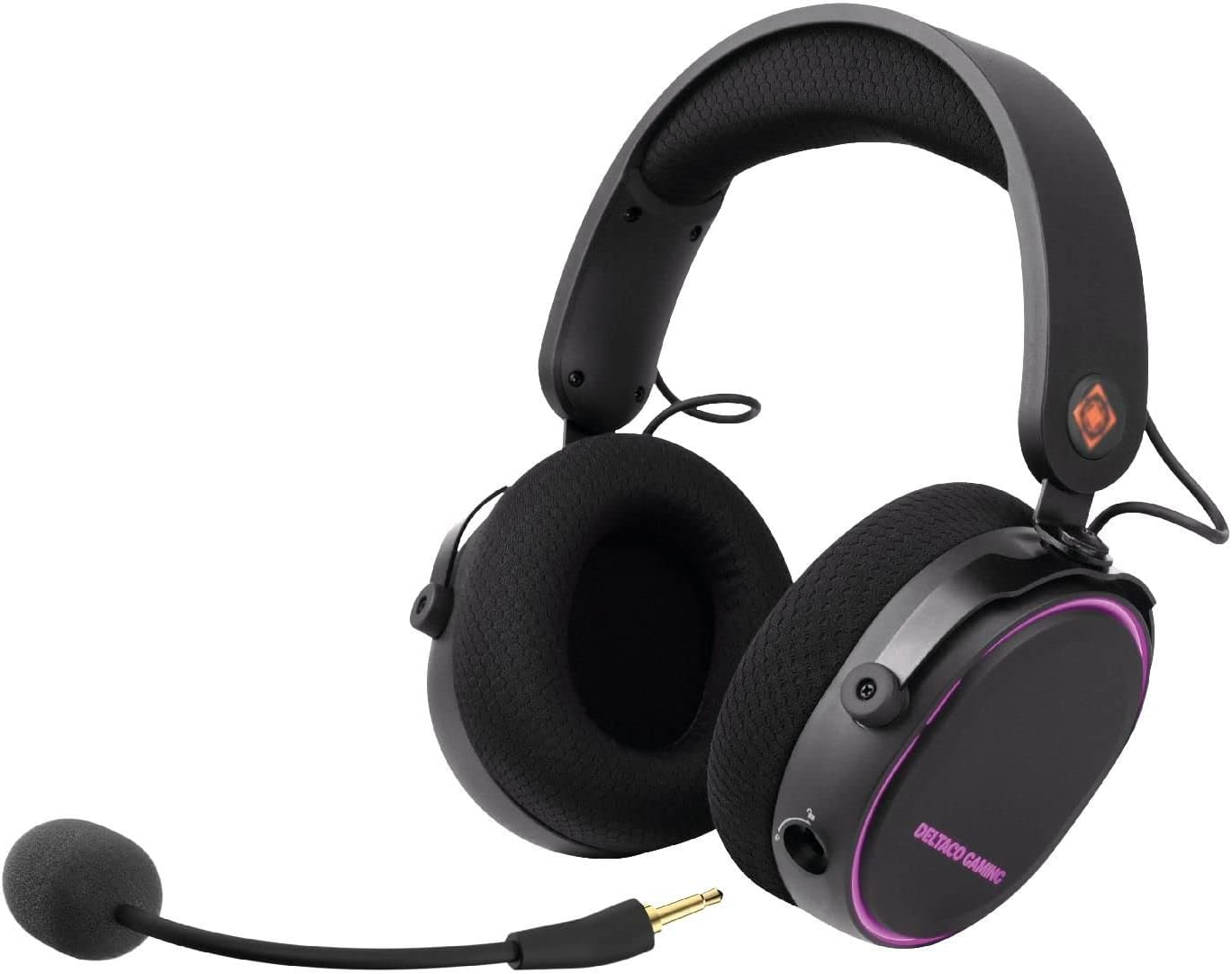
Obrázek 3.1: DELTACO GAMING DH420 Wireless Headset. This image shows the headset from a front-side angle, highlighting the over-ear design, adjustable headband, and the detachable microphone connected to the left earcup.
3.1 Ovládací prvky a porty headsetu

Obrázek 3.2: Diagram illustrating the location of controls and ports on the DELTACO GAMING DH420 headset. Key features include the volume control, USB-C charge and connection port, microphone mute button, EQ button, and power on/off button.
- Ovládání hlasitosti: Upravuje úroveň zvukového výstupu.
- USB-C Charge & Connection Port: Used for charging and wired audio connection.
- Tlačítko ztlumení mikrofonu: Zapíná/vypíná mikrofon.
- Tlačítko EQ: Cycles through available equalizer modes.
- Tlačítko zapnutí / vypnutí: Zapne nebo vypne náhlavní soupravu.
- Detachable Microphone Port: For connecting the flexible microphone.
3.2 Design and Comfort Features

Obrázek 3.3: The DELTACO GAMING DH420 headset highlighting its immersive sound with 40mm drivers and comfortable over-ear design with soft memory foam padding.

Obrázek 3.4: Detail of the headset's adjustable headband with soft foam padding and durable metal fittings, ensuring a comfortable and secure fit.
- Design přes uši: Provides comfort during extended use and helps with passive noise isolation.
- Soft Memory Foam Padding: Used in earcups for enhanced comfort.
- Nastavitelná čelenka: Allows for a customized fit for various head sizes.
- Metal Fittings: Contribute to the headset's durability and robust construction.
4. Nastavení a připojení
4.1 Nabíjení headsetu
- Připojte dodaný nabíjecí kabel USB-C k portu USB-C na sluchátkách.
- Druhý konec kabelu připojte k USB zdroji napájení (např. k USB portu počítače, USB adaptéru do zásuvky).
- The LED indicator on the headset will show charging status. A full charge typically takes 2-3 hours.
- Po úplném nabití odpojte nabíjecí kabel.
Poznámka: The headset can be used while charging in wired mode.
4.2 Připojení mikrofonu

Obrázek 4.1: Detailní záběr view of the detachable and flexible microphone. This image shows the microphone's 3.5mm jack and its flexible arm, ready to be inserted into the headset.
Insert the detachable microphone into the 3.5mm microphone port located on the left earcup. Adjust the flexible arm to position the microphone optimally for your voice.
4.3 Wireless Connection (2.4 GHz USB Receiver)
This method is compatible with PC, Mac, and PS5.
- Plug the 2.4 GHz USB wireless receiver into an available USB port on your PC, Mac, or PS5 console.
- Power on the headset by pressing and holding the Power On/Off button until the LED indicator illuminates.
- The headset should automatically pair with the receiver. The LED indicator will show a stable light once connected.
- On your device, ensure the DELTACO GAMING DH420 is selected as the default audio input and output device in your sound settings.

Obrázek 4.2: Promotional image highlighting the wireless functionality of the headset, featuring a low-latency 2.4 GHz USB receiver and a 32 ft (10m) range. The headset is shown with red RGB lighting.
4.4 Wired Connection (USB-C to 3.5mm Cable)
This method is compatible with PC, Mac, PS5, Xbox One (controller), and mobile devices.
- Connect the USB-C end of the USB-C to 3.5mm audio cable to the headset's USB-C port.
- Connect the 3.5mm end of the cable to the audio jack of your device (PC, Mac, PS5 controller, Xbox One controller, or mobile phone).
- If your PC has separate audio and microphone jacks, use the included 1x 3.5mm to 2x 3.5mm adapter. Connect the headset's 3.5mm cable to the adapter, then plug the adapter's two 3.5mm plugs into the corresponding audio and microphone ports on your PC.
- Ensure the DELTACO GAMING DH420 is selected as the default audio input and output device in your device's sound settings.
5. Provoz
5.1 Zapnutí/vypnutí
- Zapnutí: Press and hold the Power On/Off button for approximately 3 seconds until the LED indicator lights up.
- Vypnutí: Press and hold the Power On/Off button for approximately 3 seconds until the LED indicator turns off.
5.2 Ovládání hlasitosti
Rotate the volume control wheel located on the earcup upwards to increase volume and downwards to decrease volume.
5.3 Ztlumení mikrofonu
Press the Microphone Mute button to toggle the microphone on or off. An indicator light (if present) will show the microphone's status.
5.4 Režimy ekvalizéru (EQ)
Press the EQ button to cycle through the available equalizer sound profiles. This allows you to optimize audio for different content types like gaming, music, or movies.
5.5 RGB LED osvětlení
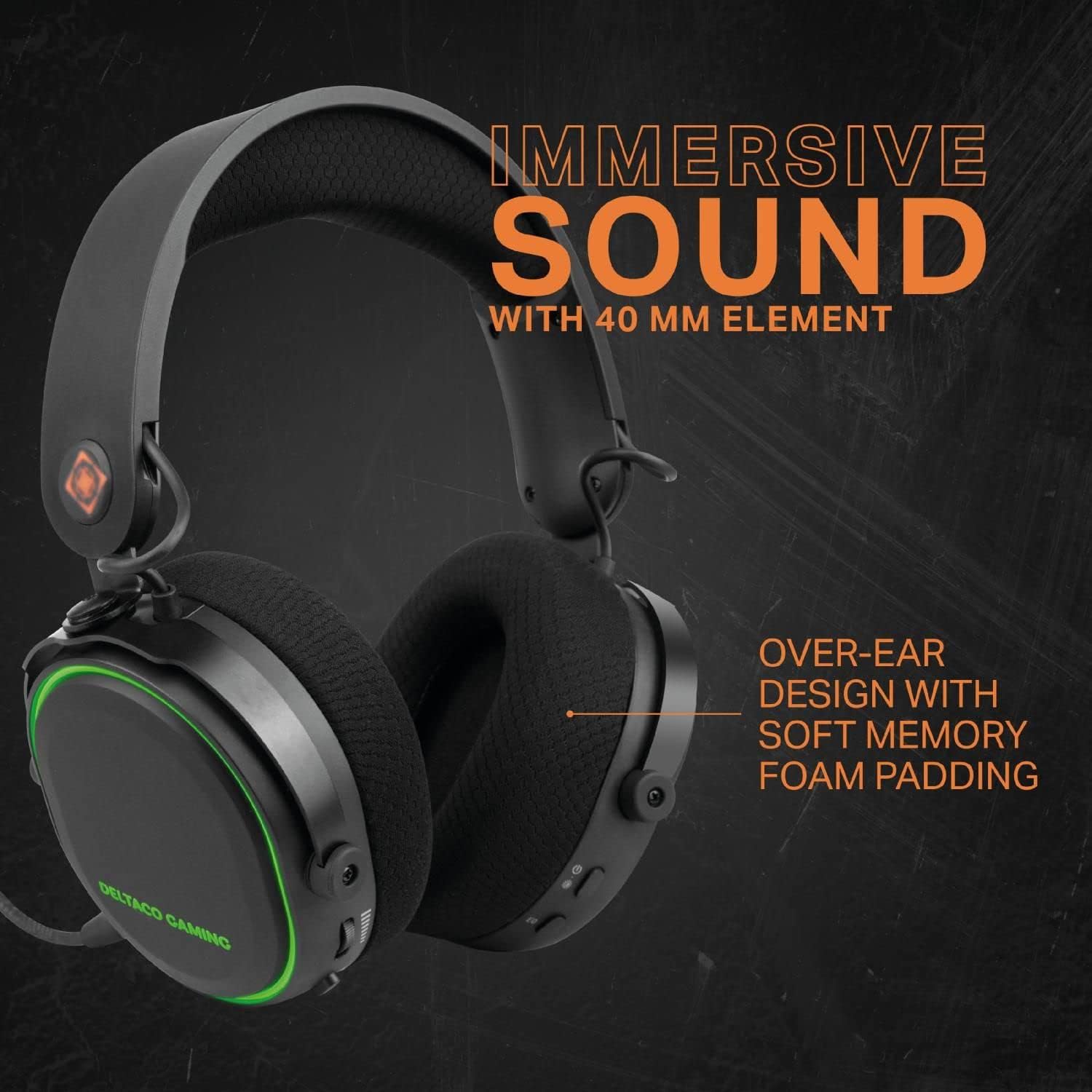
Obrázek 5.1: The DELTACO GAMING DH420 headset displaying its RGB LED lighting. This image highlights the headset's capability to show 8 unique LED modes and its long battery life.
The headset features 8 customizable RGB LED lighting modes. Refer to the product's specific instructions or manufacturer's website for details on how to cycle through or customize these modes, if a dedicated control is not present on the headset itself.
6. Údržba
6.1 Čištění
- K otření povrchu headsetu použijte měkký, suchý hadřík.
- Náušníky jemně otřete lehceamp hadříkem a před použitím nechte zcela uschnout na vzduchu.
- Nepoužívejte agresivní chemikálie, rozpouštědla ani abrazivní čisticí prostředky.
6.2 Skladování
Sluchátka skladujte na chladném a suchém místě mimo dosah přímého slunečního záření a extrémních teplot. Nepokládejte na ně těžké předměty.
6.3 Péče o baterii
- Chcete-li prodloužit životnost baterie, vyhněte se častému úplnému vybíjení sluchátek.
- Pravidelně nabíjejte sluchátka, i když je delší dobu nepoužíváte.
- Nevystavujte baterii vysokým teplotám.
7. Řešení problémů
| Problém | Možná příčina | Řešení |
|---|---|---|
| Z sluchátek se nehlásí žádný zvuk |
|
|
| Mikrofon nefunguje |
|
|
| Sluchátka se nepřipojují bezdrátově |
|
|
| RGB podsvícení nefunguje |
|
|
8. Specifikace
| Funkce | Detail |
|---|---|
| Název modelu | DH420 |
| Ovladače | 40 mm |
| Frekvenční odezva | 20 Hz – 25 kHz |
| Citlivost reproduktoru | 102 dB ± 3 dB |
| Citlivost mikrofonu | -49 dB ± 3 dB |
| Impedance reproduktoru | 32 Ω |
| Kapacita baterie | 1500 XNUMX mAh |
| Výdrž baterie (RGB vypnuto) | Až 28 hodin |
| Výdrž baterie (RGB zapnuto) | Až 18 hodin |
| Doba nabíjení | 2-3 hodin |
| Bezdrátové připojení | 2.4 GHz USB přijímač |
| Drátové připojení | USB-C to 3.5mm cable |
| Bezdrátové Dosah | 10m (32 ft) |
| Kompatibilita | PC, Mac, PS5, Xbox One (wired only), Mobile (wired only) |
| Rozměry produktu | 12 x 20 x 18 cm |
| Hmotnost | 830 g |
9. Záruka a podpora
The DELTACO GAMING DH420 Wireless Headset is manufactured by DELTACO GAMING. For warranty information, technical support, or service inquiries, please refer to the warranty card included with your product or visit the official DELTACO GAMING webstránky. Uschovejte si prosím doklad o koupi pro případ reklamace.


