Zavedení
This manual provides detailed instructions for the setup, operation, maintenance, and troubleshooting of your Pokitter Go Pro Mini Portable Projector. Please read this manual thoroughly before using the product to ensure proper functionality and to extend the lifespan of your device.
The Pokitter Go Pro is a compact and powerful portable projector featuring integrated Android TV 10.0, Google Assistant, 200 ANSI lumens brightness, 1080p Full HD resolution with 4K support, dual-band 2.4G/5G WiFi, and a maximum projection size of 120 inches. It is designed for versatile entertainment, offering a cinematic experience on the go.
Obsah balení
Prosím, ověřte, zda jsou v balení přítomny všechny položky:
- Pokitter Go Pro Mini Portable Projector
- Dálkové ovládání
- Napájecí adaptér
- Uživatelská příručka (tento dokument)
- Noste řemínek

Image: The Pokitter Go Pro Mini Portable Projector, highlighting its compact design and integrated handle for easy portability.
Konec produktuview
Přední View
Na přední straně projektoru se nachází projekční čočka a větrací mřížky.
Zadní View
The rear panel typically includes various ports for connectivity.
- Port HDMI: Pro připojení externích zařízení, jako jsou notebooky, herní konzole nebo Blu-ray přehrávače.
- USB port: For connecting USB drives for media playback or external peripherals.
- Audio výstup (3.5mm jack): Pro připojení externích reproduktorů nebo sluchátek.
- DC vstup: Port napájení.
Nahoru View
The top surface may include control buttons or indicators.
Strana View
The sides often feature additional ventilation and a carrying handle.
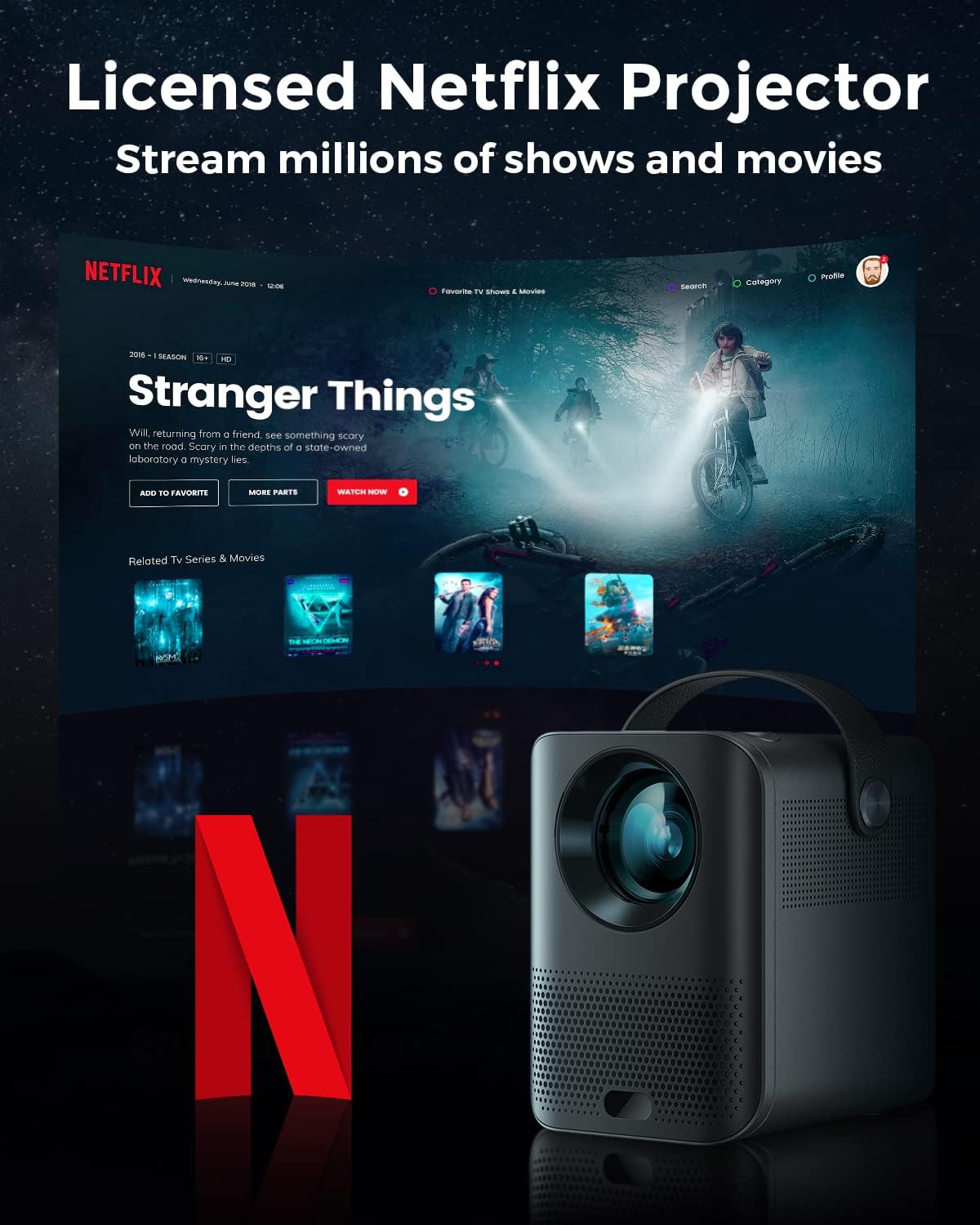
Image: The Pokitter Go Pro projector showcasing its integrated Netflix license and streaming capabilities.

Image: A size comparison of the Pokitter Go Pro projector with a smartphone, illustrating its mini and portable form factor.
Nastavení
1. Připojení napájení
- Připojte napájecí adaptér k portu DC In na projektoru.
- Zapojte napájecí adaptér do elektrické zásuvky.
- Rozsvítí se kontrolka napájení.
2. Počáteční zapnutí
- Stisknutím tlačítka napájení na projektoru nebo na dálkovém ovladači zapněte zařízení.
- Allow a few moments for the Android TV system to boot up.
3. Nastavení zaostření
Use the focus ring (if mechanical) or the remote control's focus buttons to achieve a clear image. The Pokitter Go Pro features automatic vertical keystone correction up to 40 degrees.

Image: Illustration of the automatic keystone correction feature, which adjusts the image for optimal viewing even when the projector is not perfectly aligned.
4. Screen Size Adjustment
Adjust the distance between the projector and the projection surface to achieve the desired screen size. The projector supports a screen size up to 120 inches.

Image: Guide for optimal projection distances to achieve screen sizes of 40, 80, and 120 inches.
5. Síťové připojení (Wi-Fi)
- Navigate to the Wi-Fi settings in the Android TV interface.
- Vyberte ze seznamu požadovanou síť Wi-Fi.
- Pokud budete vyzváni, zadejte heslo.
- The projector supports dual-band 2.4G and 5G Wi-Fi for stable and fast transmission.

Image: The Pokitter Go Pro projector demonstrating its 2.4/5GHz WiFi capabilities for seamless wireless screen casting from various devices.
Návod k obsluze
Pomocí dálkového ovládání
The included remote control allows full navigation and control of the Android TV interface. Key functions include:
- Vypínač: Zapne/vypne projektor.
- Navigační podložka: For moving through menus.
- Tlačítko OK: Potvrzuje výběr.
- Tlačítko Zpět: Vrátí se na předchozí obrazovku.
- Tlačítko Domů: Návrat na domovskou obrazovku Android TV.
- Tlačítka hlasitosti: Upravuje hlasitost zvuku.
- Tlačítko Google Assistant: Aktivuje hlasové příkazy.
Rozhraní Android TV
The Pokitter Go Pro runs on Android TV 10.0, providing access to a wide range of streaming applications such as Netflix, YouTube, Amazon Prime Video, and Disney+.
- Navigace v aplikaci: Use the remote's navigation pad to select and open applications.
- Streamování obsahu: Log in to your streaming accounts to access content.
- Asistent Google: Press the Google Assistant button on the remote and speak your commands to search for content, control playback, or get information.

Obrázek: Overview of the Pokitter Go Pro's key features, including its Android TV operating system, Google Assistant integration, and display capabilities.
Screen Mirroring (Chromecast Built-in)
The projector features built-in Chromecast for easy screen mirroring from compatible devices (smartphones, tablets, laptops).
- Ujistěte se, že vaše zařízení a projektor jsou připojeny ke stejné síti Wi-Fi.
- Otevřete na svém zařízení aplikaci s podporou Chromecastu (např. YouTube, Netflix).
- Klepněte na ikonu Cast (obvykle obdélník se symbolem Wi-Fi) v rámci aplikace.
- Select your Pokitter Go Pro projector from the list of available devices.
- The content from your device will be mirrored or cast to the projector.

Image: Demonstrating the Chromecast built-in feature, allowing users to stream content from their smartphone to the projector's large display.
Připojení externích zařízení (HDMI/USB)
- HDMI: Connect an HDMI cable from your external device (e.g., laptop, game console) to the HDMI port on the projector. The projector will automatically switch to the HDMI input or you may need to select it from the input source menu.
- USB: Insert a USB flash drive into the USB port. The Android TV system will typically prompt you to open a file browser to access media files na disku.
Údržba
Čištění objektivu
K jemnému otření čočky projektoru použijte měkký hadřík bez žmolků, speciálně určený pro optické čočky. Nepoužívejte abrazivní čisticí prostředky ani nadměrnou sílu, mohlo by dojít k poškrábání čočky.
Cleaning the Projector Body
Wipe the exterior of the projector with a soft, dry cloth. For stubborn stains, a slightly damp cloth can be used, followed by a dry cloth. Avoid getting liquids inside the projector.
Větrání
Ensure that the ventilation grilles are not blocked during operation to prevent overheating. The Pokitter Go Pro features a dust-proof design to maintain picture quality.

Image: An internal diagram of the Pokitter Go Pro, illustrating its dust-proof design for long-lasting, flawless picture quality.
Skladování
When not in use for extended periods, store the projector in a cool, dry place, away from direct sunlight and extreme temperatures. It is recommended to use the original packaging or a protective case.
Odstraňování problémů
| Problém | Možná příčina | Řešení |
|---|---|---|
| Žádná síla | Napájecí kabel není připojen; Vadná zásuvka. | Ujistěte se, že je napájecí kabel bezpečně připojen. Zkuste jinou zásuvku. |
| Žádný obraz / Rozmazaný obraz | Lens out of focus; Incorrect input source; Obstruction in projection path. | Adjust focus using the remote or focus ring. Select correct input source. Remove any obstructions. |
| Žádný zvuk | Příliš nízká hlasitost; Ztlumeno; Externí reproduktory nejsou správně připojeny. | Zvyšte hlasitost. Zapněte zvuk projektoru. Zkontrolujte připojení externích reproduktorů. |
| Problémy s připojením Wi-Fi | Nesprávné heslo; Router je příliš daleko; Rušení sítě. | Ověřte heslo k Wi-Fi. Přemístěte projektor blíže k routeru. Restartujte router a projektor. |
| Dálkové ovládání nefunguje | Vybité baterie; Překážka mezi dálkovým ovladačem a projektorem. | Vyměňte baterie. Zajistěte nerušený výhled na infračervený přijímač projektoru. |
Specifikace
- Model: F1A
- Značka: Pokitter
- Technologie displeje: LED
- Nativní rozlišení: 1920 x 1080 (Full HD)
- Maximální podporované rozlišení: 3840 x 2160 (4K)
- Jas: Až 200 ANSI lumenů
- Velikost projekce: Až 120 palce
- Operační systém: Android TV 10.0
- Hlasový asistent: Vestavěný Google Assistant
- Bezdrátové připojení: 2.4G/5G Dual-band Wi-Fi, Bluetooth 5.1
- Porty pro připojení: HDMI, USB, 3.5mm Audio Out, DC In
- Řečníci: Integrated (2x5W as per infographic)
- Average Lifespan (Light Source): 50,000 hodiny
- Form Factor: Přenosný
- Typ montáže: Stolní držák

Image: An illustration of the projector's internal speaker system, designed to provide true-to-life sound for a cinematic viewzkušenosti.
Záruka a podpora
The Pokitter Go Pro Mini Portable Projector comes with a 2-letá záruka. For any questions or professional assistance regarding this product, please contact Pokitter customer support. We are committed to supporting our customers.
For the latest support information, FAQs, and contact details, please visit the official Pokitter webwebu nebo se podívejte na kontaktní informace uvedené při nákupu.


