1. Úvod
This manual provides essential information for the proper setup, operation, and maintenance of your Gigaset Comfort 552A Duo cordless phone system. Designed for clarity and ease of use, this system combines elegant design with practical features for your home or office communication needs. Please read these instructions carefully to ensure optimal performance and longevity of your device.
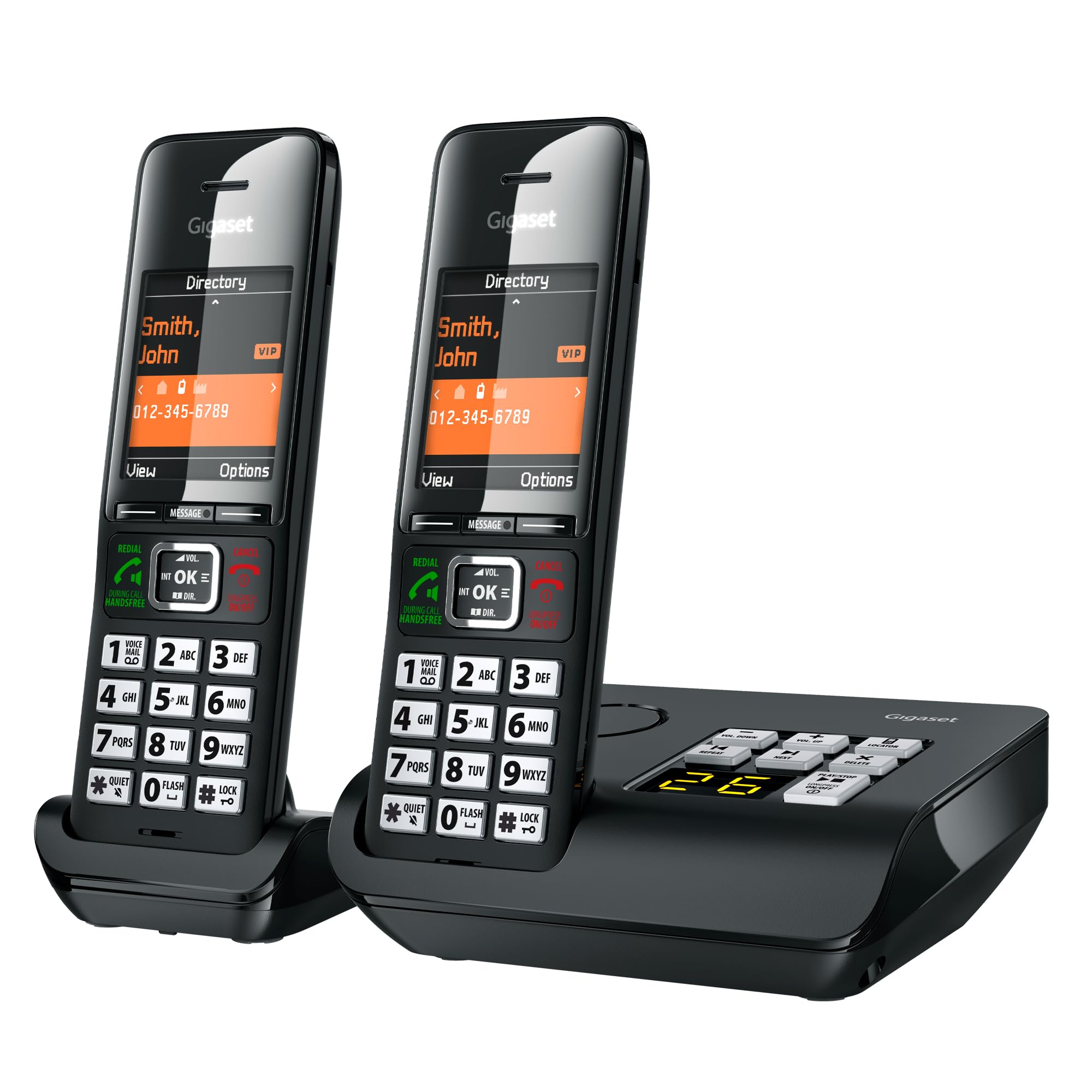
Image: The Gigaset Comfort 552A Duo cordless phone system, featuring two sleek handsets and a compact base station, ready for use.
2. Co je v krabici
Your Gigaset Comfort 552A Duo package includes the following components:
- 2x sluchátka
- 1x Base Station with Answering Machine
- 1x Charging Cradle (for the second handset)
- 2x Power Adaptors
- 1x Telephone Connection Cable
- 4x dobíjecí baterie AAA
- 2x spony na opasek
- 1x Short User Guide

Image: A visual representation of the package contents, including two handsets, a base station, a charging cradle, power adaptors, cables, batteries, belt clips, and a user guide.
3. Nastavení
Follow these steps for a quick and easy installation of your new phone system:
- Připojení ke zdroji napájení: Plug the power adaptor into the base station and then into a wall outlet. Repeat for the charging cradle.
- Připojení telefonní linky: Connect the telephone connection cable to the base station and then to your telephone wall socket.
- Vložte baterie: Open the battery compartment on each handset and insert the provided AAA rechargeable batteries, observing polarity. Close the battery cover.
- Place Handsets: Place the handsets on the base station and charging cradle. The display will show 'Charging'. Allow them to charge for several hours before first use.
- Počáteční nastavení: The handset will guide you through setting the date and time. Follow the on-screen prompts.

Image: A visual guide illustrating the three main steps for initial setup: connecting to power, connecting the telephone line, and inserting batteries into the handset.
3.1. Registrace sluchátka
Your handsets are pre-registered to the base station. If a handset needs to be re-registered or if you add an additional handset, follow these general steps:
- On the handset, navigate to the 'Settings' menu.
- Select 'Registration' or 'Register Handset'.
- On the base station, press and hold the registration/paging button for a few seconds until it starts flashing.
- Enter the system PIN (default is 0000) on the handset when prompted.
- The handset will register and confirm successful registration on its display.
3.2. Answering Machine Setup
The integrated answering machine can record up to 25 minutes of messages. To set up your personal greeting:
- Press the 'Menu' button on the handset.
- Navigate to 'Answering Machine' or 'Answ. Machine'.
- Select 'Record Greeting' or 'Personal Greeting'.
- Follow the voice prompts to record your message.
- You can also activate/deactivate the answering machine from this menu.
4. Provoz
This section covers the basic functions of your Gigaset Comfort 552A Duo.
4.1. Uskutečňování a přijímání hovorů
- Uskutečnění hovoru: Dial the number using the keypad and press the green 'Talk' button.
- Příjem hovoru: When the phone rings, press the green 'Talk' button.
- Ukončení hovoru: Stiskněte červené tlačítko „Ukončit hovor“.
- Režim hands-free: During a call, press the 'Hands-Free' button (speaker icon) to activate or deactivate the speakerphone.

Image: The Gigaset Comfort 552A handset highlighting its ergonomic design, large illuminated keys, and a clear 2.2-inch color display for easy navigation and dialing.
4.2. Phonebook and Call Protection
- Telefonní seznam: Store up to 200 entries with multiple numbers. Access via the 'Directory' button.
- Comfort Call Protection: Block unwanted calls from up to 150 numbers. This feature helps filter out spam or nuisance calls. Access this function through the 'Menu' and 'Call Protection' options.

Image: A close-up of the Gigaset Comfort 552A handset screen showing an incoming call with options to 'Silence' or 'Block' the number, demonstrating the call protection feature.
4.3. Internal Calls (Intercom)
If you have multiple handsets, you can make internal calls between them:
- Press the 'INT' button on the handset.
- Select the desired internal handset number (e.g., 'Handset 2').
- The selected handset will ring.
4.4. Konec produktuview Video
Video: Oficiální produkt u konceview from Gigaset Technologies, showcasing the elegant design and key features of the Gigaset Comfort 552 cordless phone system.
5. Údržba
Proper care ensures the longevity of your Gigaset Comfort 552A Duo.
5.1. Péče o baterie
- Use only the recommended AAA rechargeable batteries.
- Charge handsets regularly by placing them on the base station or charging cradle.
- Nevystavujte baterie extrémním teplotám.
5.2. Čištění
- Povrchy telefonu čistěte měkkým hadříkemamp tkanina.
- Nepoužívejte abrazivní čisticí prostředky nebo rozpouštědla.
5.3. ECO DECT Technology
Your Gigaset phone features environmentally friendly ECO DECT technology, which ensures reduced energy consumption and variable transmission power depending on the distance between the handset and the base station.

Image: Two Gigaset Comfort 552A handsets on their base, accompanied by the 'green home' ECO DECT logo and 'Made in Germany' emblem, highlighting the product's energy efficiency and origin.
6. Řešení problémů
If you encounter issues with your phone system, try the following solutions:
- Žádný oznamovací tón: Ensure all cables (power and telephone line) are securely connected to the base station and wall outlets.
- Sluchátko se nenabíjí: Check that the handset is correctly placed on the base/cradle and that the charging contacts are clean. Verify power adaptor connection.
- Špatná kvalita zvuku: Move closer to the base station. Check for interference from other electronic devices.
- Handset Display Blank: Ujistěte se, že jsou baterie správně vloženy a nabity.
- Nelze uskutečňovat/přijímat hovory: Check telephone line connection. Ensure the answering machine is not full or incorrectly configured.
- Forgotten System PIN: Refer to the detailed user guide for instructions on resetting the system PIN.
For more complex issues, consult the full user guide or contact Gigaset customer support.
7. Specifikace
| Rozměry produktu | 8.82 x 6.54 x 3.46 palce |
| Hmotnost položky | 4.1 unce |
| Číslo modelu položky | L36852-H3021-R305 |
| Baterie | Vyžaduje 4 AAA baterie (součástí balení) |
| Výrobce | Gigaset |
| Značka | Gigaset |
| Typ telefonu | Bezdrátový |
| Materiál | Plast |
| Zdroj napájení | AC adaptér |
| Typ vytáčení | Jedna klávesnice |
| Typ systému odpovědí | Digitální |
8. Záruka a podpora
For warranty information, please refer to the documentation included in your product packaging or visit the official Gigaset website. For technical support, troubleshooting assistance, or to inquire about replacement parts, please contact Gigaset customer service directly. Contact details can typically be found in the included short user guide or on the manufacturer's webmísto.


