1. Úvod
Thank you for choosing the DDPAI Z40 Dash Cam. This manual provides detailed instructions for the installation, setup, operation, and maintenance of your device. Please read this manual thoroughly before using the product to ensure proper function and safety.
The DDPAI Z40 is a high-resolution dash camera system designed to record driving footage, offering both front and rear camera views. It features 1944P resolution for the front camera, a Sony IMX335 sensor, built-in GPS, Wi-Fi connectivity, and a parking monitoring function.
2. Obsah balení
Po vybalení zkontrolujte obsah balení. Pokud některé položky chybí nebo jsou poškozené, kontaktujte svého prodejce.
- DDPAI Z40 Front Dash Cam Unit
- Zadní kamera
- Power Cable (USB to Car Charger)
- Nabíječka do auta
- Montážní konzola
- Lepicí podložky
- Nástroj páčidlo
- Uživatelská příručka
- Memory Card (Included with some packages)
3. Konec produktuview
Familiarize yourself with the components of your DDPAI Z40 Dash Cam system.

This image displays the main DDPAI Z40 dash cam unit with labels pointing to its key components: the mounting bracket, the 2-inch LCD screen, the 6-lens Sony IMX335 camera, and the physical control buttons.
Přední kamera
- Objektiv fotoaparátu: Přední strana záznamů view (1944P resolution, 140° wide angle).
- LCD obrazovka: 2.4palcový displej pro živé vysílání view, přehrávání a nastavení.
- Ovládací tlačítka: Navigate menus and control functions.
- Reproduktor/mikrofon: Pro nahrávání a přehrávání zvuku.
- USB napájecí port: Connects to the car charger.
- Port pro zadní kameru: Connects the rear camera.
- Slot pro microSD kartu: Insert memory card for storage.
- Montážní štěrbina: Attaches to the adhesive bracket.
Rear Camera Unit
- Objektiv fotoaparátu: Records rear view (1080P resolution, 125° wide angle).
- Připojovací kabel: Connects to the front camera unit.
4. Instalace
Proper installation is crucial for optimal performance and safety. Ensure the dash cam does not obstruct your view nebo zasahovat do ovládání vozidla.
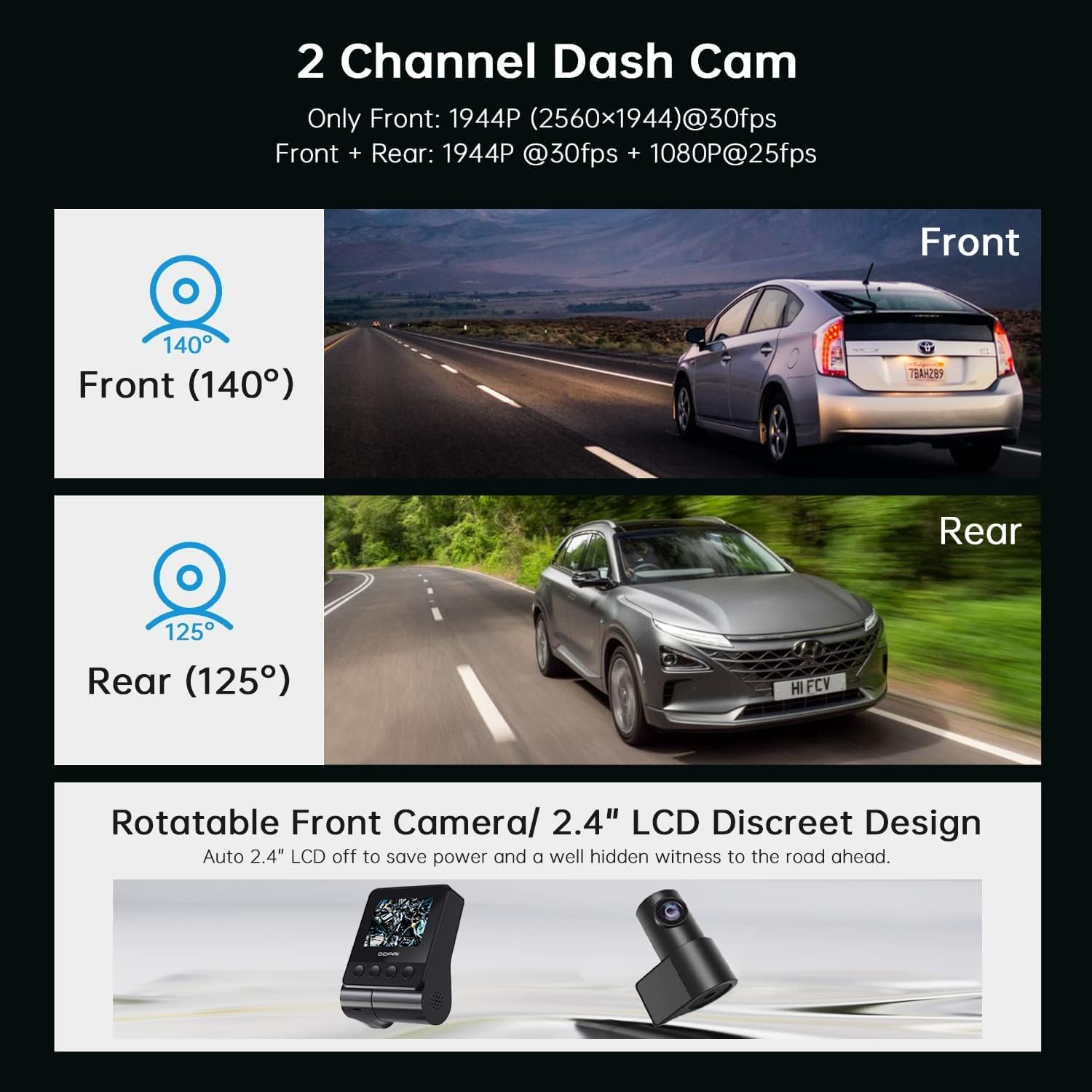
This image illustrates the dual-channel dash cam setup, showing the 140-degree front camera view and the 125-degree rear camera view, s example vehicles in each perspective.
4.1 Vložení paměťové karty
- Ujistěte se, že je palubní kamera vypnutá.
- Locate the MicroSD card slot on the side of the front camera unit.
- Insert a Class 10 or higher MicroSD card (up to 128GB recommended) into the slot until it clicks into place.
- Chcete-li kartu vyjmout, jemně ji zatlačte, dokud nevyskočí.
4.2 Installing the Front Camera
- Vyčistěte oblast čelního skla, kam chcete namontovat palubní kameru. Ujistěte se, že je suchá a bez prachu.
- Attach the adhesive pad to the mounting bracket.
- Peel off the protective film from the adhesive pad and firmly press the bracket onto the windshield, ideally behind the rearview mirror, ensuring the lens has a clear view silnice.
- Slide the front camera unit onto the bracket until it locks securely.
- Upravte úhel kamery tak, aby byla silnice před vámi vystředěna v záběru.
4.3 Instalace zadní kamery
- Určete vhodné místo na zadním čelním skle, obvykle uprostřed nahoře, a zajistěte tak jasný výhled. view.
- Důkladně vyčistěte oblast.
- Attach the rear camera with its adhesive pad to the chosen location.
- Connect the rear camera cable to the designated port on the front camera unit.
4.4 Power Connection and Cable Routing
- Connect the USB power cable to the front camera unit.
- Zapojte autonabíječku do zásuvky zapalovače cigaret ve vozidle.
- Carefully route the power cable and the rear camera cable along the edges of your windshield and interior trim using the provided crowbar tool to tuck them neatly away. This prevents obstruction and ensures a clean installation.
5. Nastavení
After installation, configure your dash cam settings for optimal performance.
5.1 Počáteční zapnutí
Once connected to power, the dash cam will automatically power on and begin recording when your vehicle starts. The LCD screen will display the live view from the front camera (and rear camera if connected).
5.2 DDPAI App Connection

This image shows the DDPAI mobile application interface for viewing, downloading, and sharing videos, along with a laptop screen displaying a map, illustrating the built-in GPS logger feature that records time, date, location, and speed information.
- Stáhněte si Aplikace DDPAI z obchodu s aplikacemi vašeho chytrého telefonu (iOS nebo Android).
- Zapněte palubní kameru.
- Open the DDPAI App and tap 'Add Device'.
- Select your DDPAI Z40 from the list of available Wi-Fi networks. The default Wi-Fi name usually starts with 'DDPAI_' followed by the model name or serial number. The default password is '1234567890'.
- Po připojení můžete view živé footage, access recorded videos, and adjust settings via the app.
5.3 Basic Settings Configuration (via App or Device)
- Rozlišení videa: Set to 1944P for front and 1080P for rear for optimal clarity.
- Nahrávání ve smyčce: Ensure this is enabled. Videos are recorded in segments (e.g., 1, 3, or 5 minutes). When the memory card is full, the oldest unlocked files budou přepsány.
- Citlivost G-senzoru: Adjust the sensitivity for emergency recording. A higher sensitivity will trigger recordings more easily during sudden impacts or braking.
- Parkovací monitor: Enable this feature for 24-hour surveillance. Requires a hardwire kit (sold separately) for continuous power.
- Datum/čas: Ensure the correct date and time are set. GPS will automatically synchronize this.
- Záznam zvuku: Enable or disable microphone recording.
6. Provoz
Understand the various recording modes and features of your dash cam.
6.1 Driving Recording (Loop Recording)

This image highlights three key operational features: Emergency Recording, which locks video upon G-sensor activation; Parking Monitor, providing 24-hour surveillance; and Seamless Loop Recording, which overwrites old files, když je paměťová karta plná.
The dash cam automatically starts recording when the vehicle's ignition is turned on. Footage is saved in short segments (e.g., 1, 3, or 5 minutes) to the MicroSD card. When the card is full, the oldest unlocked files are overwritten by new recordings, ensuring continuous recording.
6.2 Nouzové nahrávání (G-senzor)
In the event of a sudden impact, collision, or hard braking, the built-in G-sensor will detect the event and automatically lock the current video segment, preventing it from being overwritten by loop recording. These files are typically stored in a separate 'Event' folder on the memory card.
6.3 Parkovací monitor
When enabled and properly powered (e.g., via a hardwire kit), the dash cam can monitor your vehicle while parked. If an impact or motion is detected, it will automatically record a short video segment. This feature provides surveillance even when the vehicle is off.
6.4 GPS Logging
The built-in GPS module records your vehicle's speed, location, and route data. This information is embedded in the video files a může být viewed during playback using the DDPAI App or compatible PC software.
6.5 Viewa stahování Footage
- Via DDPAI App: Connect your smartphone to the dash cam's Wi-Fi. Open the app, navigate to the 'Album' or 'Playback' section to view recorded videos. You can download desired clips directly to your phone.
- Přes počítač: Remove the MicroSD card from the dash cam and insert it into a card reader connected to your computer. You can then access and copy the video files.
7. Údržba
Pravidelná údržba zajišťuje dlouhou životnost a optimální výkon vaší palubní kamery.
7.1 Formátování paměťové karty
It is recommended to format the MicroSD card every 2-4 weeks to prevent data corruption and ensure smooth recording. This can be done through the DDPAI App or the dash cam's settings menu. Formatting will erase all data on the card, so back up any important files první.
7.2 Čištění čoček
Periodically clean the front and rear camera lenses with a soft, lint-free cloth to ensure clear video quality. Avoid using abrasive cleaners.
7.3 aktualizací firmwaru
Check the DDPAI App regularly for firmware updates. Updates can improve performance, add new features, or fix bugs. Follow the in-app instructions carefully when performing an update.
8. Řešení problémů
If you encounter issues with your DDPAI Z40, refer to the following common problems and solutions.
- Palubní kamera se nezapíná:
- Check the power cable connection to the dash cam and the car charger.
- Ensure the car charger is securely plugged into the cigarette lighter socket.
- Verify that the vehicle's cigarette lighter socket is receiving power. - Palubní kamera nenahrává:
- Ensure a MicroSD card is inserted correctly.
- Format the MicroSD card (back up data first).
- Check if the memory card is full or corrupted. Replace if necessary.
- Verify loop recording is enabled in settings. - Špatná kvalita videa:
- Clean the camera lenses.
- Ujistěte se, že z čoček byla odstraněna ochranná fólie.
- Check video resolution settings in the app.
- Ensure the windshield is clean where the camera is mounted. - Problémy s připojením Wi-Fi:
- Ensure the dash cam is powered on.
- Restartujte palubní kameru i chytrý telefon.
- Try forgetting the Wi-Fi network on your phone and reconnecting.
- Ensure you are within close proximity to the dash cam. - G-senzor je příliš citlivý/nedostatečně citlivý:
- Adjust the G-sensor sensitivity setting in the DDPAI App. - Parkovací monitor nefunguje:
- Ensure the parking monitor feature is enabled in settings.
- Verify that the dash cam is receiving continuous power (requires a hardwire kit).
If the problem persists, contact DDPAI customer support for further assistance.
9. Specifikace
Key technical specifications for the DDPAI Z40 Dash Cam.
| Funkce | Specifikace |
|---|---|
| Značka | DDPAI |
| Název modelu | Z40 |
| Rozlišení předního fotoaparátu | 1944P (2592 x 1944) @ 30fps |
| Rozlišení zadní kamery | 1080P @ 25 snímků za sekundu |
| Výrobce čipové sady | Křemík |
| Senzor | Sony IMX335 |
| Čočka | 6-lens |
| Přední View Úhel | 140° |
| Zadní View Úhel | 125° |
| Zobrazit | 2.4palcový LCD |
| Konektivita | Wi-Fi |
| Speciální funkce | Built-In GPS, Night Vision, Parking Monitor, G-Sensor, Loop Recording |
| Skladování | MicroSD Card (Class 10 or higher, up to 128GB) |
| Zdroj napájení | Superkapacitor |
| Kontrolní metoda | Aplikace, fyzická tlačítka |
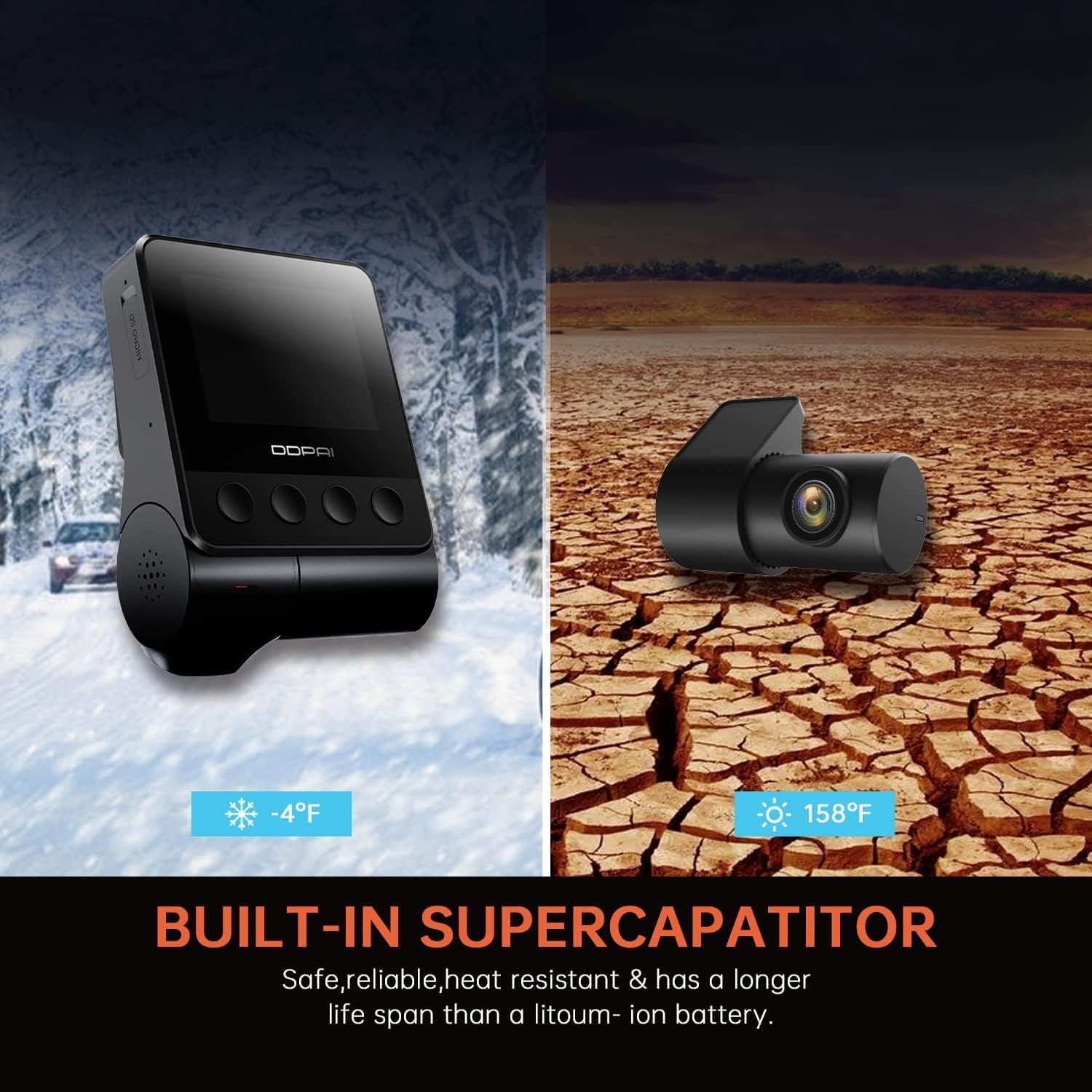
This image highlights the built-in supercapacitor, emphasizing its safety, reliability, heat resistance, and longer lifespan compared to lithium-ion batteries, with visual representations of extreme cold (-4°F) and hot (158°F) environments.
10. Záruka a podpora
For warranty information, please refer to the warranty card included in your product packaging or visit the official DDPAI website. For technical support, troubleshooting assistance, or inquiries about replacement parts, please contact DDPAI customer service through their official channels.


