1. Úvod
Thank you for choosing the Hayve MS3 Digital Microscope. This advanced instrument is designed for detailed observation and analysis, featuring a 9-inch LCD display, 16MP camera, and up to 1500X magnification. It is ideal for various applications including coin inspection, micro soldering, and general scientific observation. This manual provides comprehensive instructions for setup, operation, maintenance, and troubleshooting to ensure optimal performance and longevity of your device.
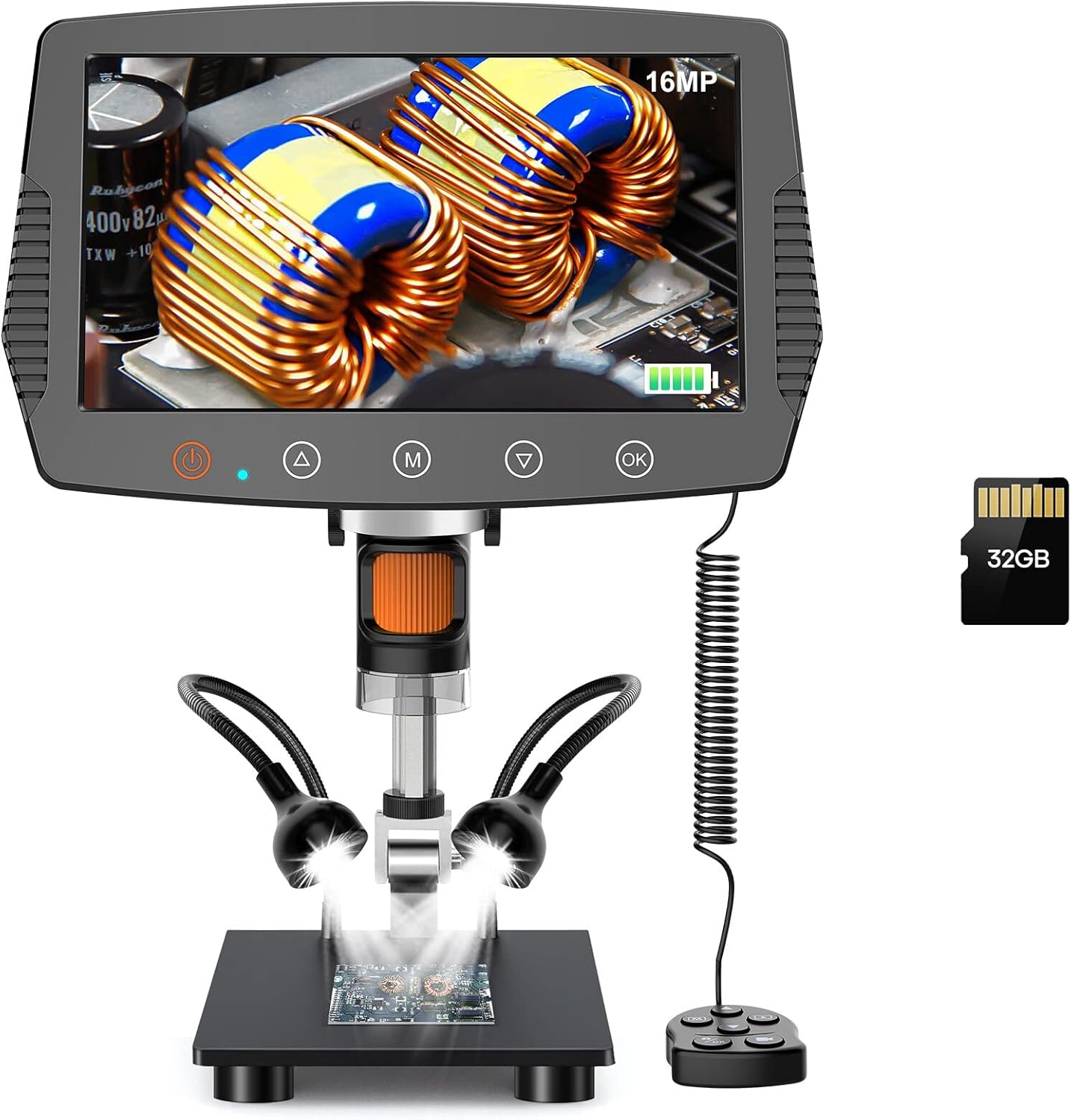
Figure 1: Hayve MS3 Digital Microscope Overview
2. Obsah balení
Ověřte prosím, zda jsou ve vašem balení obsaženy všechny níže uvedené položky:
- Hayve MS3 Digital Microscope Unit (with 9-inch LCD screen)
- Adjustable Stand (8.5-inch length)
- Kabelové dálkové ovládání
- 32GB MicroSD karta (předinstalovaná nebo dodávaná samostatně)
- USB Cable (for power and data transfer)
- Napájecí adaptér
- Uživatelská příručka (tento dokument)
- Calibration Ruler (if applicable)
3. Vlastnosti produktu
- 9-inch Large LCD Display: Provides a clear and expansive view, 29% larger than previous models, with 90° rotation capability for comfortable viewIng.
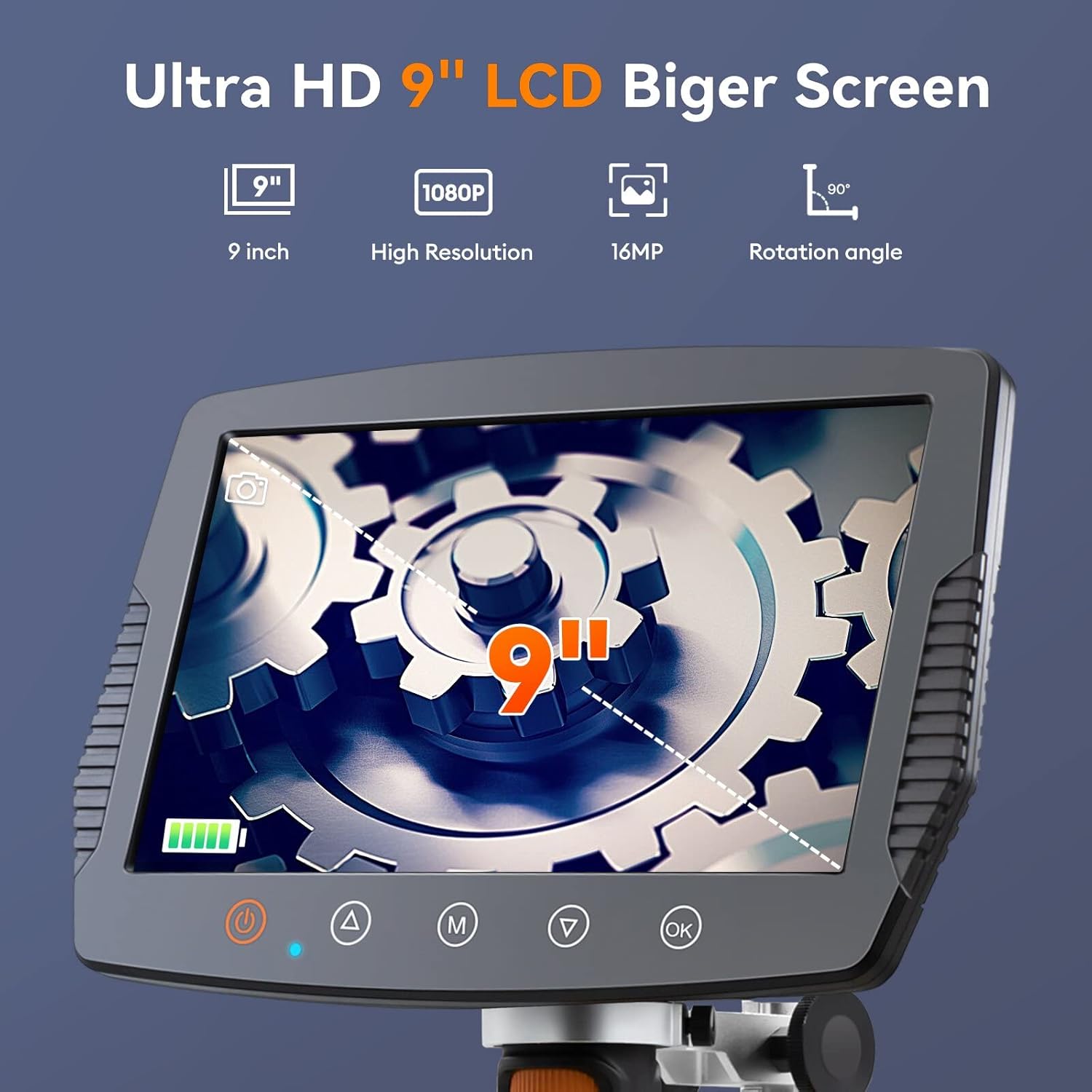
Figure 2: Large LCD Display Features
- Extended Working Distance: The 8.5-inch stand allows for a maximum distance of 6.3 inches between the lens and base, enabling observation of entire coins (up to 30mm diameter field of view).

Figure 3: Extended Stand for Wider View
- Zobrazení ve vysokém rozlišení: Equipped with a true 16MP HD camera for capturing optimized vivid images and fluent 1080P videos.

Figure 4: 16MP HD Camera System
- Nastavitelné LED osvětlení: Features 8 main LEDs and 2 flexible side lights to provide 100% exceptional brightness and eliminate shadows, ensuring clear observation from various angles.

Obrázek 5: Pokročilý osvětlovací systém
- Široký rozsah zvětšení: Offers 2X to 1500X magnification for versatile observation needs.
- Kabelové dálkové ovládání: Allows for convenient operation without disturbing the microscope.
- 32GB Storage Card: Included for saving images and videos directly on the device.
- Kompatibilita s PC: Connects to Windows and Mac OS for larger screen viewing and data management.

Figure 6: PC Connectivity and Functions
- Practical Measuring Tools: Software upgrade includes image effects (Flip horz, Flip vert, Gray, Binary, Invert, Emboss) and accurate calibration tools for data acquisition.
4. Nastavení a montáž
Follow these steps to assemble your Hayve MS3 Digital Microscope:
- Attach the Bracket to the Base: Rotate the microscope bracket onto the base until securely fastened.
- Umístěte stojan: Rotate the stand to be perpendicular to the base and tighten the black button on the bracket to secure its position.
- Mount the Screen Unit: Carefully place the main screen unit onto the top of the stand. Ensure it clicks into place or is securely fastened. Tighten the black button on the screen unit's attachment point to prevent movement.
- Připojení dálkového ovládání: Plug the wired remote control into the designated port on the side of the screen unit.
- Zapnutí: Connect the power adapter to the microscope and a power outlet. Press the power button to turn on the device.
Video 1: How to Install Hayve MS3 Digital Microscope. This video demonstrates the step-by-step assembly process of the microscope, including attaching the stand, mounting the screen, and connecting the remote control.
5. Návod k obsluze
5.1 Základní obsluha
- Zapnutí/vypnutí: Press and hold the power button on the screen unit to turn the microscope on or off.
- Úprava zvětšení: Rotate the focus wheel on the microscope lens to adjust the magnification and bring the object into clear focus.
- Nastavení osvětlení: Use the brightness adjustment switch or controls on the remote to modify the intensity of the 8 main LEDs and 2 side lights. Position the flexible side lights for optimal illumination.
- Rotace obrazovky: The 9-inch LCD screen can be rotated up to 90° for ergonomic viewing úhly.
5.2 Pořizování obrázků a videí
- Režim fotografie: Press the 'M' button (Mode) to switch to photo mode. Press the 'OK' button or the photo button on the remote to capture an image.
- Režim videa: Press the 'M' button (Mode) again to switch to video recording mode. Press the 'OK' button or the video button on the remote to start/stop recording.
- Skladování: Images and videos are automatically saved to the inserted 32GB MicroSD card.
5.3 Připojení k PC
To connect your microscope to a Windows or Mac OS computer:
- Ujistěte se, že je mikroskop zapnutý.
- Připojte mikroskop k počítači pomocí dodaného kabelu USB.
- The microscope should be recognized as a webcam or mass storage device. You may need to select the appropriate mode on the microscope's screen if prompted.
- Use compatible software on your computer (e.g., default camera application, third-party microscope software) to view the live feed, capture images, or access stored files.
6. Údržba
- Čištění objektivu a obrazovky: K čištění čočky a LCD obrazovky používejte měkký hadřík bez žmolků, speciálně určený pro optické povrchy. Nepoužívejte abrazivní čisticí prostředky ani rozpouštědla.
- Generální úklid: Wipe the body of the microscope with a dry or slightly damp soft cloth. Avoid getting moisture into any openings.
- Skladování: Store the microscope in a dry, dust-free environment away from direct sunlight and extreme temperatures.
- Péče o baterie: If the microscope has an internal rechargeable battery, ensure it is charged regularly to maintain battery health, even if not in frequent use.
7. Řešení problémů
| Problém | Možná příčina | Řešení |
|---|---|---|
| Mikroskop se nezapíná. | Problém s nízkým nabitím baterie nebo připojením k napájení. | Ensure the power adapter is securely connected and the unit is fully charged. |
| Obraz je rozmazaný nebo nezaostřený. | Incorrect focus adjustment or object too far/close. | Rotate the focus wheel to adjust. Ensure the object is within the optimal working distance. |
| Obrazovka je příliš tmavá nebo příliš světlá. | Lighting not adjusted correctly. | Adjust the brightness using the controls on the unit or remote. Reposition side lights. |
| Nelze se připojit k počítači. | Nesprávné připojení USB nebo problém s ovladačem. | Ensure USB cable is properly connected. Try a different USB port. Check if the microscope is in PC mode. Install necessary drivers if prompted by your OS. |
| Nelze ukládat obrázky/videa. | MicroSD card full, not inserted, or corrupted. | Check if the 32GB MicroSD card is properly inserted. Delete old files or format the card (backup important data first). Replace the card if corrupted. |
8. Specifikace
| Funkce | Detail |
|---|---|
| Číslo modelu | MS3 |
| Velikost displeje | 9palcový LCD |
| Rozlišení fotoaparátu | 16 megapixelů |
| Rozlišení videa | 1080P |
| Rozsah zvětšení | 2x až 1500x |
| Délka stojanu | 8.5 inches (max working distance 6.3 inches) |
| Pole View | Do průměru 30 mm |
| Osvětlení | 8 main LEDs + 2 flexible side lights |
| Skladování | 32GB MicroSD karta (součástí balení) |
| Kompatibilita s PC | Windows, Mac OS |
| Zdroj napájení | Corded Electric, Internal Battery (Lithium Polymer) |
| Hmotnost položky | 0.3 gramů |
| Materiál | Sklo a kov |
9. Záruka a podpora
Hayve products are manufactured to high-quality standards. For warranty information, technical support, or service inquiries, please refer to the contact details provided with your purchase documentation or visit the official Hayve webstránky. Uschovejte si prosím doklad o koupi pro případ reklamace.
Další zdroje a často kladené otázky naleznete na Hayve Store on Amazon.


