1. Úvod
Thank you for choosing the BEBIRD C3 Ear Wax Removal Tool. This device integrates a high-definition otoscope with an ear camera, providing a clear view of the ear canal for safe and effective ear wax removal. Equipped with 6 LED lights and compatible with both iOS and Android devices, the BEBIRD C3 offers a precise and convenient solution for personal ear care. Please read this manual thoroughly before use to ensure proper operation and maintenance.
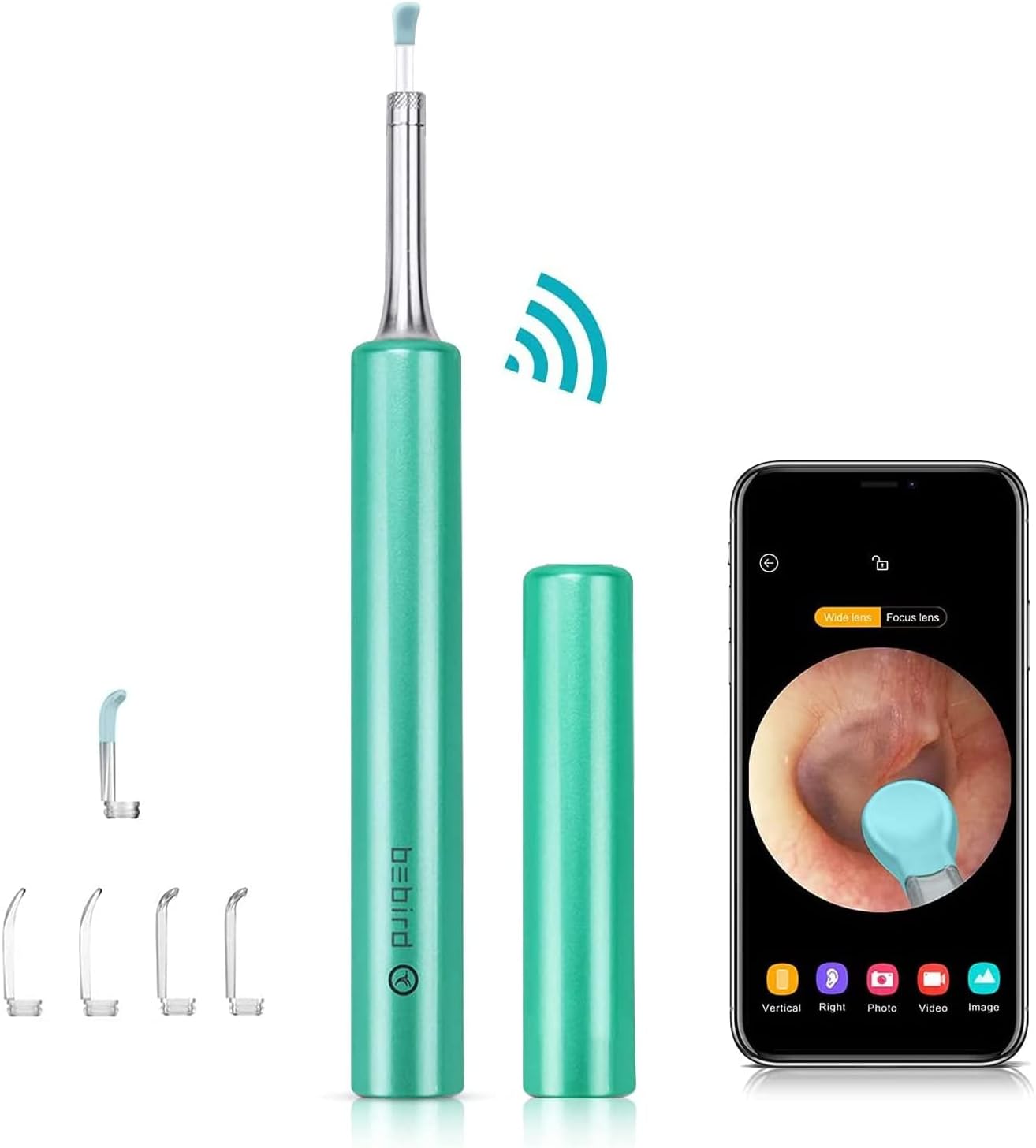
Image: The BEBIRD C3 ear wax removal tool, its protective cap, and a smartphone displaying the live otoscope view of an ear canal.
2. Obsah balení
Ověřte, zda jsou v balení přítomny všechny položky:
- 1 x Ear Wax Removal Otoscope (BEBIRD C3 device)
- 1 x Q-elastic Ear Spoon
- 4 x Transparent Ear Spoons
- 1 x nabíjecí kabel (USB)
- 1 x Bebird User Manual (this document)

Image: A detailed diagram highlighting the various components of the BEBIRD C3 device, including the power button, USB charging port, power indicator, camera and LEDs, and the replaceable ear spoon.
3. Důležité bezpečnostní informace
Please adhere to the following safety guidelines for safe and effective use:
- Při čištění čočku pečlivě otřete profesionálním vatovým tamponem napuštěným alkoholem.
- Please do not use the device while you are moving, and prevent from being hit by others.
- Nevkládejte prosím výrobek do kapaliny, aby nedošlo k poškození.
- During use, the temperature of the product may rise slightly (up to 35 degrees Celsius). This is normal and safe for use.
Právní prohlášení: Statements regarding dietary supplements have not been evaluated by the FDA and are not intended to diagnose, treat, cure, or prevent any disease or health condition. This product is intended for personal hygiene and observation.
4. Nastavení a první použití
Follow these steps to set up your BEBIRD C3 device and begin using it:
- Stáhněte si aplikaci: Scan the QR code provided in the manual (or on the product packaging) or visit http://www.bebird.cn/app/en.html to download the official BEBIRD application for your iOS or Android device.
- Zapnutí: Press the power button on the BEBIRD C3 device until the blue light flashes, indicating it is powered on and ready for connection.
- Připojte Wi-Fi: Go to your smartphone's Wi-Fi settings and connect to the Wi-Fi network named "bebird-XXXX" (where XXXX will be a unique identifier for your device).
- Spusťte aplikaci: Open the BEBIRD application on your smartphone. The app should automatically detect and connect to the device, displaying the live view z otoskopické kamery.
- Vyberte model: Within the app, ensure that the BEBIRD C3 model is selected if prompted.

Image: A visual guide illustrating the five steps to set up and use the BEBIRD C3, from scanning the app QR code to connecting Wi-Fi and starting the application.
5. Návod k obsluze
Once connected, the BEBIRD C3 provides a clear, real-time view of the area you are examining. The device is designed for various applications beyond just ear wax removal.
5.1 Obecné použití
- Gently insert the ear spoon attached to the device into the area you wish to examine.
- Observe the live feed on your smartphone screen. The 1080P HD camera and 6 LED lights provide optimal clarity.
- Use the integrated 3-axis gyroscope for stable and accurate viewing, preventing dizziness and glare.
- The 3.5mm small lens is designed for safety and ease of use, especially in delicate areas.

Image: An adult carefully using the BEBIRD C3 tool on a child's ear, demonstrating gentle and safe application, with the smartphone displaying the clear view zvukovodu.
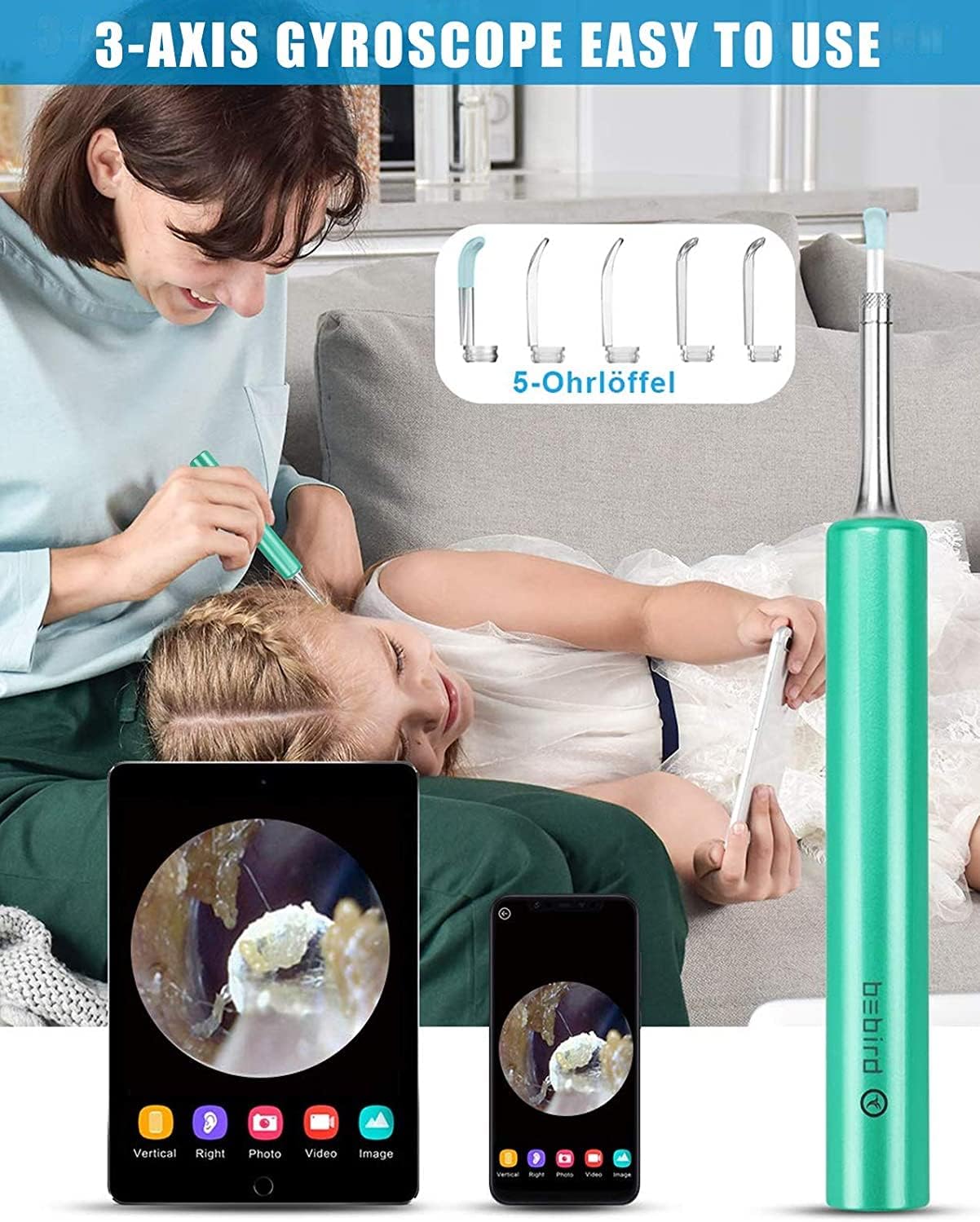
Image: This image highlights the 3-axis gyroscope feature of the BEBIRD C3, showing how it contributes to ease of use and stable imaging during examination.

Image: A visual comparison demonstrating the smaller 3.5mm lens of the BEBIRD C3 otoscope, emphasizing its safety and reduced risk of injury compared to larger 5mm otoscopes.

Image: This image illustrates the advanced optics of the BEBIRD C3, featuring a 6-super light lens and 360-degree wide angle view, designed to provide clear images without causing dizziness or glare.
5.2 Multiple Applications
The BEBIRD C3 is versatile and can be used for various inspection purposes:
- Odstranění ušního mazu: Safely and effectively remove ear wax while monitoring the process on your screen.
- Oral Cavity Examination: Inspect teeth, gums, and the back of the throat.
- Nasal Examination: Check nasal passages for blockages or irritation.
- Hair Inspection: Examine scalp and hair follicles for health or issues.
- Dermatological Observation: Observe skin conditions or small areas of the skin.
- Pet Checks: Safely inspect the ears, mouth, or skin of your pets.
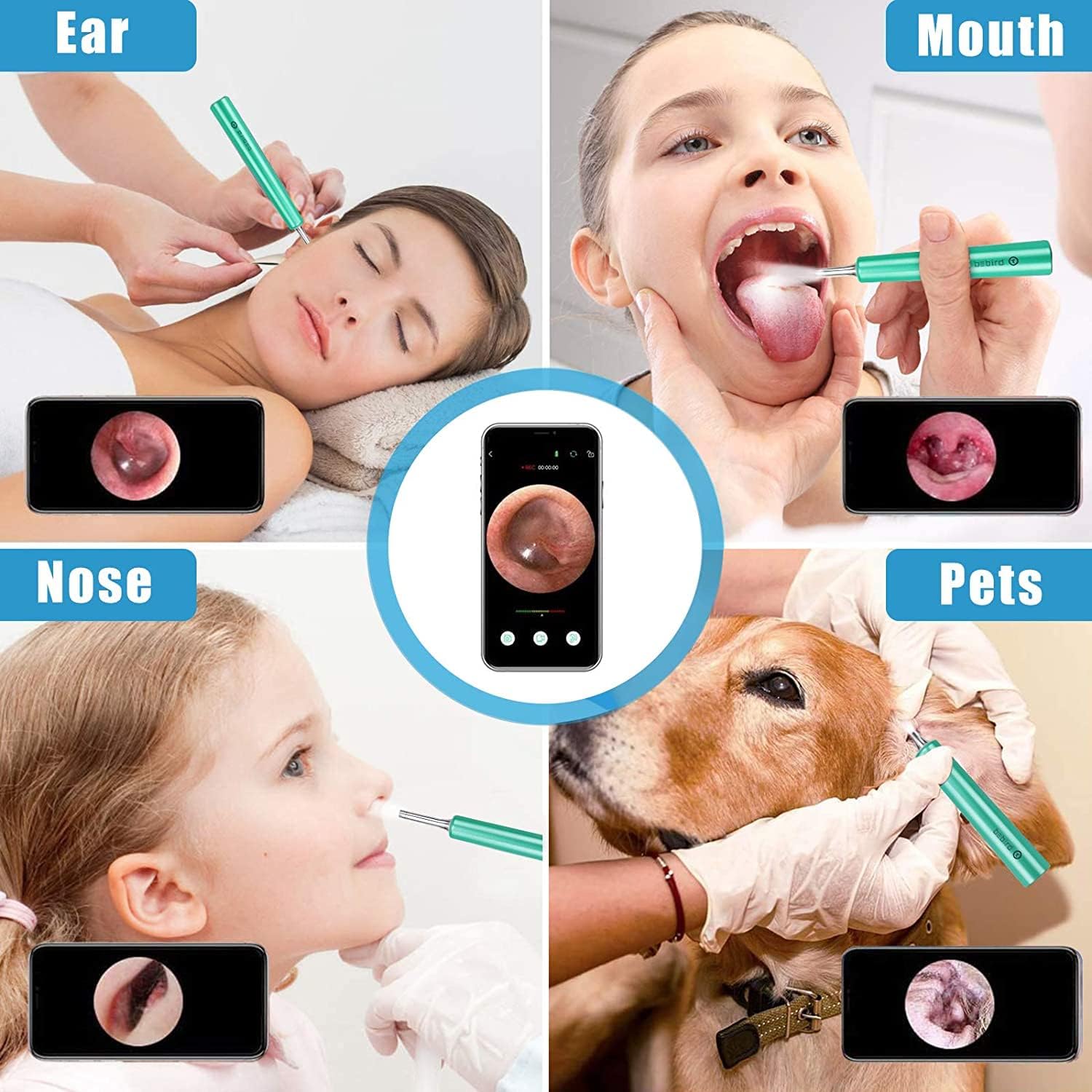
Image: A composite image demonstrating the multi-purpose functionality of the BEBIRD C3, showing its use for examining ears, mouth, nose, and even for pet checks, each with a corresponding screen view.
6. Údržba a péče
Proper maintenance ensures the longevity and optimal performance of your BEBIRD C3 device:
- Čištění objektivu: After each use, carefully wipe the camera lens with a professional alcohol cotton swab to remove any debris or earwax. Ensure the lens is clean for clear imaging.
- Čištění ušních lžiček: The ear spoons can be detached and cleaned with soap and water or disinfected with alcohol. Ensure they are completely dry before reattaching.
- Skladování: Store the device in a cool, dry place, away from direct sunlight and extreme temperatures. Use the provided cap to protect the lens and ear spoon when not in use.
- Nabíjení: Charge the device using the provided USB cable when the power indicator shows low battery. Avoid overcharging.
7. Řešení problémů
If you encounter any issues with your BEBIRD C3, please refer to the following common problems and solutions:
| Problém | Možná příčina | Řešení |
|---|---|---|
| Zařízení se nezapne. | Slabá baterie. | Nabijte zařízení pomocí kabelu USB. |
| Nelze se připojit k Wi-Fi. | Incorrect Wi-Fi network selected or device not in pairing mode. | Ensure the device is powered on (blue light flashing). Go to your phone's Wi-Fi settings and select the "bebird-XXXX" network. Restart both the device and your phone if necessary. |
| No image in the app. | App not connected to device, or lens is dirty. | Confirm Wi-Fi connection. Close and reopen the BEBIRD app. Clean the camera lens with an alcohol swab. |
| Obraz je rozmazaný nebo tmavý. | Dirty lens or insufficient lighting. | Clean the camera lens. Ensure the 6 LED lights are functioning. |
8. Specifikace produktu
| Specifikace | Detail |
|---|---|
| Model | C3 |
| Výrobce | BEBIRD |
| Rozlišení fotoaparátu | 1080p HD |
| Průměr čočky | 3.5 mm |
| Osvětlení | 6 LED světel |
| Konektivita | Wi-Fi (for iOS & Android) |
| Gyroskop | 3-osé |
| Rozměry balení | 7.48 x 2.95 x 0.94 palce |
| Hmotnost položky | 2.47 unce |
| První dostupný termín | 14. července 2022 |
9. Záruka a zákaznická podpora
BEBIRD products are manufactured with high-quality standards. For specific warranty information regarding your BEBIRD C3 device, please refer to the warranty card included in your product packaging or visit the official BEBIRD website. If you have any questions, require technical assistance, or need to report an issue, please contact BEBIRD customer support through the contact information provided on the official webweb nebo vaše nákupní platforma.


