Zavedení
Welcome to the Boogie Board Jot Deluxe Kit user manual. This guide provides essential information for setting up, operating, maintaining, and troubleshooting your new reusable writing tablet. The Boogie Board Jot is designed to provide a natural writing experience for jotting down notes, lists, reminders, and more, offering a convenient and eco-friendly alternative to paper.
Co je zahrnuto
Your Boogie Board Jot Deluxe Kit includes the following components:
- One (1) Boogie Board Jot Reusable Writing Tablet (8.5 inch screen)
- One (1) Black Neoprene Protective Sleeve
- One (1) Four-pack of Replacement Styluses
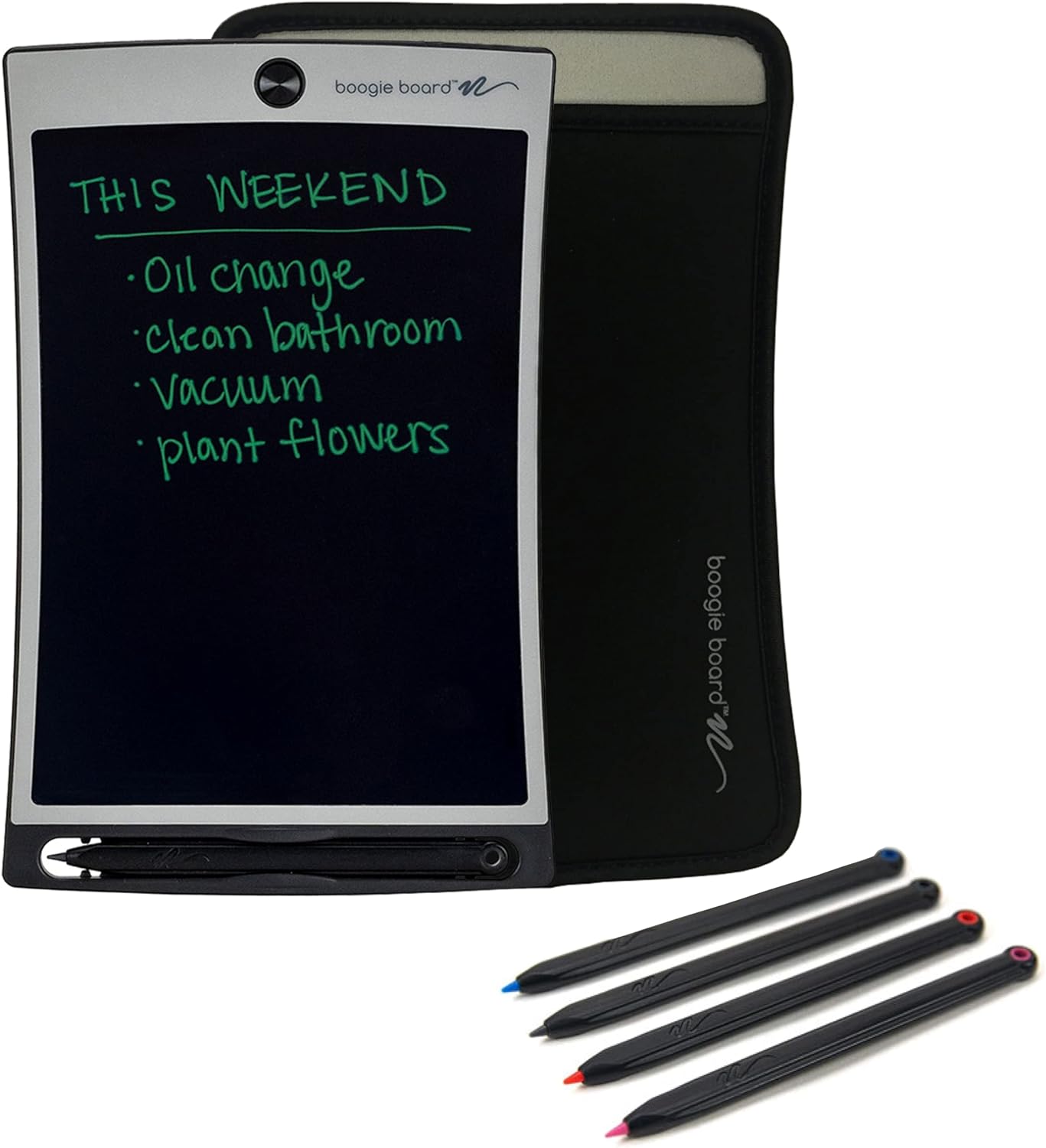
Image: The complete Boogie Board Jot Deluxe Kit, showing the 8.5-inch writing tablet, the black neoprene protective sleeve, and the four-pack of replacement styluses.
Nastavení
The Boogie Board Jot Deluxe Kit requires minimal setup. It is ready to use right out of the box.
- Rozbalte komponenty: Carefully remove the writing tablet, protective sleeve, and stylus pack from their packaging.
- Vložte stylus: The primary stylus is typically stored in the integrated stylus holder at the bottom of the tablet. Ensure it is securely in place.
- Chraňte své zařízení: Place the Boogie Board Jot tablet into the provided black Neoprene protective sleeve for transport and storage to prevent scratches and damage.

Image: The black Neoprene protective sleeve, designed to fit the Boogie Board Jot tablet for protection.
Návod k obsluze
Writing on the Tablet
The Boogie Board Jot utilizes patented technology that allows you to write with the included stylus or any non-scratching object.
- Použití stylusu: Gently press the tip of the stylus onto the writing surface of the tablet. The pressure-sensitive screen will display your writing in a bright, clear line.
- Alternative Writing Tools: You can also use your fingernail or any other non-abrasive, pointed object to write on the screen. Avoid using sharp or metallic objects that could damage the surface.
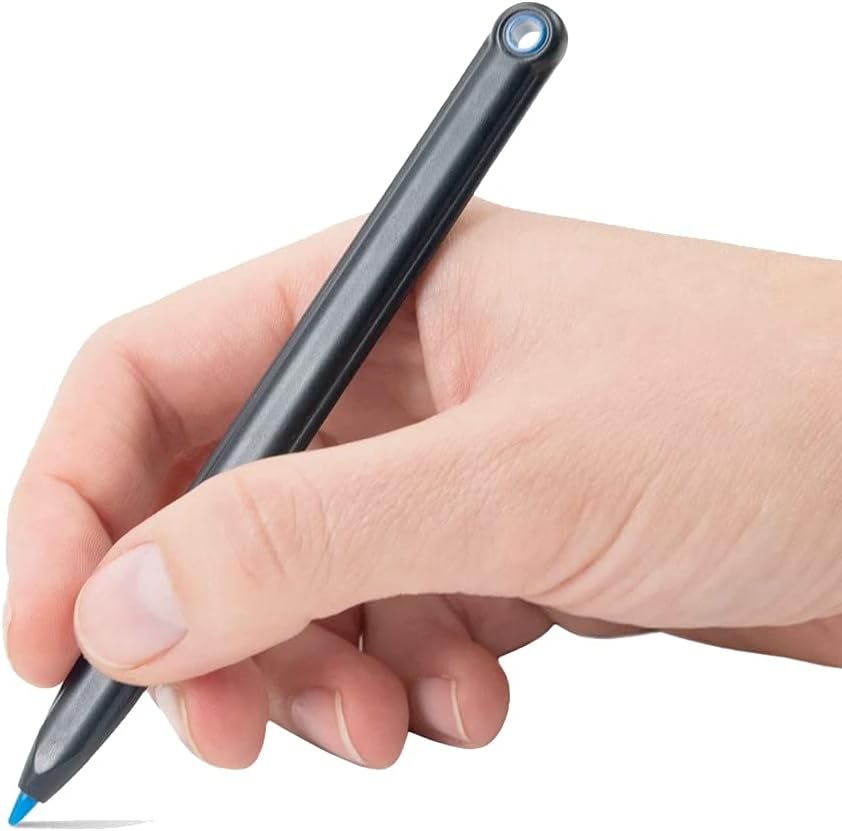
Image: A hand holding the stylus, demonstrating the writing action on the Boogie Board Jot tablet.

Image: A child lying down and drawing on the Boogie Board Jot tablet, illustrating its ease of use for various activities.
Erasinobrazovku
To clear the screen, simply press the erase button located at the top center of the tablet. This activates Boogie Board's QuickClear technology, instantly clearing the entire screen.
- Tlačítko Vymazat: Locate the circular button at the top of the tablet.
- Instant Clear: Press the button firmly to erase all content from the screen. There is no need for special erasers or cleaning solutions.

Image: An adult using the Boogie Board Jot to write a to-do list, demonstrating the practical application of the tablet.
Údržba
To ensure the longevity and optimal performance of your Boogie Board Jot Deluxe Kit, follow these maintenance guidelines:
- Čištění obrazovky: If the screen becomes smudged or dirty, gently wipe it with a soft, lint-free cloth. For stubborn marks, a slightly damp cloth can be used, but avoid excessive moisture. Do not use abrasive cleaners or solvents.
- Péče o stylus: Keep the stylus clean and free of debris. Store it in the tablet's integrated holder when not in use to prevent loss.
- Baterie: The Boogie Board Jot uses a sealed, non-replaceable battery designed to last for years with typical use. There is no need to charge or replace the battery.
- Skladování: When not in use, store the tablet in its protective sleeve to prevent scratches and impacts. Avoid exposing the tablet to extreme temperatures or direct sunlight for prolonged periods.
Odstraňování problémů
| Problém | Možná příčina | Řešení |
|---|---|---|
| Screen does not clear completely. | Erase button not pressed firmly enough, or residual static. | Press the erase button firmly and hold for a second. If issues persist, try pressing the button multiple times. Ensure the tablet is not exposed to extreme cold. |
| Writing is faint or inconsistent. | Insufficient pressure applied, or stylus tip is worn. | Apply more consistent pressure when writing. If using an alternative tool, ensure it has a fine, non-abrasive tip. Replace stylus with one from the included four-pack if necessary. |
| Tablet appears unresponsive. | Rare internal issue or extreme environmental conditions. | Move the tablet to a moderate temperature environment. If the problem persists, contact Boogie Board customer support. |
Specifikace
- Název modelu: Jot Deluxe Kit
- Velikost obrazovky: 8.5 palce (úhlopříčka)
- Viditelná úhlopříčka obrazovky: 9" / 22 cm
- Technologie psaní: Pressure-sensitive LCD
- Erase Method: One-touch QuickClear button
- Zdroj napájení: Sealed, non-replaceable battery
- Dodávané příslušenství: Protective sleeve, 4-pack replacement styluses
- Barva: Lunar Gray (tablet), Black (sleeve)
- ASIN: B0B3BZMG65

Image: The Boogie Board Jot tablet displaying its physical dimensions, including the 8.5-inch screen size.
Záruka a podpora
For warranty information and customer support, please visit the official Boogie Board webnebo kontaktujte jejich zákaznický servis. Uschovejte si účtenku jako doklad o koupi.
Výrobce: Boogie Board
Datum první dostupnosti: 6. června 2022


