Zavedení
Thank you for choosing the WARSUN Y36 and Y39 LED Work Lights. These portable, rechargeable work lights are designed for various applications, including car repair, camping, and emergency situations. This manual provides essential information for the safe and effective use of your device. Please read it thoroughly before operation and retain it for future reference.

Image: WARSUN Y36 (yellow) and Y39 (orange) LED Work Lights.
Bezpečnostní informace
Abyste zajistili bezpečný provoz, dodržujte prosím následující opatření:
- Nedívejte se přímo do rozsvíceného LED světla, mohlo by to způsobit namáhání očí nebo jejich poškození.
- Keep the device away from water and moisture. This product is not water-resistant.
- Do not disassemble, repair, or modify the device. Contact authorized service personnel for any repairs.
- Uchovávejte mimo dosah dětí.
- Používejte pouze dodané nebo doporučené nabíjecí kabely a adaptéry.
- Nevystavujte zařízení po delší dobu extrémním teplotám nebo přímému slunečnímu záření.
- Baterie a elektronické součástky zlikvidujte v souladu s místními předpisy.
Konec produktuview
Familiarize yourself with the components of your WARSUN LED Work Light.

Image: WARSUN Y36 Component Diagram. This diagram illustrates the key features of the Y36 model, including the COB light panel, magnetic base, integrated hook, and USB port.

Image: WARSUN Y39 Component Diagram. This diagram highlights the COB panel, power switch, wall hanging hole, metal hook, strong magnet, and Micro USB port for the Y39 model.
- COB LED Panel: Provides bright, wide-angle illumination.
- Vypínač: Ovládá napájení a přepíná mezi režimy osvětlení.
- USB Input/Output Port: For charging the work light and for using it as a power bank.
- Magnetická základna: Allows attachment to metal surfaces for hands-free operation.
- Integrovaný hák: For hanging the light in various locations.
- Bracket Design (Y36): Provides a stand for directional lighting.
- Wall Hanging Hole (Y39): For mounting on a wall.
Nastavení
Nabíjení pracovního světla
Before first use, fully charge your WARSUN LED Work Light.
- Locate the USB input/output port on the side of the work light.
- Connect the provided USB charging cable to the port and plug the other end into a suitable USB power source (e.g., wall adapter, computer USB port).
- Kontrolka nabíjení bude během nabíjení svítit červeně.
- Po úplném nabití se kontrolka rozsvítí zeleně.

Image: Charging Indicator. The red light signifies that the device is currently charging, while the green light indicates that the battery is fully charged.
Použití jako Power Bank
The work light can also be used to charge other devices.
- Connect your mobile phone or other electronic device to the USB output port of the work light using your device's charging cable.
- The work light's internal battery will begin charging your connected device.

Image: Power Bank Function. The Y36 work light can be used to charge mobile phones and other USB-powered devices.
Návod k obsluze
Turning On and Changing Modes
The work light features multiple lighting modes:
- Press the power button once to turn on the light in High brightness mode.
- Press the power button again to switch to Medium brightness mode.
- Press the power button a third time to switch to Low brightness mode (or Strobe mode, depending on model).
- Stiskněte tlačítko napájení čtvrtýkrát pro vypnutí světla.
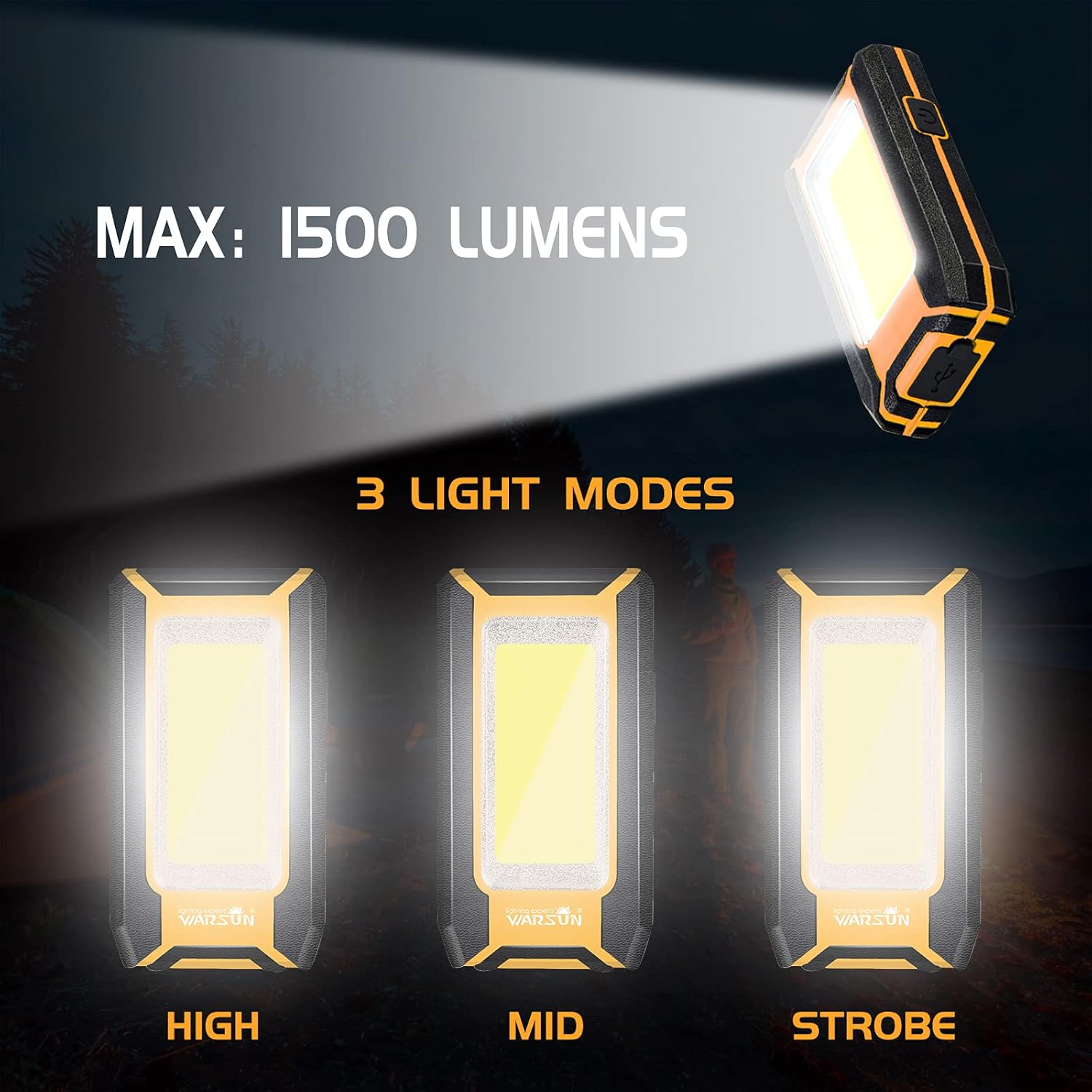
Image: Three Light Modes. The work light offers High, Mid, and Strobe (or Low) brightness settings for various needs.
Using the Magnetic Base
The strong magnetic base allows for hands-free operation.
- Attach the magnetic base to any ferrous metal surface, such as a car hood, metal beam, or workbench.
- Ensure the light is securely attached before releasing to.

Image: Magnetic Design in Use. The integrated magnet allows the light to be securely attached to metal surfaces, providing convenient hands-free illumination for tasks like car repair.
Using the Integrated Hook
The integrated hook provides additional mounting options.
- Extend the hook from the back of the work light.
- Hang the light on tents, pipes, or other suitable structures for overhead or directional lighting.

Image: Hook Design. The retractable hook allows for versatile hanging options, making it suitable for various environments.
Údržba
Čištění
- Před čištěním se ujistěte, že je zařízení vypnuté a odpojené od jakéhokoli zdroje napájení.
- Wipe the exterior of the work light with a soft, damp tkanina.
- Nepoužívejte abrazivní čisticí prostředky, rozpouštědla ani agresivní chemikálie, protože by mohly poškodit povrchovou úpravu.
Skladování
- Pracovní světlo skladujte na chladném a suchém místě mimo dosah přímého slunečního záření a extrémních teplot.
- Pokud baterii skladujete delší dobu, nabijte ji přibližně na 50 % každé 3–6 měsíce, aby se zachovala její životnost.
Odstraňování problémů
If you encounter issues with your WARSUN LED Work Light, refer to the table below:
| Problém | Možná příčina | Řešení |
|---|---|---|
| Světlo se nerozsvítí. | Baterie je vybitá. | Pracovní světlo plně nabijte. |
| Světlo je slabé. | Baterie je vybitá. | Dobijte pracovní světlo. |
| Nelze nabíjet externí zařízení. | Work light battery is too low or cable is faulty. | Ensure work light is sufficiently charged. Try a different USB cable. |
| Indikátor nabíjení nefunguje. | Problém s nabíjecím kabelem nebo zdrojem napájení. | Zkuste jiný nabíjecí kabel nebo USB napájecí adaptér. |
Specifikace
| Funkce | Detail |
|---|---|
| Značka | WARSUN |
| Modelky | Y36, Y39 |
| Typ světelného zdroje | COB LED |
| Jas | Up to 1200 Lumens (Y36), Up to 1500 Lumens (Y39) |
| Zdroj napájení | Napájení z baterie (dobíjecí lithium-iontová) |
| Kapacita baterie | 2 x 1800 mAh (Total 3600 mAh) |
| svtage | 3.7 V (DC) |
| Materiál | Hliníková slitina |
| Speciální funkce | Durable, Portable, Rechargeable, Magnetic Base, Integrated Hook, Power Bank Function |
| Úroveň odolnosti proti vodě | Není odolný vůči vodě |
| Zahrnuté komponenty | Baterie |
Záruka a podpora
WARSUN offers a 30-day money-back guarantee and a 1-year limited warranty for this product. For warranty claims or technical support, please refer to your purchase documentation or contact WARSUN customer service through the retailer where the product was purchased.


