Zavedení
This manual provides essential information for the setup, operation, and maintenance of your Dell Precision 3260 Workstation. The Dell Precision 3260 is an ultra-small form factor workstation designed for professional use, offering robust performance in a compact design.

Obrázek 1: Přední strana view of the Dell Precision 3260 Workstation.
Obsah balení
Ověřte, zda jsou v balení produktu obsaženy všechny níže uvedené položky:
- Precision 3260 Compact Workstation
- Myš
- Klávesnice
- Napájecí kabel
- AC adaptér
- Safety/Environment and Regulatory Guide (English/French Multi-language)
- Quick Setup Guide, Precision 3260
Pokyny pro nastavení
Follow these steps to set up your Dell Precision 3260 Workstation:
1. Connect Peripherals
Connect your mouse and keyboard to the available USB ports on the workstation. The Dell Precision 3260 features multiple USB ports on both the front and rear panels.
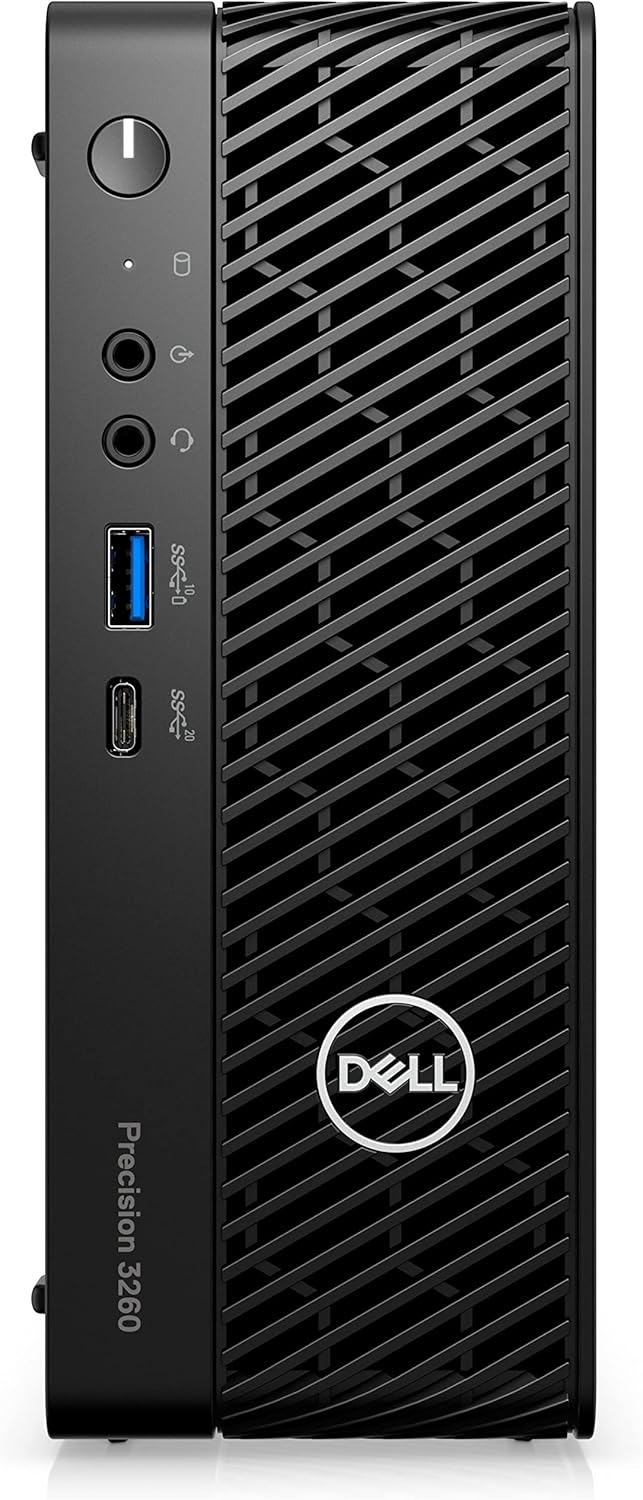
Figure 2: Front panel ports including USB-A, USB-C, and audio jacks.

Figure 3: Rear panel ports including USB-A, Ethernet, and display outputs.
2. Connect Display
Connect your monitor to one of the display output ports on the rear of the workstation (e.g., HDMI or DisplayPort). Ensure the monitor is also connected to a power source.
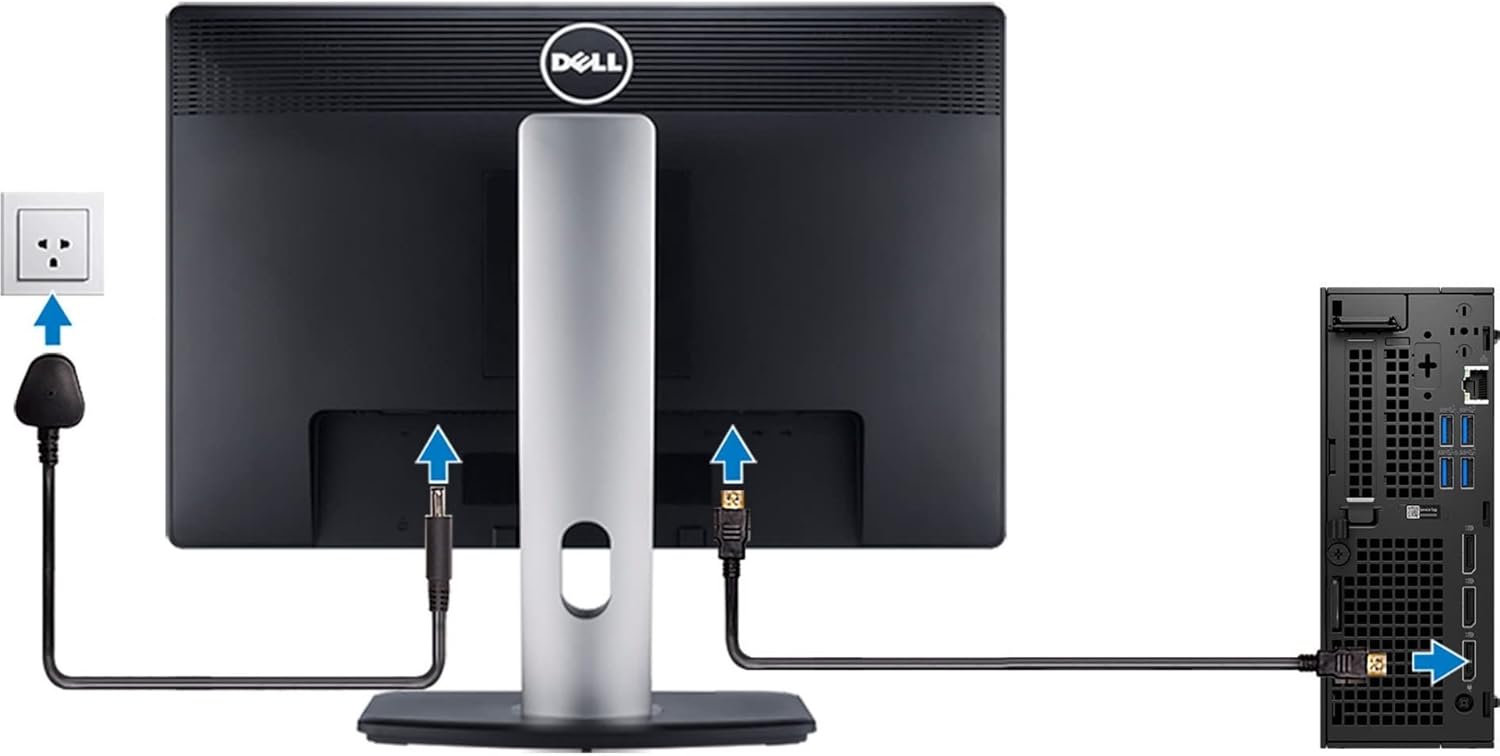
Figure 4: Illustration of connecting a monitor and power to the workstation.
3. Připojte napájení
Connect the AC adapter to the power input port on the rear of the workstation, then plug the power cord into a wall outlet.
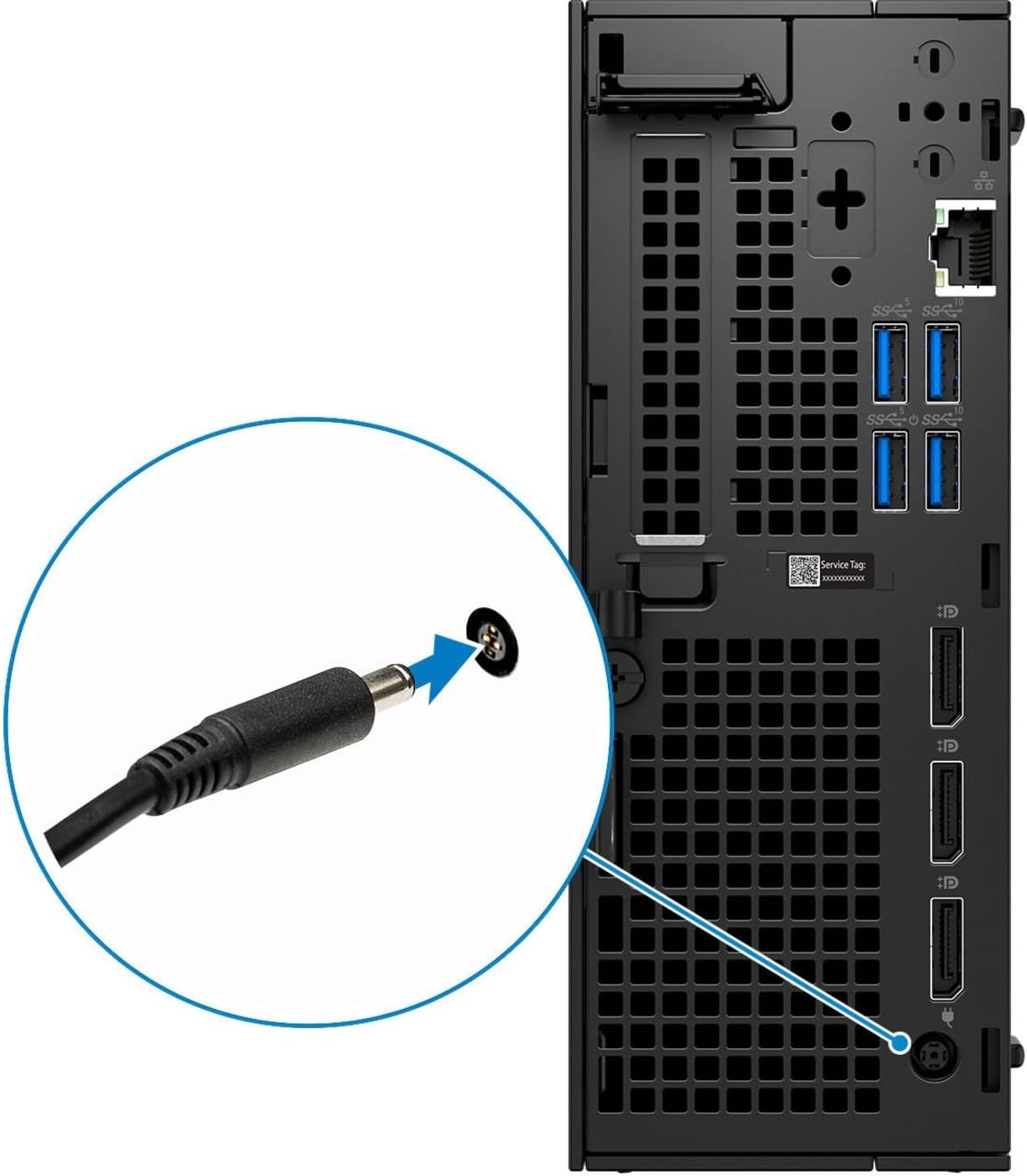
Obrázek 5: Detail view of the power cable connection point.
4. Zapnout
Press the power button located on the front panel of the workstation to turn it on. The power indicator light will illuminate.
Návod k obsluze
Initial Boot and Operating System Setup
Upon the first power-on, the workstation may guide you through the initial setup of the Windows 10 Pro operating system. Follow the on-screen prompts to configure language, region, network settings, and user accounts.
Připojení k síti
The Dell Precision 3260 supports Ethernet connectivity. Connect an Ethernet cable from your router or network switch to the Ethernet port on the rear of the workstation for wired network access. For wireless connectivity, ensure a compatible Wi-Fi adapter is installed (if not integrated) and configure it through the operating system settings.
Použití portů USB
The workstation is equipped with multiple USB 2.0, USB 3.0, and USB-C ports for connecting external devices such as external hard drives, printers, and other peripherals. Refer to Figures 2 and 3 for port locations.
Údržba
Cleaning the Workstation
Regularly clean the exterior of the workstation with a soft, lint-free cloth. For dust accumulation in vents, use compressed air. Ensure the workstation is powered off and unplugged before cleaning.
Aktualizace softwaru
Keep your operating system and drivers updated to ensure optimal performance and security. Windows Update can manage operating system updates, and Dell provides driver updates through its official support webmísto.
Odstraňování problémů
Žádná síla
- Ensure the power cord is securely connected to both the workstation and a working electrical outlet.
- Verify the AC adapter is properly connected to the workstation.
- Test the electrical outlet with another device to confirm it is functional.
Žádný displej
- Check that the monitor is powered on and its power indicator is lit.
- Confirm the display cable (HDMI/DisplayPort) is securely connected to both the workstation and the monitor.
- Ujistěte se, že je na monitoru vybrán správný vstupní zdroj.
System Slowdown or Freezing
- Zavřete nepotřebné aplikace, abyste uvolnili systémové prostředky.
- Check for and install any pending operating system or driver updates.
- Run a system diagnostic or antivirus scan to check for software conflicts or malware.
Specifikace
| Model | Dell Precision 3260 |
| Procesor | Intel Core i5-12500 (12th Gen, Hexa-core, 3 GHz) |
| BERAN | 16 GB DDR5 SDRAM |
| Skladování | 512 GB SSD |
| Grafika | Grafická karta Intel UHD 770 (integrovaná) |
| Grafická paměť RAM | 8 GB |
| Maximální rozlišení | 3840x2160 |
| Operační systém | Windows 10 Pro |
| Rozměry (DxŠxV) | 7 x 2.8 x 7.5 palce |
| Hmotnost | 9.4 libry |
| Napájení | 180 W PSU |
| Porty | USB 2.0, USB 3.0, USB-C, Ethernet, DisplayPort, HDMI |
Záruka a podpora
Your Dell Precision 3260 Workstation typically comes with a manufacturer's warranty. For specific warranty details, including duration and coverage, please refer to the documentation included with your product or visit the official Dell support webmísto.
Pro technickou pomoc, stažení ovladačů nebo další podporu navštivte prosím Podpora společnosti Dell webmísto or contact Dell customer service directly.
The Dell warranty for this product is valid through January 14, 2026, as per product information.


