1. Úvod
This manual provides comprehensive instructions for the Naxa NDS-6501 Portable Dual 6.5-inch Bluetooth Speaker. Please read this manual thoroughly before operating the device to ensure proper use and to maximize your experience. Keep this manual for future reference.
2. Obsah balení
Ověřte, zda jsou v balení obsaženy všechny níže uvedené položky:
- Naxa NDS-6501 Portable Bluetooth Speaker
- Kabelový mikrofon
- USB nabíjecí kabel
- Uživatelská příručka (tento dokument)
3. Vlastnosti produktu
The Naxa NDS-6501 speaker offers a range of functionalities designed for portable audio entertainment:
- Dual 6.5-inch full-frequency speakers for clear audio output.
- Bluetooth připojení pro bezdrátové streamování zvuku z kompatibilních zařízení.
- Integrated multi-color flame lights with various lighting effects.
- True Wireless Stereo (TWS) function for connecting two NDS-6501 speakers wirelessly.
- Wired microphone input for vocal use.
- Built-in FM radio tuner for local station access.
- USB port and MicroSD/TF card slot for playing audio files from external storage.
- Auxiliary (3.5mm) input for wired audio connections.
- Rechargeable battery providing up to 2 hours of playback time.
4. Ovládací prvky a porty
The speaker features various controls and input/output ports. A typical layout includes a power button, volume controls, mode selection, playback controls (play/pause, skip tracks), microphone input, USB port, MicroSD card slot, auxiliary input, and a charging port. Refer to the diagram below for specific locations.
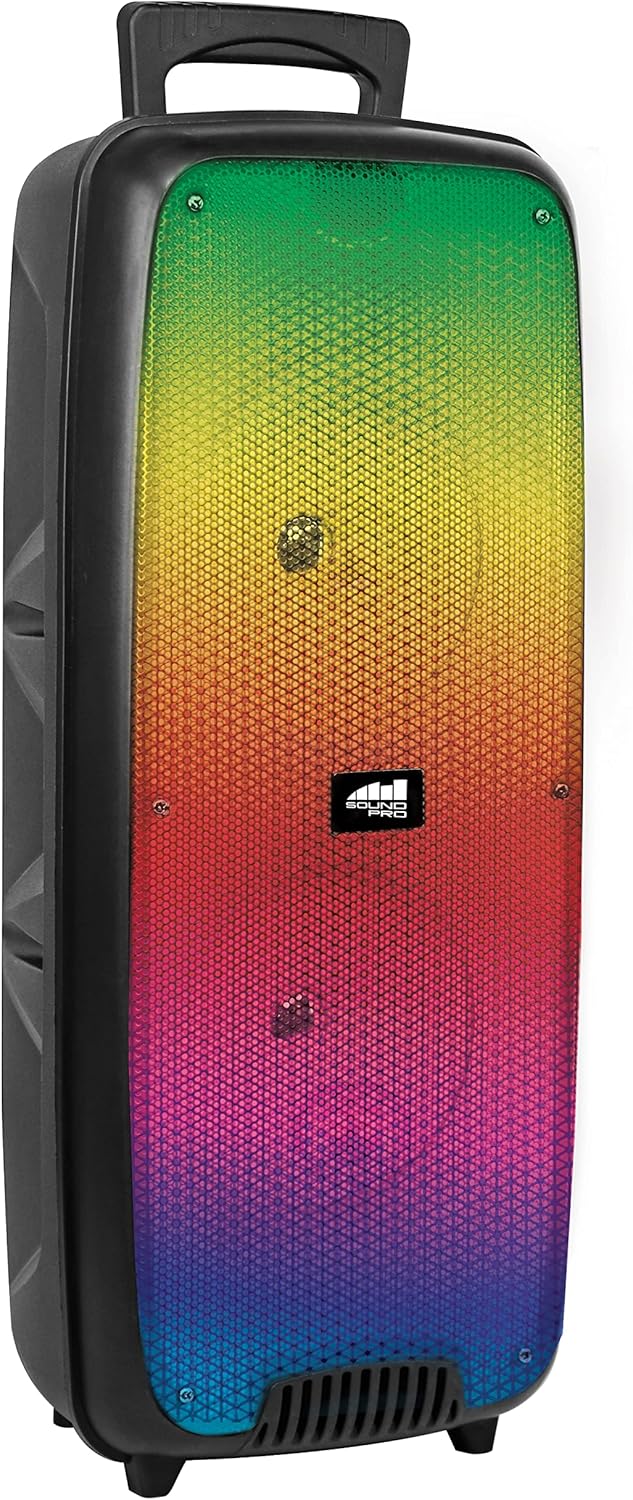
Obrázek 4.1: Přední view of the Naxa NDS-6501 speaker, showcasing the dual 6.5-inch drivers and multi-color flame lights.

Obrázek 4.2: Strana view of the Naxa NDS-6501 speaker, illustrating its portable design with an integrated handle.
5. Nastavení
5.1 Nabíjení reproduktoru
- Připojte dodaný nabíjecí kabel USB k nabíjecímu portu reproduktoru.
- Druhý konec kabelu USB připojte ke kompatibilnímu napájecímu adaptéru USB (není součástí balení) nebo k portu USB počítače.
- Během nabíjení se kontrolka nabíjení rozsvítí, obvykle červeně.
- Once fully charged, the indicator light will change color or turn off (refer to specific LED behavior in your product). A full charge provides approximately 2 hours of playback.
5.2 Zapnutí/vypnutí
- To power on: Press and hold the Power button for a few seconds until the speaker activates.
- Vypnutí: Znovu stiskněte a podržte tlačítko napájení, dokud se reproduktor nevypne.
6. Návod k obsluze
6.1 Párování Bluetooth
- Ensure the speaker is powered on and in Bluetooth mode. If not, press the Mode button to switch to Bluetooth. The speaker will indicate it is ready for pairing (e.g., a flashing LED or an audible prompt).
- Na zařízení s podporou Bluetooth (chytrý telefon, tablet atd.) přejděte do nastavení Bluetooth.
- Hledat available devices. You should see "NDS-6501" or a similar name in the list.
- Select "NDS-6501" to initiate pairing.
- Po úspěšném spárování reproduktor vydá zvukové potvrzení a kontrolka Bluetooth se rozsvítí nepřerušovaně.
6.2 Párování s pravým bezdrátovým stereo (TWS) systémem
The TWS function allows you to connect two NDS-6501 speakers for a stereo sound experience.

Obrázek 6.1: Illustration of the True Wireless Stereo (TWS) function, enabling two speakers to connect wirelessly from a single Bluetooth source.
- Ensure both NDS-6501 speakers are powered on and in Bluetooth mode, but not yet paired to any device.
- On one of the speakers (this will be the primary speaker), press and hold the TWS button (or a designated pairing button) for a few seconds.
- Primární reproduktor vyhledá sekundární reproduktor. Po připojení oba reproduktory vydají zvukové potvrzení.
- Now, pair your Bluetooth device to the primary speaker as described in Section 6.1. Audio will play through both speakers in stereo.
6.3 Provoz FM rádia
- Stisknutím tlačítka Mode přepnete do režimu FM rádia.
- Stisknutím tlačítka Přehrát/Pozastavit automaticky vyhledáte a uložíte dostupné FM stanice.
- Pro navigaci mezi uloženými stanicemi použijte tlačítka Předchozí/Další skladba.
6.4 USB/MicroSD Playback
- Insert a USB flash drive or a MicroSD/TF card (with audio files) do odpovídajícího portu.
- The speaker should automatically switch to USB or MicroSD mode and begin playing audio. If not, press the Mode button to select the correct input.
- Use the playback controls (Play/Pause, Previous/Next) to manage your music.
6.5 Použití mikrofonu
- Connect the wired microphone to the microphone input jack on the speaker.
- Adjust the microphone volume control (if available) on the speaker to your desired level.
- The microphone audio will be mixed with any music playing through the speaker.
6.6 Světelné efekty
- The speaker features integrated multi-color flame lights.
- Press the Light button (if available) to cycle through different lighting modes or to turn the lights on/off.
- The lights may synchronize with the music playback.
7. Údržba
- Čištění: K čištění vnější strany reproduktoru používejte měkký, suchý hadřík. Nepoužívejte abrazivní čisticí prostředky, vosky ani rozpouštědla.
- Skladování: Pokud reproduktor delší dobu nepoužíváte, skladujte jej na chladném a suchém místě mimo dosah přímého slunečního záření a extrémních teplot.
- Péče o baterie: Chcete-li prodloužit životnost baterie, vyvarujte se častého úplného vybíjení. Reproduktor pravidelně nabíjejte, i když jej nepoužíváte.
- Vystavení vodě: Tento reproduktor není vodotěsný. Nevystavujte jej vodě nebo nadměrné vlhkosti.
8. Řešení problémů
| Problém | Možná příčina | Řešení |
|---|---|---|
| Reproduktor se nezapne. | Baterie je vybitá. | Nabijte reproduktor pomocí dodaného kabelu USB. |
| Z reproduktoru není slyšet žádný zvuk. | Volume is too low; incorrect input mode; device not paired. | Increase volume; press Mode button to select correct input; re-pair Bluetooth device. |
| Zařízení Bluetooth nemůže najít reproduktor. | Reproduktor není v režimu párování; zařízení je příliš daleko; rušení. | Ensure speaker is in Bluetooth pairing mode; move device closer; avoid obstacles. |
| Párování TWS selhalo. | Speakers already paired to a device; too far apart. | Ensure both speakers are unpaired from other devices; place speakers within 33 feet of each other. |
| Mikrofon nefunguje. | Microphone not fully plugged in; microphone volume low. | Ensure microphone is securely connected; adjust microphone volume. |
9. Specifikace
| Funkce | Specifikace |
|---|---|
| Číslo modelu | NDS-6501 |
| Velikost reproduktoru | Dvojitý 6.5 palců |
| Technologie připojení | Bluetooth, USB, MicroSD, Aux (3.5mm) |
| Zvukový vstup | Kabelový mikrofon |
| Režim zvukového výstupu | Stereo |
| Maximální výstupní výkon | 3 wattů |
| Reproduktor AmpTyp liifikace | Aktivní |
| Typ baterie | Lithium Ion (rechargeable, included) |
| Průměrná životnost baterie | Až 2 hodin |
| Rozměry produktu (D x Š x V) | 24.13 x 19.05 x 57.91 cm (9.5 x 7.5 x 22.8 palce) |
| Hmotnost položky | 2.81 kg (6.2 lb) |
| Barva | Černý |
| UPC | 840005017555 |
10. Záruka a podpora
For warranty information or technical support, please refer to the warranty card included with your product or visit the official Naxa Electronics webUschovejte si účtenku jako doklad o koupi pro případné reklamace.


