Zavedení
The ASUS ROG Strix G17 is a high-performance gaming laptop designed to streamline and elevate your Windows 11 gaming experience. It features a powerful AMD Ryzen™ 7 6800H CPU paired with an NVIDIA® GPU and a MUX Switch, forming the backbone of this 2022 model. This configuration ensures fast and fluid performance for both gaming and multitasking, allowing users to achieve optimal performance in any game.
Mezi klíčové vlastnosti patří:
- NVIDIA GeForce RTX 3050 4GB GDDR6: With ROG Boost up to 1550MHz at 95W (80W plus 15W with Dynamic Boost) for powerful graphics performance.
- Přepínač MUX: Allows the GPU to communicate directly with the display, significantly increasing performance and decreasing latency.
- AMD Ryzen 7 6800H Processor: Featuring 20M Cache, up to 4.7 GHz, 8 cores, and 16 threads for robust processing power.
- 17.3” FHD (1920 x 1080) IPS Type Display: A 144Hz refresh rate with 3ms response time for smooth and responsive visuals.
- Paměť a úložiště: Equipped with 16GB DDR5 4800MHz RAM and a 512GB PCIe 4.0 NVMe M.2 SSD for fast loading and ampúložiště.
- Operační systém: Comes pre-installed with Windows 11 Home.
Co je v krabici
Upon opening your ASUS ROG Strix G17 package, you should find the following items:
- ASUS ROG Strix G17 Laptop (Model: G713RC-RS73)
- Napájecí kabel a adaptér
- Uživatelská příručka (tento dokument)
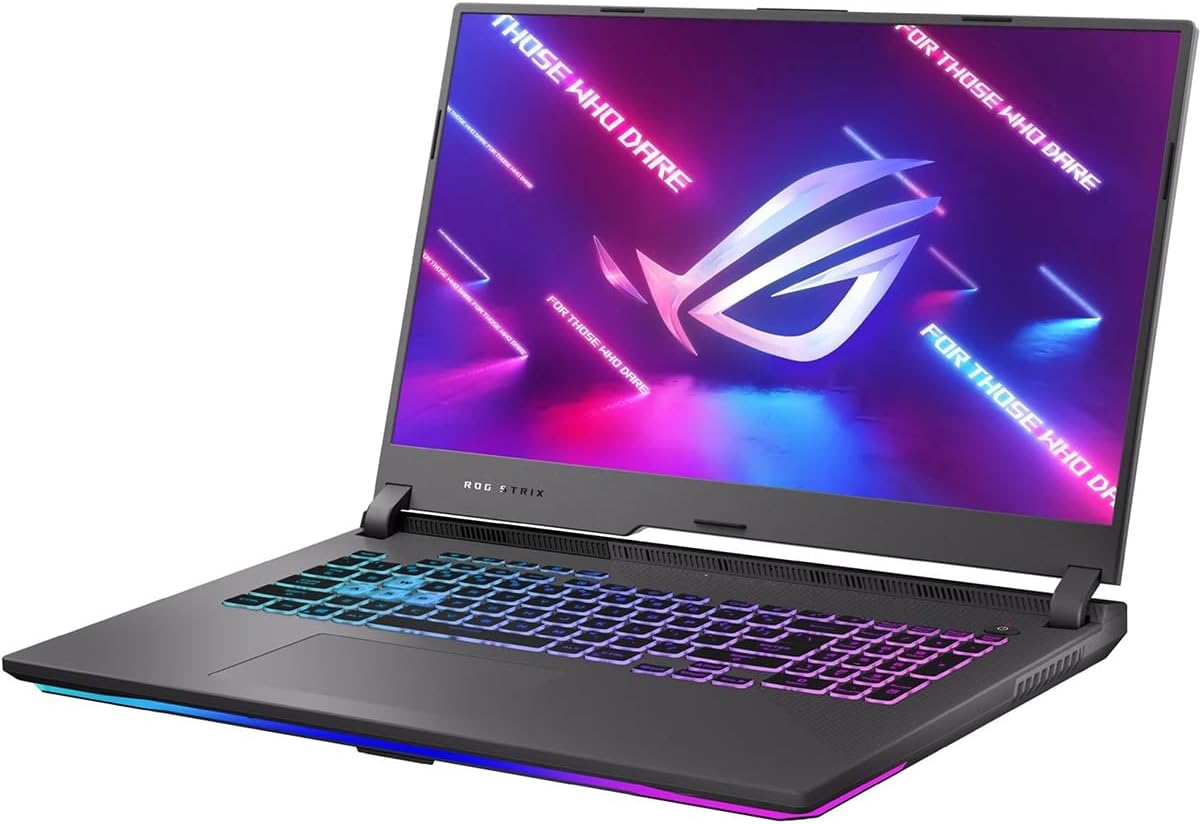
Image: The ASUS ROG Strix G17 gaming laptop, showcasing its sleek design and RGB keyboard lighting.
Nastavení
- Rozbalení: Opatrně vyjměte notebook a veškeré příslušenství z obalu. Ujistěte se, že jsou přítomny všechny součásti uvedené v části „Co je v krabici“.
- Připojte napájení: Připojte napájecí adaptér k napájecímu portu notebooku a poté zapojte napájecí kabel do zásuvky. Před prvním použitím doporučujeme baterii plně nabít.
- Počáteční spuštění: Open the laptop lid. Press the power button, typically located on the top-right of the keyboard deck. The laptop will power on and guide you through the Windows 11 Home setup process. Follow the on-screen instructions to configure your language, region, network, and user account.
- Aktualizace softwaru: After initial setup, connect to the internet and check for system and driver updates. This ensures optimal performance and security. Go to Windows Settings > Windows Update to check for OS updates, and visit the ASUS support website for the latest drivers and utilities for your ROG Strix G17.

Obrázek: Úhlové view of the ASUS ROG Strix G17 laptop, highlighting its vibrant RGB keyboard and display.
Obsluha notebooku
Klávesnice a touchpad
The ROG Strix G17 features a full-size keyboard with per-key RGB lighting that supports Aura Sync, allowing for customizable lighting modes. The touchpad is responsive and supports multi-touch gestures for navigation.
Obrázek: Pohled shora dolů view of the ASUS ROG Strix G17 keyboard, showing the full layout and RGB lighting capabilities.
Displej a grafika
The 17.3-inch Full HD IPS display offers a 144Hz refresh rate and 3ms response time, crucial for competitive gaming. The NVIDIA GeForce RTX 3050 GPU, combined with the MUX Switch, ensures that the dedicated GPU communicates directly with the display, maximizing frame rates and reducing latency for a smoother gaming experience.

Image: The ASUS ROG Strix G17 display showcasing vibrant gaming visuals, emphasizing its high refresh rate and G-SYNC compatibility.
Porty a konektivita
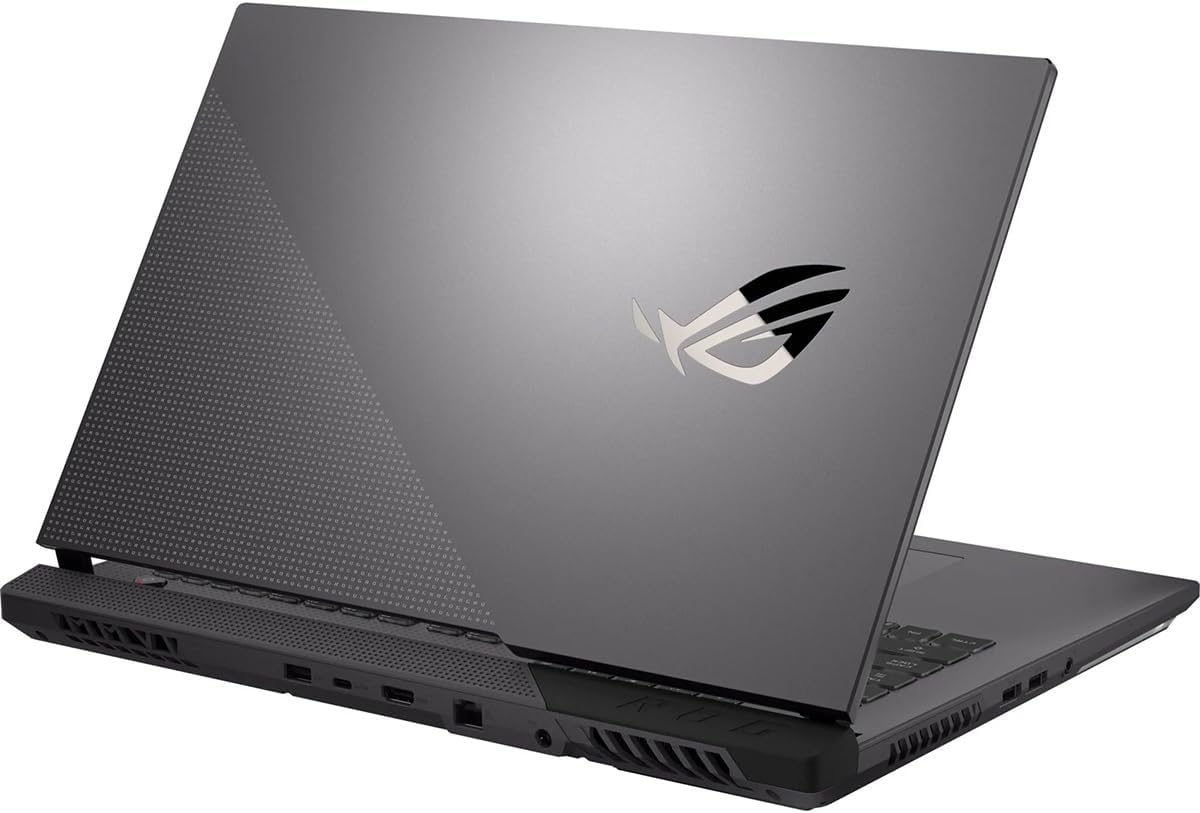
The laptop is equipped with various ports for connectivity, including USB 3.0 ports. It also supports Wi-Fi 6E for stable and fast wireless internet connections, and Bluetooth for connecting peripherals.

Obrázek: Strana view of the ASUS ROG Strix G17, showing various input/output ports for external devices and connectivity.
Údržba
Proper maintenance ensures the longevity and optimal performance of your ROG Strix G17.
- Čištění: Regularly clean the screen with a microfiber cloth and the keyboard with compressed air to remove dust and debris. Avoid using harsh chemicals.
- Chladicí systém: The ROG Strix G17 features an advanced cooling system with liquid metal thermal compound and anti-dust tunnels. Ensure the vents are not obstructed to allow for proper airflow. Periodically check for dust buildup in the vents and clean if necessary.
- Aktualizace softwaru: Keep your operating system, drivers, and applications updated to the latest versions for security and performance improvements.
- Péče o baterie: Chcete-li prodloužit životnost baterie, vyvarujte se častého úplného vybíjení baterie. Pokud notebook delší dobu nepoužíváte, skladujte jej na chladném a suchém místě.

Image: Diagram illustrating the ROG Intelligent Cooling system, including liquid metal and anti-dust tunnels, designed to keep the CPU cool and maintain performance.
Odstraňování problémů
Zde jsou některé běžné problémy a jejich možná řešení:
- Notebook se nezapíná: Ensure the power adapter is securely connected to both the laptop and a working power outlet. Check if the power outlet is functional. If the battery is completely drained, it may take a few minutes of charging before the laptop can power on.
- Obrazovka je prázdná nebo černá: Try pressing the Function (Fn) key combined with the display toggle key (usually F7 or F8) to ensure the display hasn't been turned off. Connect an external monitor to check if the issue is with the laptop's internal display.
- Pomalý výkon: Close unnecessary applications running in the background. Check for and install any pending Windows updates or driver updates from the ASUS support website. Ensure the cooling vents are clear of obstructions.
- Problémy s připojením k Wi-Fi: Ensure Wi-Fi is enabled in Windows settings. Restart your router and the laptop. Check if other devices can connect to the same Wi-Fi network. Update your wireless adapter drivers.
- Klávesnice nebo touchpad nereaguje: Restart the laptop. Check for any physical obstructions. Ensure drivers for the keyboard and touchpad are up to date.
Specifikace
| Funkce | Detail |
|---|---|
| Značka | ASUS |
| Série | ROG Strix G17 |
| Číslo modelu | G713RC-RS73 |
| Velikost obrazovky | 17.3 palce |
| Rozlišení obrazovky | 1920 x 1080 pixelů (FHD) |
| Procesor | AMD Ryzen 7 6800H (up to 4.7 GHz, 8 cores) |
| BERAN | 16 GB DDR5 4800 MHz |
| Pevný disk | 512 GB PCIe 4.0 NVMe M.2 SSD |
| Grafický koprocesor | NVIDIA GeForce RTX 3050 (4 GB GDDR6) |
| Operační systém | Windows 11 Home |
| Bezdrátový typ | 802.11ax, Bluetooth |
| Počet portů USB 3.0 | 2 |
| Průměrná životnost baterie | 12 hodiny |
| Hmotnost položky | 9 libry |
| Rozměry produktu (DxŠxV) | 15.55 x 0.84 x 11.1 palce |
Záruka a podpora
Your ASUS ROG Strix G17 comes with a standard manufacturer's warranty. For detailed warranty terms and conditions, please refer to the official ASUS webwebu nebo v záručním listu dodaném s vaším produktem.
Další zdroje podpory:
- Uživatelská příručka (PDF): A comprehensive PDF version of the user manual is available for download: Stáhnout uživatelskou příručku v PDF
- Plány ochrany: Extended protection plans are available for purchase to cover your device beyond the standard warranty period. Options include 2-Year and 4-Year protection plans, as well as a monthly Complete Protect plan.
- Online podpora: Navštivte oficiální podporu ASUS website for drivers, FAQs, and contact information for technical assistance.


