Zavedení
This manual provides detailed instructions for the operation and maintenance of your Kuephom Portable Bluetooth CD Walkman. Designed for versatility, this device supports CD, Bluetooth, USB, and AUX playback, featuring anti-skip protection and a built-in speaker. Please read this manual thoroughly before use to ensure proper functionality and longevity of your device.
Obsah balení
Ověřte, zda jsou v balení obsaženy všechny níže uvedené položky:
- CD player X 1
- Sluchátka X1
- Audio kabel X 1
- Nabíjecí kabel X 1
- Pouch X 1
Konec produktuview

Figure 1: Kuephom Portable Bluetooth CD Walkman and its accessories, including earbuds, audio cable, charging cable, and pouch.

Figure 2: Detailed diagram illustrating the various buttons and ports on the Kuephom Portable CD Walkman, including volume controls, playback buttons, mode selection, Bluetooth transmit, USB slot, AUX in jack, earphone jack, and speaker.
Nastavení
Nabíjení zařízení
The CD player has a built-in rechargeable lithium battery. Before first use, fully charge the device.
- Connect the provided USB charging cable to the charging port (DC 5V) on the device.
- Connect the other end of the USB cable to a compatible USB power source (e.g., wall charger, power bank, car charger, or computer USB port).
- The charging indicator light will illuminate during charging and turn off when fully charged. A full charge takes approximately 4 hours.

Figure 3: The portable CD player connected to a power source via its USB charging cable, demonstrating various charging options.
Zapnutí/vypnutí
Posuňte ON/OFF switch located on the side of the device to turn it on or off.
Vložení CD
- Posuňte OTEVŘENO switch to open the CD compartment cover.
- Carefully place a CD (CD, CD-R, CD-RW, MP3, WMA, WAV formats supported) onto the spindle with the label side facing up.
- Jemně zatlačte na střed CD, dokud nezacvakne na místo.
- Pevně zavřete kryt přihrádky na CD, dokud nezaklapne.
Video 1: Demonstration of inserting a CD into the Kuephom Portable CD Player and closing the compartment. This video also shows the supported disc formats.
Connecting Headphones or External Speakers (AUX)
For private listening or connecting to non-Bluetooth devices:
- Insert the 3.5mm jack of your headphones into the Jack pro sluchátka.
- To connect to external speakers or a car audio system, use the provided 3.5mm audio cable. Insert one end into the AUX In Jack on the CD player and the other end into the AUX input of your external device.

Figure 4: The portable CD player connected to a car's audio system via an AUX cable, demonstrating its use in a vehicle with anti-shock protection for uninterrupted playback.
Návod k obsluze
Základní přehrávání
- Stiskněte tlačítko Přehrát/Pozastavit button (►▮▮) to start or pause playback.
- Stiskněte tlačítko Další button (►►) to skip to the next track.
- Stiskněte tlačítko Předchozí button (◄◄) to go to the beginning of the current track or the previous track.
- Stiskněte tlačítko Zastávka tlačítko (■) pro zastavení přehrávání.
- Upravte hlasitost pomocí Vol+ a Vol- tlačítka.
Funkce Bluetooth
The device supports two-way Bluetooth connection:
Bluetooth Transmitting (Connecting to Bluetooth Headphones/Speakers)
- Ensure the CD player is powered on and a CD is inserted.
- Stiskněte tlačítko Bluetooth přenos button (labeled "TRANSMIT" or "BT" on some models) to enter Bluetooth transmitting mode. The Bluetooth icon on the display will flash.
- Přepněte sluchátka nebo reproduktor Bluetooth do režimu párování.
- The CD player will automatically search for and connect to nearby Bluetooth devices. Once connected, the Bluetooth icon will stop flashing.

Figure 5: The portable CD player actively transmitting audio via Bluetooth to both headphones and a separate Bluetooth speaker, illustrating its wireless output capability.
Bluetooth Receiving (Connecting to Smartphone/Laptop)
- Stiskněte tlačítko Režim BT button (labeled "BT" or "MODE" on some models) to switch the CD player into Bluetooth receiving mode.
- Na smartphonu, tabletu nebo notebooku povolte Bluetooth a vyhledejte dostupná zařízení.
- Select "Kuephom CD Player" (or similar name) from the list of devices to pair.
- Once connected, you can play audio from your smart device through the CD player's built-in speaker.
Video 2: This video demonstrates the Bluetooth playback feature, showing the CD player connecting to a smartphone to stream audio, highlighting its versatility as a Bluetooth speaker.
Další režimy přehrávání
- USB přehrávání: Vložte USB flash disk do USB slot. The player will automatically switch to USB mode and begin playing compatible audio files.
- Funkce opakování: Stiskněte tlačítko Opakovat button to cycle through repeat modes (e.g., repeat one, repeat all).
- A-B Repeating: Stiskněte tlačítko AB button to set a starting point (A) and an ending point (B) for a section of audio to repeat. Press again to clear.
- Nastavení rychlosti: Použijte Nastavení rychlosti buttons (labeled "SPEED" or "SPEED +/-") to increase or decrease the playback speed. This feature is particularly useful for language learning.
- Programování přehrávání: Refer to the detailed product diagram (Figure 2) for the "PROG." button if available on your model for custom track sequencing.
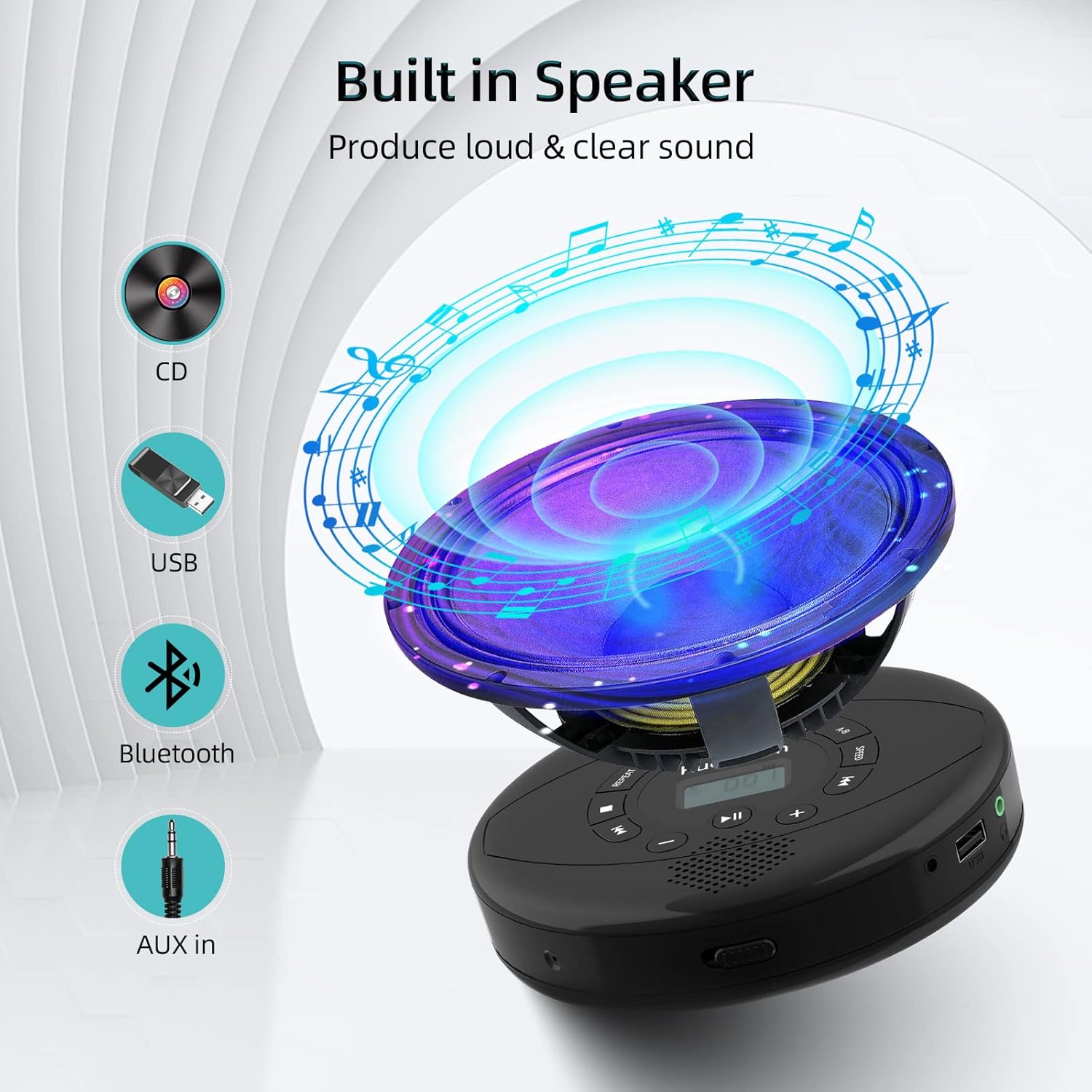
Figure 6: Illustration of the built-in speaker and the various audio input options supported by the device, including CD, USB, Bluetooth, and AUX in.
Údržba
- Udržujte zařízení čisté otíráním měkkým, suchým hadříkem. Nepoužívejte abrazivní čisticí prostředky ani rozpouštědla.
- Nevystavujte zařízení extrémním teplotám, přímému slunečnímu záření nebo vysoké vlhkosti.
- Handle CDs by their edges to prevent scratches and smudges. Clean CDs with a soft, lint-free cloth, wiping from the center outwards.
- Pokud zařízení delší dobu nepoužíváte, skladujte jej na chladném a suchém místě.
Odstraňování problémů
| Problém | Možná příčina | Řešení |
|---|---|---|
| Zařízení se nezapne. | Battery is low or depleted. Power switch is off. | Charge the device fully. Ensure the ON/OFF switch is in the "ON" position. |
| CD přeskakuje nebo se nepřehrává. | CD is dirty, scratched, or damaged. Device is unstable. | Clean the CD. Try another CD. Ensure the device is on a stable surface or utilize its anti-skip protection during movement. |
| Ze sluchátek/reproduktorů není slyšet žádný zvuk. | Volume is too low. Headphones/speakers not properly connected. Incorrect mode selected. | Increase volume. Re-insert headphone/AUX cable firmly. Ensure correct mode (CD, Bluetooth, USB, AUX) is selected. |
| Párování Bluetooth selhalo. | Device not in pairing mode. Bluetooth device too far. Interference. | Ensure the CD player is in Bluetooth transmitting/receiving mode. Move devices closer. Turn off other Bluetooth devices to reduce interference. |
Specifikace
| Funkce | Detail |
|---|---|
| Rozměry produktu | 5.7 x 5.7 x 1.2 palce |
| Hmotnost položky | 1.21 libry |
| Číslo modelu | PM10-Black |
| Baterie | 1 lithium-polymerová baterie (součástí balení) |
| Značka | Kuephom |
| Technologie připojení | Bluetooth, Auxiliary, USB |
| Podporované formáty | CD, CD-R, CD-RW, MP3, WMA, WAV |
| Speciální funkce | Portable, Anti-Skip, Built-in Speakers |
Záruka a podpora
For warranty information or technical support, please refer to the contact details provided with your purchase or visit the official Kuephom webUschovejte si účtenku jako doklad o koupi pro případné reklamace.


