1. Úvod
This manual provides detailed instructions for the installation, operation, and maintenance of your Imou Cruiser SE 2MP Outdoor Security Camera (Model IPC-S21FP). This camera is designed to provide comprehensive outdoor surveillance with features such as 1080P Full HD resolution, 360-degree pan and tilt capabilities, smart human detection, color night vision, and IP66 weather resistance. Please read this manual thoroughly before using the product to ensure proper setup and functionality.

Figure 1: Imou Cruiser SE 2MP Outdoor Security Camera
2. Konec produktuview
2.1 Klíčové vlastnosti
- Rozlišení 1080P Full HD: Poskytuje jasné a podrobné video footage.
- 360° Coverage (Pan/Tilt): Offers a 355° horizontal and 90° vertical rotation range for comprehensive area monitoring.
- Smart Human Motion Tracking: Advanced AI algorithms differentiate human movement from other objects, reducing false alarms and automatically tracking detected subjects.
- Inteligentní barevné noční vidění: Built-in spotlights enable full-color imaging even in low-light conditions.
- Built-in Floodlight and Microphone: The floodlight activates upon human detection, and the integrated microphone allows for audio recording.
- Voděodolné provedení IP66: Ensures reliable operation in various outdoor weather conditions, withstanding temperatures from -30°C to 60°C.
- Více možností úložiště: Supports Micro SD card (up to 256GB), Network Video Recorder (NVR), and cloud storage for video recording.
- Vylepšené zabezpečení dat: Complies with GDPR Data Protection Regulation and utilizes TLS encryption for privacy protection.
2.2 Obsah balení
Ujistěte se, že v balení jsou přítomny všechny položky:
- Imou Cruiser SE 2MP Outdoor Security Camera (IPC-S21FP)
- Napájecí adaptér
- Montážní šablona
- Montážní šrouby a hmoždinky
- Waterproof Connector (for power cable)
- Stručný průvodce (není součástí této příručky, ale obvykle je součástí dodávky)
3. Průvodce nastavením
3.1 Výběr místa instalace
Vyberte místo, které poskytuje požadované viewing angle and is within range of your Wi-Fi network. The camera is IP66 weatherproof, suitable for outdoor use.

Figure 2: Multiple Installation Options (Ceiling, Pole, Wall Mounted)
3.2 Montáž fotoaparátu
- Připravte povrch: Use the provided mounting template to mark drill holes on the desired surface (wall, ceiling, or pole).
- Vrtací otvory: Drill holes according to the marks. Insert wall plugs if mounting on a masonry surface.
- Zabezpečte kameru: Attach the camera base to the surface using the provided screws. Ensure it is firmly secured.
- Připojte napájení: Connect the power adapter to the camera. Use the waterproof connector for outdoor installations to protect the power connection. The power cord is 3 meters long.
3.3 Initial Setup with Imou Life App
- Stáhnout aplikaci: Download the "Imou Life" app from your smartphone's app store (available for Android and iOS).
- Vytvořit účet: Open the app and create a new account or log in to an existing one.
- Přidat zařízení: Tap the "+" icon in the app to add a new device. Scan the QR code located on the camera or its packaging.
- Připojení k Wi-Fi: Follow the in-app instructions to connect the camera to your 2.4G Wi-Fi network. Ensure your Wi-Fi signal is strong at the camera's location.
- Konfigurace nastavení: Once connected, you can configure various settings such as motion detection zones, recording preferences, and notification alerts.
4. Návod k obsluze
4.1 Živě View a ovládání otáčení/náklonu
Přístup k živému vysílání view of your camera through the Imou Life app. Use the on-screen controls to remotely pan (355° horizontal) and tilt (90° vertical) the camera lens to monitor different areas.

Obrázek 3: Pokrytí otáčení a naklápění
4.2 Smart Human Detection and Tracking
The camera uses advanced AI to detect human shapes, minimizing false alarms from pets or moving branches. When a human is detected, the camera can automatically track their movement and send instant alerts to your smartphone.

Figure 4: Human Detection and Spotlight Activation
You can define specific "Detection Regions" within the app to focus monitoring on critical areas and ignore others, further refining alert accuracy.

Figure 5: Configuring Detection Regions in the Imou Life App
4.3 Color Night Vision and Floodlight
The camera provides clear video during the day and offers full-color night vision. In low-light conditions, the built-in spotlights activate to illuminate the area, allowing the camera to capture color images. This feature enhances visibility and deterrence.
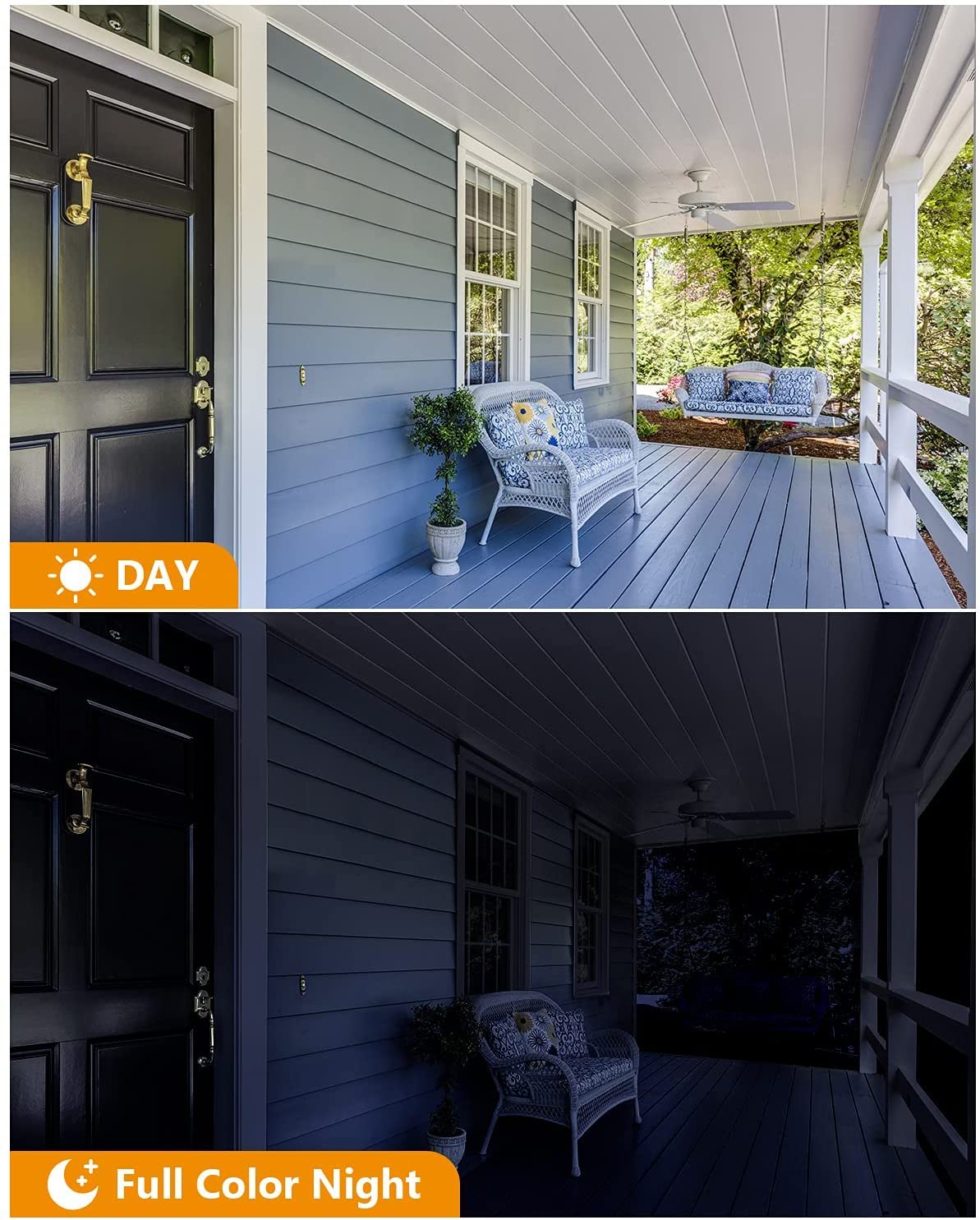
Figure 6: Day and Full Color Night Vision
4.4 Obousměrná komunikace
While the product description mentions a microphone, it does not explicitly state two-way talk functionality. However, many cameras with microphones also support two-way audio. If available, use the microphone icon in the Imou Life app to speak through the camera's speaker and listen to audio from the camera's microphone.
4.5 Nahrávání a ukládání videa
The camera supports continuous recording or event-triggered recording (e.g., upon human detection). You have several options for storing your video footage:
- Micro SD karta: Insert a Micro SD card (up to 256GB) into the camera's designated slot for local storage.
- Síťový videorekordér (NVR): Connect the camera to a compatible NVR for centralized storage and management.
- Cloudové úložiště: Utilize the Imou cloud storage service (subscription may be required) for secure, remote storage of your recordings.

Figure 7: Video Recording Storage Options
5. Údržba
- Čištění objektivu: Pravidelně čistěte objektiv fotoaparátu měkkým, suchým hadříkem, abyste zajistili ostrý obraz. Nepoužívejte abrazivní čisticí prostředky.
- Úklid bytů: Otřete kryt fotoaparátuamp hadříkem k odstranění nečistot a nečistot.
- Kontrola kabelů: Regularly check power and network cables for any signs of wear or damage, especially for outdoor installations.
- Aktualizace firmwaru: Keep the camera's firmware updated through the Imou Life app to ensure optimal performance and security.
- Správa úložiště: If using a Micro SD card, periodically check its status and manage recordings to prevent it from becoming full.
6. Řešení problémů
| Problém | Možná příčina | Řešení |
|---|---|---|
| Kamera se nezapíná | Power adapter issue, loose connection | Check power adapter and cable connections. Ensure the power outlet is functional. |
| Nelze se připojit k Wi-Fi | Incorrect Wi-Fi password, camera too far from router, 5GHz network selected | Verify Wi-Fi password. Move camera closer to the router or use a Wi-Fi extender. Ensure you are connecting to a 2.4GHz network. |
| Časté falešné poplachy | Sensitive motion detection, environmental factors (e.g., moving plants, insects) | Adjust motion detection sensitivity in the app. Define specific "Detection Regions" to exclude irrelevant areas. Ensure firmware is updated. |
| Špatná kvalita nočního vidění | Dirty lens, insufficient ambient light, obstructions | Clean the camera lens. Ensure the built-in spotlights are not obstructed. Check for external light sources causing glare. |
| Problémy s nahráváním videa | Full SD card, faulty SD card, cloud storage subscription expired | Check SD card capacity and format if necessary. Replace faulty SD card. Verify cloud storage subscription status. |
7. Specifikace
| Funkce | Detail |
|---|---|
| Název modelu | Imou Cruiser SE (IPC-S21FP) |
| Rezoluce | 1080p (2MP) |
| Rozsah otáčení/naklánění | 355° horizontálně, 90° vertikálně |
| Konektivita | 2.4G Wi-Fi, Ethernet |
| Odolnost vůči povětrnostním vlivům | IP66 |
| Možnosti úložiště | Micro SD Card (up to 256GB), NVR, Cloud Storage |
| Speciální funkce | HD Resolution, Motion Sensor, Night Vision (Color), Built-in Floodlight, Microphone |
| Operační systém (aplikace) | Android, iOS |
| Zdroj napájení | Elektrický s kabelem (adaptér je součástí balení) |
| Rozměry položky (DxŠxV) | 20 x 15 x 10 centimetrů |
| Hmotnost položky | 740 g |
| Výrobce | DAHUA (Imou) |
8. Záruka a podpora
Informace o záruce a technickou podporu získáte od oficiálního prodejce Imou. website or contact their customer service directly. Details regarding warranty periods and service procedures are typically provided with your purchase documentation or available online.
Můžete navštívit Imou Store on Amazon pro další informace o produktu a zdroje podpory.


