1. Úvod
This manual provides comprehensive instructions for the setup, operation, maintenance, and troubleshooting of your Behringer XENYX X1204USB Premium 12-Input 2/2-Bus Mixer. The XENYX X1204USB is a professional-grade audio mixer designed for versatile sound production, featuring XENYX mic preamps, "British" style EQ, one-knob compressors, and an integrated USB audio interface for seamless computer connectivity. Please read this manual thoroughly before operating the device to ensure optimal performance and longevity.

Obrázek 1.1: The Behringer XENYX X1204USB mixer, shown with its included carrying bag and XLR cable. This bundle provides essential components for immediate use.
2. Klíčové vlastnosti
The Behringer XENYX X1204USB mixer is equipped with a range of features designed for high-quality audio mixing and recording:
- Špičková kvalita zvuku: Features XENYX mic preamps for pristine audio, offering a dynamic range and low noise suitable for professional recordings and live performances.
- Versatile Input Channels: Includes 4 XLR mic inputs and 6 line inputs, accommodating a wide array of audio sources such as microphones, instruments, and other audio devices.
- Přesné ovládání EQ: Each channel is equipped with a 3-band EQ, allowing for detailed adjustments and tonal shaping to achieve a balanced and clear mix.
- Integrated USB Interface: Provides seamless audio recording and playback capabilities via a built-in USB interface, compatible with Mac, Windows, and Linux operating systems. Ideal for home studios and digital audio workstations.
- Kompresory s jedním knoflíkem: Four innovative, easy-to-use one-knob compressors offer ultimate control over the dynamics of your sound, ensuring a clear and balanced output.
- Aux Sends and Returns: Each mono channel features two aux sends for individual channel routing to stage monitors or external effects, complemented by two stereo aux returns for expanded connectivity.
- Dodávané příslušenství: Comes bundled with a rack mount kit, EnergyXT2.5 software, a mixer bag, and a 25' XLR cable, providing everything needed for immediate setup and use.

Obrázek 2.1: Detailní view of the Behringer XENYX X1204USB mixer's control surface, highlighting the various knobs, faders, and input/output sections.
3. Průvodce nastavením
Follow these steps to set up your Behringer XENYX X1204USB mixer:
- Rozbalení: Carefully remove all components from the packaging. Verify that all items listed in the "Included" section are present.
- Umístění: Place the mixer on a stable, flat surface. Ensure adequate ventilation around the unit. If using the rack mount kit, follow the instructions provided with the kit for secure installation.
- Připojení napájení: Connect the supplied power adapter to the mixer's power input and then to a suitable AC power outlet. Ensure the mixer's power switch is in the OFF position before connecting.
- Vstupní připojení:
- Pro připojení mikrofonů použijte kabely XLR MIC IN jacks (Channels 1-4).
- For line-level instruments or devices, use 1/4" TRS or TS cables to connect to the LINE IN jacks (Channels 1-12).
- For stereo sources, use the dedicated stereo line inputs (Channels 5/6, 7/8, 9/10, 11/12).
- Výstupní připojení:
- Připojte hlavní reproduktory nebo ampživější k HLAVNÍ (XLR or 1/4" TRS) jacks.
- For monitoring, connect headphones to the TELEFONY zvedák.
- Využít AUX SEND a FX ODESLAT for external effects processors or stage monitory.
- USB připojení: Connect the mixer to your computer using a USB cable. The mixer will function as an audio interface, allowing for recording and playback. Install any necessary drivers or software (e.g., EnergyXT2.5) as prompted by your operating system or Behringer's webmísto.
- Počáteční zapnutí: Once all connections are secure, switch the mixer's power to the ON position.
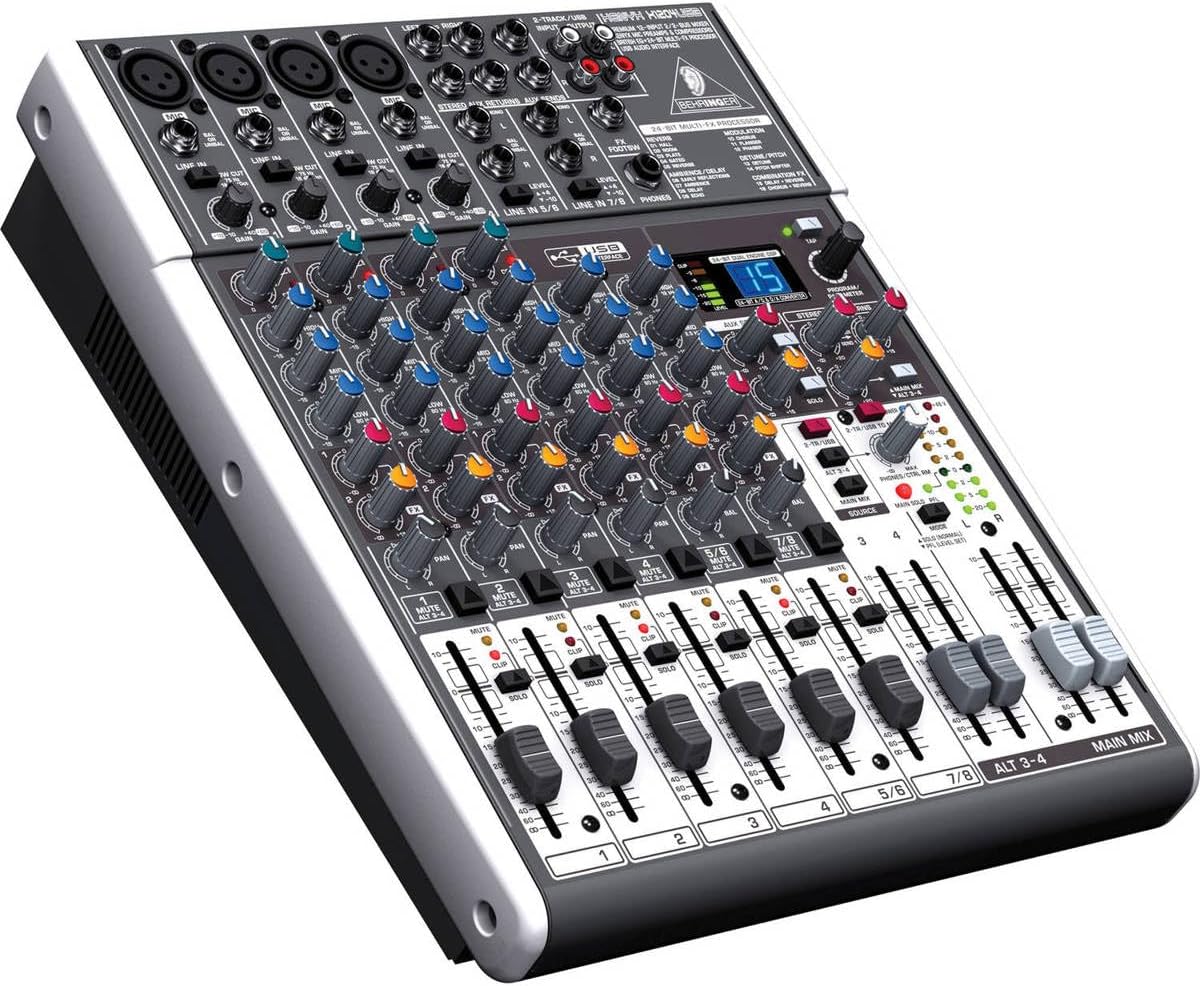
Obrázek 3.1: Úhlové view of the mixer, illustrating the various input and output ports on the top and rear panels, crucial for proper setup.
4. Návod k obsluze
This section outlines the basic operation of your XENYX X1204USB mixer.
4.1. Ovládání kanálu
- Gain Control: Upravte ZÍSKAT knob at the top of each channel strip to set the input level. Aim for the signal to peak around 0 dB on the level meters without clipping.
- Kompresor: For channels 1-4, use the KOMP knob to apply compression. Turn clockwise to increase the compression effect, which helps to smooth out dynamic range.
- Ekvalizér (EQ): Použijte VYSOKÝ, STŘEDNÍa NÍZKÝ knobs to shape the tone of each channel.
- Aux sendy: The AUX 1 a AUX 2/FX knobs control the amount of signal sent to the auxiliary outputs, useful for monitor mixes or external effects.
- Panorama/Vyvážení: The PÁNEV (mono channels) or BAL (stereo channels) knob positions the channel's signal within the stereo field.
- Mute/Alt 3-4: The ZTLUMIT button silences the channel. When engaged, the signal can be routed to the ALT 3-4 bus instead of the main mix.
- Solo/PFL: The SÓLO button allows you to monitor the channel's signal independently through headphones or the control room output without affecting the main mix.
- Fader kanálu: Adjust the vertical fader to control the overall volume of the channel in the main mix.
4.2. Main Mix Control
- Hlavní fadery mixu: The HLAVNÍ MIX faders control the overall output volume of the stereo main mix.
- Hladinoměry: Monitor the output level using the LED meters. Adjust main mix faders to keep levels in the optimal range, avoiding clipping (red LEDs).
- Phones/Control Room: Použijte PHONES/CTRL RM knob to adjust the volume for headphones and control room monitors.
- USB Routing: The USB interface allows for sending the main mix to your computer for recording, and playing back audio from your computer through the mixer. Refer to your computer's audio settings and the mixer's specific USB routing options.

Obrázek 4.1: A close-up of the mixer's fader section and main output controls, illustrating the tactile interface for adjusting channel and master volumes.
5. Údržba
Proper maintenance ensures the longevity and optimal performance of your Behringer XENYX X1204USB mixer.
- Čištění:
- Před čištěním vždy odpojte napájení.
- K otření vnějších povrchů použijte měkký, suchý hadřík, který nepouští vlákna.
- Pro odolnou špínu je potřeba mírněamp cloth with mild soap can be used, followed by a dry cloth. Avoid abrasive cleaners, solvents, or waxes.
- Use a soft brush or compressed air to clean dust from faders, knobs, and ventilation grilles.
- Skladování:
- Pokud mixér nepoužíváte, skladujte jej na chladném a suchém místě mimo dosah přímého slunečního záření, extrémních teplot a vysoké vlhkosti.
- Protect the mixer from dust and spills, ideally by using the included mixer bag or a dust cover.
- Správa kabelů: Ensure all cables are neatly organized and not under strain. Avoid sharp bends or kinks in cables, especially the power cord.
- Větrání: Do not block the ventilation openings. Ensure proper airflow to prevent overheating.

Obrázek 5.1: The included mixer bag, designed to protect the Behringer XENYX X1204USB from dust and physical damage during storage and transport.
6. Řešení problémů
This section provides solutions to common issues you might encounter with your Behringer XENYX X1204USB mixer.
| Problém | Možná příčina | Řešení |
|---|---|---|
| Z hlavního mixu není slyšet žádný zvuk. |
|
|
| No signal from a specific input channel. |
|
|
| Hum or noise in the audio. |
|
|
| Počítač nerozpoznává zvuk z USB. |
|
|
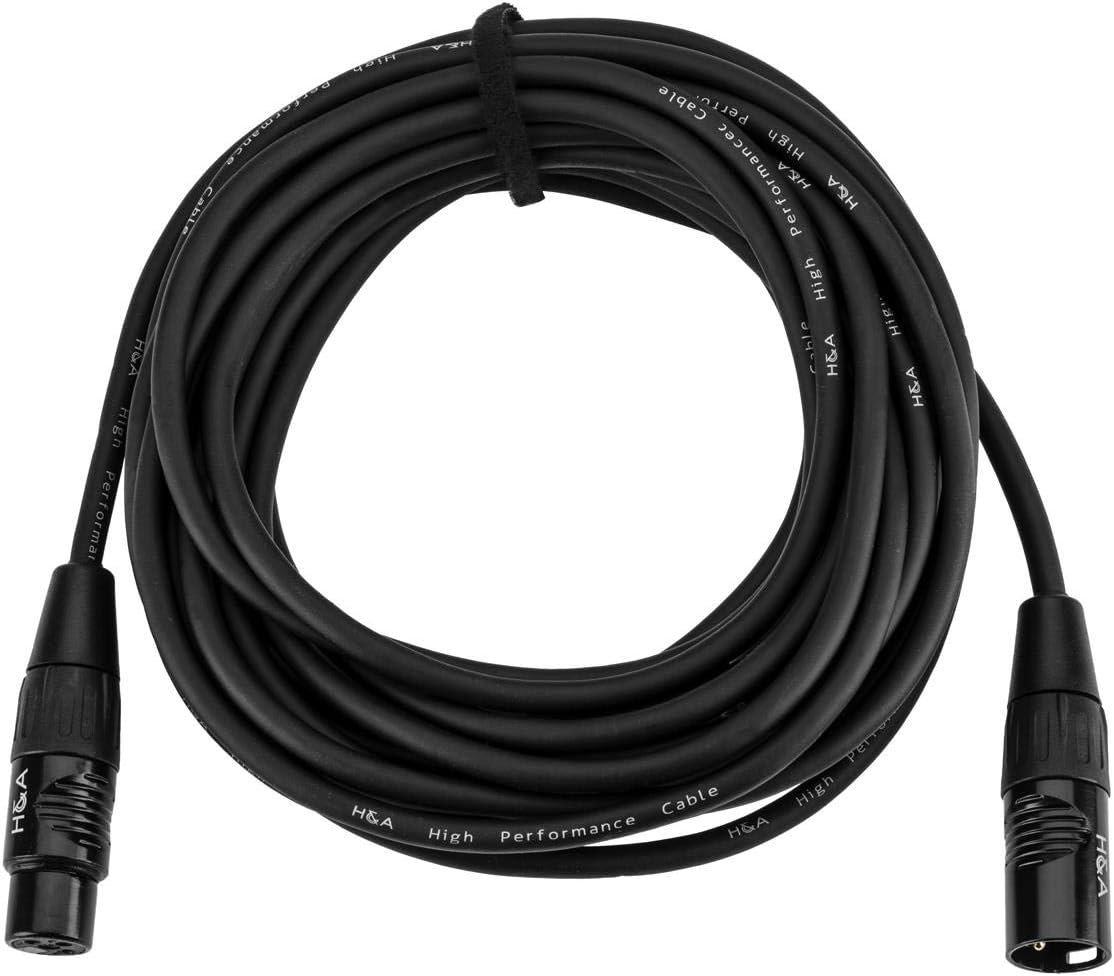
Obrázek 6.1: The 25-foot XLR cable, a common component in audio setups, which should be checked for integrity during troubleshooting.
7. Technické specifikace
Below are the key technical specifications for the Behringer XENYX X1204USB mixer:
| Funkce | Detail |
|---|---|
| Značka | Behringer |
| Model | USB XENYX X1204 |
| Počet kanálů | 12 |
| Hmotnost položky | 14.47 libry (6.56 kg) |
| Rozměry produktu (D x Š x V) | 15.5 x 14 x 5.9 palce (39.37 x 35.56 x 14.99 cm) |
| Zdroj napájení | Elektrický kabel |
| Technologie připojení | Pomocný, USB |
| Mikrofon preamps | XENYX Mic Preamps |
| Kompresory | 4 One-Knob Compressors |
| EQ | "British" style 3-band EQ on each channel |
| Rozhraní USB | Bi-directional audio transfer, Mac/Windows/Linux compatible |
8. Záruka a podpora
Behringer products are manufactured to high quality standards. For detailed information regarding the warranty period and terms for your XENYX X1204USB mixer, please refer to the warranty card included with your product or visit the official Behringer webmísto.
For technical support, service, or to download the latest drivers and software, please visit the Behringer support page: www.behringer.com/support.
When contacting support, please have your product model (X1204USB) and serial number ready.


