Zavedení
This manual provides essential information for setting up, operating, and maintaining your VGKE 15.6" Laptop. Please read through this guide carefully to ensure optimal performance and longevity of your device. Keep this manual for future reference.
Co je v krabici
- VGKE 15.6" Laptop
- AC adaptér
- Dokumentace (tato uživatelská příručka)
Nastavení
1. Počáteční zapnutí
Before first use, ensure the laptop is fully charged. Connect the AC adapter to the laptop's DC jack and plug it into a power outlet. The charging indicator light will illuminate. Once charged, press the power button located on the keyboard to turn on the laptop.

Image: The VGKE 15.6" Laptop in silver, showcasing its full display and keyboard.
2. Operating System Configuration
Follow the on-screen prompts to complete the initial setup of the operating system. This typically includes selecting your region, language, connecting to a Wi-Fi network, and creating a user account.
3. Připojení periferií
Your laptop is equipped with various ports for connecting external devices. Refer to the "Comprehensive Interface" section for port details.
Ovládání notebooku
Zobrazit
The VGKE C15 features a 15.6-inch Full HD (1920x1080 pixels) IPS display with narrow bezels, providing clear and vibrant visuals for various tasks.

Image: A close-up of the laptop's 15.6-inch Full HD display with narrow borders.
Klávesnice a touchpad
The laptop is equipped with a full-size backlit keyboard and a numeric keypad for comfortable typing and data entry. The integrated touchpad supports multi-touch gestures for intuitive navigation.

Obrázek: Nad hlavou view of the laptop's full-size keyboard, highlighting the backlit keys and numeric pad.
Čtečka otisků prstů
For enhanced security and convenient login, the laptop includes a fingerprint reader. Configure your fingerprint in the operating system settings for quick and secure access.

Image: Close-up of the laptop's touchpad area, showing the integrated fingerprint reader.
Procesor a výkon
Powered by an Intel Celeron N5095 Quad-Core processor with speeds up to 2.9GHz, the laptop is designed for efficient daily computing tasks. It features 4 cores, 4 threads, and 4MB cache for responsive performance.

Image: An illustrative graphic highlighting the Intel N5095 processor chip.
Paměť a úložiště
The laptop comes with 12GB DDR4 RAM and a 256GB SSD for fast boot times and application loading. The SSD storage is expandable, allowing for increased capacity if needed.

Image: A graphic illustrating the laptop's memory and expandable SSD storage capabilities.
Comprehensive Interface
The VGKE C15 offers a variety of ports for connectivity:
- USB 3.0 Ports (multiple)
- DC Jack (for power adapter)
- Port Micro HDMI
- Port typu C
- TF Card Slot
- Sluchátka Jack
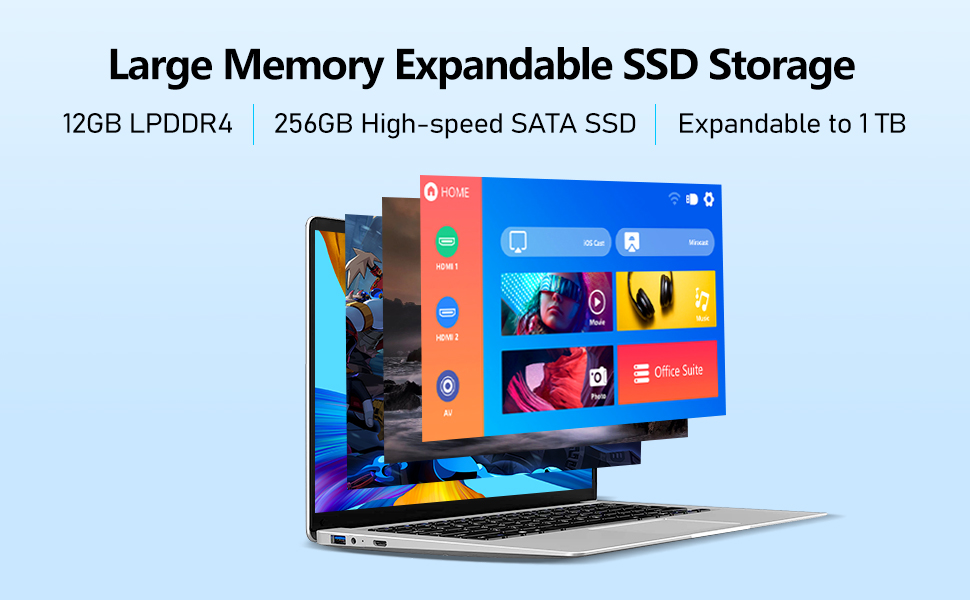
Image: A visual representation of the laptop's various input/output ports.
Operační systém
The laptop runs on a compatible operating system, providing a user-friendly interface for productivity and entertainment. Ensure to keep your operating system updated for optimal security and performance.
Video Playback Example
Video: A demonstration of the VGKE laptop's display quality and performance during video playback. This video shows the laptop running smoothly with clear picture quality.
Údržba
- Čištění: K čištění obrazovky a vnějšího povrchu používejte měkký hadřík, který nepouští vlákna. Nepoužívejte abrazivní čisticí prostředky ani rozpouštědla.
- Větrání: Ensure the laptop's vents are not obstructed to prevent overheating. Use on a flat, hard surface.
- Péče o baterie: Chcete-li prodloužit životnost baterie, vyhněte se extrémním teplotám a snažte se udržovat její nabití mezi 20 % a 80 %, pokud je to možné.
- Aktualizace softwaru: Regularly update your operating system and drivers to maintain performance and security.
Odstraňování problémů
Běžné problémy a řešení:
- Notebook se nezapíná: Ujistěte se, že je síťový adaptér bezpečně připojen a baterie je dostatečně nabitá. Zkuste podržet tlačítko napájení po dobu 10–15 sekund pro tvrdý reset.
- Pomalý výkon: Close unnecessary applications, check for background processes, ensure sufficient free storage space, and run system maintenance tools.
- Problémy s připojením k Wi-Fi: Restartujte router a notebook. Zkontrolujte nastavení sítě a ujistěte se, že máte aktuální ovladače Wi-Fi.
- Screen flickering or display issues: Update graphics drivers. If external monitors are connected, test with only the laptop screen.
- Klávesnice nebo touchpad nereaguje: Restart the laptop. Ensure no foreign objects are interfering with the keys or touchpad.
If issues persist, consult the official VGKE support resources or contact customer service.
Specifikace
| Funkce | Detail |
|---|---|
| Značka | VGKE |
| Název modelu | C15 |
| Velikost obrazovky | 15.6 palce |
| Rozlišení obrazovky | 1920 x 1080 pixelů (Full HD) |
| Procesor | Intel Celeron N5095 (Quad-Core, up to 2.9 GHz) |
| BERAN | 12 GB DDR4 |
| Pevný disk | 256 GB SSD (Expandable) |
| Grafická karta | Intel Integrated Graphics |
| Operační systém | Others (Windows compatible) |
| Bezdrátový typ | 802.11ac |
| Speciální funkce | Podsvícená klávesnice, čtečka otisků prstů, numerická klávesnice |
| Hmotnost položky | 5.08 libry |
| Rozměry produktu | 14.09 x 0.78 x 9.05 palce |
| Barva | Stříbro |
Záruka a podpora
For information regarding your product's warranty, please refer to the warranty card included with your purchase or visit the official VGKE website. For technical support, troubleshooting assistance beyond this manual, or service inquiries, please contact VGKE customer support through their official channels.
Online zdroje:


