1. Úvod
The UnionSine HD2513 is an ultra-slim portable external hard drive designed for reliable and fast data storage. Featuring USB 3.0 connectivity, it offers high-speed data transfer and broad compatibility with various operating systems and devices. Its compact design ensures portability, making it suitable for users requiring mobile data access and backup solutions.
2. Obsah balení
Prosím, ověřte, zda jsou v balení přítomny všechny položky:
- 1 x UnionSine HD2513 Portable External Hard Drive
- 1 x USB 3.0 Data Cable
- 1 x Uživatelská příručka (tento dokument)
3. Nastavení
Setting up your UnionSine HD2513 external hard drive is a straightforward process. No software installation or external power supply is required for most modern systems.
3.1 Připojení disku
- Locate an available USB port on your computer (PC, Desktop, Laptop), gaming console, or television. For optimal performance, use a USB 3.0 port.
- Connect the smaller end of the provided USB 3.0 cable to the port on the UnionSine HD2513 external hard drive.
- Connect the larger end of the USB 3.0 cable to the USB port on your device.

Image: The UnionSine HD2513 external hard drive with its USB 3.0 port connected to the included data cable.
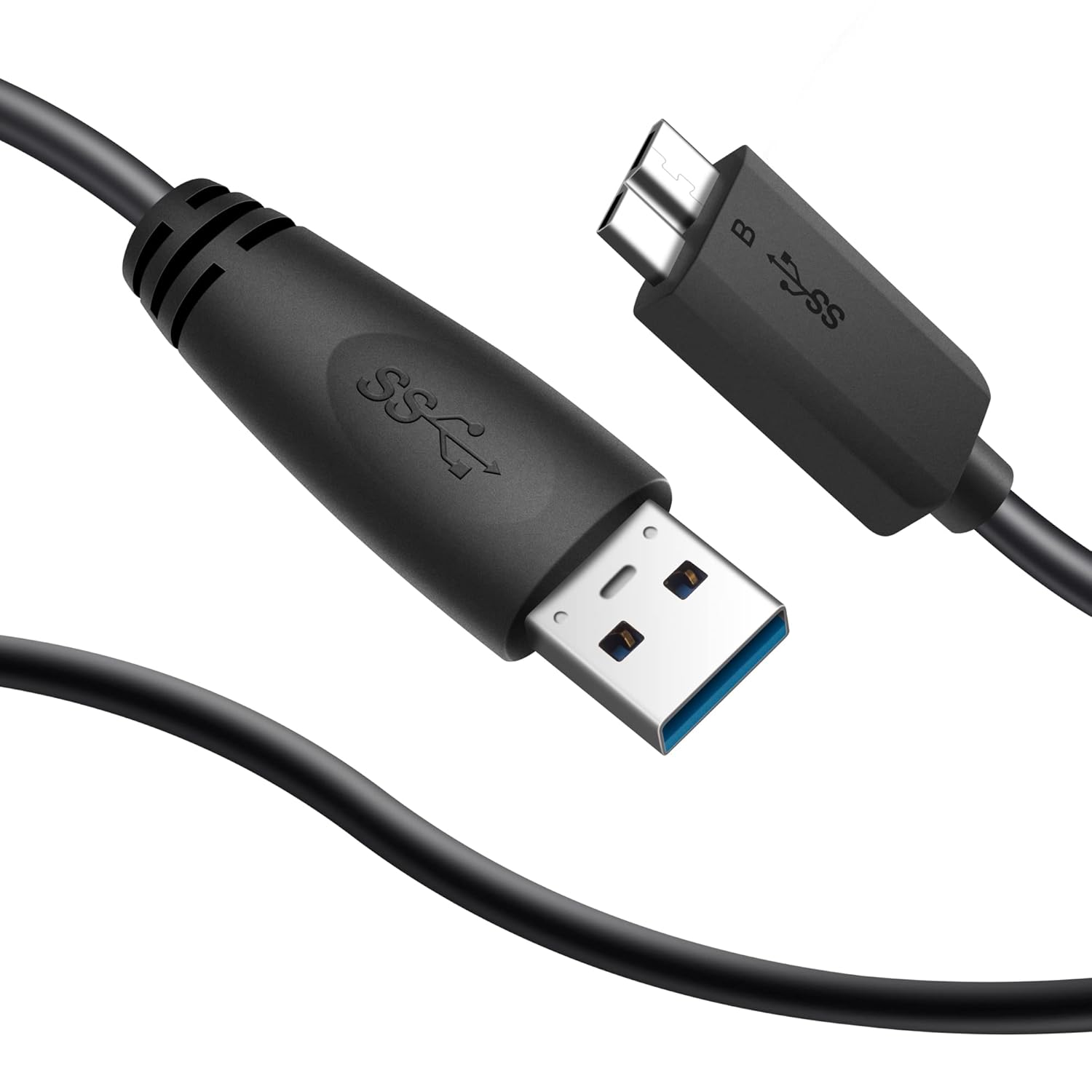
Obrázek: Podrobný view of the USB 3.0 cable, showing both the standard USB-A connector and the Micro-B connector for the hard drive.
3.2 Funkce „plug and play“
Upon connection, your operating system (Windows, Mac, Linux, Android) should automatically detect the drive. It is pre-formatted with ExFAT, allowing immediate use for most systems without additional setup.

Image: The UnionSine HD2513 external hard drive connected to a laptop, illustrating its plug-and-play functionality for data storage.
3.3 Reformatting (If Necessary)
While the drive is pre-formatted as ExFAT for broad compatibility, some older devices or specific applications may require reformatting to a different file system (e.g., NTFS for Windows, HFS+ for Mac). Consult your device's documentation for recommended file systems. Reformatting will erase all data on the drive, so ensure any important files are backed up beforehand.
4. Návod k obsluze
4.1 Přenos dat
Once connected and recognized by your system, the UnionSine HD2513 functions like any other storage device. You can transfer files od:
- Drag and Drop: Vybrat files or folders from your computer and drag them to the drive's icon or open folder.
- Kopírovat a vložit: Klikněte pravým tlačítkem na files/folders, select 'Copy', then navigate to the drive's folder, right-click, and select 'Paste'.
The USB 3.0 interface provides theoretical transfer speeds up to 5.0 Gbit/s (625 MB/s), significantly faster than USB 2.0.
4.2 Bezpečné odstranění
To prevent data corruption, always safely eject the hard drive before disconnecting it from your computer:
- Windows: Click the 'Safely Remove Hardware and Eject Media' icon in the system tray, then select the UnionSine drive.
- MacOS: Drag the drive icon from your desktop to the Trash, or click the 'Eject' button next to the drive in Finder.
- Linux: Right-click the drive icon on your desktop or file manager and select 'Eject' or 'Unmount'.
5. Údržba
Proper maintenance ensures the longevity and optimal performance of your external hard drive.
- Fyzikální péče: Avoid dropping the drive, exposing it to extreme temperatures, or liquids. The ABS material and slightly raised design offer some shock and compression resistance, but careful handling is recommended.
- Záloha dat: Regularly back up important data stored on the external drive to another location to prevent data loss in case of unforeseen issues.
- Defragmentace (Windows): For optimal performance of a mechanical hard disk drive (HDD), consider running disk defragmentation periodically. This reorganizes fragmented data, improving access speeds. (Note: This is not necessary for Solid State Drives (SSDs)).
- Čištění: Use a soft, dry cloth to clean the exterior of the drive. Avoid abrasive cleaners or solvents.

Image: The UnionSine HD2513 external hard drive, demonstrating its compact size and portability as it is placed into a bag.
6. Řešení problémů
6.1 Disk nebyl rozpoznán
- Ujistěte se, že je kabel USB bezpečně připojen k disku i k počítači.
- Zkuste připojit disk k jinému USB portu v počítači.
- Test the drive with a different USB cable, if available.
- Restartujte počítač a zkuste znovu připojit disk.
- Check your computer's Disk Management (Windows) or Disk Utility (macOS) to see if the drive is detected but uninitialized or unformatted.
6.2 Nesrovnalost kapacity
It is common for the reported capacity of a hard drive to appear slightly lower than its advertised capacity. This is due to different measurement standards used by manufacturers and operating systems:
- Manufacturers define 1GB = 1,000,000,000 bytes.
- Operating systems typically define 1GB = 1,073,741,824 bytes (1024^3 bytes).
Napřample, a 250GB drive (manufacturer's definition) will appear approximately as 232GB on your computer.
6.3 Pomalé přenosové rychlosti
- Ensure the drive is connected to a USB 3.0 port on your computer. Connecting to a USB 2.0 port will limit speeds to USB 2.0 standards.
- Ověřte, zda jsou ovladače USB 3.0 vašeho počítače aktuální.
- Vyhněte se přenosu velkého množství malých filesoučasně, protože to může být pomalejší než přenos několika velkých files.
- Close other applications that might be heavily using system resources or other storage devices during transfer.
7. Specifikace
Detailed technical specifications for the UnionSine HD2513 250GB External Hard Drive:
| Značka | UnionSine |
| Číslo modelu | HD2513 (Item model number: 630808446757) |
| Digitální kapacita úložiště | 250 GB |
| Popis pevného disku | Mechanical Hard Disk (HDD) |
| Pevný disk Form Factor | 2.5 palce |
| Rychlost otáčení pevného disku | 5400 ot./min |
| Rozhraní pevného disku | USB 2.0/3.0 |
| Technologie připojení | USB |
| Kompatibilní zařízení | Stolní počítač, Herní konzole, Notebook, Televize |
| Barva | Černý |
| Speciální funkce | Kompaktní |
| Rozměry produktu (DxŠxV) | 11.6 x 8 x 1.3 cm |
| Hmotnost položky | 222 g |
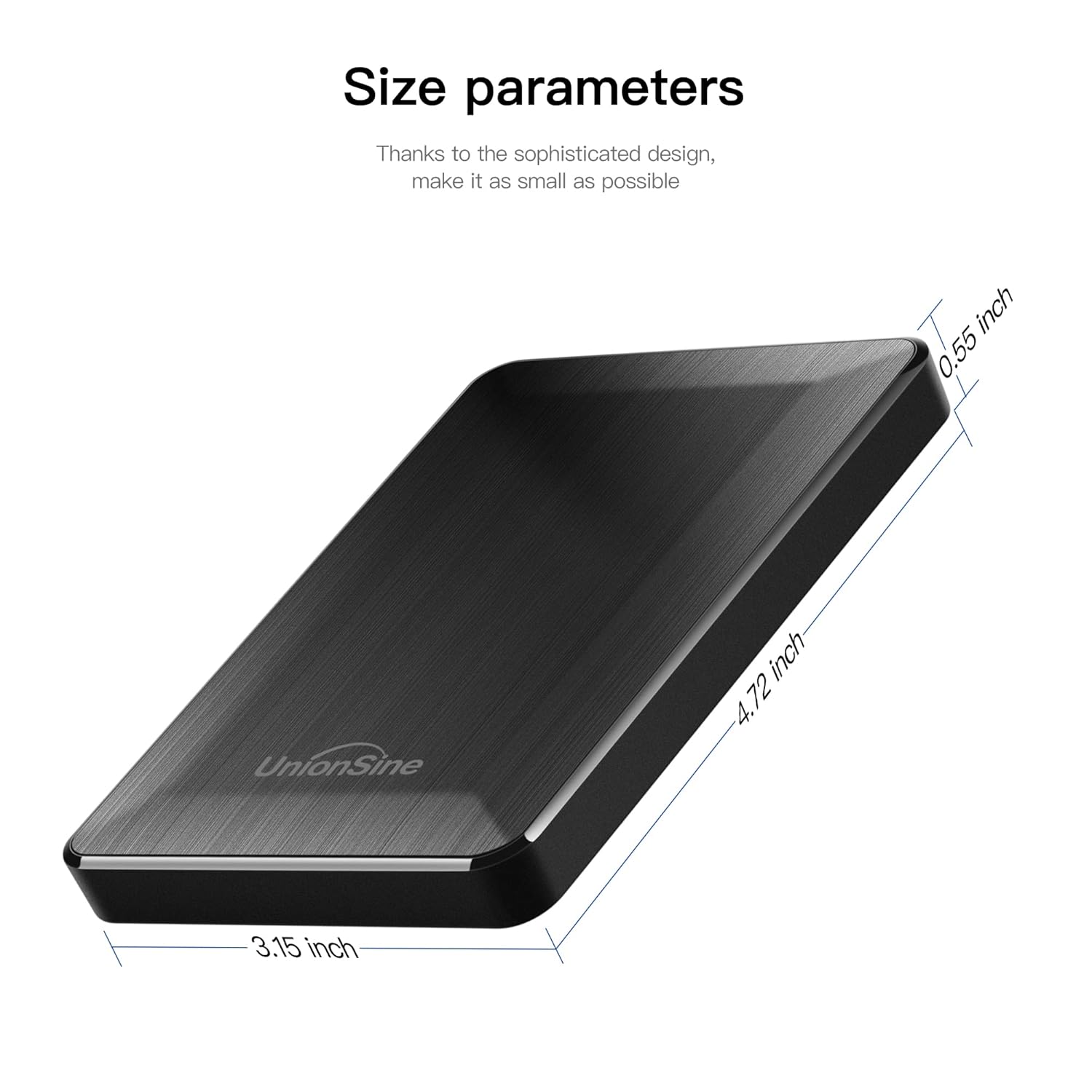
Image: The UnionSine HD2513 external hard drive, highlighting its compact dimensions: 3.15 inches width, 4.72 inches length, and 0.55 inches thickness.
8. Záruka a podpora
The UnionSine HD2513 Portable External Hard Drive comes with a 3letá záruka výrobce. For technical support or warranty claims, please refer to the contact information provided with your purchase documentation or visit the official UnionSine webmísto.

