Zavedení
Thank you for choosing the HyperGear ChargePad Pro 15W Wireless Charging Pad. This device is designed to provide efficient and convenient wireless charging for all Qi-enabled devices, including various iPhone and Android models, as well as wireless earbuds. Please read this manual carefully to ensure proper use and optimal performance.
Co je v krabici
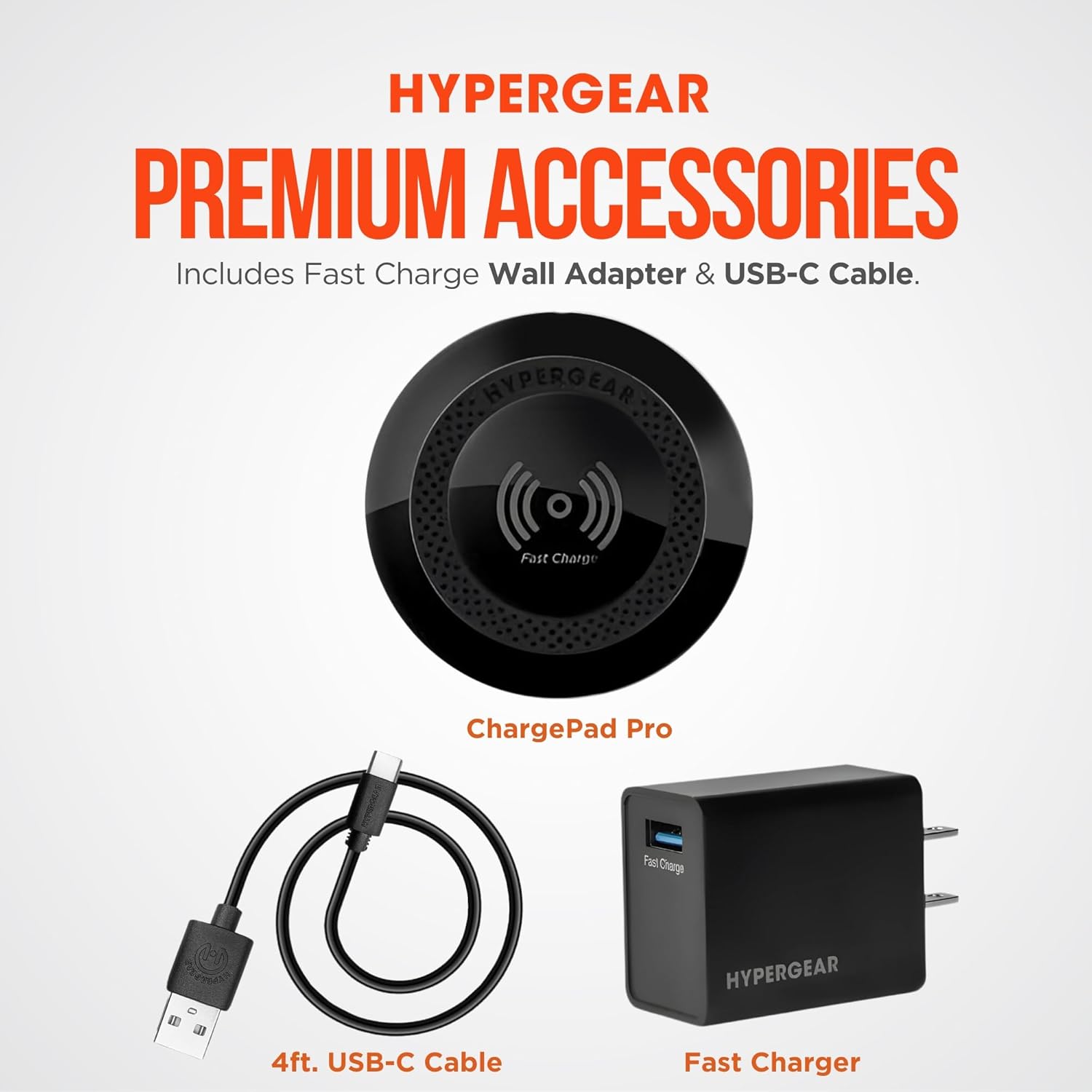
Ověřte, zda jsou v balení přítomny všechny položky:
- HyperGear ChargePad Pro Wireless Charging Pad
- USB Type-C Cable (4ft)
- Fast Charge Wall Adapter (USB-C connector)
Pokyny pro nastavení
- Připojte nabíjecí podložku: Insert the USB Type-C cable into the port on the HyperGear ChargePad Pro.
- Připojení k napájení: Plug the other end of the USB Type-C cable into the provided Fast Charge Wall Adapter. Insert the wall adapter into a standard electrical outlet.
- Indikátor napájení: The LED power indicator on the charging pad will briefly illuminate to confirm it is receiving power.

Návod k obsluze
- Umístěte své zařízení: Position your Qi-enabled smartphone or wireless earbuds centrally on the HyperGear ChargePad Pro. Ensure the device is aligned with the charging coil for optimal performance.
- Potvrzení nabíjení: Your device's screen should indicate that it is charging. The LED power indicator on the ChargePad Pro will also illuminate steadily during active charging.
- Kompatibilita pouzdra: The ChargePad Pro is designed to charge through most phone cases up to 3mm thick. Cases containing metal, magnets, or those thicker than 3mm may interfere with wireless charging.
- Rychlé nabíjení: The pad supports up to 15W fast wireless charging for compatible Android devices and 7.5W fast charging for compatible iPhones.
- Tichý provoz: The ChargePad Pro operates silently, making it suitable for use in bedrooms or quiet office environments. The LED indicator is designed to be minimal to avoid disturbance.


Údržba
- Čištění: Disconnect the charging pad from the power source before cleaning. Wipe the surface with a soft, dry, lint-free cloth. Do not use abrasive cleaners, solvents, or chemical agents.
- Skladování: Pokud zařízení nepoužíváte, skladujte ho na chladném a suchém místě mimo dosah přímého slunečního záření a extrémních teplot.
Odstraňování problémů
| Problém | Možná příčina | Řešení |
|---|---|---|
| Zařízení se nenabíjí | Not properly connected to power; device not aligned; incompatible case; device not Qi-enabled. | Ensure the charging pad is securely plugged into a working outlet. Reposition your device centrally on the pad. Remove any thick or metallic cases. Verify your device supports Qi wireless charging. |
| Pomalé nabíjení | Device misalignment; case interference; using a non-fast charge adapter. | Ensure optimal device placement. Remove cases thicker than 3mm or those with metal/magnets. Use the provided Fast Charge Wall Adapter for best results. |
| LED indikátor nesvítí | No power; faulty connection. | Check power connections. Try a different outlet. Ensure the USB-C cable is fully inserted into both the pad and the adapter. |
Specifikace
| Funkce | Detail |
|---|---|
| Číslo modelu | 15653 |
| Rozměry produktu | 5.12 x 1.38 x 7.48 palce |
| Hmotnost položky | 7.2 unce |
| Vstupní objemtage | 120 voltů |
| Wattage | 7.5 watts (Output up to 15W) |
| Typ konektoru | USB typ C |
| Kompatibilní zařízení | Qi-Enabled Devices |
| Speciální funkce | 15W Wireless Fast Charge, LED Power Indicator, Quiet Operation |
| Barva | Černý |
Bezpečnostní informace
VAROVÁNÍ: This product can expose you to chemicals, including lead, which is known to the State of California to cause cancer and birth defects or other reproductive harm. For more information, go to www.P65Warnings.ca.gov.
- Zařízení nerozebírejte ani neupravujte.
- Avoid exposure to extreme temperatures, direct sunlight, or humid environments.
- Uchovávejte mimo dosah dětí.
- Do not place metal objects, credit cards, or other foreign objects between the charging pad and your device during charging.
Záruka a podpora
For warranty information or technical support, please visit the official HyperGear webnebo kontaktujte jejich oddělení zákaznických služeb. Více informací a kontaktní údaje naleznete na HyperGear Store on Amazon.


