1. Úvod
The Carson MiniScout 7x18mm Ultra Compact Porro Prism Binoculars (Model JD-718) are designed for portability and ease of use, offering 7x magnification in a lightweight and compact form factor. These binoculars are suitable for various outdoor activities, sporting events, and concerts.
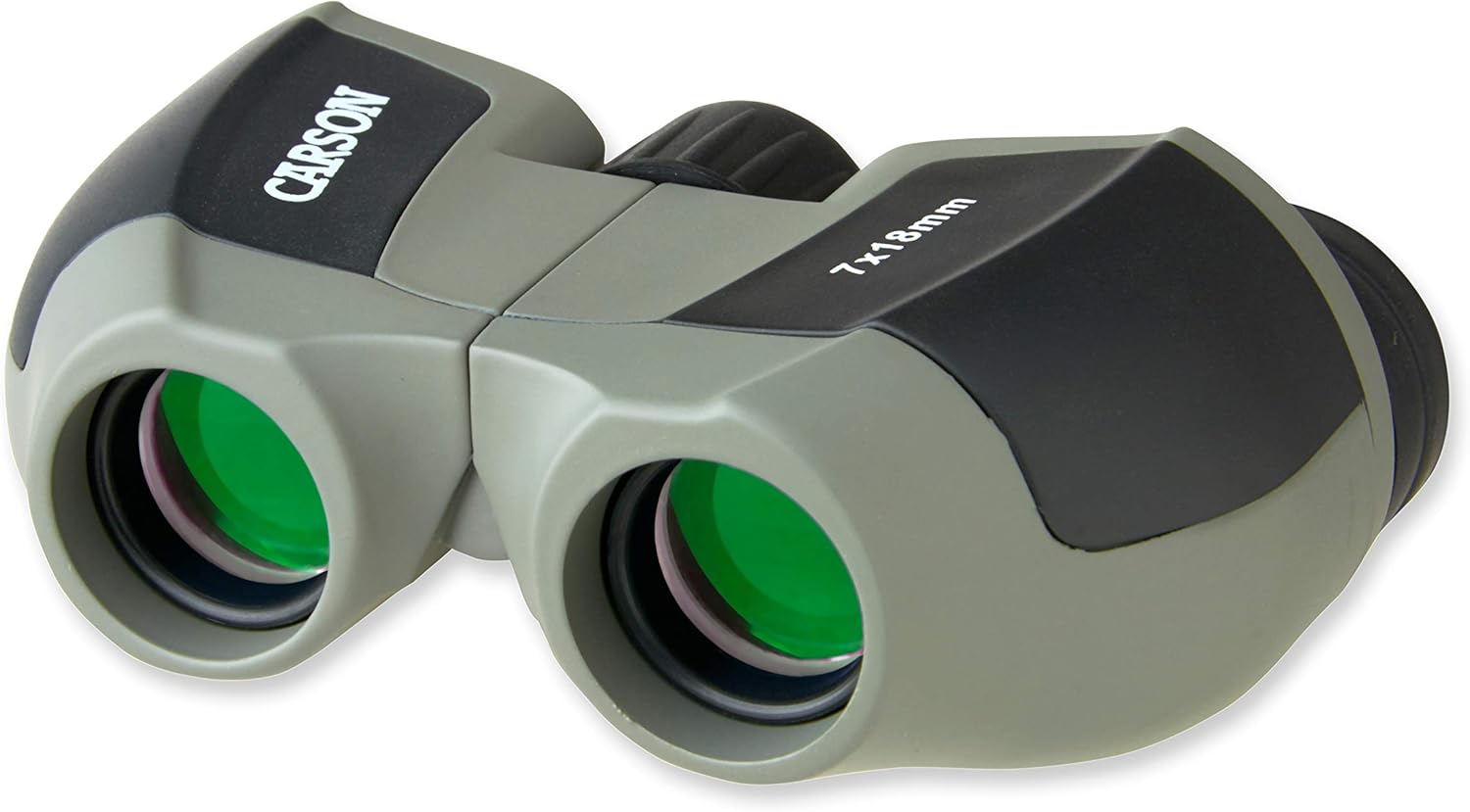
Obrázek 1.1: Přední strana view of the Carson MiniScout 7x18mm Binoculars.

Image 1.2: The compact size of the MiniScout binoculars, shown held in a hand.
2. Obsah balení
Ověřte, zda jsou v balení přítomny všechny položky:
- Carson MiniScout 7x18mm Binoculars
- Měkké pouzdro
- Řemínek na zápěstí
- objektiv Cloth

Image 2.1: The MiniScout binoculars along with their soft pouch, wrist strap, and lens cloth.
3. Nastavení
3.1. Nastavení mezioční vzdálenosti
Hold the binoculars with both hands and look through them. Adjust the distance between the two barrels by moving them closer together or further apart until you see a single, clear circular field of view. This ensures the binoculars are aligned with your eyes.
3.2. Zaostřování
The MiniScout binoculars feature a center focus knob and an independent right diopter adjustment for precise focusing.
- First, close your right eye and look through the left eyepiece. Rotate the center focus knob dokud není obraz ostrý a jasný.
- Next, close your left eye and look through the right eyepiece. Rotate the right diopter adjustment ring (located on the right eyepiece) until the image is sharp and clear.
- Now, with both eyes open, the binoculars should be correctly adjusted for your vision. Use the center focus knob for general focusing on different distances.

Obrázek 3.1: Zadní strana view of the MiniScout binoculars, highlighting the center focus knob and right diopter adjustment.
4. Obsluha dalekohledu
Once adjusted, the MiniScout binoculars are ready for use. Hold them steady and use the center focus knob to bring distant objects into sharp view. Their ultra-compact design makes them ideal for quick observations during travel, hiking, or at events.
Video 4.1: Overview of the Carson Scout Series Binoculars, including the MiniScout model, demonstrating their features and portability.
5. Údržba
5.1. Čištění čoček
Use the provided lens cloth or a soft, lint-free cloth to gently wipe the lenses. For stubborn smudges, a small amount of lens cleaning fluid designed for optics can be applied to the cloth, not directly to the lens. Avoid using abrasive materials or excessive force, as this can scratch the lens coatings.
5.2. Skladování
When not in use, store the binoculars in the soft pouch to protect them from dust, dirt, and minor impacts. Store in a cool, dry place away from direct sunlight and extreme temperatures.
6. Řešení problémů
- Rozmazaný obrázek: Ensure both the interpupillary distance and diopter settings are correctly adjusted for your eyes. Re-adjust the center focus knob for the specific distance of the object you are viewIng.
- Dvojitý obraz: This usually indicates incorrect interpupillary distance. Adjust the barrels until a single, merged image is seen.
- Výkon při slabém osvětlení: While the MiniScout binoculars have fully coated lenses, their compact objective lens diameter (18mm) means they gather less light than larger binoculars. Performance in very low light conditions will be limited.
7. Specifikace
| Funkce | Specifikace |
|---|---|
| Zvětšení | 7x |
| Průměr objektivu | 18 mm |
| Typ hranolu | Porro Prism (BK-7) |
| Coating Coating | Plně potažené |
| Oční úleva | 10.5 mm |
| Pole View (na 1,000 yardů) | 489 stop |
| Blízká zaostřovací vzdálenost | 8.2 stop |
| Rozměry (D x Š x V) | 3.5 x 2.75 x 1.5 palce |
| Hmotnost | 4.5 unce |
| Číslo modelu | JD-718 |
8. Záruka a podpora
This Carson Optical product is backed by Carson's "No Fault, No Hassle" warranty against defects in materials and workmanship. For detailed warranty information or technical support, please visit the official Carson Optical webnebo kontaktujte jejich oddělení zákaznických služeb.
Pro další pomoc můžete navštívit Obchod Carson na Amazonu.


