1. Úvod
Thank you for choosing the JOLIKE M1 Wearable MP3 Player. This device is designed for portable music enjoyment and recording, featuring a full touch screen and Bluetooth 5.2 connectivity. Its compact and wearable design makes it ideal for various activities such as hiking, jogging, and cycling. This manual provides detailed instructions for setup, operation, maintenance, and troubleshooting to ensure optimal performance and longevity of your device.

Image: The JOLIKE M1 MP3 Player, showcasing its wearable design and digital display.
2. Klíčové vlastnosti
- Nositelný design: Compact and lightweight, designed to be worn on the wrist for convenience during activities.
- Plně dotykový displej: 1.77-inch HD full touch screen for intuitive navigation and control.
- Připojení Bluetooth 5.2: Ensures stable and efficient wireless connection to Bluetooth earphones and speakers.
- 32GB interní úložiště: Ample space to store thousands of music files, effectively creating a portable music library.
- One-Click Voice Recording: Features a dedicated button for quick recording and voice-activated recording with a professional DAC noise reduction chip for clear audio.
- Dlouhá výdrž baterie: Equipped with a 300mAh Li-ion battery providing up to 12 hours of continuous Bluetooth playback.
- Rychlé nabíjení: Quick charging capability to minimize downtime.

Image: Multi-functional interface of the JOLIKE M1 MP3 Player, highlighting its touch screen capabilities.

Image: Visual summary of key features including screen size, design, Bluetooth version, battery capacity, charging time, storage, and playback duration.
3. Průvodce nastavením
3.1. Počáteční nabíjení
Before first use, fully charge the device. Use the provided USB cable to connect the MP3 player to a computer's USB port or a compatible USB wall adapter (not included).
- Connect the small end of the USB cable to the charging port on the MP3 player.
- Connect the standard USB end to a power source.
- The screen will indicate charging status. A full charge typically takes approximately 1.5 hours.
3.2. Attaching the Wristband
The wristband may need to be attached upon unboxing. Carefully align the pins of the wristband with the holes on the MP3 player's body and secure them.
3.3. Zapnutí/vypnutí
- Zapnutí: Stiskněte a podržte tlačítko napájení (obvykle umístěné na boku), dokud se obrazovka nerozsvítí.
- Vypnutí: Stiskněte a podržte tlačítko napájení, dokud se na obrazovce nezobrazí možnost vypnutí, poté potvrďte.
3.4. Výběr jazyka
Upon first power-on, you may be prompted to select your preferred language. Follow the on-screen instructions to choose English or another desired language.
4. Návod k obsluze
4.1. Navigace v rozhraní
The JOLIKE M1 features a full touch screen. Swipe left/right or up/down to navigate through menus and tap icons to select functions.
4.2. Přenos hudby Files
To add music to your MP3 player:
- Připojte MP3 přehrávač k počítači pomocí dodaného kabelu USB.
- Zařízení se v počítači zobrazí jako vyměnitelná disková jednotka.
- Přetáhněte požadovanou hudbu files (e.g., MP3, WAV, FLAC) into the designated music folder on the device.
- Jednou filePokud se přenášejí data, před odpojením kabelu USB bezpečně vyjměte zařízení z počítače.
4.3. Přehrávání hudby
- From the main menu, tap the "Music" icon.
- Browse your music library by artist, album, song, or folder.
- Klepnutím na skladbu spustíte přehrávání.
- Use the on-screen controls for play/pause, skip track, and volume adjustment.
4.4. Připojení Bluetooth
The Bluetooth function supports connecting to Bluetooth earphones and speakers only.
- Ensure your Bluetooth earphones or speaker are in pairing mode.
- On the MP3 player, go to the main menu and tap the "Bluetooth" icon.
- Turn Bluetooth on. The device will scan for available Bluetooth devices.
- Select your device from the list to pair. Once paired, audio will be routed through the connected Bluetooth device.
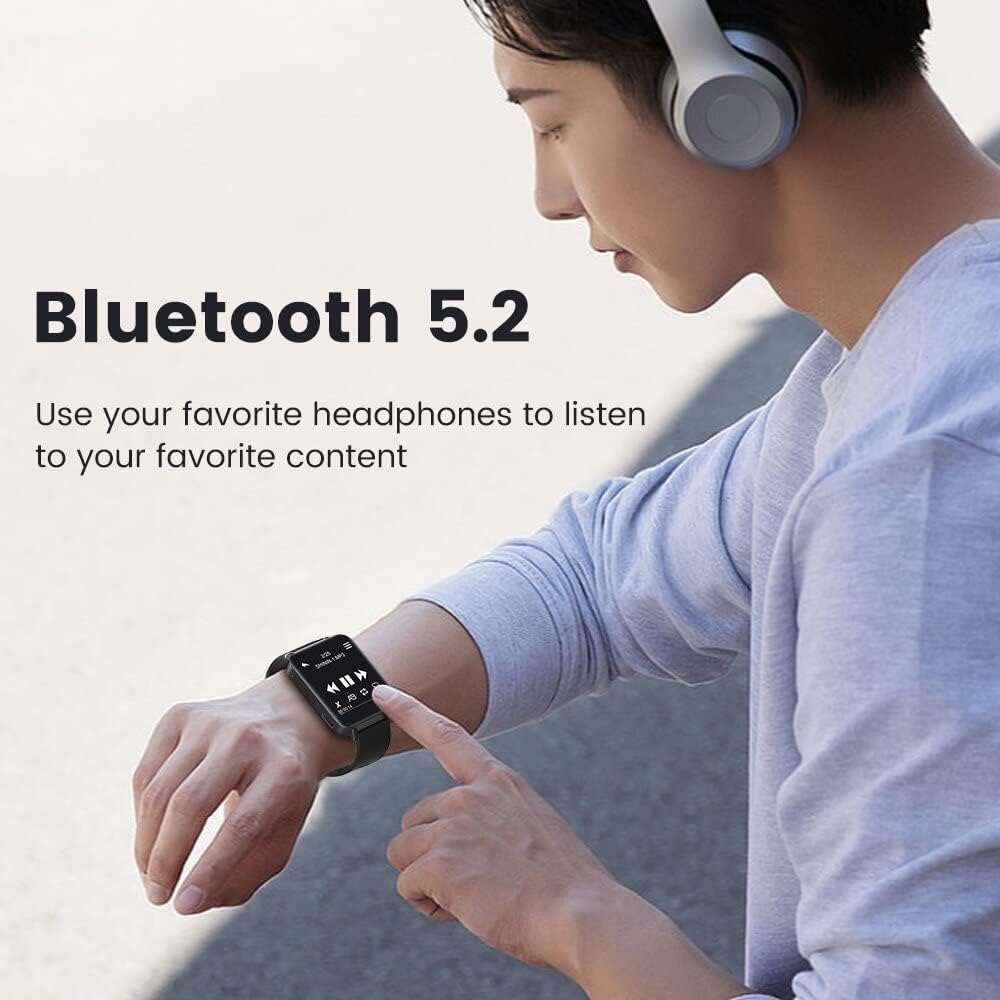
Image: Demonstrating Bluetooth 5.2 connectivity for wireless audio playback.
4.5. Hlasový záznam
The device supports one-click recording and voice-activated recording.
- Nahrávání jedním kliknutím: Locate the dedicated REC/Save button (often a physical button on the side). Press it to start recording. Press again to save the recording.
- Voice-Activated Recording: Enable this feature in the recorder settings. The device will automatically start recording when sound is detected and pause when there is no sound, optimizing storage and power.
- Recordings are saved in high-definition audio (up to 3072kbps) thanks to the professional DAC noise reduction chip.

Image: The one-button recording feature in action, showing the recording interface.
5. Údržba
5.1. Čištění zařízení
- K čištění obrazovky a těla zařízení použijte měkký, suchý hadřík, který nepouští vlákna.
- Nepoužívejte abrazivní čisticí prostředky, alkohol ani chemická rozpouštědla, protože by mohly poškodit povrch.
- Zabraňte vniknutí vlhkosti do jakýchkoli otvorů.
5.2. Péče o baterie
- Chcete-li prodloužit životnost baterie, vyvarujte se častého úplného vybíjení.
- Pokud zařízení delší dobu nepoužíváte, skladujte jej na chladném a suchém místě.
- Charge the device periodically if stored for a long time to prevent deep discharge.
5.3. Skladování
Store the MP3 player in a safe place away from extreme temperatures, direct sunlight, dust, and moisture. Keep it away from strong magnetic fields.
6. Řešení problémů
| Problém | Možná příčina | Řešení |
|---|---|---|
| Zařízení se nezapne. | Slabá baterie; zařízení zamrzlo. | Charge the device for at least 10 minutes. If still unresponsive, try a soft reset (refer to manual for specific reset method, if available, or hold power button for 10-15 seconds). |
| Nelze se připojit k zařízení Bluetooth. | Bluetooth není povoleno; zařízení není v režimu párování; rušení. | Ensure Bluetooth is enabled on both devices. Put the earphones/speaker in pairing mode. Move closer to the device. Restart both devices. Note: Bluetooth only supports earphones/speakers. |
| Hudba files not playing or recognized. | Nepodporováno file formát; files not transferred correctly. | Zajistit hudbu files are in supported formats (e.g., MP3, WAV, FLAC). Re-transfer files to the correct folder on the device. |
| Krátká výdrž baterie. | Frequent use of Bluetooth; high volume; old battery. | Reduce volume. Minimize Bluetooth usage when not needed. Ensure full charge before use. Battery performance may degrade over time. |
| Dotyková obrazovka nereaguje. | Dočasná softwarová závada; znečištěná obrazovka. | Clean the screen with a soft cloth. Restart the device. If issue persists, contact customer support. |
7. Specifikace
| Funkce | Detail |
|---|---|
| Název modelu | M1 |
| Značka | JOLIKE |
| Kapacita paměti | 32 GB |
| Technologie připojení | Bluetooth 5.2 |
| Velikost obrazovky | 1.77 Inches (Full Touch Screen) |
| Speciální funkce | Wearable MP3 Player, Voice Recorder |
| Typ baterie | 1 lithiová kovová baterie (součástí balení) |
| Kapacita baterie | 300 mAh (přibližně) |
| Doba přehrávání | Up to 12 hours (continuous use with Bluetooth, approximate) |
| Doba nabíjení | Přibl. 1.5 hodin |
| Rozměry produktu | 1.65 x 1.34 x 0.04 palce |
| Hmotnost položky | 2.47 unce |
| Kompatibilní zařízení | XP (Home, Professional, with SP1, SP2, SP3), 32-bit / Windows 7-10 64-bit |
| Podporovaný typ média | MP3, WAV, FLAC (and other common audio formats) |
| Zahrnuté komponenty | USB kabel |

Obrázek: Dimenzionální přesview of the JOLIKE M1 MP3 Player.
8. Záruka a podpora
8.1. Informace o záruce
JOLIKE provides a 12-month money-back warranty for this product. This warranty covers manufacturing defects and product quality issues. Please retain your proof of purchase for warranty claims.
8.2. Zákaznická podpora
For any product quality issues, Bluetooth connection problems, or other inquiries, please do not hesitate to contact JOLIKE customer service. We are committed to 100% customer satisfaction.
Contact information can typically be found on the product packaging, the official JOLIKE webwebu nebo prostřednictvím prodejce, u kterého byl produkt zakoupen.
Můžete také navštívit JOLIKE Store on Amazon další informace a zdroje podpory.


