1. Úvod
This manual provides detailed instructions for the operation and maintenance of your Coby CVR42BK Portable Cassette Player and Recorder. Please read this manual thoroughly before using the device to ensure proper function and longevity.
2. Obsah balení
Ověřte, zda jsou v balení přítomny všechny níže uvedené položky:
- Coby CVR42BK Portable Cassette Player and Recorder
- Externí boom mikrofon
- 120V AC adaptér
- Uživatelská příručka (tento dokument)

Figure 2.1: Included items in the Coby CVR42BK package.
3. Konec produktuview
The Coby CVR42BK is a portable cassette player and recorder designed for both playback and one-touch recording. It features a built-in handle for portability and includes an external boom microphone for enhanced recording quality.

Figure 3.1: Coby CVR42BK Portable Cassette Player and Recorder.
3.1 Ovládací prvky a indikátory
Familiarize yourself with the controls and ports on your device:
- Tlačítko Přehrát: Initiates cassette playback.
- Tlačítko nahrávání: Activates recording function (requires a blank cassette).
- Tlačítko pro rychlé přehrávání vpřed: Rychle posune pásku vpřed.
- Tlačítko pro přetočení zpět: Rychle přetočí pásku zpět.
- Tlačítko Stop/Vysunout: Stops playback/recording and opens the cassette compartment.
- Ovládání hlasitosti: Upravuje hlasitost přehrávání.
- Jack pro sluchátka (3.5 mm): Pro soukromý poslech.
- Vstup pro externí mikrofon: Connects the included boom microphone.
- Port pro síťový adaptér: For connecting the 120V AC adapter.
- Přihrádka na baterie: Holds 4 C batteries for portable power.
4. Nastavení
4.1 Napájení zařízení
The CVR42BK can be powered by either the included AC adapter or 4 C batteries (not included).
- Napájení střídavým proudem: Connect the 120V AC adapter to the AC adapter port on the device and then plug it into a standard wall outlet.
- Napájení baterie: Open the battery compartment on the underside of the unit. Insert 4 C batteries, ensuring correct polarity (+/-). Close the compartment securely.

Figure 4.1: Power options for the CVR42BK.
4.2 Vkládání kazety
- Stiskněte tlačítko Zastavit / Vysunout tlačítko pro otevření dvířek kazetového prostoru.
- Insert a cassette tape with the open edge facing upwards and the tape side facing you.
- Gently close the cassette compartment door until it clicks shut.

Figure 4.2: Loading a cassette tape.
5. Návod k obsluze
5.1 Přehrávání kazety
- Ensure a cassette tape is loaded (refer to Section 4.2).
- Stiskněte tlačítko Hrát button. The tape will begin to play.
- Upravte Ovládání hlasitosti na požadovanou úroveň poslechu.
- Pro rychlý posun vpřed stiskněte Rychle vpřed tlačítko. Chcete-li přetočit zpět, stiskněte Přetočit zpět tlačítko.
- Přehrávání zastavíte stisknutím tlačítka Zastavit / Vysunout tlačítko.
- Pro soukromý poslech připojte sluchátka k 3.5mm konektoru pro sluchátka.
5.2 Recording Audio (One-Touch Recording)
The CVR42BK features one-touch recording and Automatic Level Control (ALC) to optimize recording levels.
- Load a blank or recordable cassette tape into the device. Note: Re-using older cassettes may affect sound quality. New cassettes are recommended for optimal results.
- Stiskněte tlačítko Záznam tlačítko. The Hrát button will also engage simultaneously. The device will begin recording audio from its built-in microphone or the connected external microphone.
- Nahrávání zastavíte stisknutím tlačítka Zastavit / Vysunout tlačítko.
- The device includes an auto-stop feature that will automatically stop recording when the tape reaches its end.
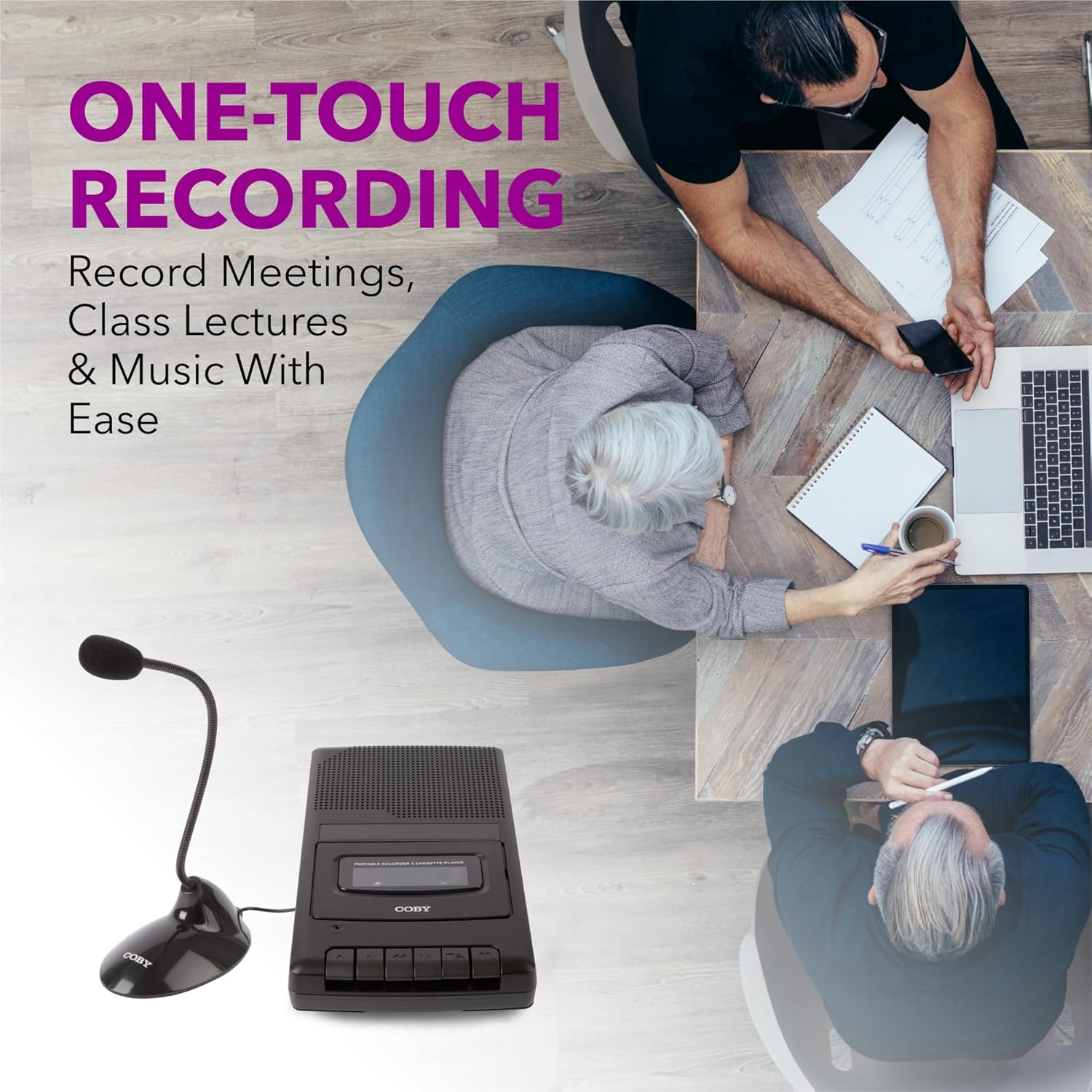
Figure 5.1: Using the CVR42BK for recording.
5.3 Using the External Boom Microphone
For higher quality recordings, especially for lectures or meetings, connect the included external boom microphone.
- Locate the external microphone input port on the CVR42BK.
- Plug the external boom microphone into this port.
- Position the microphone appropriately for the sound source you wish to record.
- Proceed with recording as described in Section 5.2. The device will automatically prioritize the external microphone when connected.

Figure 5.2: External boom microphone in use.
6. Údržba
- Čištění: K čištění vnější strany jednotky používejte měkký, suchý hadřík. Nepoužívejte tekuté čisticí prostředky ani rozpouštědla.
- Čištění magnetofonové hlavy: Periodically clean the tape heads with a specialized cassette head cleaning kit to ensure optimal sound quality and prevent tape damage.
- Skladování: When not in use for extended periods, remove batteries to prevent leakage. Store the device in a cool, dry place away from direct sunlight and extreme temperatures.
- Péče o kazetu: Store cassette tapes in their cases to protect them from dust and physical damage. Avoid exposing tapes to strong magnetic fields.
7. Řešení problémů
| Problém | Možná příčina | Řešení |
|---|---|---|
| Žádná síla | Napájecí adaptér není připojen nebo je vadný; baterie jsou vybité nebo nesprávně vložené. | Check AC adapter connection and power outlet. Replace batteries or ensure correct polarity. |
| Během přehrávání není slyšet žádný zvuk | Volume too low; headphones connected; tape head dirty; tape damaged. | Increase volume. Disconnect headphones. Clean tape heads. Try a different tape. |
| Nahrávání nefunguje | Tape is write-protected; tape is full; microphone not connected or faulty. | Ensure the write-protect tab on the cassette is intact. Use a blank tape. Check microphone connection. |
| Špatná kvalita zvuku | Dirty tape heads; old or damaged cassette tape; external interference. | Clean tape heads. Use a new or known-good cassette tape. Move away from electronic devices. |
| Tape not moving | Tape jammed; mechanism fault. | Gently open compartment and check for tape jams. If problem persists, contact support. |
8. Specifikace
| Číslo modelu | CVR42BK |
| Zdroj napájení | 120V AC Adapter (included) or 4 x 'C' Batteries (not included) |
| Vlastnosti | Automatic Level Control (ALC), One-Touch Recording, Fast Forward, Rewind, Volume Control, Auto-Stop |
| Mikrofon | Built-in microphone, External Boom Microphone (included) |
| Jack pro sluchátka | 3.5 mm stereo |
| Rozměry produktu (D x Š x V) | 10.2 x 5.83 x 1.97 palce (25.9 x 14.8 x 5 cm) |
| Hmotnost položky | 1.75 libry (0.79 kg) |
| UPC | 810071491450 |
9. Záruka a podpora
For warranty information or technical support, please refer to the warranty card included with your product or visit the official Coby webUschovejte si účtenku jako doklad o koupi pro případné reklamace.
Výrobce: Summit Electronics LLC


