Zavedení
Thank you for choosing the Hama Home X12CD Cross-Cut Paper Shredder. This device is designed for secure destruction of confidential documents, CDs, DVDs, Blu-rays, and plastic cards. It features a cross-cut mechanism for enhanced security (P-4 for paper) and separate collection bins for different materials. Please read this manual carefully before using the shredder to ensure safe and efficient operation.
Důležité bezpečnostní pokyny
- Přečtěte si všechny pokyny: Familiarize yourself with the operation and safety features before use.
- Uchovávejte mimo dosah dětí a domácích zvířat: The shredder has sharp blades. Keep hands, fingers, loose clothing, hair, and jewelry away from the feed opening.
- Zdroj energie: Connect the shredder only to a properly grounded power outlet (220-240V~).
- Vyhněte se aerosolům: Do not spray any aerosol products into or around the shredder.
- Odpojte, když se nepoužívá: Always unplug the shredder before cleaning, moving, or emptying the waste bin.
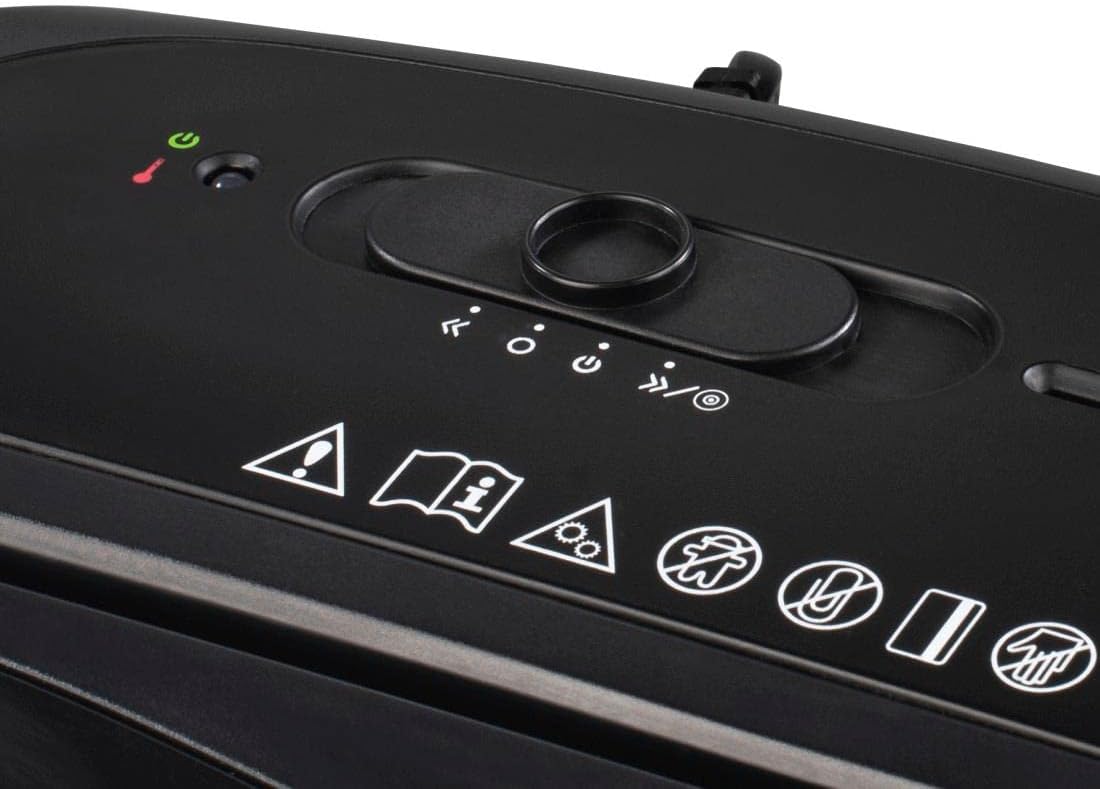
- Ochrana proti přehřátí: The shredder is equipped with an automatic overheat protection system. If it overheats, it will shut down automatically. Allow it to cool down for at least 30 minutes before resuming operation.
- Správné umístění: Ensure the shredder head is correctly seated on the waste bin for the device to operate. A safety device prevents operation if not properly inserted.
- Nepřetěžujte: Adhere to the maximum sheet capacity to prevent jams and damage.
Obsah balení
Zkontrolujte prosím, zda jsou všechny položky přítomny a v dobrém stavu:
- 1 x Hama Home X12CD Shredder Head
- 1 x 21-liter Waste Bin
- 1 x 0.8-liter Collection Bin for CD/DVD/Blu-ray
- 1 x Uživatelská příručka
Nastavení
- Rozbalit: Opatrně vyjměte všechny součásti z obalu.
- Umístění skartovačky: Umístěte drtič na rovný a stabilní povrch.
- Shromáždit: Place the shredder head securely onto the 21-liter waste bin. Ensure it is properly seated to activate the safety switch.
- Insert CD/DVD/Blu-ray Bin: Place the smaller 0.8-liter collection bin into its designated slot within the main waste bin, directly under the CD/DVD/Blu-ray shredding slot.
- Připojte napájení: Plug the power cord into a standard 220-240V~ electrical outlet.

Návod k obsluze
Control Switch Functions:
- AUTO (I): The shredder is in standby mode. It will automatically start when paper or other media is inserted and stop once shredding is complete.
- VYP (O): Skartovačka je vypnutá.
- REV (R): Activates the reverse function, useful for clearing paper jams.
Skartování papíru:
- Set the control switch to AUTO (I). The green "Power" LED will illuminate.
- Insert up to 12 sheets of 80g/m² A4 paper into the paper feed slot. The shredder will automatically start and shred the paper into 4 x 40 mm cross-cut particles.
- Skartovačka si poradí i se sponkami.
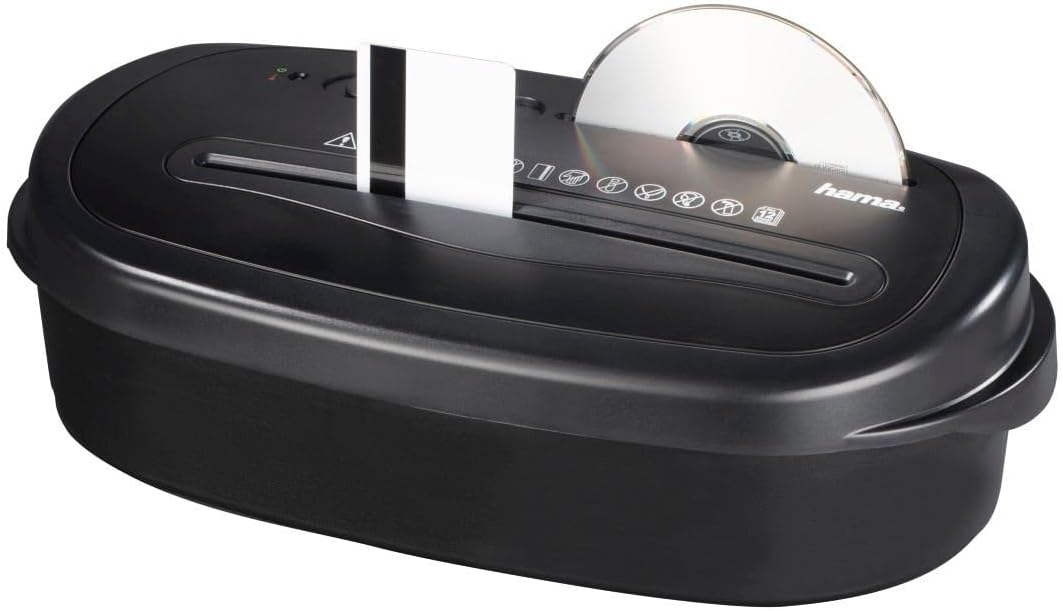
Shredding CDs/DVDs/Blu-rays and Plastic Cards:
- Set the control switch to AUTO (I).
- For CDs/DVDs/Blu-rays, insert one disc at a time into the dedicated CD/DVD/Blu-ray slot. The disc will be shredded into 30 mm strips and collected in the separate 0.8-liter bin.
- For plastic cards (e.g., credit cards), insert one card at a time into the paper feed slot. The card will be cross-cut into 4 x 40 mm particles.

Continuous Operation and Overheat Protection:
The shredder is designed for a maximum continuous operation time of 2 minut. After this period, or if the motor temperature becomes too high, the shredder will automatically shut off, and the red "Overheat" LED will illuminate. Allow the shredder to cool down for approximately 30 minut before resuming operation. This protects the motor from damage.
Údržba
- Vyprázdnění odpadkového koše: Regularly check and empty the 21-liter paper waste bin and the 0.8-liter CD/DVD/Blu-ray collection bin to prevent jams and ensure optimal performance. Always unplug the shredder before emptying.
- Cleaning the Shredder: Disconnect the power cord. Use a soft, dry cloth to clean the exterior of the shredder. Do not use abrasive cleaners or solvents. Do not allow liquids to enter the shredder head.
- Oiling the Cutting Blades: For optimal performance and longevity of cross-cut shredders, it is recommended to oil the cutting blades periodically (e.g., after every 30 minutes of cumulative shredding or once a month with regular use). Use specialized shredder oil sheets or liquid shredder oil applied to a sheet of paper.
Odstraňování problémů
| Problém | Možná příčina | Řešení |
|---|---|---|
| Skartovačka se nezapne. |
|
|
| Zaseknutý papír. |
|
|
| Drtič se během provozu zastaví. |
|
|
Technické specifikace
- Model: Home X12CD (50544)
- Typ skartace: Cross-Cut (Paper, Plastic Cards), Strip-Cut (CD/DVD/Blu-ray)
- Velikost skartovaného papíru: 4 x 40 mm
- CD/DVD/Blu-ray Shred Size: 30 mm strips
- Úroveň zabezpečení (DIN 66399): P-4 (Paper), E-3 (Electronic Data), T-4 (Optical Media)
- Max. Sheet Capacity (80g/m²): 12 listů
- Max. Insertion Width: 220 mm (Paper) / 120 mm (CD/DVD/Blu-ray)
- Kapacita odpadkového koše: 21 Liters (Paper), 0.8 Liters (CD/DVD/Blu-ray)
- Hladina hluku: <72 dB
- Max. Continuous Operation Time: 2 minut
- Nominal Rest Period: 30 minut
- Napájení: 220 - 240 V ~
- Max. Spotřeba energie: 529 W
- Rozměry (Š x H x V): 36.2 x 19.5 x 45.2 cm
- Barva: Černý
Záruka a podpora
Hama products are covered by a limited warranty. For detailed warranty information, please refer to the warranty card included with your product or visit the official Hama website. For technical support, spare parts, or service inquiries, please contact your retailer or the Hama customer service department. Keep your purchase receipt as proof of purchase.


