
AirTurn DUO500
Návod k obsluze tichého Bluetooth pedálu AirTurn DUO500
Model: DUO500 | Brand: AirTurn
Zavedení
The AirTurn DUO500 is a state-of-the-art silent Bluetooth pedal designed to provide hands-free control for various applications on tablets, phones, and computers. This versatile device enhances performance and productivity for musicians, presenters, and content creators by allowing seamless page turning, teleprompting, and app control without interrupting your workflow.
Featuring Bluetooth 5 connectivity, the DUO500 offers an extended wireless range and impressive battery life, ensuring reliable operation during long sessions. Its durable, non-mechanical switches provide silent, tactile feedback, making it ideal for quiet environments.
Klíčové vlastnosti
- NEW & IMPROVED: Powerful Bluetooth 5 for 200+ feet wireless range and 200+ hours of battery life per charge.
- ENDLESS APPS: Compatible with hundreds of apps for page turning, teleprompting, music reading, lyric/tab scrolling, triggering backing tracks, MIDI commands, audio/lighting cues, photo/video capture, and live streaming.
- SILENT-TACTILE: Completely silent, tactile operation, perfect for intimate performances and studio sessions.
- UNIVERZÁLNÍ: Features a removable handheld remote. Create custom commands for almost any app using keystrokes, macros, mouse clicks, or MIDI with the free AirTurn Manager.
- ODOLNÝ: Constructed from a virtually indestructible polymer blend with non-mechanical switches for long-lasting reliability.
Konec produktuview
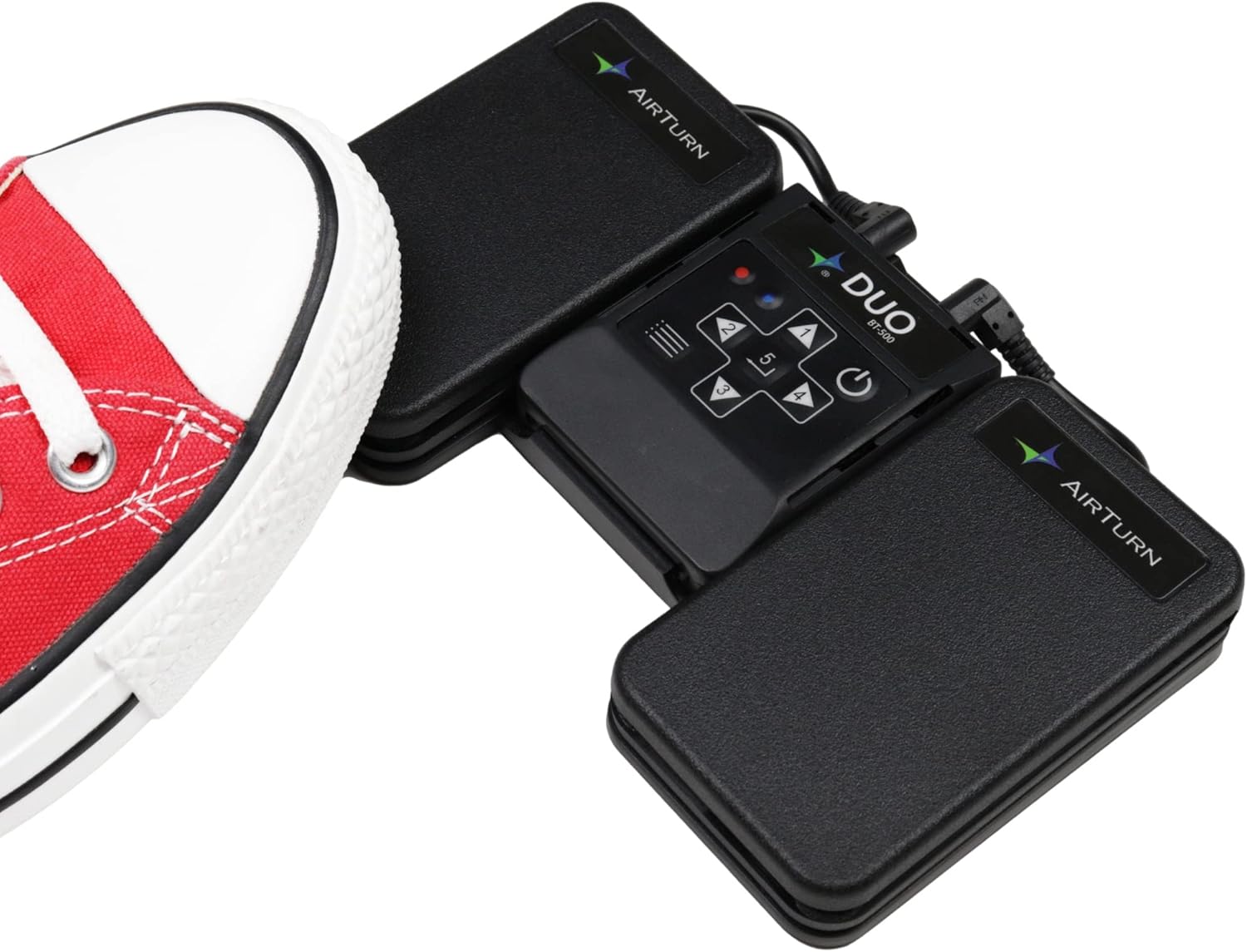
Figure 1: The AirTurn DUO500 pedal with a shoe demonstrating its use for hands-free operation.

Figure 2: The DUO500's wireless connectivity to various devices, including laptops, desktops, and tablets, highlighting its versatility.

Obrázek 3: Overview of the DUO500's core features, including its internal rechargeable battery, silent non-mechanical switches, durable injection-molded polymer construction, and seven operational modes.

Obrázek 4: Detailní záběr view illustrating the silent and gentle switch action of the DUO500, designed for comfortable foot operation.

Figure 5: A detailed diagram labeling the key components of the DUO500, including its various ports, LED indicators, and control buttons.

Figure 6: The DUO500's central unit detached, demonstrating its functionality as a removable handheld remote controller.
Průvodce nastavením
1. Nabíjení zařízení
Before first use, fully charge your AirTurn DUO500. Connect the provided USB-C charging cable to the charging port on the device (refer to Figure 5) and plug the other end into a compatible USB power source. The Power LED will indicate charging status.
2. Zapnutí/vypnutí
- To power on: Press and hold the Power button (refer to Figure 5) until the Power LED illuminates.
- To power off: Press and hold the Power button until the Power LED turns off.
3. Párování Bluetooth
- Ensure your DUO500 is powered on and the Bluetooth LED is blinking rapidly, indicating it's in pairing mode.
- On your host device (tablet, phone, or computer), navigate to the Bluetooth settings.
- Look for "DUO500" in the list of available devices and select it to pair.
- Once successfully paired, the Bluetooth LED on the DUO500 will stop blinking rapidly and remain steadily lit.
Video 1: Demonstrates the seamless Bluetooth pairing process of the AirTurn DUO500 with various devices, showcasing its ease of connection for immediate use.
Video 2: A step-by-step guide on how to connect the AirTurn DUO500, specifically highlighting its use as a music page turner for tablets.
Návod k obsluze
Použití pedálů
The DUO500 features two main pedals for control:
- Pravý pedál: Typically used to advance pages, scroll forward, or trigger the next command.
- Levý pedál: Typically used to go back pages, scroll backward, or trigger the previous command.
The silent-tactile switches ensure a quiet operation, ideal for performance environments where audible clicks are undesirable.
Handheld Remote Functionality
The central unit of the DUO500 can be detached and used as a handheld remote controller. This allows for flexible control when foot operation is not convenient. The buttons on the handheld keypad (refer to Figure 5) correspond to the pedal functions and additional controls.
Customizing with AirTurn Manager
For advanced customization, download the free AirTurn Manager app. This app allows you to:
- Set keystrokes, macros, mouse clicks, or MIDI commands for each pedal/button.
- Upravte funkce, jako je automatické opakování, doba nečinnosti, režim nízké spotřeby energie nebo rychlé odezvy a potlačení odskoku.
- Vyberte typ spínače: Okamžitý, Blokovací, Pulzní nebo Příkazový.
Údržba
- Čištění: K čištění zařízení používejte měkký, suchý hadřík. Nepoužívejte abrazivní čisticí prostředky ani rozpouštědla.
- Skladování: Store the DUO500 in a cool, dry place away from direct sunlight and extreme temperatures.
- Péče o baterie: To prolong battery life, avoid fully discharging the device frequently. Recharge regularly, especially if storing for extended periods.
Odstraňování problémů
| Problém | Možná příčina | Řešení |
|---|---|---|
| Zařízení se nezapíná. | Slabá baterie. | Nabijte zařízení pomocí kabelu USB-C. |
| Nelze spárovat přes Bluetooth. | Bluetooth not enabled on host device; device not in pairing mode; interference. | Ensure Bluetooth is on and the DUO500's LED is blinking rapidly. Move closer to the device. Restart both devices. |
| Pedals not responding in app. | Incorrect app settings; device not properly paired; app not compatible. | Check app settings for pedal control. Re-pair the device. Verify app compatibility with AirTurn. |
| LEDs are too bright. | Normální provoz. | If distracting, a small piece of opaque tape can be placed over the LEDs. |
Specifikace
| Funkce | Detail |
|---|---|
| Číslo modelu | DUO500 |
| Protokol připojení | Bluetooth 5 |
| Bezdrátové Dosah | 200+ stop |
| Životnost baterie | 200+ hodin na jedno nabití |
| Typ baterie | 1 lithium-polymerová baterie (dobíjecí) |
| Nabíjecí port | USB-C |
| Typ přepínače | Non-mechanical, silent-tactile |
| Materiál | Virtually indestructible polymer blend |
| Hmotnost položky | 12.6 unce |
| Rozměry balení | 7.91 x 4.84 x 1.73 palce |
| UPC | 682157956319 |
Záruka a podpora
The AirTurn DUO500 comes with a 2leté krytí with product registration (includes battery). For product registration and to view full warranty details, please visit the official AirTurn webmísto.
For technical assistance or any inquiries, AirTurn offers live technical support from Boulder, Colorado. Please refer to the contact information provided on the official AirTurn website or your product packaging for support channels.
Visit the AirTurn Store: AirTurn Official Store
Ask a question about this manual
Ask about setup, troubleshooting, compatibility, parts, safety, or missing instructions. Manuals+ will review the question and use this page’s manual context to help answer it.