Zavedení
Thank you for choosing the Nedis SmartLife Wireless Camera System SLNVR201CWT. This system is designed to provide comprehensive home security with advanced features. This manual will guide you through the installation, operation, and maintenance of your new camera system, ensuring optimal performance and security.
The system includes a Network Video Recorder (NVR) and two Full HD (1080p) wireless cameras. Key features include motion and sound detection with adjustable sensitivity, instant smartphone notifications, a wide 180-degree viewing angle, night vision capabilities up to 5 meters, and two-way audio communication. Recordings are stored on a Micro SD card (not included) for convenient playback.
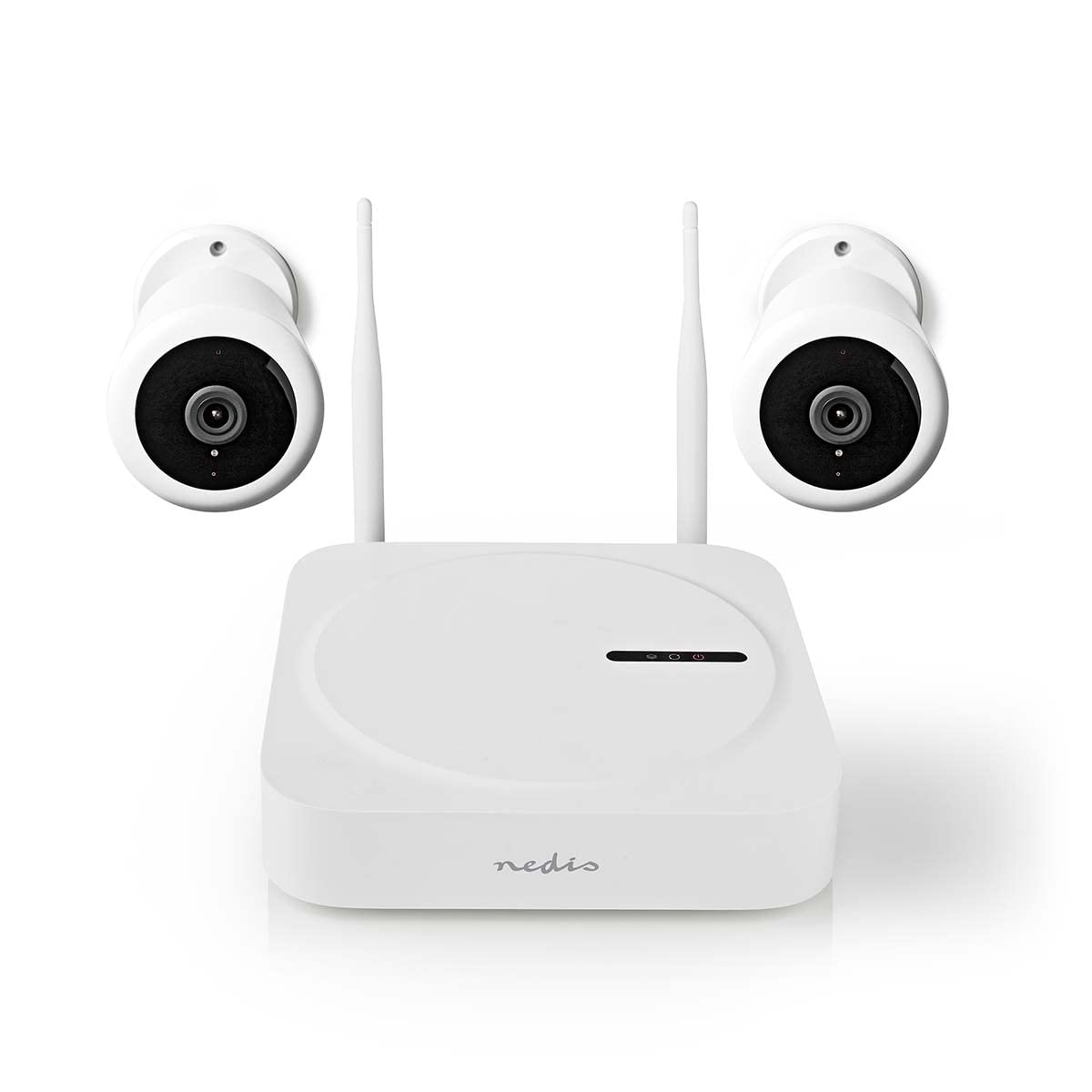
Image: The Nedis SmartLife Wireless Camera System, showing the central NVR unit and two wireless cameras.
Bezpečnostní informace
- Před použitím si pečlivě přečtěte všechny pokyny.
- Uschovejte tento návod pro budoucí použití.
- Use only the power adapters supplied with the product. Using unauthorized power sources may damage the device and void the warranty.
- Nevystavujte zařízení extrémním teplotám, vlhkosti nebo přímému slunečnímu záření.
- Ensure proper ventilation around the NVR unit to prevent overheating.
- Avoid placing the cameras in locations where they could be easily tampered with or damaged.
- Tento výrobek není hračka. Uchovávejte mimo dosah dětí.
- For indoor and outdoor use. Ensure outdoor cameras are installed in a sheltered location to protect from direct heavy rain.
Obsah balení
Pečlivě vybalte krabici a ujistěte se, že jsou všechny položky přítomny a v dobrém stavu. Pokud některé položky chybí nebo jsou poškozeny, kontaktujte prosím svého prodejce.
- 1 x Nedis SmartLife Wireless NVR Unit
- 2 x Nedis SmartLife Wireless Cameras
- 3 x Power Adapters (for NVR and cameras)
- 1 x myš USB
- Montážní šrouby a hmoždinky
- Vrtací šablony
- Uživatelská příručka (tento dokument)
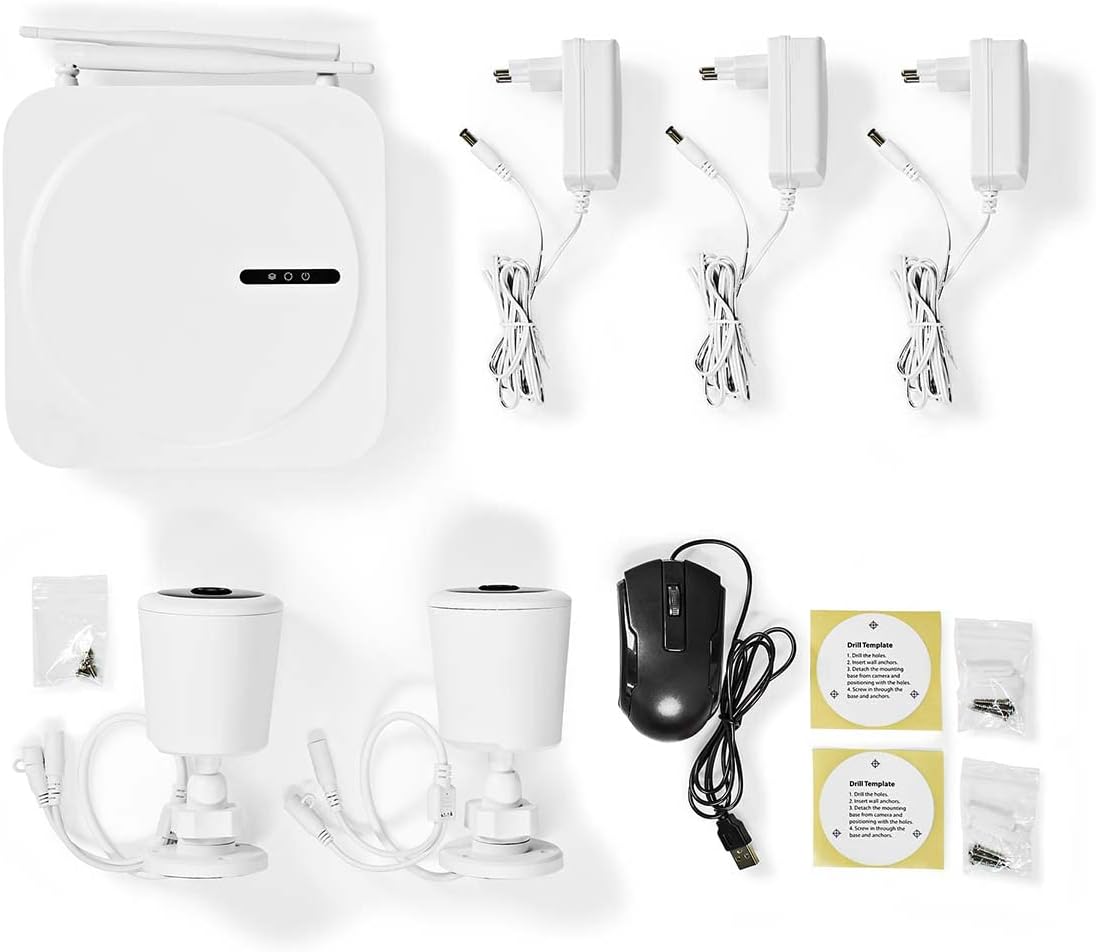
Image: All components included in the Nedis SmartLife Wireless Camera System package.
Nastavení
1. NVR Unit Connection
- Place the NVR unit in a central location, ensuring good Wi-Fi signal strength for the cameras.
- Connect the NVR to a power outlet using one of the provided power adapters.
- Připojte USB myš k USB portu NVR.
- If desired, connect the NVR to your router via an Ethernet cable for a stable network connection.

Obrázek: Přední strana view of the Nedis SmartLife NVR unit with indicator lights.
2. Instalace kamery
- Choose suitable locations for your cameras, considering the 180-degree viewing angle and night vision range (up to 5 meters).
- Use the drill templates to mark the screw positions on the wall or ceiling.
- Drill holes, insert wall plugs, and secure the camera mounts with screws.
- Attach the cameras to their mounts and adjust the angle as needed.
- Connect each camera to a power outlet using the remaining power adapters.

Image: Close-up of a Nedis SmartLife camera, highlighting the lens and sensor.
3. Instalace a párování aplikace
- Download the 'Nedis SmartLife' app from your smartphone's app store (available for Android and iOS).
- Zaregistrujte si nový účet nebo se přihlaste, pokud již nějaký máte.
- Follow the in-app instructions to add your NVR system. The app will guide you through the pairing process for the cameras.
- Insert a Micro SD card (up to 128GB, not included) into the NVR for local storage of recordings.
Provoz systému
Žít View a přehrávání
- Open the Nedis SmartLife app on your smartphone.
- Select your camera system to view živé přenosy ze všech připojených kamer.
- Use the app interface to switch between cameras, access recorded footage a upravte nastavení.
- Na view zaznamenané footage, navigate to the playback section in the app and select the desired date and time.
Detekce pohybu a zvuku
- The system is equipped with motion and sound detection. When triggered, it sends instant notifications to your smartphone.
- Adjust the sensitivity of both motion and sound detection within the Nedis SmartLife app settings for each camera to minimize false alarms.
- You can set specific detection zones for motion detection to focus on critical areas.
Obousměrný zvuk
- The cameras feature built-in microphones and speakers, enabling two-way communication.
- Z živého vysílání view in the app, tap the microphone icon to speak through the camera's speaker. Tap again to end.
- This feature allows you to communicate with visitors or deter intruders remotely.
Noční vidění
- The cameras automatically switch to night vision mode in low-light conditions.
- Night vision provides clear black-and-white video footage up to 5 meters, ensuring 24-hour surveillance.
Údržba
Čištění
- Před čištěním se ujistěte, že je zařízení vypnuté a odpojené ze zásuvky.
- Use a soft, dry cloth to clean the NVR unit and camera bodies.
- For camera lenses, use a specialized lens cleaning cloth to avoid scratches.
- Do not use liquid or aerosol cleaners, as they may damage the components.
Aktualizace firmwaru
- Periodically check the Nedis SmartLife app for available firmware updates.
- Keeping your system's firmware up-to-date ensures optimal performance, security, and access to new features.
- Follow the in-app instructions carefully when performing updates.
Skladování
- If storing the system for an extended period, ensure it is clean and dry.
- Skladujte na chladném a suchém místě mimo dosah přímého slunečního záření a extrémních teplot.
Odstraňování problémů
| Problém | Možná příčina | Řešení |
|---|---|---|
| Žádný obraz/video z fotoaparátu | Camera not powered on; Wi-Fi signal too weak; Camera not paired. | Check power connection; Move camera closer to NVR/router; Re-pair camera via app. |
| Nebyla přijata žádná oznámení | Notifications disabled in app/phone settings; Detection sensitivity too low. | Enable notifications in Nedis SmartLife app and phone settings; Increase motion/sound sensitivity. |
| Špatná kvalita nočního vidění | Obstruction in front of camera; Camera too far from subject. | Clear any obstructions; Ensure subject is within 5-meter night vision range. |
| Nefunguje obousměrný zvuk | Microphone/speaker permissions not granted; Volume too low. | Check app permissions for microphone; Adjust volume settings in app. |
| System offline in app | NVR not connected to internet; NVR powered off. | Check NVR's internet connection (Ethernet/Wi-Fi); Ensure NVR is powered on. |
Specifikace
| Funkce | Specifikace |
|---|---|
| Číslo modelu | SLNVR201CWT |
| Značka | Nedis |
| Rozlišení záznamu videa | 1080p (Full HD) |
| Barva | Bílý |
| Počet kanálů | 4 |
| Bezdrátová technologie | Wi-Fi |
| Viewúhel | 180 stupňů |
| Snímková frekvence | 30 snímků za sekundu |
| svtage | 220 voltů |
| Wattage | 48 wattů |
| Kompatibilita operačního systému | Android, iOS |
| Baterie jsou součástí dodávky | Žádný |
| Doporučená použití | Night Vision, Home Security |
| Speciální funkce | High Definition, Motion Sensor, Two-Way Audio |
| Prostředí použití | Uvnitř, venku |
| Kompatibilní zařízení | Smartphone |
| Zdroj napájení | Elektrický kabel |
| Komunikační protokol | Wi-Fi |
Záruka a podpora
Nedis products are manufactured to high quality standards and are covered by a warranty period from the date of purchase. For detailed warranty terms and conditions, please refer to the warranty card included with your product or visit the official Nedis webmísto.
For technical support, troubleshooting assistance, or to report any issues with your product, please contact Nedis customer service. Contact information can typically be found on the Nedis webna webu nebo v obalu vašeho produktu.
Please have your model number (SLNVR201CWT) and proof of purchase ready when contacting support.


