Zavedení
This user manual provides detailed instructions for the operation and maintenance of your SZELAM LED Digital Alarm Clock. Designed to combine modern aesthetics with practical functionality, this clock features a large display, dual USB charging ports, and adjustable brightness. Please read this manual thoroughly to ensure proper use and to maximize your product experience.

The SZELAM LED Digital Alarm Clock features a large, clear display and a reflective mirror surface, making it a functional and stylish addition to any room.
Co je zahrnuto
Zkontrolujte prosím obsah balení, abyste se ujistili, že jsou přítomny všechny položky:
- 1 x SZELAM Digital Alarm Clock
- 1 x Napájecí kabel USB
- 1 x baterie CR2016 (předinstalovaná nebo součástí balení)
- 1 x Uživatelská příručka

The package includes the digital alarm clock, a USB power cable for operation, a CR2016 battery for memory backup, and the user manual.
Nastavení
- Rozbalení: Opatrně vyjměte všechny součásti z obalu.
- Odstranění ochranné fólie: Before first use, gently peel off the protective film from the mirror surface and the plastic paper from the battery compartment.
- Připojení napájení: Connect the provided USB power cable to the input port on the side of the clock. Plug the other end into a standard USB power adapter (not included) or a USB port on a computer/TV. The clock requires continuous power to operate. The CR2016 battery serves as a memory backup in case of power loss.
- Instalace stojanu: Attach the detachable stand to the bottom of the clock for stable tabletop placement. The clock can also be wall-mounted using the integrated wall hook.

Remember to remove the protective films from the mirror surface and the plastic paper from the battery before use. The clock features dual USB charging ports for convenience.
Návod k obsluze
1. Nastavení času
- Vstupte do režimu nastavení: Long press the "M" (Mode) button for three seconds to enter the time setting interface. The display will show "0:00".
- 12/24hodinový formát: Press the "+" or "-" button to select between "12 Hr" or "24 Hr" format. Press "M" to confirm and proceed to hour setting.
- Nastavit hodinu: Press the "+" or "-" button to select the desired hour. Press "M" to confirm.
- Nastavit minutu: Press the "+" or "-" button to select the desired minute. Press "M" to confirm and exit time setting.
This video demonstrates how to set the time, switch between 12/24 hour formats, and configure the alarm on your SZELAM Digital Alarm Clock.
2. Nastavení alarmu
- Enter Alarm Setting: Tap the "M" (Mode) button to enter the alarm time interface. The display will show the current alarm time (default 6:00).
- Nastavení hodiny budíku: Long press "M" to set the alarm. Press "+" or "-" to select the desired alarm hour. Press "M" to confirm.
- Nastavení minuty budíku: Press "+" or "-" to select the desired alarm minute. Press "M" to confirm and exit alarm setting.
- Turn Alarm On/Off: In the alarm time interface, press the "-" button to toggle the alarm on or off. When the alarm is turned on, "AL" will be displayed on the screen.
3. Funkce odložení buzení
When the alarm sounds, press the large "SNOOZE" button on the top of the clock to activate the snooze function. The alarm will pause and sound again after the set snooze interval. The default snooze time is 5 minutes, but it can be adjusted.
- Set Snooze Time: In the alarm time interface, after setting the alarm hour and minute, press "M" again to enter snooze time setting.
- Adjust Snooze Interval: Press "+" or "-" to select the desired snooze time (e.g., 5, 6, 8 minutes). Press "M" to confirm.
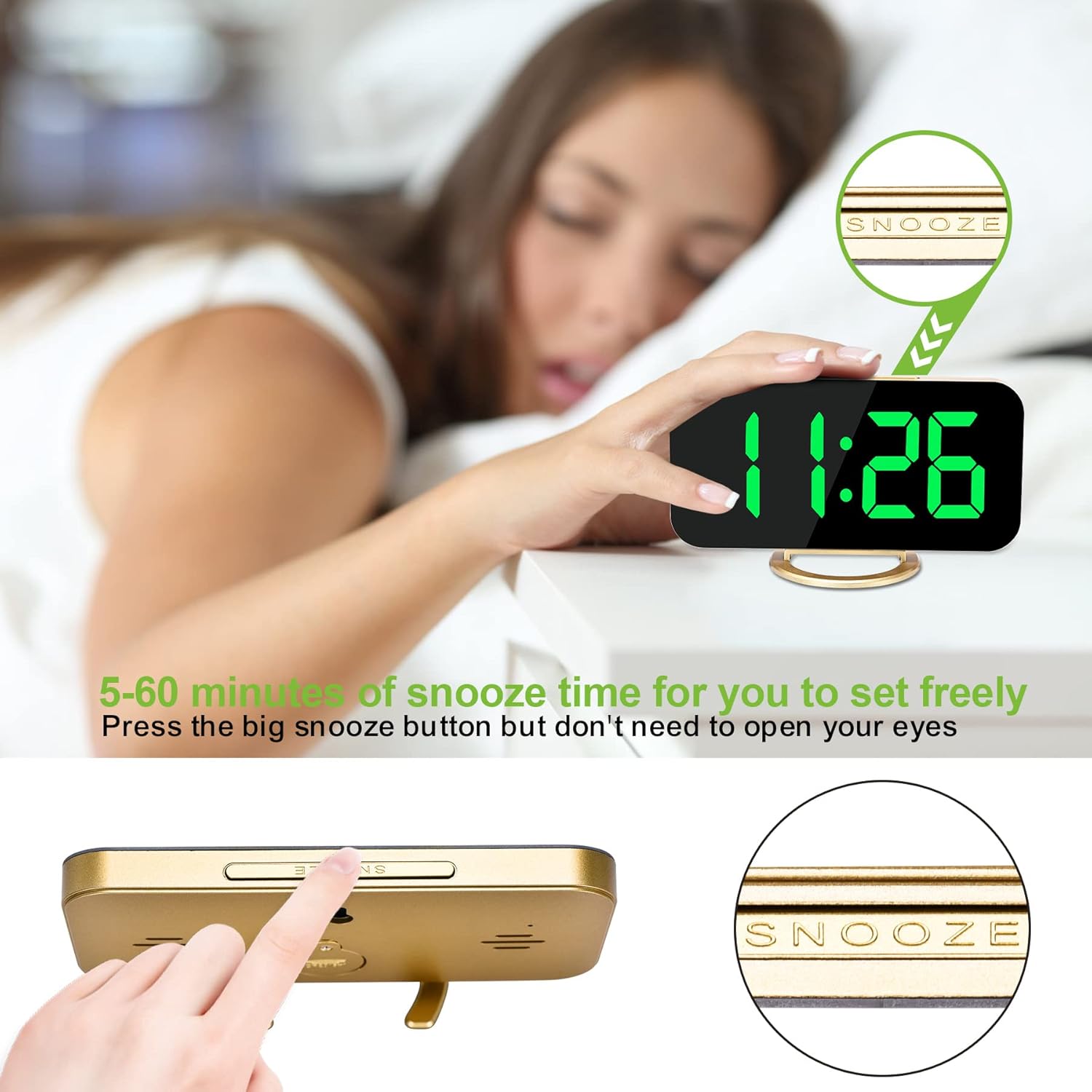
The large snooze button on top allows for easy activation of the snooze function, providing a customizable delay before the alarm sounds again.
4. Nastavení jasu
The clock offers three levels of brightness (bright, medium, very dark) and an auto-dimming mode.
- Ruční nastavení: Press the "+" button to cycle through the three brightness levels.
- Automatické stmívání: Long press the "+" button to turn on or turn off the auto-dimming mode. In auto-dimming mode, the display brightness will automatically adjust based on ambient light conditions.
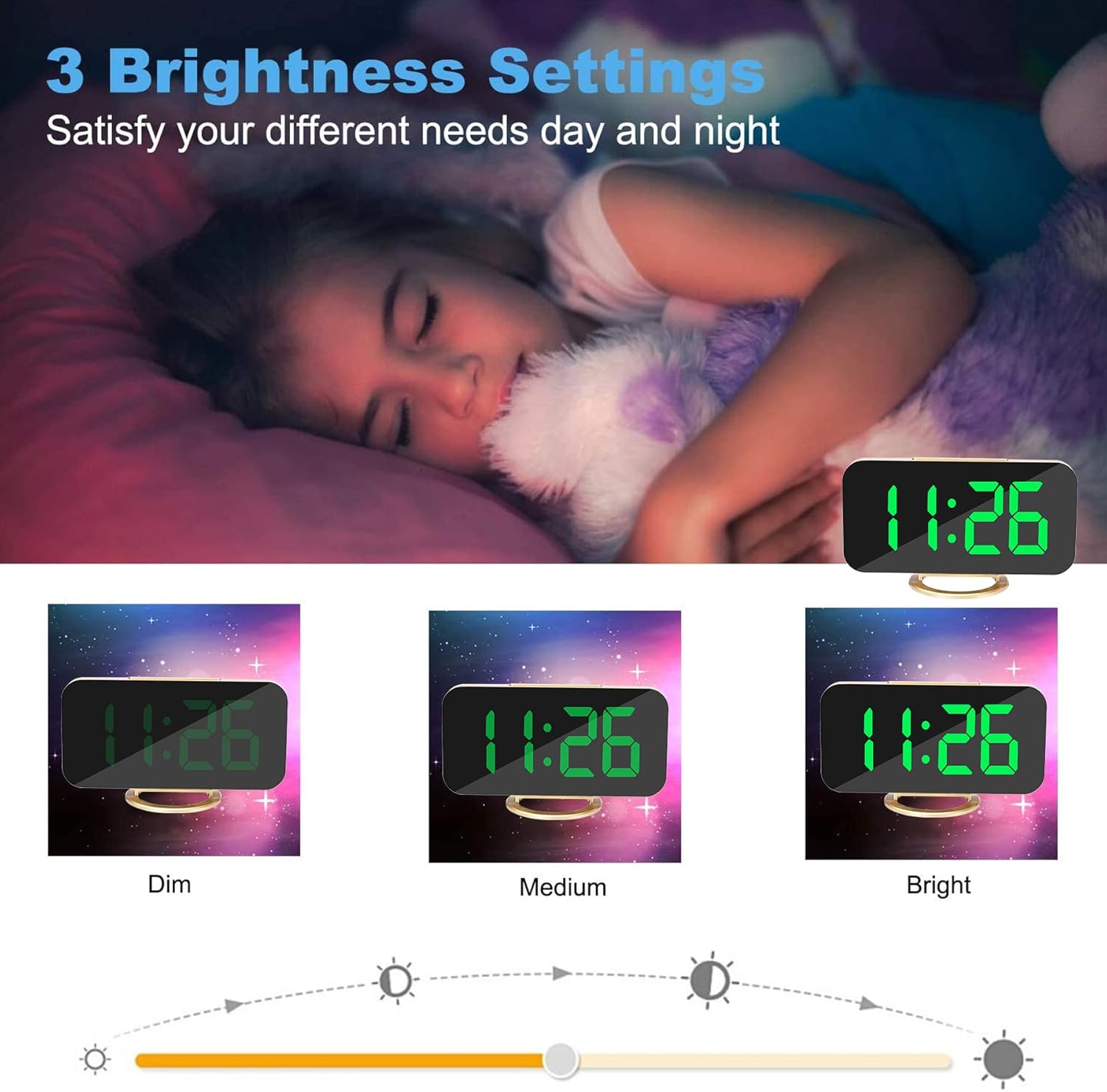
Easily adjust the display brightness to suit your preference, with options for dim, medium, and bright settings, or enable auto-dimming for convenience.
5. Dual USB Charging Ports
The clock is equipped with two USB-A charging ports (5V 1A output) on the side, allowing you to conveniently charge two devices simultaneously, such as smartphones or other small electronics.

This diagram highlights the key features including the mode, up, and down buttons, the snooze button, wall hook, detachable stand, and the dual USB charging ports.

Beyond its time-telling capabilities, the clock's 6.5-inch mirror surface can also be used for daily tasks like applying makeup.
Údržba
- Čištění: To clean the clock, gently wipe the surface with a soft, dry cloth. Avoid using abrasive cleaners or solvents, as they may damage the mirror finish or electronic components.
- Skladování: If storing the clock for an extended period, disconnect it from power and ensure the CR2016 backup battery is properly installed. Store in a cool, dry place.
Odstraňování problémů
| Problém | Možná příčina | Řešení |
|---|---|---|
| Displej je prázdný nebo se nezapíná. | Chybí připojení k napájení nebo je vadný kabel. | Ensure the USB power cable is securely connected to both the clock and a working USB power source. Check if the power adapter is functioning correctly. |
| Alarm se nespustí. | Alarm is not set or turned off. | Verify that the alarm time is correctly set and that the alarm function is turned on (indicated by "AL" on the display). |
| Displej je příliš jasný nebo příliš tmavý. | Brightness setting needs adjustment or auto-dimming is active. | Press the "+" button to cycle through brightness levels. Long press "+" to toggle auto-dimming mode. |
| Čas je po výpadku proudu nesprávnýtage. | Záložní baterie je vybitá nebo chybí. | Replace the CR2016 backup battery. Reset the time after replacing the battery. |
Specifikace
| Funkce | Detail |
|---|---|
| Značka | SZELAM |
| Barva | Gold-green |
| Typ zobrazení | Digitální |
| Rozměry produktu | 6.2 cm Š x 3.1 cm V |
| Zdroj napájení | Battery Powered (USB cable for operation, CR2016 for backup) |
| USB výstup | 2 x USB-A Ports (5V 1A) |
| Úrovně jasu | 3 levels (Bright, Medium, Very Dark) + Auto-dimming |
| Formát času | Volitelné 12H/24H |
| Čas odložení | Adjustable (default 5 minutes) |
Záruka a podpora
This SZELAM LED Digital Alarm Clock comes with a 1-Year Warranty from the date of purchase, covering manufacturing defects. Please retain your proof of purchase for warranty claims.
For further assistance, troubleshooting, or warranty inquiries, please refer to the official user guide PDF or contact SZELAM customer support.
Oficiální uživatelská příručka (PDF): Stáhnout PDF


