1. Úvod
Thank you for choosing the Soobest LED Digital Wall Clock. This clock features a large, easy-to-read display with bold numbers and a seconds indicator, making it ideal for various indoor environments, including homes, offices, and gyms. It offers adjustable brightness levels and automatic Daylight Saving Time (DST) adjustment for convenience.
Mezi klíčové vlastnosti patří:
- 10-inch large LED screen with 3-inch eye-catching number display.
- Integrated seconds display for precise timekeeping.
- 5 adjustable dimmer levels to suit any lighting condition.
- Automatic Daylight Saving Time (DST) adjustment.
- Switchable 12/24-hour time format.
- User-friendly operation with simplified buttons.
- Wall-mountable design with included accessories.
- Plug-in electric power with battery backup for settings retention during power outages.

Figure 1.1: Soobest LED Digital Wall Clock with time and seconds display.
2. Nastavení
2.1 Obsah balení
Než začnete, ujistěte se, že balení obsahuje všechny položky:
- Soobest LED Digital Wall Clock
- Power Adapter (70-inch cable)
- Návod k použití
- Mounting Nails (2)
- Měřicí pravítko

Obrázek 2.1: Obsah balení produktu.
2.2 Připojení napájení
- Connect the power adapter cable to the power input port located on the back of the clock.
- Zapojte napájecí adaptér do standardní elektrické zásuvky. Rozsvítí se displej s hodinami.
2.3 Záložní baterie
Pro uchování paměti při výpadku napájenítages, install 2 AAA batteries (not included) into the battery compartment on the back of the clock. This ensures that time and alarm settings are preserved even if the main power is interrupted.
2.4 Montáž na stěnu
The clock is designed for wall mounting. Follow these steps for installation:
- Locate Position: Use the included measuring ruler to mark the desired positions for the two mounting nails on your wall. The ruler helps ensure correct spacing for the hanging holes on the back of the clock.
- Vložte hřebíky: Carefully insert the two mounting nails into the marked positions on the wall, leaving a small portion exposed for the clock to hang on.
- Visací hodiny: Align the two hanging holes on the back of the clock with the inserted nails and gently lower the clock into place until it is securely mounted.

Figure 2.2: Wall mounting instructions.

Figure 2.3: The 70-inch power cable allows for flexible placement on the wall.
3. Návod k obsluze
The clock features four simplified buttons on the side for easy operation:
- UP / 12/24HR: Adjusts values up during setting; Toggles between 12-hour and 24-hour time formats.
- SOUBOR: Enters setting mode for time, date, and other functions.
- DOWN / DST ON/OFF: Adjusts values down during setting; Toggles Daylight Saving Time function on or off.
- Ikona žárovky: Upravuje jas displeje.
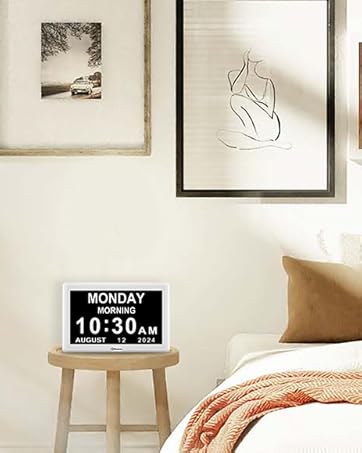
Figure 3.1: Control buttons located on the side of the clock.
3.1 Nastavení času a data
- Stiskněte tlačítko SOUBOR tlačítko pro vstup do režimu nastavení času. Číslice hodin budou blikat.
- Použijte UP or DOLŮ tlačítka pro nastavení hodiny.
- Stiskněte SOUBOR znovu pro přechod na nastavení minut. Upravte minuty pomocí UP or DOLŮ.
- Pokračujte v stisknutí SOUBOR to cycle through setting year, month, and day. Adjust each value as needed.
- Stiskněte SOUBOR naposledy pro ukončení režimu nastavení.
3.2 12/24 Hour Format Switch
To switch between 12-hour (AM/PM) and 24-hour (military) time formats, press the UP / 12/24HR tlačítko v normálním režimu zobrazení času.

Figure 3.2: Switching between 12-hour and 24-hour time formats.
3.3 Nastavení jasu
The clock features 5 levels of adjustable brightness. To change the brightness, press the Ikona žárovky button repeatedly until you reach your desired level. This allows for optimal visibility in various lighting conditions, from bright daylight to a dark room.

Figure 3.3: Visual representation of the 5 adjustable dimmer levels.
3.4 Letní čas (DST)
If you reside in an area that observes Daylight Saving Time, you can enable the auto DST function. Press the DOWN / DST ON/OFF button to toggle this feature. When enabled, the clock will automatically adjust for spring forward and fall back.
4. Údržba
To ensure the longevity and optimal performance of your Soobest LED Digital Wall Clock, follow these simple maintenance guidelines:
- Čištění: Jemně otřete displej a casing with a soft, dry towel. Avoid using abrasive cleaners, solvents, or spray cleaners directly on the clock, as they may damage the surface or internal components.
- Umístění: Place the clock in a location away from direct sunlight, extreme temperatures, and high humidity to prevent damage to the LED display and internal electronics.
- Moc: Always use the provided power adapter. Ensure the power cable is not pinched or damaged.
- Výměna baterie: If the battery backup function is not working, replace the 2 AAA batteries in the compartment.
5. Řešení problémů
If you encounter any issues with your Soobest LED Digital Wall Clock, please refer to the following common problems and solutions:
| Problém | Možná příčina | Řešení |
|---|---|---|
| Zobrazení hodin je vypnuté. | No power supply or power outage. | Ensure the power adapter is securely plugged into both the clock and a working electrical outlet. Check if there's a power outage ve vaší oblasti. |
| Nastavení se po výpadku napájení ztratí. | Battery backup not installed or batteries are dead. | Install 2 new AAA batteries into the battery compartment. Ensure correct polarity. |
| Čas je nesprávný. | Time not set correctly or DST setting is incorrect. | Re-enter time setting mode and adjust the time. Verify the DST setting is appropriate for your region. |
| Displej je příliš jasný/tmavý. | Je třeba upravit úroveň jasu. | Stiskněte tlačítko Ikona žárovky button to cycle through the 5 brightness levels until desired illumination is achieved. |
6. Specifikace
| Funkce | Detail |
|---|---|
| Značka | Soobest |
| Číslo modelu | SO801L |
| Barva | Červený |
| Typ zobrazení | Digitální LED |
| Rozměry produktu | 9.7 cm Š x 3.6 cm V |
| Hmotnost položky | 16 uncí (1 libra) |
| Zdroj napájení | Elektrické s kabelem (zásuvné) |
| Zálohování baterie | Potřebné 2 baterie AAA (nejsou součástí balení) |
| Typ montáže | Držák na zeď |
| Speciální funkce | Large Display, Seconds Display, Dimmable, Auto DST |
| Typ pokoje | Bedroom, Living Room, Classroom, Home Office, Dining Room |
| Pokyny pro péči | Towel clean |
7. Záruka a podpora
Soobest is committed to providing high-quality products and customer satisfaction. For any questions, concerns, or technical support regarding your Soobest LED Digital Wall Clock, please contact our customer support team.
E-mail zákaznické podpory: soobest2014@outlook.com
Please have your model number (SO801L) ready when contacting support to ensure a quicker resolution.