1. Úvod
This manual provides detailed instructions for the safe and effective use of your DEPSTECH DS350DL Dual Lens Endoscope. Please read this manual thoroughly before operating the device and retain it for future reference.
The DEPSTECH DS350DL is a high-definition borescope inspection camera designed for examining hard-to-reach areas. It features dual lenses for simultaneous front and side viewing, a 4.3-inch LCD display, adjustable LED lights, and a waterproof semi-rigid cable.
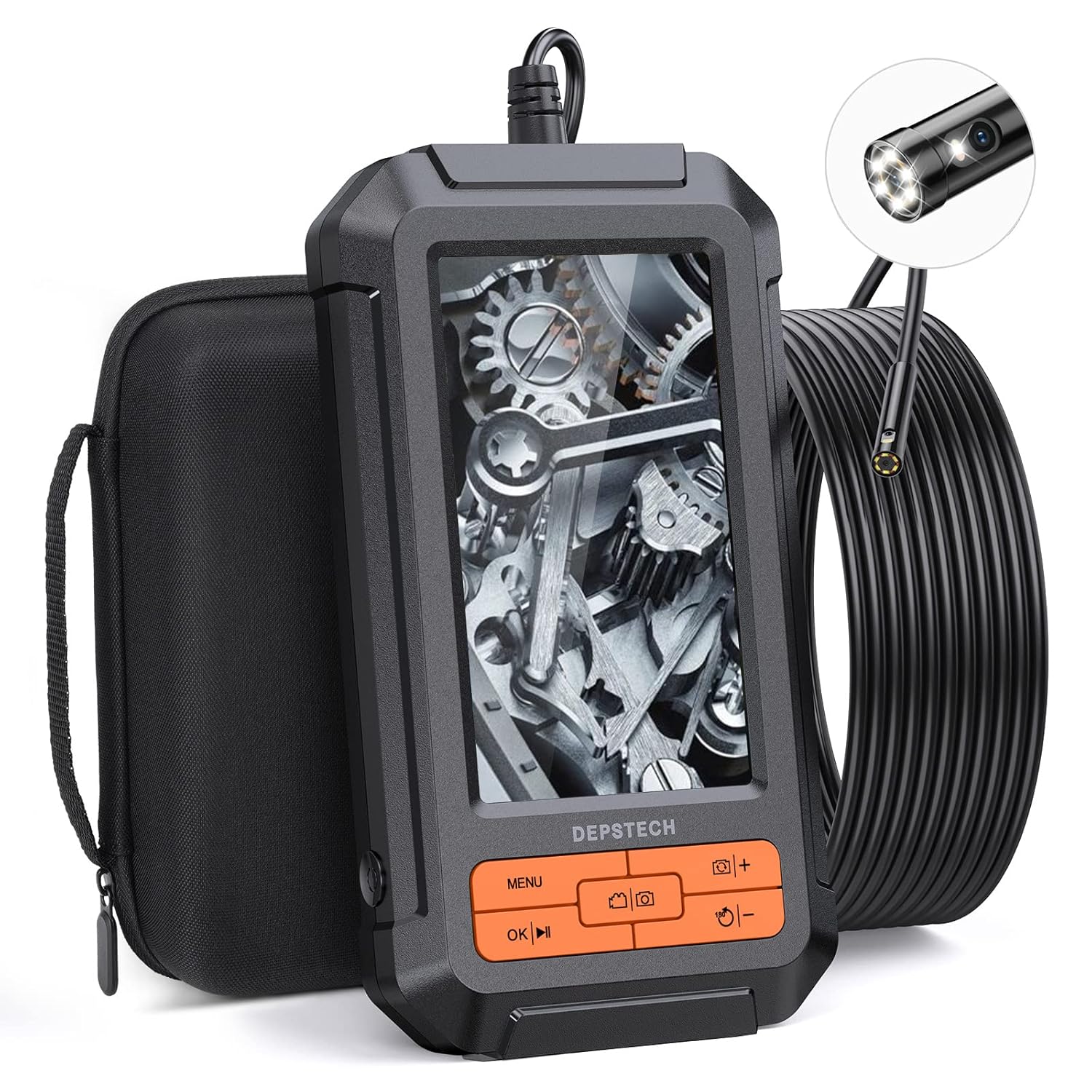
Image: The DEPSTECH DS350DL Dual Lens Endoscope, showing the main unit, coiled cable, and carrying case.
2. Konec produktuview
The DS350DL endoscope is equipped with advanced features for comprehensive inspections:
- Systém dvou čoček: Features both a front-facing and a side-facing camera, allowing for simultaneous or switchable views.
- Rozlišení HD 1080P: Captures clear and detailed images and videos with BLUART tech and an improved digital image sensor.
- Nastavitelná LED světla: Seven adjustable LED lights provide illumination in dark environments, reducing glare and shadows.
- 4.3palcový LCD displej: A vivid, anti-glare screen with a 178° viewing angle and 60Hz refresh rate for smooth viewIng.
- 16.5ft Semi-Rigid Cable: A durable, waterproof (IP67) cable with a 7.9mm camera head for navigating tight spaces.
- Vestavěná dobíjecí baterie: Provides approximately four hours of continuous operation on a full charge.
- Přímý provoz: No Wi-Fi, apps, or external devices required for operation.
3. Obsah balení
Ověřte, zda jsou v balení přítomny všechny položky:
- DEPSTECH DS350DL Dual Lens Endoscope Unit
- 16.5ft Semi-Rigid Camera Cable with Dual Lenses
- Přepravní pouzdro
- USB nabíjecí kabel
- Hákový nástavec
- Magnetický nástavec
- Uživatelská příručka (tento dokument)
- 32GB Micro SD karta (předinstalovaná nebo dodávaná samostatně)

Image: All components included in the DEPSTECH DS350DL package, neatly arranged.
4. Nastavení
- Nabijte zařízení: Before first use, fully charge the endoscope using the provided USB charging cable. Connect the cable to the charging port on the device and a standard USB power adapter (not included). The charging indicator will show the charging status.
- Vložte Micro SD kartu: Ensure the 32GB Micro SD card is properly inserted into the designated slot on the side of the device. This card is necessary for saving photos and videos.
- Připojení příslušenství (volitelné): If needed, attach the hook or magnet accessory to the camera head. These can be useful for retrieving small objects or navigating in specific environments.

Image: A diagram illustrating the correct insertion of the Micro SD card into the endoscope unit.
5. Návod k obsluze
5.1 Zapnutí/vypnutí
- Pro zapnutí stiskněte a podržte tlačítko napájení, dokud se obrazovka nerozsvítí.
- Chcete-li zařízení vypnout, stiskněte a podržte tlačítko napájení, dokud se obrazovka nevypne.
5.2 Fotoaparát View Režimy
The DS350DL offers three viewing režimy:
- Přední View: Displays the image from the front-facing camera.
- Strana View: Displays the image from the side-facing camera.
- Rozdělená obrazovka View: Displays both front and side views simultaneously on the screen.
Stiskněte tlačítko Přepínač fotoaparátu button (often labeled with a camera icon or "M") to cycle through these viewrežimy.

Image: Visual representation of the three viewing modes: Front View, Boční Viewa duální View (split-screen).

Image: A user holding the endoscope, demonstrating the split-screen dual view funkce.
5.3 Nastavení jasu LED diod
The camera probe features adjustable LED lights to illuminate dark inspection areas. Use the tlačítka +/- on the device to increase or decrease the brightness level of the LEDs.

Obrázek: Detailní záběr view of the endoscope's camera head, highlighting the seven adjustable LED lights.
5.4 Pořizování fotografií a videí
- Chcete-li pořídit fotografii, stiskněte tlačítko Tlačítko fotografie (often labeled with a camera icon).
- Chcete-li zahájit nahrávání videa, stiskněte tlačítko Tlačítko videa (often labeled with a video camera icon). Press it again to stop recording.
- All captured media will be saved to the inserted Micro SD card.
5.5 Navigating Menus and Playback
- Stiskněte tlačítko Tlačítko nabídky to access settings and playback options.
- Použijte Tlačítka se šipkami nahoru/dolů to navigate through menu options or media files.
- Stiskněte tlačítko tlačítko OK to confirm a selection or play a video.
- During video playback, use the OK/Play/Pause button pro ovládání přehrávání.

Obrázek: Podrobný view of the endoscope's control panel, showing the various buttons for operation.
6. Údržba
- Čištění: After each use, especially in dirty or wet environments, gently wipe the camera probe and lens with a soft, damp cloth. Ensure no debris remains on the lens for clear imaging.
- Skladování: Store the endoscope and its accessories in the provided carrying case to protect them from dust, moisture, and physical damage. Keep the cable neatly coiled.
- Péče o baterie: Chcete-li prodloužit životnost baterie, vyvarujte se častého úplného vybíjení. Zařízení pravidelně nabíjejte, i když jej delší dobu nepoužíváte.
- Voděodolnost: The camera probe is IP67 waterproof, meaning it can withstand immersion in up to 1 meter of water for 30 minutes. The main unit is not waterproof; avoid exposing it to liquids.
7. Řešení problémů
| Problém | Možná příčina | Řešení |
|---|---|---|
| Zařízení se nezapne. | Slabá baterie. | Zařízení plně nabijte. |
| Žádný obraz na obrazovce. | Camera cable not securely connected. | Ensure the camera cable is firmly plugged into the main unit. |
| Obraz je rozmazaný nebo nejasný. | Lens is dirty or scratched; insufficient lighting. | Clean the camera lens. Adjust LED brightness. Ensure the object is within the macro focus range (1.18 to 3.15 inches). |
| Nelze ukládat fotografie/videa. | Micro SD card is full, not inserted, or corrupted. | Zkontrolujte, zda je karta Micro SD správně vložena. Smažte nepotřebné. files or replace the card. Format the card if necessary (refer to menu options). |
| Cable is difficult to maneuver around bends. | Tight angles or obstructions. | The cable is semi-rigid; for very sharp turns, gentle manipulation may be required. Avoid excessive force. |
8. Specifikace
| Funkce | Detail |
|---|---|
| Číslo modelu | DS350DL |
| Obrazovka displeje | 4.3palcový LCD |
| Rozlišení záznamu videa | 1080p |
| Průměr fotoaparátu | 7.9 mm |
| Délka kabelu | 16.5 stop (5 metrů) |
| Hodnocení voděodolnosti | IP67 (for camera probe only) |
| Rozsah makro ostření | 1.18 až 3.15 palce (3 až 8 cm) |
| Životnost baterie | Přibližně 4 hodiny |
| Skladování | Supports Micro SD card (32GB included) |
| Barva | Pomerančový |
9. Záruka a podpora
DEPSTECH offers a worry-free 24-month warranty for the DS350DL Dual Lens Endoscope. For warranty claims, technical support, or any inquiries, please contact DEPSTECH customer service through the following channels:
- Visit the official DEPSTECH webmísto: www.depstech.com
- Refer to the contact information provided on the product packaging or the official DEPSTECH store page on Amazon.
Please have your model number (DS350DL) and purchase details ready when contacting support.


