1. Úvod
This manual provides detailed instructions for the setup, operation, maintenance, and troubleshooting of your Tera HW0004 1D Laser Wireless Barcode Scanner. Please read this manual thoroughly before using the device to ensure proper functionality and to maximize its lifespan.
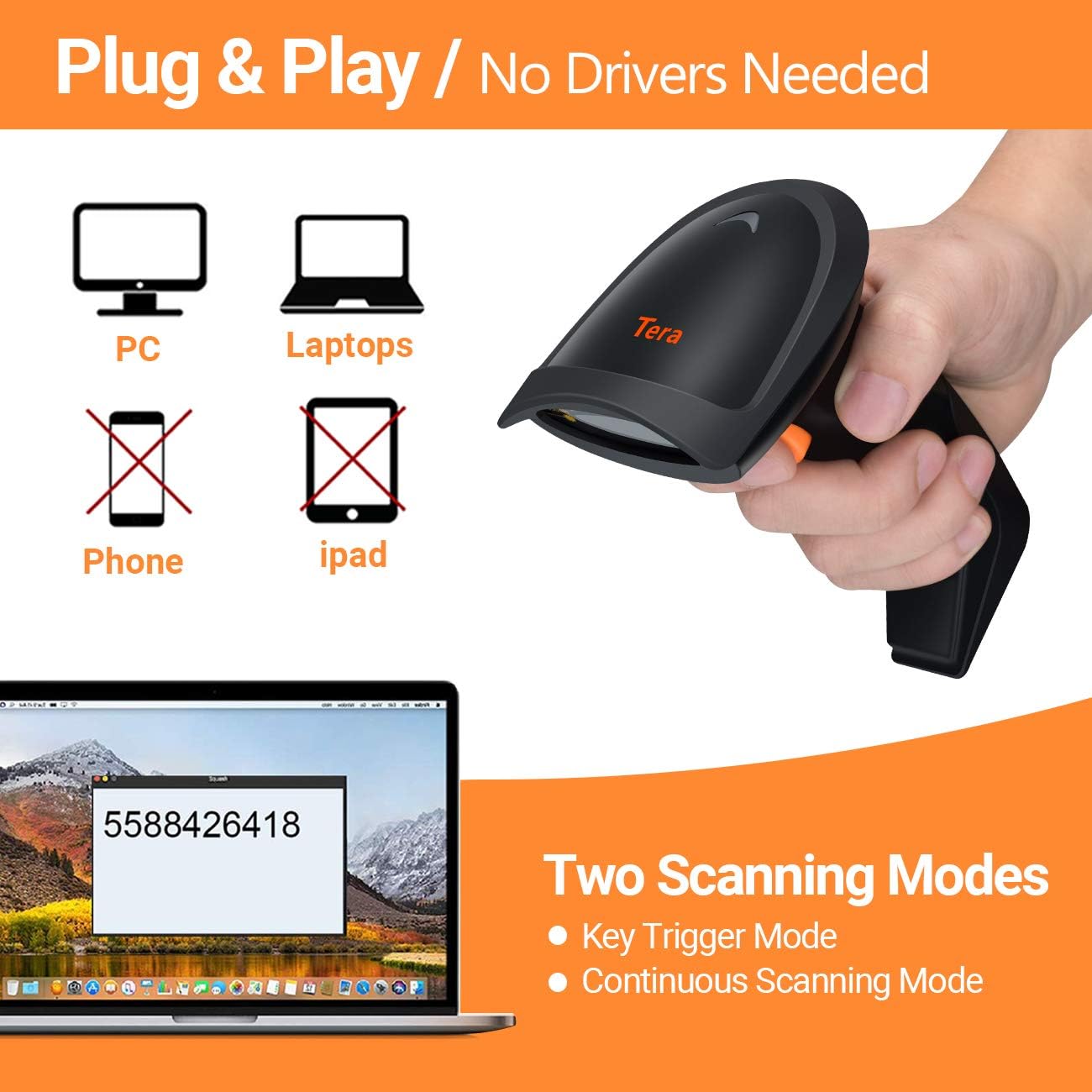
Image: The Tera HW0004 1D Laser Wireless Barcode Scanner, showcasing jeho ergonomický design.
2. Nastavení
2.1 Obsah balení
- Skener čárových kódů Tera HW0004
- 2.4GHz bezdrátový dongle
- USB 2.0 Wired Cable
- Uživatelská příručka (tento dokument)
2.2 Connecting the Scanner (Plug and Play)
The Tera HW0004 scanner offers two connection methods: 2.4GHz wireless and USB 2.0 wired. No driver or software installation is required for either method.

Image: Illustration showing the scanner connecting to PCs and laptops via USB or wireless dongle, indicating no drivers are needed.
2.2.1 Bezdrátové připojení 2.4 GHz
- Insert the 2.4GHz wireless dongle into an available USB port on your computer or device.
- Zapněte skener čárových kódů.
- The scanner will automatically pair with the dongle. A successful connection is indicated by a specific sound or light indicator (refer to scanner's LED status for details).
2.2.2 USB 2.0 Wired Connection
- Connect one end of the provided USB 2.0 cable to the scanner.
- Connect the other end of the USB 2.0 cable to an available USB port on your computer or device.
- The scanner will be recognized as a standard HID keyboard device.
2.3 Podporované operační systémy
The Tera HW0004 barcode scanner is compatible with a variety of operating systems, including:
- Windows XP, Windows 7, Windows 8, Windows 10
- Mac OS
- Android
- Linux
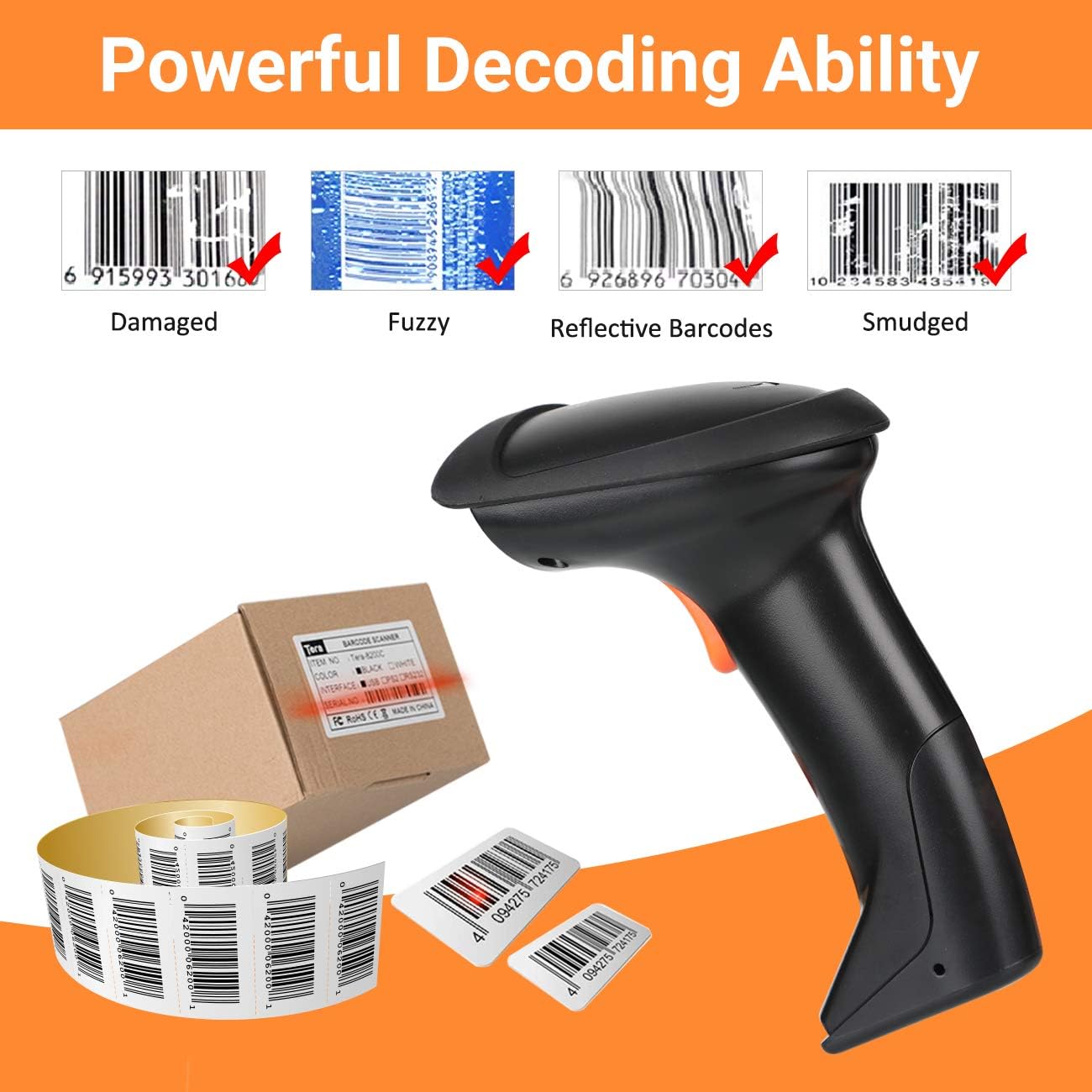
Image: Visual representation of the scanner's multifunction capabilities and compatibility with various operating systems including Windows, Android, and Linux.
3. Obsluha skeneru
3.1 Režimy skenování
Skener podporuje dva primární režimy skenování:
- Režim spouštění kláves: Stiskněte spouštěcí tlačítko pro naskenování každého čárového kódu jednotlivě.
- Režim nepřetržitého skenování: The scanner continuously emits a laser beam, scanning any barcode that passes within its field of view bez nutnosti stisknout spoušť pro každé skenování.
3.2 Režimy nahrávání
The Tera HW0004 offers two data upload modes:

Image: Diagram illustrating the two upload modes: Instant Upload Mode and Storage Upload Mode with 16MB memory.
3.2.1 Režim okamžitého nahrávání
In this mode, scanned barcode data is immediately transmitted to your connected device. This is suitable for real-time data entry.
3.2.2 Storage Upload Mode
When operating out of wireless signal range, or for batch processing, barcodes can be scanned and stored in the scanner's built-in 16MB memory. Data can then be uploaded to your computer at a later time when a connection is established.
3.3 Supported Barcode Types (1D)
The scanner supports various 1D printed barcode symbologies:
- Kód 39
- UPC-A/UPC-E (including Complement Code)
- EAN13, EAN8
- Kód 93
- Kód 128
- Codabar
- Průmyslové/Prokládané 2 z 5
- MSI
- Kód11
- ISBN/ISSN
- Matrix 2 z 5
- A další.

Image: Display of the scanner supporting various 1D printed barcode types and multi-language output.
3.4 Unsupported Barcode Types and Scanning Surfaces
The Tera HW0004 scanner ne podpora:
- 2D codes (e.g., QR codes, PDF417)
- Scanning directly from screens (e.g., mobile phones, computer monitors)
3.5 Multifunction Settings
The scanner includes several configurable functions:
- Voice Setting: Adjust or disable audible feedback.
- Stand-by Setting: Configure the idle time before the scanner enters power-saving mode.
- Support Uppercase / Lowercase Setting: Define how character cases are handled.
- Identify Barcode Type: Enable or disable automatic identification of barcode symbologies.
- Add Prefix and Suffix: Customize data output by adding characters before or after the scanned barcode data.
- Hide Characters: Configure the scanner to omit certain characters from the output.
Refer to the programming barcodes provided in the supplementary guide (if applicable) to configure these settings.
4. Údržba
4.1 Čištění skeneru
Pro zachování optimálního výkonu udržujte skenovací okénko skeneru čisté. Používejte měkký hadřík bez žmolků, lehce navlhčenýampened with water or a mild, non-abrasive cleaning solution. Avoid harsh chemicals or abrasive materials that could scratch the window.
4.2 Nabíjení baterie
For wireless operation, ensure the scanner's internal battery is adequately charged. Connect the scanner to a USB power source using the provided USB cable. The charging indicator light will show the charging status.
5. Řešení problémů
5.1 Běžné problémy
- Skener se nepřipojuje: Ensure the USB cable is securely connected or the wireless dongle is properly inserted and the scanner is powered on. Try a different USB port.
- No data output: Verify the scanner is in the correct upload mode (Instant or Storage). Check if the target application (e.g., Word, Excel) is active and ready to receive input.
- Scanner not scanning: Ensure the laser is emitting. Check for obstructions on the scanning window. Confirm the barcode type is supported.
- Nesprávný výstup dat: Review multifunction settings for prefixes, suffixes, or character hiding. Ensure the correct keyboard language is set on your computer if experiencing character mapping issues.
5.2 Dekódovací schopnost
The Tera HW0004 features powerful decoding capabilities, allowing it to read various challenging 1D barcodes:

Obrázek: Přamples of the scanner's ability to decode damaged, fuzzy, reflective, and smudged 1D barcodes.
- Damaged Barcodes: Can often read barcodes with minor damage or tears.
- Fuzzy Barcodes: Capable of decoding barcodes that are slightly out of focus or poorly printed.
- Reflective Barcodes: Designed to minimize interference from reflective surfaces.
- Smudged Barcodes: Can read barcodes with minor smudges or ink bleed.
For persistent issues, refer to the full programming guide or contact customer support.
6. Specifikace
| Funkce | Popis |
|---|---|
| Model | HW0004 |
| Konektivita | 2.4GHz Wireless, USB 2.0 Wired |
| Podpora typu čárového kódu | 1D Laser (Code 39, UPC-A/E, EAN13/8, Code 93, Code 128, Codabar, Industrial/Interleaved 2 of 5, MSI, Code11, ISBN/ISSN, Matrix 2 of 5, etc.) |
| Paměť | 16MB (for Storage Upload Mode) |
| Kompatibilita | Windows, Mac OS, Android, Linux |
| Barva | Černý |
7. Záruka a podpora
7.1 Informace o záruce
Please refer to the warranty card included with your product or visit the official Tera webPodrobné záruční podmínky naleznete na webových stránkách. Záruka se obvykle vztahuje na výrobní vady po stanovenou dobu od data nákupu.
7.2 Zákaznická podpora
For technical assistance, troubleshooting, or any inquiries regarding your Tera HW0004 barcode scanner, please contact Tera customer support through their official webwebu nebo kontaktních informací uvedených na obalu produktu.