Konec produktuview
Tenlamp V10-Q8 Podcast Equipment Bundle is a comprehensive solution designed to simplify online live streaming, podcast production, and recording. It integrates digital audio equipment for audio collection, processing, and output control, offering superb audio quality. This intuitive, plug-and-play system works seamlessly with PCs, smartphones, and other devices, making it easy to create premium content for various platforms.

Image: The tenlamp V10 sound card and Q8 condenser microphone, the core components of the podcast equipment bundle.
Obsah balení
Upon unboxing, please verify that all the following components are included in your package:
- 1 x V10 White Sound Card
- 1 x Q8 Microphone
- 1 x Desk Mic Stand (adjustable height: 8.5"~15.5")
- 1 x V10 Controller
- 1 x Nárazová montáž
- 1 x 3.5mm Monitor Earphone (118" cable)
- 1 x XLR to 3.5mm Mic Cable (82" cable)
- 1 x microUSB Charging Cable (49.6" cable)
- 3 x 3.5mm TRRS Audio Cable (42.1" cable)
- 1 x Uživatelská příručka (tento dokument)

Image: A visual representation of all items included in the tenlamp Podcast Equipment Bundle, such as the microphone, sound card, cables, and accessories.
Nastavení a připojení
Tenlamp V10-Q8 bundle offers versatile connectivity options for various devices and platforms. It is designed for plug-and-play operation.
Připojení k zařízením:
- Smartphony/tablety: Connect your phone or tablet using a TRRS audio cable or via Bluetooth for music input, recording, or live streaming.
- Computers (PC/Mac): Connect to your computer via a USB cable or TRRS cable for recording, music input, podcasting, or broadcasting.
- Fotoaparáty/Videokamery: For cameras or camcorders, a 3.5mm TRRS to TRS adapter may be required.

Image: A detailed diagram illustrating how to connect the sound card to various devices including PCs, smartphones, and external audio sources using different cable types.
Sestava mikrofonu:
Assemble the Q8 microphone by attaching it to the shock mount, then secure the shock mount to the desk mic stand. Connect the XLR to 3.5mm mic cable from the microphone to the designated microphone input on the V10 sound card.

Obrázek: Detailní záběr view of the Q8 Large-Diaphragm Condenser Microphone, highlighting its 32mm large diaphragm, cardioid polar pattern, multi-layer noise reduction, and XLR to 3.5mm connection.
Operating the V10 Sound Card
The V10 sound card provides extensive control over your audio for live streaming, podcasting, and recording.
Audio Control and Effects:
- Motorized Knobs: Use the motorized knobs and the parameter display screen to control microphone volume, EQ settings, music levels, reverb, and other vocal mix parameters.
- Voice Changers: Access 6 different voice changers to modify your vocal output.
- Electronic Tones: Apply 12-step electronic music tones for creative effects.
- Preset Sound Modes: Utilize 6 preset sound modes for quick audio adjustments.
- Sound Effects (SFX): Trigger 18 instant sound effects, music, and more to enhance your content.

Image: A user wearing headphones and adjusting settings on the tenlamp sound card, demonstrating how to modify vocals for live streaming with various effects like voice changers and electronic tones.
Smart Audio Features:
- Odhlučnění: Reduce background noise for clearer recordings and broadcasts.
- Dodge (Auto-ducking): Automatically lowers background music when you speak into the microphone.
- Anaphora (Vocal Removal): Eliminates vocals from backing tracks, useful for karaoke or instrumental performances.
- Funkce zpětné smyčky: Enables the sound card to send audio from your PC back into the stream or recording. Activate via the Power switch.
- Monitorování v reálném čase: Monitor your audio input in real-time through connected earphones.
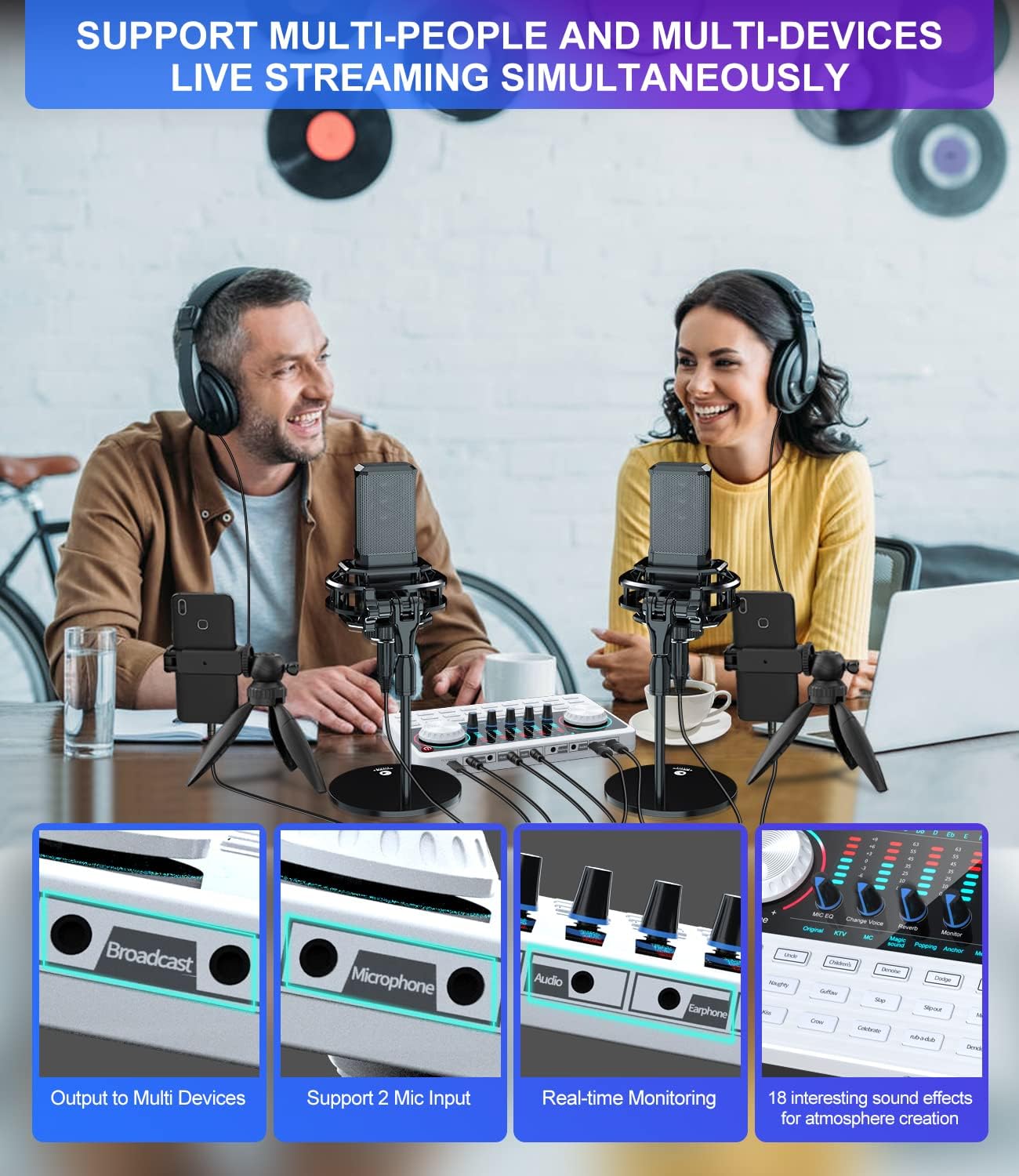
Image: A visual guide to the one-key smart noise reduction and other audio features of the tenlamp sound card, such as Denoise, Dodge, Anaphora, and Loopback function for PC.
Multi-Platform Streaming:
The V10 sound card supports live streaming for up to 2 people simultaneously across 3 devices or platforms, allowing for collaborative content creation.

Image: Two individuals engaged in a podcasting session, demonstrating the multi-person and multi-device live streaming capabilities of the tenlamp systém.
Microphone Specifications (Q8)
The Q8 vocal microphone is designed for broadcast-grade audio quality, ensuring clear and natural reproduction of both music and speech.
- Typ: Mid-bass condenser microphone
- Membrána: 32mm large premium diaphragm
- Polární vzor: Classic cardioid, providing uniform capture and rejecting off-axis audio.
- Kvalita zvuku: Smooth, warm, clean, and natural.
Technické specifikace
| Funkce | Detail |
|---|---|
| Číslo modelu | V10-Q8-W |
| Hmotnost položky | 3.76 liber (1.71 kilogramů) |
| Rozměry balení | 10.35 x 9.17 x 5.47 palce |
| Země původu | Čína |
| Jsou vyžadovány baterie | 1 Lithium Ion battery (built-in 1000mAh) |
| Zdroj napájení | Elektrický kabel |
| Počet kanálů | 8 |
| Technologie připojení | USB, Bluetooth, 3.5mm TRRS |
Údržba
To ensure the longevity and optimal performance of your tenlamp Podcast Equipment Bundle, follow these general maintenance guidelines:
- Keep the sound card and microphone clean by wiping them with a soft, dry cloth. Avoid using abrasive cleaners or solvents.
- Zařízení skladujte na chladném a suchém místě mimo dosah přímého slunečního záření a extrémních teplot.
- Protect the microphone from dust and moisture when not in use.
- Se všemi kabely a konektory zacházejte opatrně, abyste předešli poškození.
- Avoid dropping or subjecting the equipment to strong impacts.
Odstraňování problémů
If you encounter issues with your tenlamp Podcast Equipment Bundle, consider the following common troubleshooting steps:
- Žádný zvukový výstup:
- Check all cable connections to ensure they are secure and correctly plugged into the appropriate ports.
- Verify that the volume knobs on the sound card (Microphone, Music, Monitor) are not set to minimum or muted.
- Ensure the correct audio input/output device is selected in your computer's or smartphone's sound settings.
- Confirm that the monitor earphones are properly connected and functioning.
- Microphone Not Picking Up Sound:
- Check the XLR to 3.5mm mic cable connection at both the microphone and the sound card.
- Ensure the microphone volume knob on the sound card is turned up.
- Test the microphone on another device if possible to rule out a microphone fault.
- Background Noise/Interference:
- Activate the "Denoise" feature on the sound card.
- Ensure all cables are properly shielded and not running parallel to power cables.
- Minimize other electronic devices near the setup that might cause interference.
- Voice Changer/Effects Not Working:
- Ensure the specific effect buttons are pressed and activated.
- Adjust the corresponding knobs for the effects (e.g., Reverb, Change Voice) to hear their impact.
For more detailed troubleshooting or persistent issues, please refer to the official E-edition user manual available online or contact tenlamp zákaznickou podporu.
Záruka a podpora
While specific warranty details are not provided in this document, tenlamp products typically come with a manufacturer's warranty. Please refer to the official E-edition user manual or the product's purchase page for detailed warranty information and terms.
For technical support, product inquiries, or assistance with your tenlamp V10-Q8 Podcast Equipment Bundle, please visit the official tenlamp store or contact their customer service channels as provided on their website or in the comprehensive user manual (PDF) linked on the product page.
You can often find additional support and FAQs on the tenlamp brand store page: tenlamp Obchod


