Zavedení
Děkuji za nákupasing the PDP REMATCH Enhanced Wired Power Nintendo Switch Pro Controller. This officially licensed controller is designed to enhance your gaming experience on Nintendo Switch, Switch Lite, and Switch OLED consoles. It features a built-in 3.5mm audio jack for headset compatibility, on-the-fly audio controls, and customizable paddle-style back buttons for personalized gameplay.
Obsah balení
- PDP REMATCH Enhanced Wired Power Nintendo Switch Pro Controller
- Integrovaný USB kabel
Nastavení
Připojení ovladače
To begin using your PDP REMATCH controller, follow these simple steps:
- Ensure your Nintendo Switch console is powered on and docked, or in handheld mode with a USB-C to USB-A adapter (not included) if connecting directly to the console in handheld mode.
- Vyhledejte volný USB port na dokovací stanici Nintendo Switch.
- Plug the USB connector of the PDP REMATCH controller's integrated cable into the USB port on the dock.
- The controller will automatically connect to your Nintendo Switch console. The LED indicator on the controller will illuminate to confirm connection.


Návod k obsluze
Základní ovládací prvky
The PDP REMATCH controller features standard Nintendo Switch button layouts for intuitive gameplay.
| Řízení | Funkce |
|---|---|
| Levé/pravé analogové páčky | Movement, Camera Control |
| D-Pad | Directional input, Menu Navigation, Audio Volume Control |
| Tlačítka A/B/X/Y | Action buttons (context-dependent) |
| L/R Buttons | Ramenní knoflíky |
| ZL/ZR Buttons | Spouštěcí tlačítka |
| Tlačítko mínus (-) | Access in-game menus, secondary functions |
| Tlačítko Plus (+) | Access in-game menus, primary functions |
| Tlačítko Domů | Return to Nintendo Switch HOME Menu |
| Tlačítko Capture | Take screenshots or record video clips |
Zvukové funkce
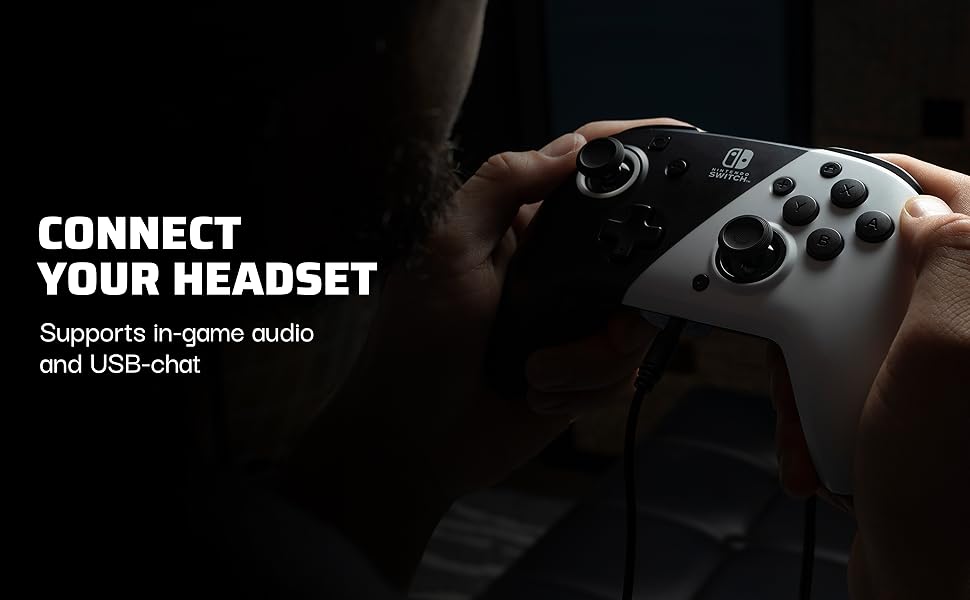
The controller includes a 3.5mm audio jack for connecting your gaming headset, allowing for in-game audio and USB-chat in compatible titles.
- Connecting a Headset: Plug your 3.5mm headset directly into the audio jack located at the bottom of the controller.
- Nastavení hlasitosti: While playing, press the Function button (small button near the right analog stick) and use the D-Pad UP/DOWN to adjust the game volume on the fly.

Přizpůsobitelná tlačítka
The PDP REMATCH controller features dual programmable paddle-style buttons on the back, allowing you to remap functions for faster reactions and personalized control.
- Programming Paddles: Refer to the detailed programming instructions provided with the controller or on the PDP Gaming website for specific steps on how to assign functions to the back paddles.
- Výhody: Remapping frequently used buttons to the paddles can improve ergonomics and reaction time, as you don't need to move your thumbs from the analog sticks.

Údržba
To ensure the longevity and optimal performance of your PDP REMATCH controller, follow these maintenance guidelines:
- Čištění: Ovladač pravidelně otírejte měkkým, suchým hadříkem. V případě odolné nečistoty lehceamphadřík vodou. Nepoužívejte agresivní chemikálie ani abrazivní čisticí prostředky.
- Skladování: Store the controller in a cool, dry place away from direct sunlight and extreme temperatures. Avoid tangling the integrated cable.
- Zacházení: Do not drop the controller or subject it to strong impacts. Avoid pulling the cable excessively when disconnecting.
Odstraňování problémů
- Controller is not recognized by the Switch.
- Ensure the USB cable is securely plugged into both the controller and the Nintendo Switch dock. Try a different USB port on the dock. Verify that your Nintendo Switch system software is up to date.
- Audio is not working through the headset.
- Check that your headset's 3.5mm jack is fully inserted into the controller's port. Ensure the headset's volume is turned up and not muted. Verify that the in-game audio settings are configured correctly. Adjust the volume using the Function button and D-Pad UP/DOWN on the controller.
- Programmable back paddles are not responding.
- Ensure you have correctly followed the programming instructions for the paddles. Some games may have specific controller configurations that override custom mappings. Try resetting the controller's programming if issues persist.
Specifikace
| Funkce | Detail |
|---|---|
| Číslo modelu | 500-134-NA-BW |
| Kompatibilita | Nintendo Switch, Switch Lite, Switch OLED |
| Konektivita | Kabelové USB |
| Zvukový výstup | 3.5mm Jack pro sluchátka |
| Programovatelná tlačítka | Dual Paddle-Style Back Buttons |
| Rozměry | 19.69 x 19.69 x 11.02 palce (přibližně) |
| Hmotnost | 13.76 unce (přibližně) |
| Výrobce | PDP |
Záruka a podpora
Informace o záruce a technickou podporu naleznete na oficiálních stránkách PDP Gaming. webnebo se obraťte na jejich zákaznický servis. Uschovejte si doklad o koupi pro případ reklamace.
Online podpora: www.pdp.com/support


