Zavedení
The Crosley Voyager Record Player is designed to combine classic vinyl listening with modern audio technology. This portable turntable supports multiple record speeds and features built-in speakers, Bluetooth connectivity for both input and output, and various audio ports for versatile use. This manual provides essential information for setting up, operating, and maintaining your record player.
Co je v krabici
- CR8017B-BK Turntable Unit
- Adaptér 45 RPM
- Napájecí adaptér
Vlastnosti produktu
- Three-Speed Belt-Drive Turntable: Přehrává 33 desek s rychlostí otáčení 1/3, 45 a 78 otáček za minutu.
- Nastavitelné ovládání výšky tónu: Fine-tune playback speed.
- Spouštěcí páka: Gently lowers and raises the needle.
- Bluetooth In: Stream digital music from your device to the turntable's built-in speakers.
- Bluetooth výstup: Connect the turntable wirelessly to external Bluetooth speakers.
- Built-in Dynamic Full-Range Stereo Speakers: Integrovaný zvukový výstup.
- Pomocný vstup: Externí zdroje zvuku připojte pomocí 3.5mm audio kabelu.
- RCA výstup: Connect to an external stereo system for enhanced audio.
- Sluchátkový jack: Pro soukromý poslech.
- Design přenosného kufru: Compact and easy to transport with a carry handle.

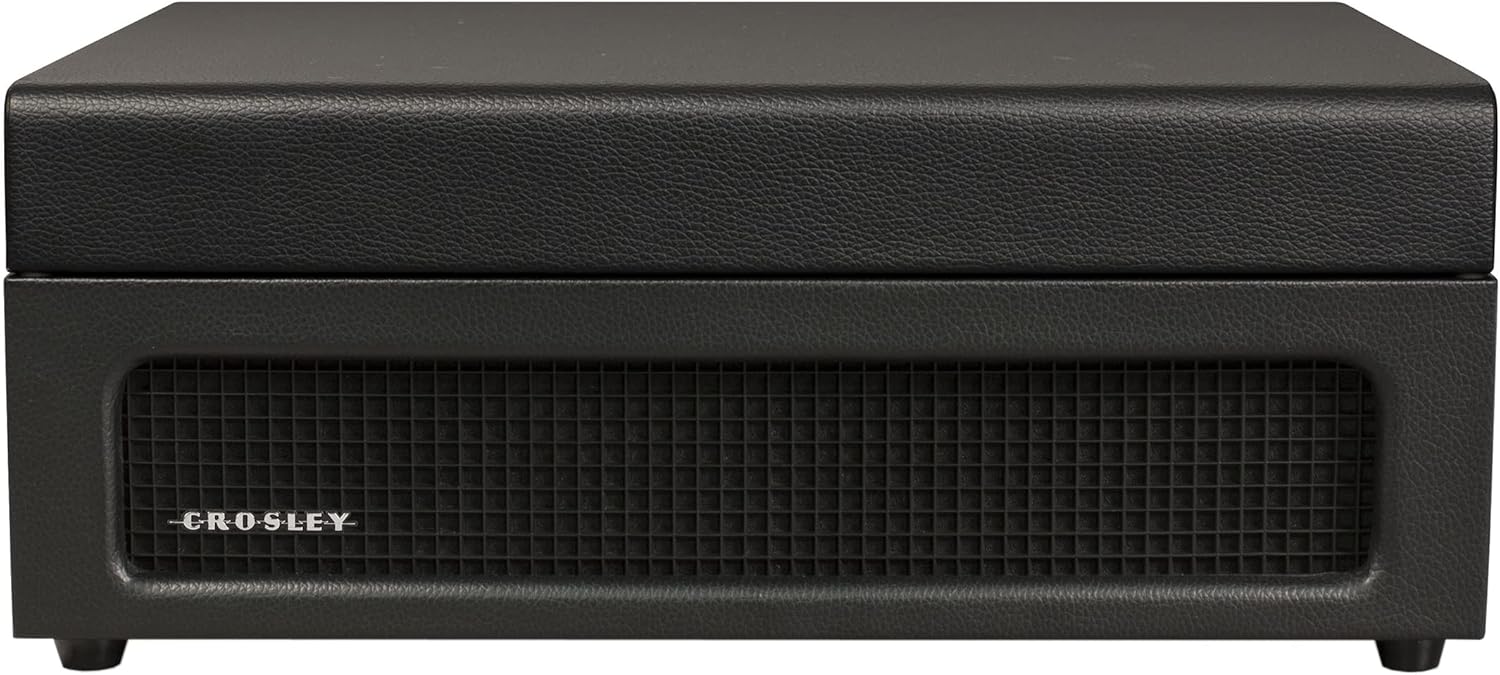
Image: Key features of the Crosley Voyager turntable, highlighting the 3-speed selector, compact and portable design, and built-in stereo speakers.
Nastavení
- Vybalení gramofonu: Carefully remove all components from the packaging. Ensure all packing materials are removed from the turntable platter and tonearm.
- Umístění otočného talíře: Position the turntable on a flat, stable surface away from direct sunlight, heat sources, or excessive vibration.
- Připojte napájení: Insert the power adaptor into the DC 12V input jack on the back of the turntable, then plug the adaptor into a wall outlet.
- Odstranění chrániče stylusu: Gently remove the white plastic stylus protector from the needle.
- Počáteční zapnutí: Otočte knoflíkem POWER/VOLUME ve směru hodinových ručiček pro zapnutí přístroje. Kontrolka napájení se rozsvítí.

Image: Rear panel of the turntable, displaying the DC 12V power input, RCA Line Out, and Aux In ports for external connections.
Návod k obsluze
Přehrávání záznamů
- Vyberte rychlost: Set the speed selector switch (33, 45, or 78 RPM) to match the record you are playing. Use the included 45 RPM adapter for 7-inch records with large center holes.
- Záznam o místě: Umístěte desku na talíř gramofonu.
- Odemknutí raménka přenosky: Release the tonearm clip.
- Raise Tonearm: Lift the cueing lever to raise the tonearm.
- Pozice raménka přenosky: Manually move the tonearm over the desired track of the record.
- Spodní raménko: Gently lower the cueing lever to place the stylus on the record. The platter will begin to spin.
- Upravit hlasitost: Rotate the POWER/VOLUME knob to adjust the sound level.
- Úprava výšky tónu: Use the PITCH control knob to fine-tune the playback speed if needed.
- Konec přehrávání: When the record finishes, the tonearm will automatically return to its rest position (if auto-stop is enabled). Lift the tonearm, return it to the rest, and secure the clip.
Obrázek: Shora dolů view of the turntable with a record spinning, illustrating the tonearm in position and the control panel.
Bluetooth vstup (streamování do gramofonu)
- Vyberte režim Bluetooth: Slide the PHONO/BT switch to the BT position. The Bluetooth indicator light will flash blue.
- Spárovat zařízení: On your Bluetooth-enabled device (e.g., smartphone, tablet), search for "Crosley Voyager" in the Bluetooth settings and pair. Once connected, the indicator light will glow solid blue.
- Přehrát hudbu: Start playing music on your device. The audio will stream through the turntable's built-in speakers.
- Upravit hlasitost: Control the volume using both your device and the turntable's POWER/VOLUME knob.
Image: The turntable with a smartphone icon and Bluetooth logo, indicating the ability to stream digital music through its built-in speakers.
Bluetooth Output (Streaming from Turntable)
- Enable Pairing on External Speaker: Put your external Bluetooth speaker into pairing mode.
- Select Bluetooth Output Mode: Slide the PHONO/BT switch to the BT position. The Bluetooth indicator light will flash blue.
- Zahájit párování: The turntable will automatically search for and connect to the nearest Bluetooth speaker in pairing mode. Once connected, the indicator light will glow solid blue.
- Přehrát záznam: Place a record and begin playback as described above. The audio will now stream to your external Bluetooth speaker.

Image: The turntable with a Bluetooth logo, illustrating its capability to stream vinyl audio to external Bluetooth speakers (speaker not included).
Using Aux Input or Headphone Jack
- Pomocný vstup: Connect an external audio device (e.g., MP3 player) to the AUX IN port on the back of the turntable using a 3.5mm audio cable. The audio will play through the turntable's speakers.
- Sluchátkový jack: For private listening, plug headphones into the headphone jack on the front panel. The built-in speakers will be muted.
Údržba
- Čištění stylusu: Use a soft brush to gently clean the stylus (needle) from back to front. Avoid touching the stylus with your fingers.
- Čištění gramofonu: Wipe the turntable cabinet with a soft, dry cloth. Do not use harsh chemicals or abrasive cleaners.
- Péče o záznamy: Udržujte desky čisté a bez prachu. Skladujte je svisle v obalech, aby se nezdeformovaly.
- Výměna stylusu: The stylus has a limited lifespan. If sound quality deteriorates, replace the stylus. Consult Crosley support for compatible replacement styli.
Odstraňování problémů
If you experience issues with your Crosley Voyager turntable, please refer to the following common solutions:
- Bez napájení: Ensure the power adaptor is securely connected to both the turntable and a working wall outlet. Check if the POWER/VOLUME knob is turned on.
- Žádný zvuk:
- Check the POWER/VOLUME knob and turn it up.
- If using Bluetooth output, ensure the external speaker is powered on and paired correctly.
- If using RCA output, verify connections to your stereo system and its input selection.
- Pokud používáte sluchátka, ujistěte se, že jsou zcela zasunuta.
- Ensure the stylus protector has been removed.
- Přeskakující nebo zkreslený zvuk:
- Vyčistěte desku a stylus.
- Ujistěte se, že otočný talíř stojí na stabilním a rovném povrchu.
- Check if the record is warped or damaged.
- Verify the correct speed setting (33 1/3, 45, or 78 RPM) is selected.
- Problémy s párováním Bluetooth:
- Ensure the turntable is in the correct Bluetooth mode (input or output).
- Make sure your device or external speaker is in pairing mode and within range.
- Try restarting both the turntable and the Bluetooth device.
Specifikace
| Rozměry produktu: | 12 x 14.5 x 6 palce |
| Hmotnost položky: | 7.25 libry |
| Maximální rychlost otáčení: | 78 ot./min |
| Materiál: | Plast |
| Styl: | Bluetooth In/Out |
| Barva: | Černý |
| Název modelu: | Voyager |
| Kompatibilní zařízení: | Reproduktor, sluchátka |

Image: Detailed diagram illustrating the overall dimensions of the Crosley Voyager turntable.
Oficiální video produktu
Video: Oficiální video s produktemasing the Crosley CR8017B-BK Voyager Record Player, highlighting its design and features.
Záruka a podpora
Crosley products are proudly designed in the USA and come with USA-based customer support. For warranty information, technical assistance, or replacement parts, please visit the official Crosley webnebo se obraťte na jejich zákaznický servis. Uschovejte si doklad o koupi pro případ reklamace.
Návrh 65 Varování: Tento produkt může obsahovat chemikálie, o kterých je ve státě Kalifornie známo, že způsobují rakovinu a vrozené vady nebo jiné reprodukční poškození. Více informací naleznete na www.P65Warnings.ca.gov.