1. Úvod
Thank you for choosing the HOMCOM L-Shaped Industrial Computer Desk. This manual provides essential information for the safe assembly, proper use, and maintenance of your new desk. Please read these instructions carefully before assembly and retain them for future reference.

Image 1.1: The HOMCOM L-Shaped Industrial Computer Desk, featuring a rustic brown finish and a sturdy black metal frame.
2. Bezpečnostní pokyny
- Před zahájením montáže si vždy přečtěte a pochopte všechny pokyny.
- Uchovávejte všechny malé díly a obalové materiály mimo dosah dětí a domácích zvířat, abyste předešli nebezpečí udušení.
- Stůl sestavte na měkkém a čistém povrchu, abyste zabránili poškrábání.
- Před použitím se ujistěte, že jsou všechny šrouby a spojovací prvky bezpečně utažené. Pravidelně kontrolujte a v případě potřeby dotahujte.
- Do not overload the desk. The maximum recommended load capacity is 40 kg (88 lbs).
- Vyhněte se stání nebo sezení na stole.
- Use the desk on a level surface. The adjustable leveling feet should be used to ensure stability and prevent wobbling.
- Tento výrobek je určen pouze pro vnitřní použití.
3. Obsah balení
Before assembly, verify that all components and hardware listed in the included assembly manual are present and undamaged. If any parts are missing or damaged, please contact customer support.
4. Montážní návod
Assembly of this desk is designed to be straightforward. An illustrated assembly manual is provided with your product. Follow the step-by-step diagrams and instructions carefully.
- Rozbalte a identifikujte: Carefully unpack all components and lay them out on a protected surface. Identify each part by comparing it to the parts list in the assembly manual.
- Kontrola před montáží: Ensure all hardware (screws, bolts, brackets) is present.
- Sestava rámu: Begin by assembling the metal frame components as shown in the diagrams. Do not fully tighten screws until the entire frame is loosely assembled.
- Příloha k počítači: Once the frame is stable, attach the rustic brown desktop panels. Align the pre-drilled holes with the frame.
- Feature Installation: Install the magazine rack and perforated memo board onto the desktop as indicated.
- Konečné utažení: Once all parts are in place, gradually tighten all screws and fasteners. Do not overtighten.
- Vyrovnání: Adjust the non-slip leveling feet at the bottom of the desk legs to ensure the desk is stable and level on your floor.
Doporučení: While assembly is designed to be easy, having two people for assembly is recommended to ensure stability and ease of handling larger components.

Image 4.1: Desk dimensions for planning your space.
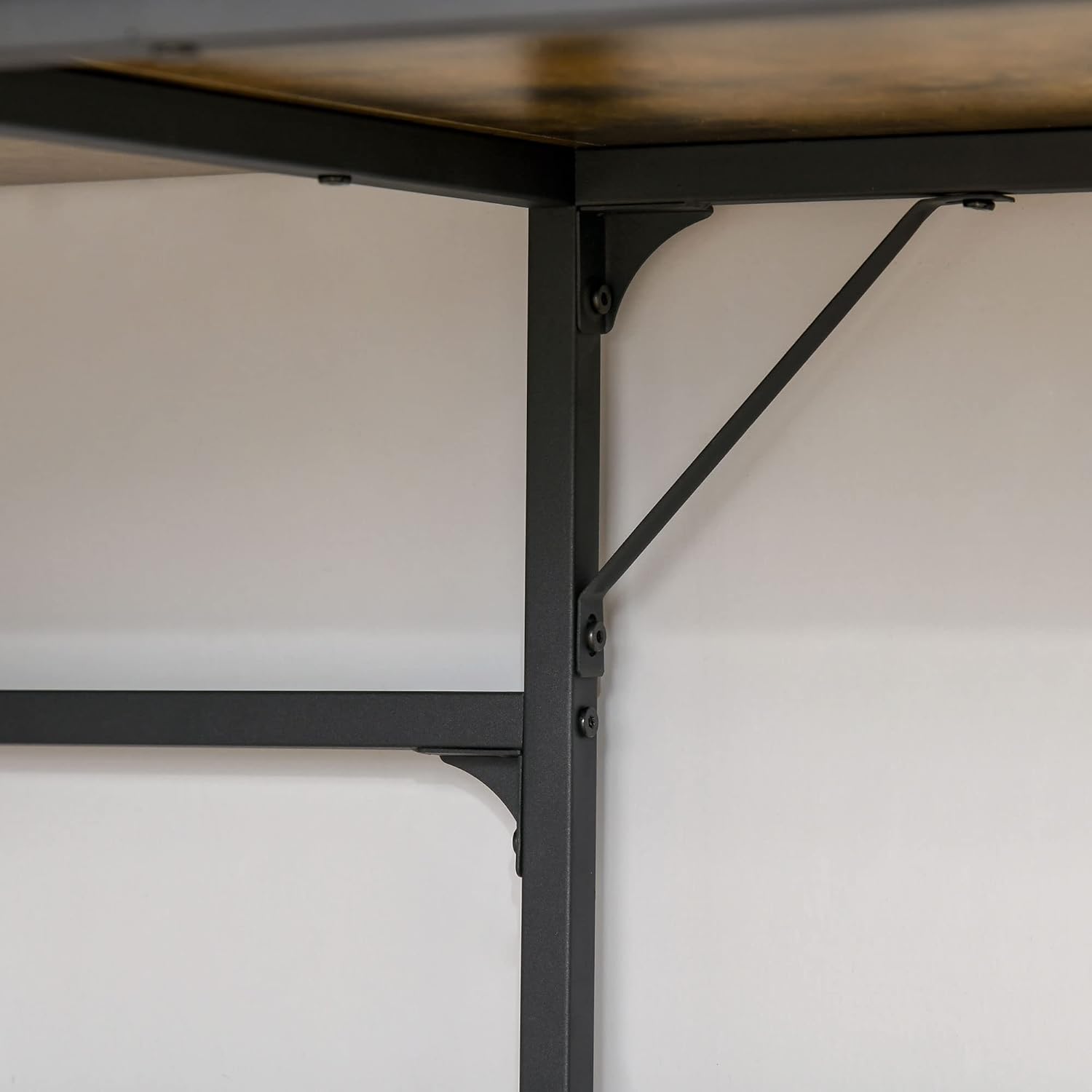
Image 4.2: Detail of the robust metal frame and support brackets.
5. Používání
The HOMCOM L-Shaped Industrial Computer Desk is designed to optimize your workspace with its functional features and stylish design.
- Design ve tvaru L: Ideal for corner placement, maximizing space efficiency in your office, bedroom, or living room.
- Velká pracovní plocha: Poskytuje ample space for your computer, monitor, keyboard, and other work essentials.
- Integrované úložiště: Features a convenient magazine rack for documents and books, and a perforated memo board for notes, photos, or small accessories.
- Průmyslová estetika: The rustic brown wood-look finish combined with the black metal frame offers a modern industrial style.

Image 5.1: The desk in use, showcasing its spacious work area and integrated features.

Obrázek 5.2: Detailní view of the magazine rack and perforated memo board.
6. Údržba
To ensure the longevity and appearance of your HOMCOM desk, follow these simple maintenance guidelines:
- Čištění: The desk features an easy-care melamine coating. Wipe surfaces with a soft, damp hadříkem. Nepoužívejte abrazivní čisticí prostředky ani agresivní chemikálie, které by mohly poškodit povrchovou úpravu.
- Rozlití: Veškeré rozlité tekutiny ihned setřete, abyste zabránili vzniku skvrn nebo poškození povrchu s imitací dřeva.
- Ochrana: Use coasters for drinks and protective pads under hot items or sharp objects to prevent marks and scratches.
- Spojovací materiál: Pravidelně kontrolujte všechny šrouby a vruty, zda jsou pevně utažené. V případě potřeby je dotáhněte, aby byla zachována strukturální integrita.
- Prostředí: Avoid placing the desk in direct sunlight or near heat sources, as this can cause fading or warping over time.
7. Řešení problémů
If you encounter any issues with your HOMCOM L-Shaped Industrial Computer Desk, please refer to the following common solutions:
- Stůl je vratký:
- Ujistěte se, že všechny šrouby a vruty jsou zcela utažené.
- Adjust the leveling feet on the bottom of each leg to compensate for uneven floors.
- Zkontrolujte, zda je stůl umístěn na rovném a stabilním povrchu.
- Části chybí nebo jsou poškozené:
- Pečlivě zkontrolujte všechny obalové materiály, abyste se ujistili, že jste nepřehlédli žádné drobné části.
- Refer to the parts list in your assembly manual. If parts are genuinely missing or damaged, contact HOMCOM customer support for assistance.
- Potíže s montáží:
- Review the illustrated assembly manual step-by-step.
- Ujistěte se, že pro každý krok používáte správný hardware.
- Netlačte díly silou; pokud k sobě nezapadají, znovu zkontrolujte pokyny.
Pro další pomoc se prosím obraťte na zákaznickou podporu HOMCOM.
8. Specifikace
| Značka | HOMCOM |
| Číslo modelu | 836-4270531 |
| Barva | Rustikální hnědá |
| Materiál | Wood (MDF), Metal |
| Celkové rozměry (D x Š x V) | 165 cm x 110 cm x 95 cm (65 palce x 43.3 palce x 37.4 palce) |
| Hloubka stolního počítače | 55 cm (21.7 palce) |
| Perforated Memo Board Dimensions (L x H) | 107 cm x 20 cm (42.1 palce x 7.9 palce) |
| Hmotnost položky | 24 kg (52.9 lb) |
| Max. doporučené zatížení | 40 kg (88 lb) |
| Speciální funkce | Scratch Resistant, Non-slip Leveling Feet, Magazine Rack, Perforated Memo Board |
9. Záruka a podpora
HOMCOM products are manufactured to high-quality standards. For information regarding warranty coverage, please refer to the documentation provided with your purchase or visit the official HOMCOM webmísto.
If you require assistance with assembly, have questions about product features, or need to report missing/damaged parts, please contact our Specialized Customer Support team. Contact details can typically be found on the HOMCOM webwebu nebo na vašem nákupním dokladu.

Image 9.1: HOMCOM Specialized Customer Support is available to assist you.


